
Область применения
Данная версия программы DriveMonitor, стандартное программное обеспечение поставляемое на CD-ROM.
- С помощью программы могут быть установлены или считаны все параметры преобразователя ( представленные в табличном виде )
- Чтение, запись, распечатка и сравнение параметров преобразователя
- Управление преобразователем (сигналы управления, задания на частоту)
- Диагностика (ошибки, предупреждения, архив ошибок)
- Работа в реальном времени и без подключения к преобразователю
- Настройка технологических плат T100, T300 и T400
- Win 95/98/Me/NT/2000
- 64 MB RAM
- Необходимое место на диске 100 Mbytes
- Разрешение экрана 800 x 600 или выше
- Поддержка USS интерфейса
- RS 232 последовательный интерфейс (для работы с одним преобразователем, точка-точка)
- RS 485 последовательный интерфейс (для работы с несколькими преобразователями и работе по шине)
Обзор
Программа DriveMonitor (устанавливается отдельно) предназначена для ввода в эксплуатацию преобразователей SIMOREG, MICROMASTER, и SIMOVERT MASTERDRIVES. Работает в среде Windows 95/98/NT/2000/ME.
Функции
- Commissioning, parameterization, monitoring and diagnosis of SIEMENS drives in a standardized environment via the serial interface of the PG/PC using the Siemens-specific USS protocol
- Executable under the Windows operating systems Windows 2000/XP/7 and Windows 2003/2008 Server
- Data transfer between the PG/PC and the drives using RS‑232/RS‑485 physics via the serial COM interfaces of the PGs/PCs as well as via OPC
- Parameterization is possible both online (there is a connection to the drive) as well as offline (there is no connection to the drive, e.g. in an office environment)
- Management of parameter sets (upread, download, compare, print)
- Prompted, graphic commissioning for the MASTERDRIVES VC and MC devices as well as SIMOREG DC-Master
- Internal state variables can be conveniently read out (recorded using the trace function) and displayed in the same way as on a digital storage oscilloscope, including evaluation aids
- Firmware download for option cards from the MASTERDRIVES range, for example the PROFIBUS board CBP2
- Graphic online diagnostic screen forms for MASTERDRIVES MC regarding the speed controller, position controller, basic positioner (EPOS) and synchronous operation
- Tree view of the parameter menus for simpler navigation in DriveMonitor
- Device identification (DriveMonitor determines the firmware releases of connected drives)
- Import and export of freely defined parameter lists
|
11:21 SIEMENS MICROMASTER 410,411,420,430,440 Загрузка/сохранение параметров через интерфейсs RS-485 ПО DriveMonitor V5.5 |
|
SIEMENS MICROMASTER 410,411,420,430,440 Загрузка/сохранение параметров через интерфейсs RS-485 ПО DriveMonitor V5.5. Клеммы RS-485 — 29 и 30. Pins of RS-485 is 29 and 30. Used RS-485/USB Converter (In windows virtual COM-port) Используется конвертер RS-485/USB (в ОС windows создается виртуальный COM-порт). Настройки порта в видео. Settings of COM-port shows on video. Файл настроек в формате *.dnl Скачать DriveMonitor Version V5.5 SP2 for SIMOVERT MASTERDRIVES, MICROMASTER and SIMOREG |
Категория: SIEMENS | | Рейтинг: 5.0/1 |
Free — Fast — Easy For Automation ^^
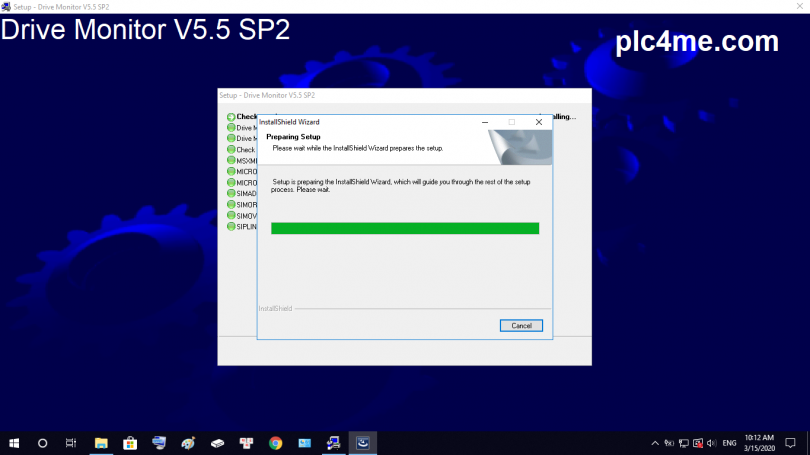
Simatic_DriveMonitor_V5.5_SP2 is the Siemens startup, parameterization, optimization and diagnostics software
Drive start tools (DriveMonitor; SIMOCOM U / A, Starter) are full of components in Drive ES Basic, thus allowing users to solve the drives at the same time as Siemens automation techniques. The management data of both automatic and technical transmission are compatible with each other. That ensures the normal data storage.
- Function of the software:
+ Handling list of drive parameters
+ Download,upload and compare the settings
+ The basic logic functions the start instruction
+ Technical functions for start-up instructions
+ Diagnostics such as fault and alarm memory, PROFIBUS diagnostics, monitoring of monitoring and evaluation.
+ Export / import settings
+ Extend the help function depending on the context
+ Actuators are configured the same as controller programming
- Instructions for installing software by video (Link software at the bottom of the article)
- Installation instructions by image:
+ Step 1: Download the software and extract it

+ 2: Run the file setup.exe

+ 3: Choose Setup Language

+ 4: Click Next to continue

+ 5: Accept License Agreements then Next

+ 6: Check information then Next

+ 7: Enter user information

+ 8: Select the software you want to install

+ 9: Wait for the installation process to take a few minutes

+ 10: Restart your computer when the installation process is finished

Open the software and work with it

>>> Link Download Software ( Link GoogleDrive – Fast for Download ):
+ Download Simatic_DriveMonitor_V5.5_SP2 + HF1 Software.RAR
Password Extract: plc4me.com
Thanks for reading !
You may also like
About the author
admin
-
Muchenik
- новенький
- Сообщения: 1
- Зарегистрирован: 31 янв 2024, 10:32
- Имя: Сергей
- Страна: Россия
- город/регион: Коломна
DriveMonitor V5.5
Сообщение
Muchenik »
Парни привет , можите помочь с программой DriveMonitor V5.5 ,стоит микромастер 420 не можем на него зайти. Нужна программа на сименсе сайте не возможно скачать
Basic >> Advanced >> Professional

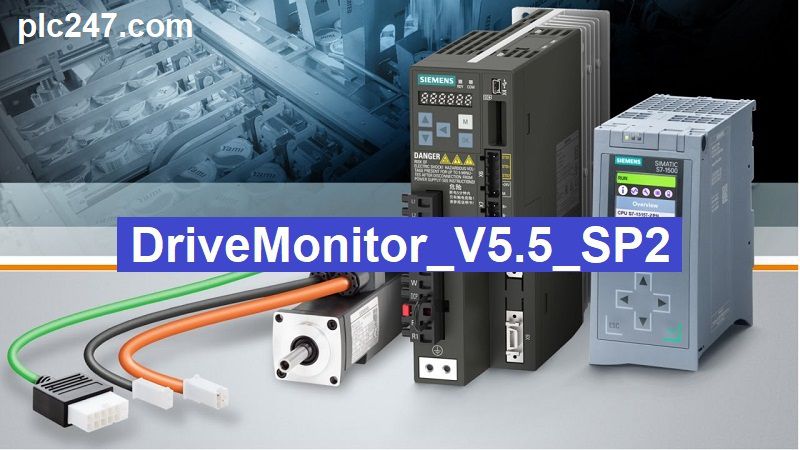
DriveMonitor is a software for starting, parameterizing, optimizing and diagnosing Siemens actuators (DriveMonitor / SIMOCOM U). The Drive starters (DriveMonitor; SIMOCOM U / A, Starter) have the full range of components in Drive ES Basic, thus allowing the user to deal with the actuators at the same time as Siemens automation engineering. The management data of both the automatic and the technical drive match.
Hardware requirements
+ PG or PC
+ Pentium III, 1 GHz min., (> 1 GHz recommended)
+ 1 GB main memory (2 GB recommended)
+ Screen resolution 1024×768 pixels, 16-bit color depth
+ Free Disk space > 3 GB
+ The DriveMonitor requires approximately 670 MB of memory.
Operating system
- MS Windows 2000 SP4
- Microsoft Windows XP Professional SP2 and SP3
- Microsoft Windows 2003 Server SP2
- Microsoft Windows VISTA Business SP1
- Microsoft Windows VISTA Ultimate SP1
- Microsoft Windows 2008 Server
- Microsoft Windows 7 Professional (32/64 bit)
- Microsoft Windows 7 Ultimate (32/64 bit)
- Microsoft Windows 8 (32/64 bit)
- Microsoft Windows 8 Pro (32/64 Bit)
- Microsoft Windows 8.1 (32/64 bit)
- Microsoft Windows 8.1 Pro (32/64 bit)
- Microsoft Windows 10 (64 bit)
- Microsoft Internet Explorer V6.0

Functions of DriveMonitor
+ Processing the list of drive parameters
+ Download settings
+ Compare the settings
+ Upload settings
+ Basic logic functions that instruct the start-up
+ Start instruction technical functions
+ Diagnostics such as: error memory and alarms, PROFIBUS diagnostics, monitoring logging and evaluation.
+ Enter the settings
+ The actuator is operated via the actuator control panel
+ Export settings
+ Extend help functions depending on the context
+ The actuator is configured in the same way as programming the controller
+ Shared data management with automation
+ Communication via Ethernet (routed), PROFIBUS connection or serial

Link Download Software
>>> Download Simatic_DriveMonitor_V5.5_SP2
Password Extract: plc247.com
=====
During the download and installation process, if you have any problems, please comment below the article for plc247.com support. Please like and share if it is useful
Thanks and best regards!