
View the manual for the Citizen Eco-Drive Calibre 8700 here, for free. This user manual comes under the category watches and has been rated by 4 people with an average of a 9.3. This manual is available in the following languages: English. Do you have a question about the Citizen Eco-Drive Calibre 8700?
Ask your question here
Citizen Eco-Drive Calibre 8700 specifications
Below you will find the product specifications and the manual specifications of the Citizen Eco-Drive Calibre 8700.
The Citizen Eco-Drive Calibre 8700 is a watch that runs on solar power and never needs a battery replacement. It has a stainless steel case and band, and a scratch-resistant mineral crystal dial window. The watch displays the time and date, and has a perpetual calendar function that automatically adjusts for leap years. It also has an alarm function and a 24-hour display. The watch’s movement is powered by Citizen’s Eco-Drive technology, which converts any light source into energy that powers the watch. The watch is water-resistant up to 100 meters, making it suitable for swimming and snorkeling. The watch’s face is protected with a low-reflective curved crystal and features luminous hands and markers for better visibility in low-light conditions. The watch also has an anti-reflective coating on the crystal to improve readability in bright sunlight. In addition, the watch has a power reserve indicator to show the amount of stored energy. The Citizen Eco-Drive Calibre 8700 is an elegant and reliable timepiece that is perfect for everyday wear.
General
| Brand | Citizen |
| Model | Eco-Drive Calibre 8700 |
| Product | watch |
| Language | English |
| Filetype | User manual (PDF) |
Frequently asked questions
Can’t find the answer to your question in the manual? You may find the answer to your question in the FAQs about the Citizen Eco-Drive Calibre 8700 below.
A battery in my watch has started to corrode. Is the device still safe to use?
The product can still be used safely after proper cleaning. Remove the battery with gloves and clean the battery compartment with a toothbrush and vinegar. After drying, new batteries can be inserted into the device.
Is the manual of the Citizen Eco-Drive Calibre 8700 available in English?
Yes, the manual of the Citizen Eco-Drive Calibre 8700 is available in English .
Is your question not listed? Ask your question here
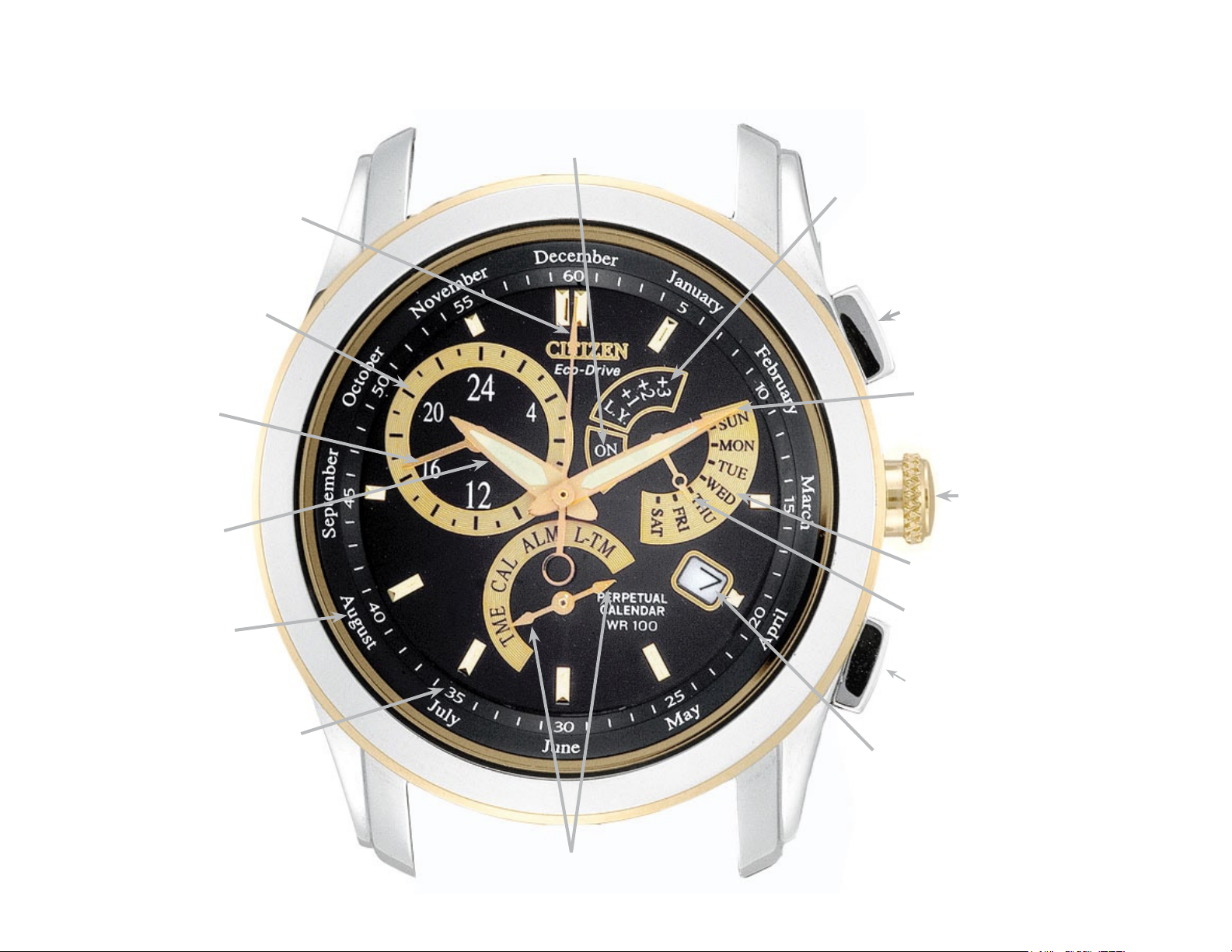
Calibre 8700 Series (mvt. cal. E870) Quick Reference
Alarm ON/OFF Scale
Leap Year Scale
Second Hand
24-Hour Scale
24-Hour Hand
Hour Hand
Month Scale
Dial Ring
Seconds/Minutes Track
Upper Right
Button (A)
Minute Hand
Crown
Day of Week Scale
Function Hand
Lower Right
Button (B)
Date
Mode Hand
(either tip activates mode)
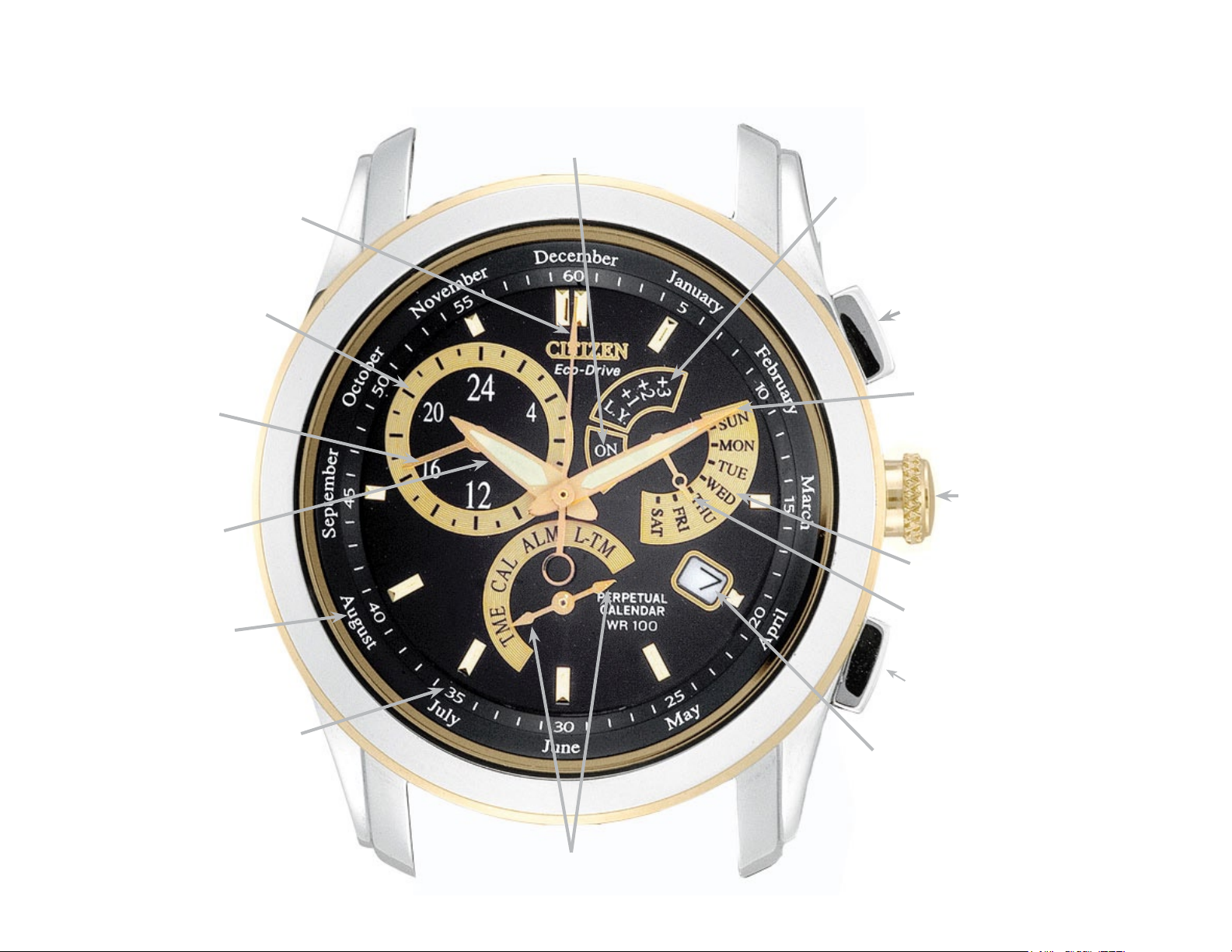
Calibre 8700 Series (mvt. cal. E870) Quick Reference
Alarm ON/OFF Scale
Leap Year Scale
Second Hand
24-Hour Scale
24-Hour Hand
Hour Hand
Month Scale
Dial Ring
Seconds/Minutes Track
Upper Right
Button (A)
Minute Hand
Crown
Day of Week Scale
Function Hand
Lower Right
Button (B)
Date
Mode Hand
(either tip activates mode)
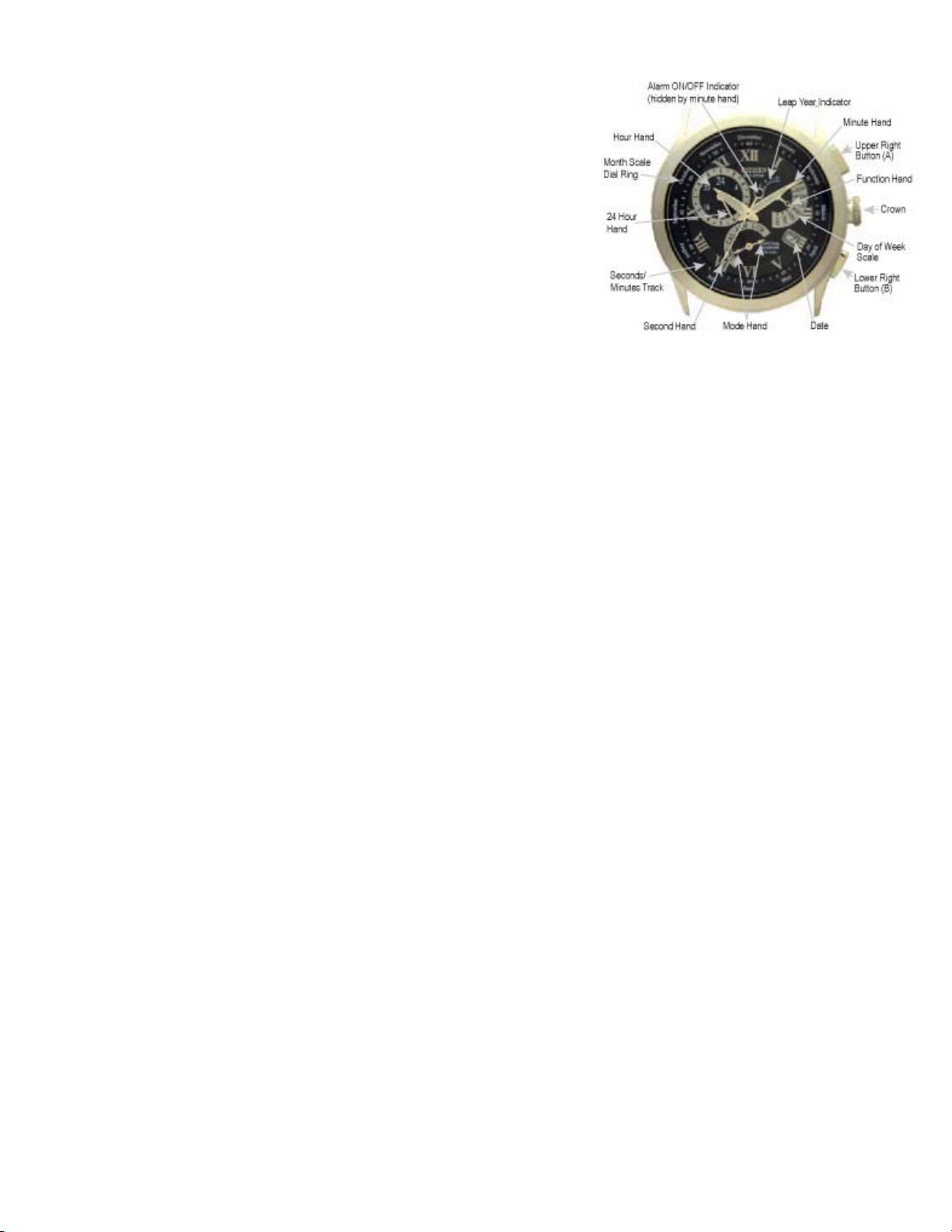
MODELS – BL80** Calibre 8700 Series
Mvt. Cal. No. E870
FEATURES
Light Powered
Time
Perpetual Calendar
Alarm
Dual Time
BENEFITS
Environmentally Clean Energy Source
Displays 12/24 Systems
Accurate to the year 2100
Daily Alarm
Second time zone
IMPORTANT NOTE:
If you suspect a malfunction, first check the 0-position of
the hands as outlined in the 0-positioning check procedure.
If the hands and date do not move to their respective 0positions, it will be necessary to set them for proper
operation.
After a full recharge from complete power loss or if
abnormal operation is noted, an ALL RESET and 0POSITIONING CORRECTION will be needed.
The second hand on this watch moves in one-second
increments to indicate that the charge level is sufficient for
normal time keeping operation. If it is not moving in one-second
increments, be sure to charge your watch fully as outlined in
your Instruction Manual.
0-POSITIONING CHECK PROCEDURE
Pull the crown out one ‘click’.
Turn the crown so that either tip of the Mode hand is pointing
to the Local Time mode (L-TM).
Push the crown back in one ‘click’ to the closed position next
to the case.
Press the upper right button (A) for 10 or more seconds until
the hands move to the 0-position stored in memory. Release
the upper right button (A). The correct 0-position for each hand
is as follows:
-Hour, Minute and Second hand pointing to ’12:00’
-24 Hour hand pointing to ‘24’
-Function hand pointing to ‘SUN’
-Date indicating ‘1’
If any of the hands do not indicate their respective 0-position, it
will be necessary to perform the all reset and 0-positioning
correction procedure.
Press the upper right button (A) to resume normal operation
in the Local Time mode.
ALL RESET and 0-POSITIONING CORRECTION
PROCEDURE
Pull the crown out one ‘click’.
Turn the crown so that either tip of the Mode hand is pointing
to the Local Time mode (L-TM)
Push the crown back in one ‘click’ to the closed position next
to the case
When the hands have stopped moving, pull the crown out two
‘clicks’.
Press the upper right (A) and lower right (B) buttons
simultaneously for two to three seconds, then release. Following
a confirmation tone, each of the hands performs a
‘demonstration’ in the order of the Function, Minute and Second
hands to indicate that the ‘all reset’ of the movement has
completed.
Press the upper right button (A). The Minute hand will move to
indicate the Hour, Minute and 24 Hour hands can be set. Turn
the crown clockwise or counterclockwise to set Hour, Minute
hands to 12:00 and the Function hand to ‘24’ (the 24 Hour hand
moves in conjunction with the Hour hand and cannot be set
independently.)
.
Turning the crown rapidly (‘clicking’ continuously two or more
times) causes the hands to advance continuously until the
crown is again turned.
Press the upper right button (A) again. The Function hand
will move indicating that is the hand that can now be set. Turn
the crown clockwise or counterclockwise so that Function
hand points to ‘SUN’ and the date is set for 1. Turning the
crown rapidly (‘clicking’ continuously two or more times)
causes the hand to advance continuously until the crown is
again turned.
Press the upper right button (A). The Second hand will
move indicating the Second hand can now be set.
Turn the crown clockwise to move the Second hand to the
‘12:00’ position.
Push the crown in two ‘clicks’ to the closed position next to
the case. This completes the all reset and 0-positioning
correction.
Continue with To Set the Time.
TO SET THE TIME
Pull the crown out one ‘click’.
Turn the crown so that either tip of the Mode hand is
pointing to the Time mode (TME).
Pull the crown out an additional ‘click’ to the time setting
position. The Second hand will move to the 12:00 position.
Turn the crown to change the position of the Hour, Minute
and 24 Hour hands electronically. Turning the crown
clockwise moves the hands forward and counterclockwise
moves the hands backward. Turning the crown quickly
causes the hands to move in a continuous or rapid set
manner. Turning the crown one ‘click’ in either direction while
the hands are in the «rapid set» mode will cause the hands to
stop.
Be sure to set time to the correct AM/PM. by referring to the
24 hour hand. After setting time, push the crown in to finalize
time setting.
TO SET THE CALENDAR
Pull the crown out one ‘click’.
Turn the crown so that either tip of the Mode hand is
pointing to the Calendar mode (CAL).
Pull the crown out an additional ‘click’ to the Calendar setting
position. The Function hand will move to indicate the leap year
set in memory. The positions are as follows:
-‘LY’= indicates the current year is a leap year
-‘+1’ indicates 1 year past a leap year
-‘+2’ indicates 2 years past a leap year
-‘+3’ indicates 3 years past a leap year
Turn the crown clockwise or counterclockwise to set the
correct leap year position.
Press the upper right button (A). The Second hand will
move to indicate the month stored in memory. Turn the crown
clockwise to set the current month.
Press the upper right button (A). The Function hand will
move to the middle of the day indicator indicating the date
can be set. Turning the crown clockwise will advance the
date, while turning the crown counterclockwise will move
the date backward. Turning the crown quickly causes the
hands to move in a continuous or rapid set manner.
Turning the crown one ‘click’ in either direction while the
hands are in the «rapid set» mode will cause the hands to
stop. Set the date for the current date.
Press the upper right button (A). The Function hand will
move to the day of the week stored in memory. Turn the
crown clockwise or counterclockwise to set the current day
of the week.
Push the crown to the closed position next to the case.
This completes setting the Calendar.
TO SET THE ALARM
The alarm is based on a 24-hour time period and can be
set to sound at the same time each day.
Pull the crown out one ‘click’.
Turn the crown so that either tip of the Mode hand is
pointing to the Alarm mode (ALM). The Hour, Minute and
24 Hour hands will move to the current alarm time set
position.
Pull the crown out an additional ‘click’ to the Alarm time
setting position. The alarm will automatically be activated
and the Function hand will move to indicate ‘ON’.
Rotate the crown either clockwise or counterclockwise to
set the desired alarm time, paying close attention to the 24
Hour hand to ensure the proper AM or PM alarm time is
set.
Press the lower right button (B) to turn the alarm ON or
OFF.
Push the crown to the closed position next to the case.
TO SET THE LOCAL TIME
The local time (L-TM) function allows the time to be set and
displayed for a different time zone other than your own. It
can be set in 1-hour increments only.
Pull the crown out one ‘click’.
Turn the crown so that either tip of the Mode hand is
pointing to the Local Time mode (L-TM).
Pull the crown out an additional ‘click’ to the Local time
setting position.
Turn the crown clockwise to advance the time by one
hour, or counterclockwise to move the time back one hour.
Once you have the local time set, push the crown in two
‘clicks’ to the closed position next to the case.
For additional features and instructions, please refer to
the full instruction manual or our web site at
www.citizenwatch.com.
Bookreader Item Preview
159
Views
DOWNLOAD OPTIONS
Temporarily Unavailable
DAISY
For users with print-disabilities
Uploaded by
chris85
on
SIMILAR ITEMS (based on metadata)

Calibre 8700 Series (mvt. cal. E870) Quick Reference
Upper Right
Button (A)
Lower Right
Button (B)
Crown
Function Hand
Day of Week Scale
Leap Year Scale
Mode Hand
(either tip activates mode)
Month Scale
Dial Ring
Seconds/Minutes Track
24-Hour Hand
Hour Hand
Second Hand
Minute Hand
Alarm ON/OFF Scale
24-Hour Scale
Date
Скачать файл PDF «Citizen CALIBRE 8700 Инструкция по эксплуатации» (956 Kb)
Популярность:
3386 просмотры
Подсчет страниц:
8 страницы
Тип файла:
Размер файла:
956 Kb
Google Ads: