
Перейти к контенту
Магнитолы Panasonic
- Размер инструкции: 1.45 Мб
- Формат файла: pdf
Если вы потеряли инструкцию от магнитолы Panasonic RX-D29, можете скачать файл для просмотра на компьютере или печати.
Инструкция для магнитолы Panasonic RX-D29 на русском языке. В руководстве описаны возможности и полезные функции, а также правила эксплуатации. Перед использованием внимательно ознакомьтесь с инструкцией.
Чтобы не читать всю инструкцию вы можете выполнить поиск по содержимому внутри инструкции и быстро найти необходимую информацию. Рекомендации по использованию помогут увеличить срок службы магнитолы Panasonic RX-D29. Если у вас появилась проблема, то найдите раздел с описанием неисправностей и способами их решения. В нем указаны типичные поломки и способы их решения.
Инструкция и руководство для
Panasonic RXD29
18 страниц подробных инструкций и пользовательских руководств по эксплуатации на русском на испанском на чешском на польском
12:30
Сравниваем CD магнитолы Panasonic RX-ES22, 23, 27.№311
06:22
Внедряем USB в магнитолу Panasonic RX-D29
04:36
магнитола Panasonic — ремонт
Нажмите на кнопку для помощи
— Что занимает последние 6 страниц инструкции по эксплуатации автомобиля «Таврия»?
— Расписания электричек и поездов.
RQTT0582-1E
Данная инструкция по
эксплуатации содержит
полные инструкции на
русском языке. Пожалуйста,
сравните русский текст с
иллюстрациями в междуна-
родной версии инструкции,
которая поставляется с
данным аппаратом.
Tento návod k obsluze obsahuje
kompletní návod v českém
jazyce. Porovnejte prosím tento
text s obrázky v mezinárodním
návodu, který je dodáván s tímto
přístrojem.
Ta instrukcja obsługi, zawiera
wszelkie instrukcje w języku
polskim. Proszę porównać tekst
z ilustracjami w instrukcji
międzynarodowej dołączonej do
produktu.
Antes de conectar, operar o ajustar este producto,
sírvase leer estas instrucciones completamente.
Guarde este manual para su consulta en el futuro.
Перед подключением, работой или регулировкой
данного аппарата прочтите, пожалуйста, эту
инструкцию полностью. Сoxpaнитe, пoжaлyйcтa,
эту инструкцию.
Dříve než začnete jakékoli zapojování, operace nebo
nastavování tohoto výrobku, prostudujte si prosím
celý tento návod. Uschovejte si prosím tento návod
k obsluze.
Przed uruchomieniem sprzętu prosimy o dokładne
zapoznanie się z treścią niniejszej instrukcji.
Prosimy o zachowanie niniejszej instrukcji obsługi.
Niniejsza instrukcja została opracowana na
podstawie oryginalnej publikacji firmy MATSUSHITA
ELECTRIC INDUSTRIAL CO., LTD.
ESPAÑOL
Consulte las páginas 2-10.
PУCCKИЙ ЯЗЫК Cм. cтр. 11-16.
ČESKY
Viz str. 17-22.
POLSKI
Patrz strony 23-Okładka tylna.
Sistema estéreo portátil con
reproductor de discos compactos
Портативная CD-стереосистема
Přenosný stereo CD systém
Przenośny zestaw stereofoniczny
Instrucciones de funcionamiento
Инструкция по эксплуатации
Návod k obsluze
Instrukcja obsługi
Model No.
RX-D29
RX-D27
E
01Cover_RX-D29
2004/01/14, 3:33 PM
1
Хорошее руководство по эксплуатации
Законодательство обязывает продавца передать покупателю, вместе с товаром, руководство по эксплуатации Panasonic RX-D29. Отсутствие инструкции либо неправильная информация, переданная потребителю, составляют основание для рекламации в связи с несоответствием устройства с договором. В законодательстве допускается предоставлении руководства в другой, чем бумажная форме, что, в последнее время, часто используется, предоставляя графическую или электронную форму инструкции Panasonic RX-D29 или обучающее видео для пользователей. Условием остается четкая и понятная форма.
Что такое руководство?
Слово происходит от латинского «instructio», тоесть привести в порядок. Следовательно в инструкции Panasonic RX-D29 можно найти описание этапов поведения. Цель инструкции заключается в облегчении запуска, использования оборудования либо выполнения определенной деятельности. Инструкция является набором информации о предмете/услуге, подсказкой.
К сожалению немного пользователей находит время для чтения инструкций Panasonic RX-D29, и хорошая инструкция позволяет не только узнать ряд дополнительных функций приобретенного устройства, но и позволяет избежать возникновения большинства поломок.
Из чего должно состоять идеальное руководство по эксплуатации?
Прежде всего в инструкции Panasonic RX-D29 должна находится:
— информация относительно технических данных устройства Panasonic RX-D29
— название производителя и год производства оборудования Panasonic RX-D29
— правила обслуживания, настройки и ухода за оборудованием Panasonic RX-D29
— знаки безопасности и сертификаты, подтверждающие соответствие стандартам
Почему мы не читаем инструкций?
Как правило из-за нехватки времени и уверенности в отдельных функциональностях приобретенных устройств. К сожалению само подсоединение и запуск Panasonic RX-D29 это слишком мало. Инструкция заключает ряд отдельных указаний, касающихся функциональности, принципов безопасности, способов ухода (даже то, какие средства стоит использовать), возможных поломок Panasonic RX-D29 и способов решения проблем, возникающих во время использования. И наконец то, в инструкции можно найти адресные данные сайта Panasonic, в случае отсутствия эффективности предлагаемых решений. Сейчас очень большой популярностью пользуются инструкции в форме интересных анимаций или видео материалов, которое лучше, чем брошюра воспринимаются пользователем. Такой вид инструкции позволяет пользователю просмотреть весь фильм, не пропуская спецификацию и сложные технические описания Panasonic RX-D29, как это часто бывает в случае бумажной версии.
Почему стоит читать инструкции?
Прежде всего здесь мы найдем ответы касательно конструкции, возможностей устройства Panasonic RX-D29, использования отдельных аксессуаров и ряд информации, позволяющей вполне использовать все функции и упрощения.
После удачной покупки оборудования/устройства стоит посвятить несколько минут для ознакомления с каждой частью инструкции Panasonic RX-D29. Сейчас их старательно готовят или переводят, чтобы они были не только понятными для пользователя, но и чтобы выполняли свою основную информационно-поддерживающую функцию.
Portable Stereo CD System
Operating Instructions
Model No. RX-D29
RX-D27
P PC
PL
Dear customer
Thank you for purchasing this product.
Before connecting, operating or adjusting this product, please read these
instructions completely.
Please keep this manual for future reference.
These operating instructions fundamentally explain the operation of
RX-D29.
RQTT0585-P
IMPORTANT SAFETY INSTRUCTIONS
Read these operating instructions carefully before using the unit. Follow
the safety instructions on the unit and the applicable safety instructions
listed below. Keep these operating instructions handy for future reference.
1) Read these instructions.
2) Keep these instructions.
3) Heed all warnings.
4) Follow all instructions.
5) Do not use this apparatus near water.
6) Clean only with dry cloth.
7) Do not block any ventilation openings. Install in accordance with the
manufacturer’s instructions.
 Do not install near any heat sources such as radiators, heat registers,
stoves, or other apparatus (including amplifiers) that produce heat.
9) Do not defeat the safety purpose of the polarized or grounding-type
plug. A polarized plug has two blades with one wider than the other.
A grounding-type plug has two blades and a third grounding prong.
The wide blade or the third prong are provided for your safety. If the
provided plug does not fit into your outlet, consult an electrician for
replacement of the obsolete outlet.
10) Protect the power cord from being walked on or pinched particularly
at plugs, convenience receptacles, and the point where they exit from
the apparatus.
11) Only use attachments/accessories specified by the manufacturer.
12) Use only with the cart, stand, tripod, bracket, or table
specified by the manufacturer, or sold with the
apparatus. When a cart is used, use caution when
moving the cart/apparatus combination to avoid injury
from tip-over.
13) Unplug this apparatus during lightning storms or when unused for
long periods of time.
14) Refer all servicing to qualified service personnel. Servicing is required
when the apparatus has been damaged in any way, such as powersupply cord or plug is damaged, liquid has been spilled or objects
have fallen into the apparatus, the apparatus has been exposed to
rain or moisture, does not operate normally, or has been dropped.
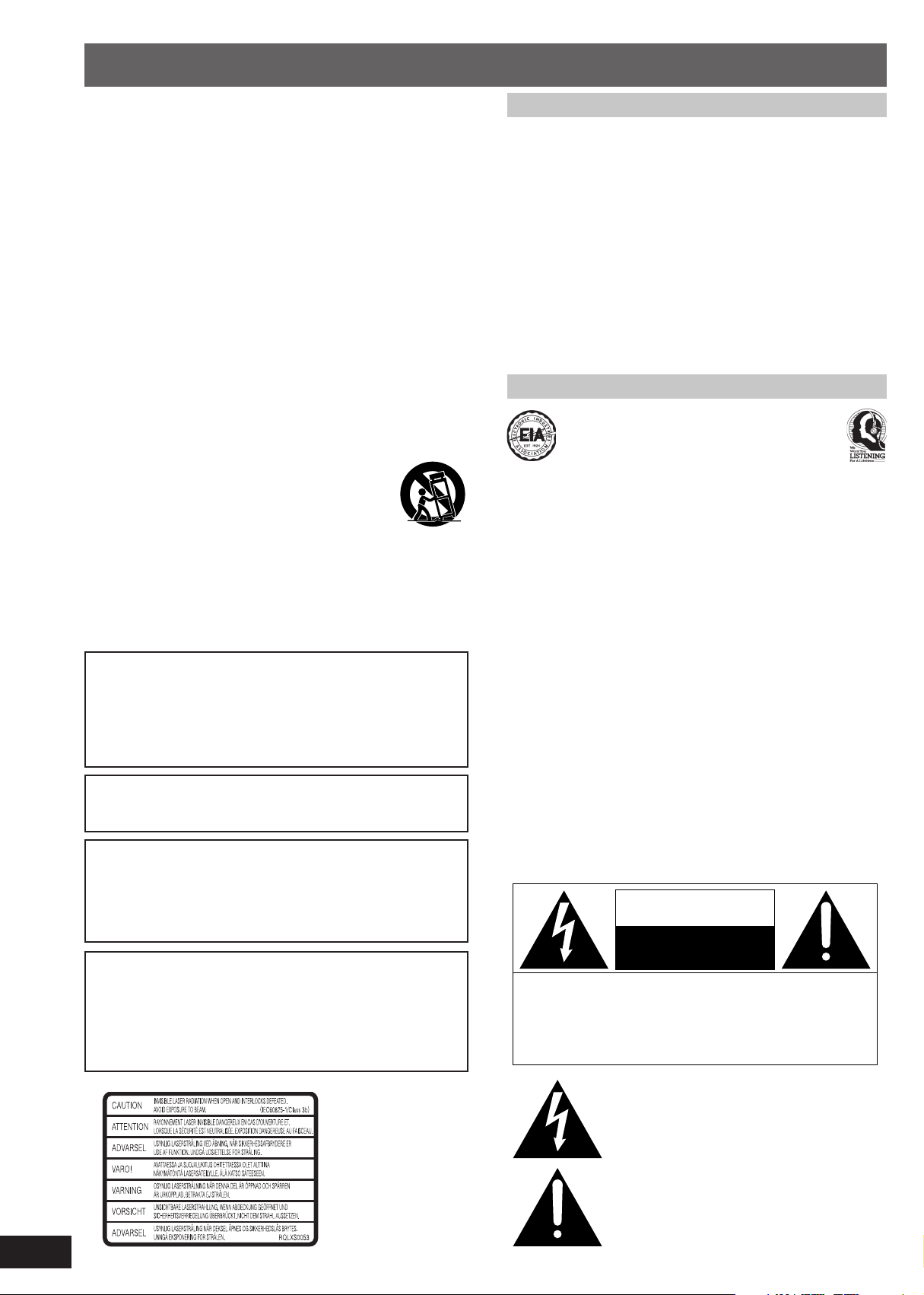
CAUTION!
THIS PRODUCT UTILIZES A LASER.
USE OF CONTROLS OR ADJUSTMENTS OR PERFORMANCE OF
PROCEDURES OTHER THAN THOSE SPECIFIED HEREIN MAY
RESULT IN HAZARDOUS RADIATION EXPOSURE.
DO NOT OPEN COVERS AND DO NOT REPAIR YOURSELF.
REFER SERVICING TO QUALIFIED PERSONNEL.
CAUTION:
TO PREVENT ELECTRIC SHOCK MATCH WIDE BLADE OF PLUG
TO WIDE SLOT, FULLY INSERT.
WARNING:
TO REDUCE THE RISK OF FIRE, ELECTRIC SHOCK OR
PRODUCT DAMAGE, DO NOT EXPOSE THIS APPARATUS TO
RAIN, MOISTURE, DRIPPING OR SPLASHING AND THAT NO
OBJECTS FILLED WITH LIQUIDS, SUCH AS VASES, SHALL BE
PLACED ON THE APPARATUS.
CAUTION!
DO NOT INSTALL OR PLACE THIS UNIT IN A BOOKCASE, BUILTIN CABINET OR IN ANOTHER CONFINED SPACE. ENSURE THE
UNIT IS WELL VENTILATED. TO PREVENT RISK OF ELECTRIC
SHOCK OR FIRE HAZARD DUE TO OVERHEATING, ENSURE
THAT CURTAINS AND ANY OTHER MATERIALS DO NOT
OBSTRUCT THE VENTILATION VENTS.
Use of batteries
• Align the poles (+ and –) properly when inserting the batteries.
• Do not mix old and new batteries or different types of batteries.
• Do not recharge ordinary dry cell batteries.
• Do not heat or disassemble the batteries. Do not allow them to contact
flame or water.
• If the unit is not going to be used for a long time or if the unit is to be
powered exclusively by AC power, remove the batteries and store
them in a cool, dark place.
• Do not keep together with metallic objects such as necklaces.
• Do not use rechargeable type batteries.
• Do not use batteries if the covering has been peeled off.
Mishandling of batteries can damage other items, cause damage to the
unit, and may cause a fire through short-circuiting or electrolyte leakage.
If electrolyte leaks from the batteries, consult your dealer.
Wash thoroughly with water if electrolyte comes in contact with any part
of your body.
Listening caution
Selecting fine audio equipment such as the unit you’ve just purchased is
only the start of your musical enjoyment. Now it’s time to consider how
you can maximize the fun and excitement your equipment offers.
This manufacturer and the Electronic Industries Association’s Consumer
Electronics Group want you to get the most out of your equipment by
playing it at a safe level. One that lets the sound come through loud and
clear without annoying blaring or distortion—and, most importantly,
without affecting your sensitive hearing.
We recommend you to avoid prolonged exposure to excessive noise.
Sound can be deceiving. Over time your hearing “comfort level” adapts
to higher volumes of sound. So what sounds “normal” can actually be
loud and harmful to your hearing.
Guard against this by setting your equipment at a safe level BEFORE
your hearing adapts.
To establish a safe level:
• Start your volume control at a low setting.
• Slowly increase the sound until you can hear it comfortably and clearly,
and without distortion.
Once you have established a comfortable sound level:
• Set the dial and leave it there.
Taking a minute to do this now will help to prevent hearing damage or
loss in the future. After all, we want you listening for a lifetime.
THE FOLLOWING APPLIES ONLY IN THE U.S.A. AND
CANADA
The following mark and symbols are located on bottom of
the unit.
CAUTION
RISK OF ELECTRIC SHOCK
DO NOT OPEN
CAUTION: TO REDUCE THE RISK OF ELECTRIC
SHOCK, DO NOT REMOVE SCREWS.
NO USER-SERVICEABLE PARTS
INSIDE.
REFER SERVICING TO QUALIFIED
SERVICE PERSONNEL.
The lightning flash with arrowhead symbol, within
an equilateral triangle, is intended to alert the user
to the presence of uninsulated “dangerous voltage”
within the product’s enclosure that may be of sufficient magnitude to constitute a risk of electric shock
to persons.
2
RQTT0585
Inside of product
The exclamation point within an equilateral triangle
is intended to alert the user to the presence of
important operating and maintenance (servicing)
instructions in the literature accompanying the appliance.
Supplied accessories Table of contents
Please check and identify the supplied accessories.
Use numbers indicated when ordering replacements or optional accessories
from your Panasonic dealer.
In the U.S.A. to order accessories, refer to “Accessory Purchases”
on page 11.
AC power supply cord (polarized) (RJA0065-1D) ………………….. 1pc.
Remote control transmitter …………………………………………………. 1pc.
For RX-D29:(EUR648280)
For RX-D27:(EUR648278)
The model number and serial number of this product can be found on
either the back or the bottom of the unit.
Please note them in the space provided below and keep for future reference.
MODEL NUMBER
SERIAL NUMBER
User memo:
DATE OF PURCHASE
DEALER NAME
DEALER ADDRESS
TELEPHONE NUMBER
Maintenance
Cleaning inside the deck
Clean the heads regularly to assure good quality playback and recording.
Use a cleaning tape (not included).
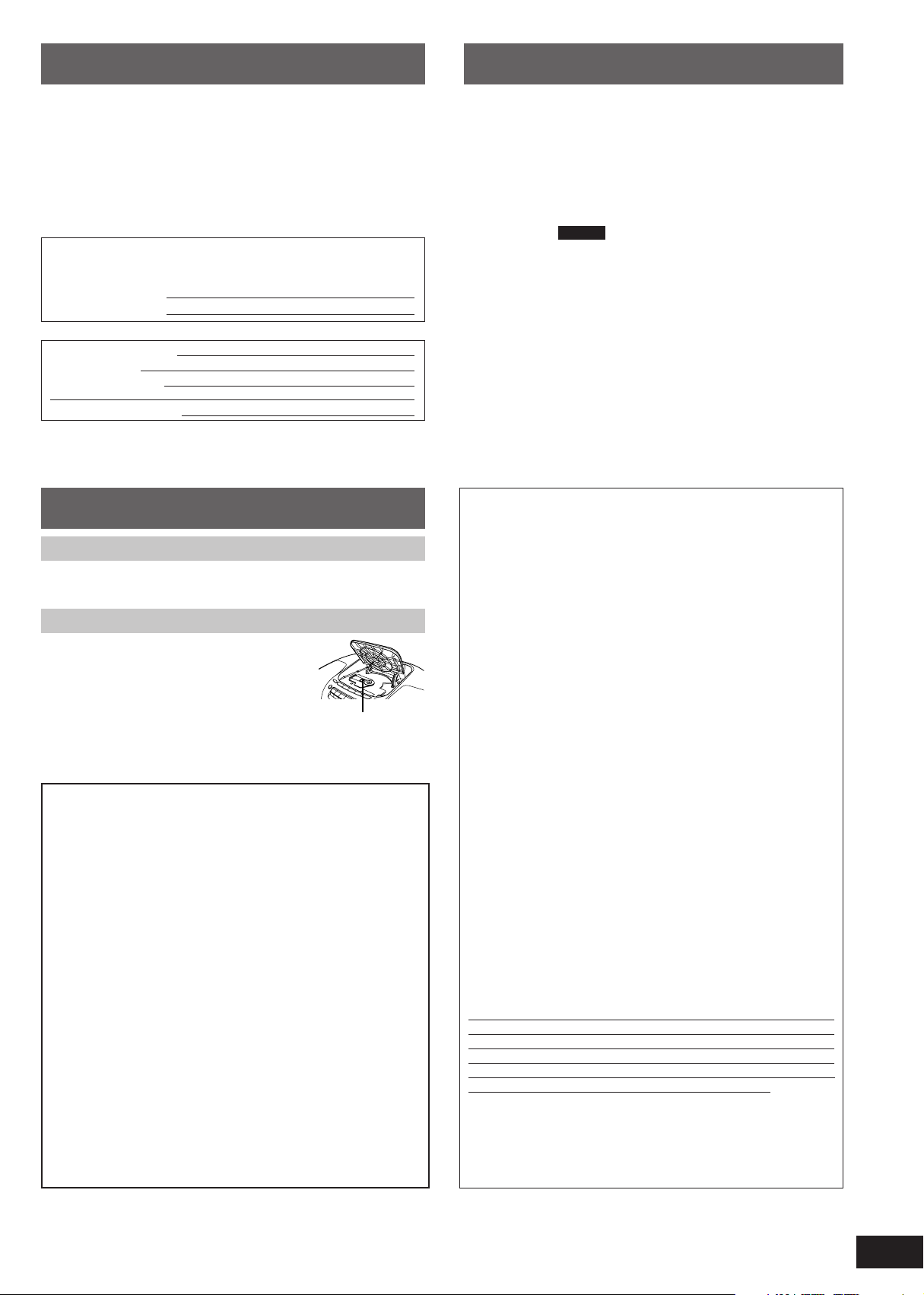
Care of the CD lens
Clean the lens regularly to prevent malfunctions.
Use a blower to remove dust and a cotton swab if
it is extremely dirty.
Recommended product:
Lens cleaner kit (part no. SZZP1038C).
Lens
THE FOLLOWING APPLIES ONLY IN THE U.S.A.
CAUTION:
This equipment has been tested and found to comply with the limits
for a Class B digital device, pursuant to Part 15 of the FCC Rules.
These limits are designed to provide reasonable protection against
harmful interference in a residential installation. This equipment
generates, uses and can radiate radio frequency energy and, if not
installed and used in accordance with the instructions, may cause
harmful interference to radio communications. However, there is no
guarantee that interference will not occur in a particular installation. If
this equipment does cause harmful interference to radio or television
reception, which can be determined by turning the equipment off and
on, the user is encouraged to try to correct the interference by one or
more of the following measures:
• Reorient or relocate the receiving antenna.
• Increase the separation between the equipment and receiver.
• Connect the equipment into an outlet on a circuit different from that
to which the receiver is connected.
• Consult the dealer or an experienced radio/TV technician for help.
Any unauthorized changes or modifications to this equipment would
void the user’s authority to operate this device.
This device complies with Part 15 of the FCC Rules. Operation is
subject to the following two conditions: (1) This device may not cause
harmful interference, and (2) this device must accept any interference
received, including interference that may cause undesired operation.
IMPORTANT SAFETY INSTRUCTIONS ……………………………………..2
Supplied accessories …………………………………………………………….. 3
Maintenance ………………………………………………………………………….. 3
Power sources ………………………………………………………………………. 4
Concerning the remote control ………………………………………………. 4
Controls ………………………………………………………………………………… 5
Listening to radio broadcasts …………………………….. 6
Listening to CDs………………………………………………… 7
Playing MP3 RX-D29 only …………………………………………………. 8
Listening to tapes ……………………………………………… 8
Recording …………………………………………………………. 9
Setting the time …………………………………………………. 9
Using the timers ………………………………………………. 10
3D sound with the Sound Virtualizer ……………………………………… 10
Sound quality ………………………………………………………………………. 10
Using headphones ……………………………………………………………….. 11
Audio software …………………………………………………………………….. 11
Limited Warranty (ONLY FOR U.S.A.) …………………………………….. 11
Troubleshooting guide …………………………………………… Back cover
Specifications ………………………………………………………… Back cover
Product Service
1. Damage requiring service —The unit should be serviced by
qualified service personnel if:
(a) The AC power supply cord or AC adaptor has been
damaged; or
(b) Objects or liquids have gotten into the unit; or
(c) The unit has been exposed to rain; or
(d) The unit does not operate normally or exhibits a marked change
in performance; or
(e) The unit has been dropped or the cabinet damaged.
2. Servicing—Do not attempt to service the unit beyond that described
in these operating instructions. Refer all other servicing to authorized
servicing personnel.
3. Replacement parts—When parts need replacing ensure the
servicer uses parts specified by the manufacturer or parts that have
the same characteristics as the original parts. Unauthorized
substitutes may result in fire, electric shock, or other hazards.
4. Safety check—After repairs or service, ask the servicer to perform
safety checks to confirm that the unit is in proper working condition.
Product information
For product information or assistance with product operation:
In the U.S.A., refer to “Customer Services Directory” on page 11.
For assistance in the continental U.S.A. in obtaining repairs please
ship the product to:
Panasonic Services Company — Customer Servicenter
Suite B 4900 George McVay Drive
McAllen, TX 78503
In Puerto Rico contact the Panasonic Sales Company.
Tel.(787) 750-4300 Fax.(787) 768-2910
When shipping the unit carefully pack and send it prepaid, adequately
insured and preferably in the original carton. Include a letter detailing
the complaint and provide a day time phone number where you can
be reached.
IF REPAIR IS NEEDED DURING THE WARRANTY PERIOD THE
PURCHASER WILL BE REQUIRED TO FURNISH A SALES
RECEIPT/PROOF OF PURCHASE INDICATING DATE OF
PURCHASE, AMOUNT PAID AND PLACE OF PURCHASE.
CUSTOMER WILL BE CHARGED FOR THE REPAIR OF ANY UNIT
RECEIVED WITHOUT SUCH PROOF OF PURCHASE.
Also, the purchaser will be responsible for shipping the unit to the
above address.
In Canada, contact the Panasonic Canada Inc. Customer Care Centre
at 905-624-5505, or visit the website (www.panasonic.ca), or an
authorized Servicentre closest to you.
3
RQTT0585
Power sources
The unit can be powered with household AC power or dry cell batteries (not included).
Insert memory batteries (not included) to save the current time, stored timer settings and radio stations.
Using a household AC outlet
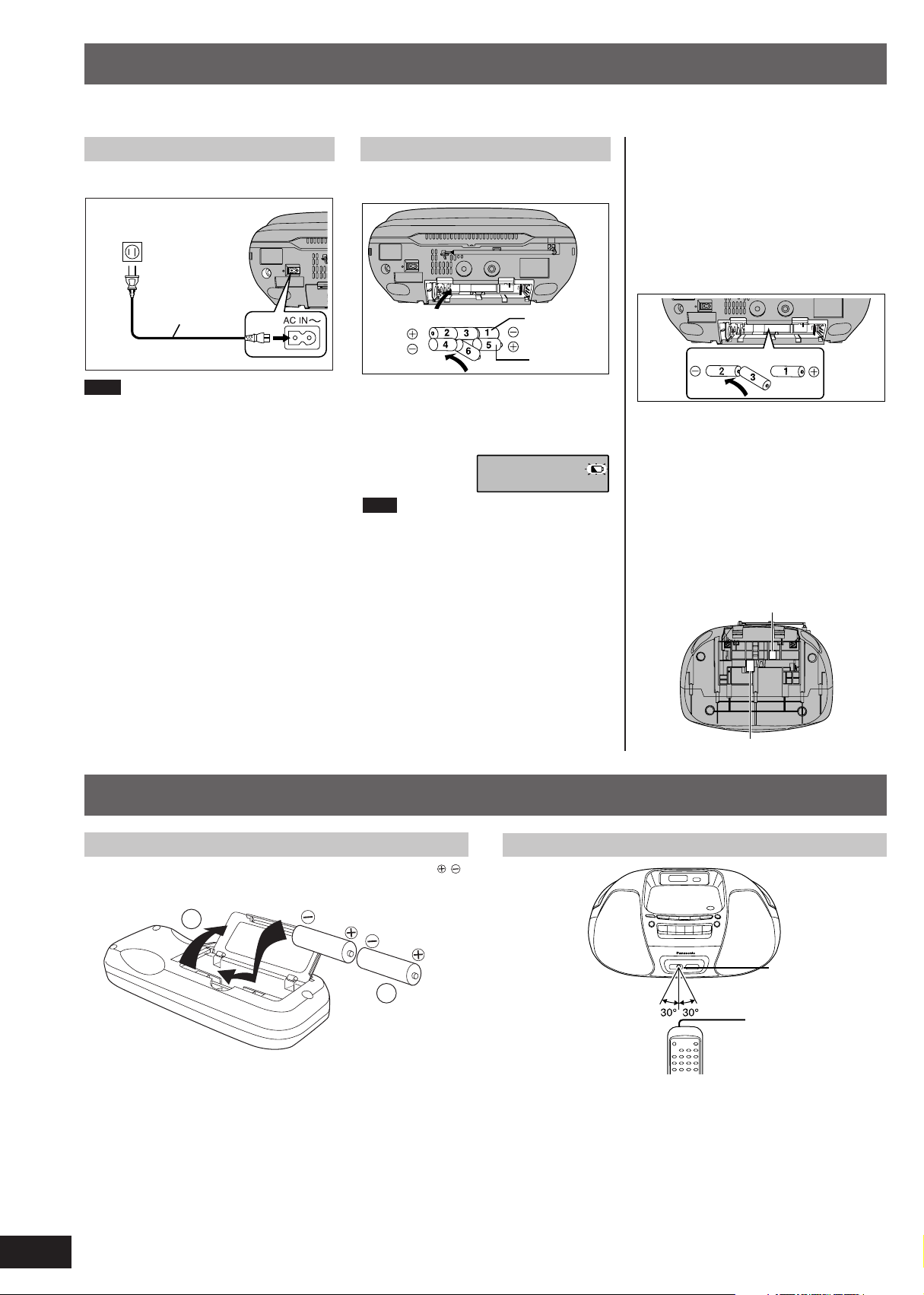
Connect the AC power supply cord firmly to the
unit and the outlet.
Household AC outlet
(AC 120 V, 60 Hz)
AC power cord
(included)
Note
The included AC power supply cord is for use
with this unit only. Do not use it with other
equipment.
Using batteries (not included)
The unit cannot be powered by batteries if the
AC power supply cord is connected.
(R14/LR14, C, UM-2)
When to change the batteries
When the battery indicator begins flashing,
replace all 6 of the batteries. It is also a good
idea to replace all the batteries before recording.
Note
Before playing starts the battery indicator may
flash although the batteries are not drained. It
appears correctly once you start play.
Inner row
Outer row
Memory back-up
Insert batteries (not included) to save the current
time, timer settings and radio stations you have
set. If memory batteries are not used, memory
items are erased in the following situations:
• Power failures,
• The AC power supply cord is disconnected
from the power outlet,
•
The AC power supply cord is connected to the
unit while the unit is being powered by batteries.
These batteries do not power the unit.
When to change the batteries
The batteries last about a year.
Connect the unit to AC power before replacing
the batteries.
Before connecting or disconnecting the AC
power supply cord, press [TAPE/OFF] and stop
the tape to turn the unit off. The memory
batteries are worn out faster if the cord is
disconnected with the power still on.
Removing the batteries
Open the battery cover and insert your finger in
the hole on the bottom of the unit and push out.
(Remove the power batteries first.)
For R14/LR14, C, UM-2
Insert the batteries (not included) observing the correct polarities ( , ).
4
RQTT0585
Concerning the remote control
Battery installation
(R6, AA, UM-3)
1
1
For R6/LR6, AA, UM-3
Correct method of use
2
Remote control
signal sensor
2
About 7 meters in front
of the signal sensor
Operation notes
• Do not place obstacles between the remote control signal sensor and
the remote control unit.
• Do not expose the remote control signal sensor to direct sunlight or to
the bright light of fluorescent light.
• Take care to keep the remote control signal sensor and end of the
remote control unit free from dust.
To prevent damage
• Never place heavy items on it.
• Do not disassemble or reconstruct it.
• Do not spill water or other liquids into it.
Transmission window
Loading…