
В этом обзоре я расскажу о смарт-часах Imilab KW66, компания является суббрендом Xiaomi, поэтому в качестве нет сомнений.
Выбор пал на них из-за красивого и стильного дизайна, все остальные функции очень похожие, как и у других часов и браслетов.
Характеристики
Имя IMILAB KW66
Размер 45,3 мм × 12,7 мм
Версия Bluetooth V5.0
Сенсорный емкостный экран
Корпус металл + пластик
Совместимость с Android 5,1 или выше IOS 9,0 или выше
Разрешение 240 × 240 пикселей
Дисплей 1,28 дюймовый TFT экран
Водонепроницаемый и пыленепроницаемый IP68
Рабочая температура-20-45 ℃
Срок службы батареи до 30 дней
Магнитный зарядный кабель для зарядного устройства
Емкость аккумулятора 340 мАч
Вес (с ремешком) 54 г
Часы приобретались с Российского склада, поэтому доставка заняла менее недели, принес курьер прямо домой.
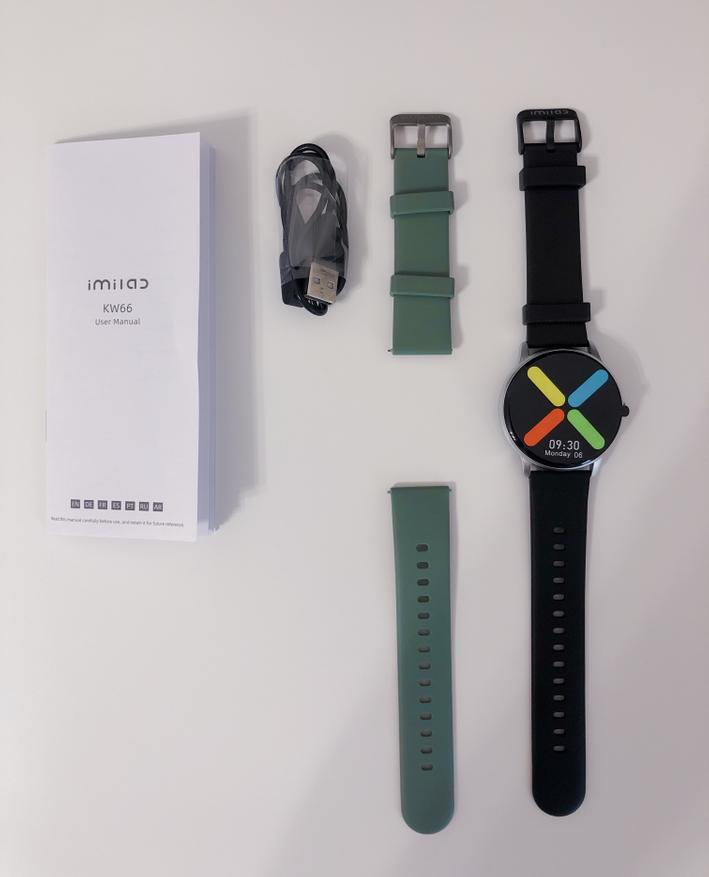
Поставляется в картонной коробке, в которой находятся сами часы, дополнительный ремешок (есть выбор без него), кабель для зарядки, инструкция на русском языке.
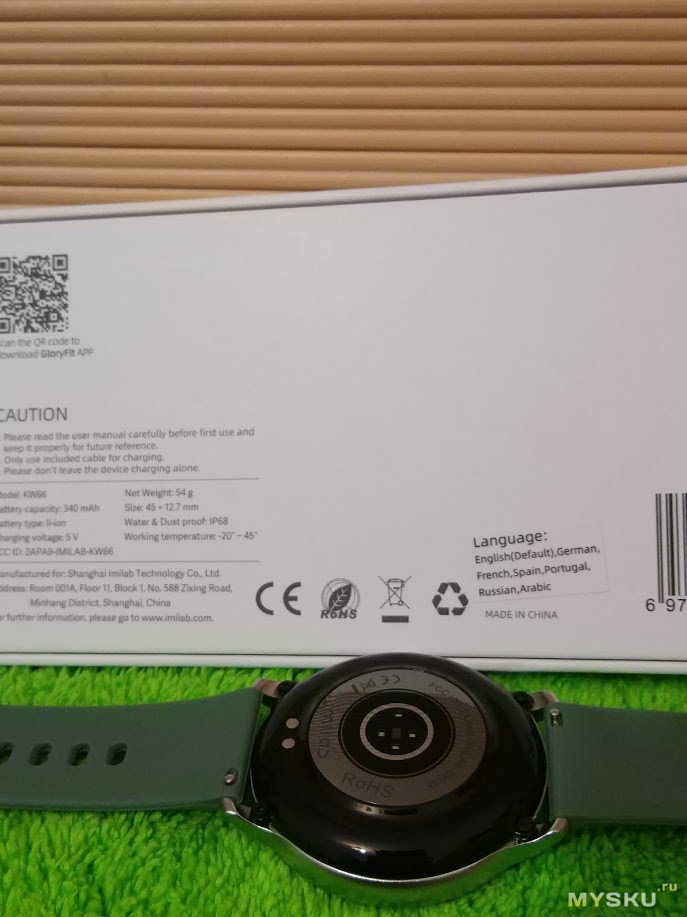
На обратной стороне коробки технические данные и QR код для скачивания и установки приложени
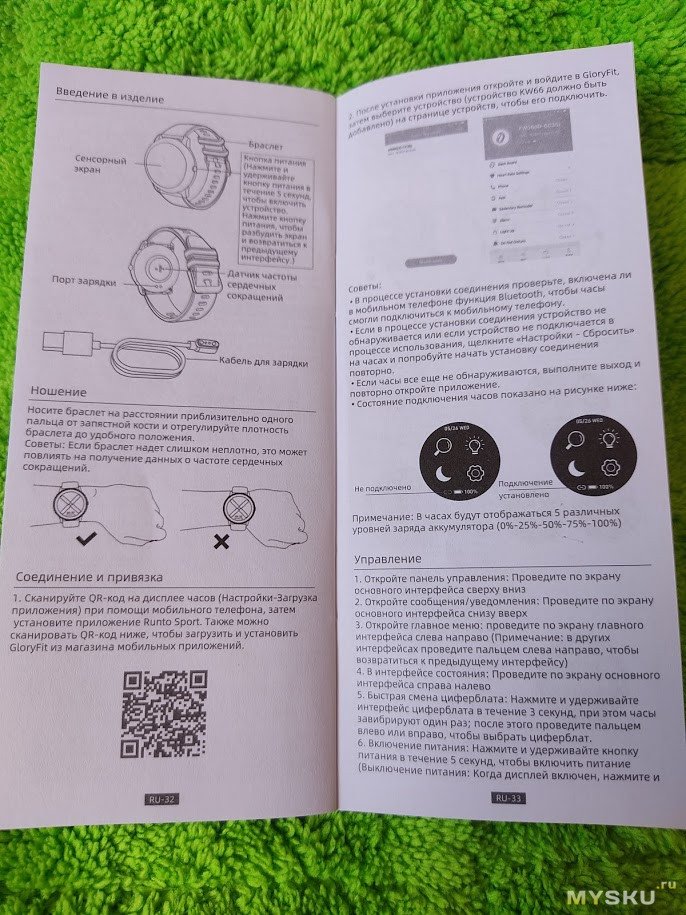
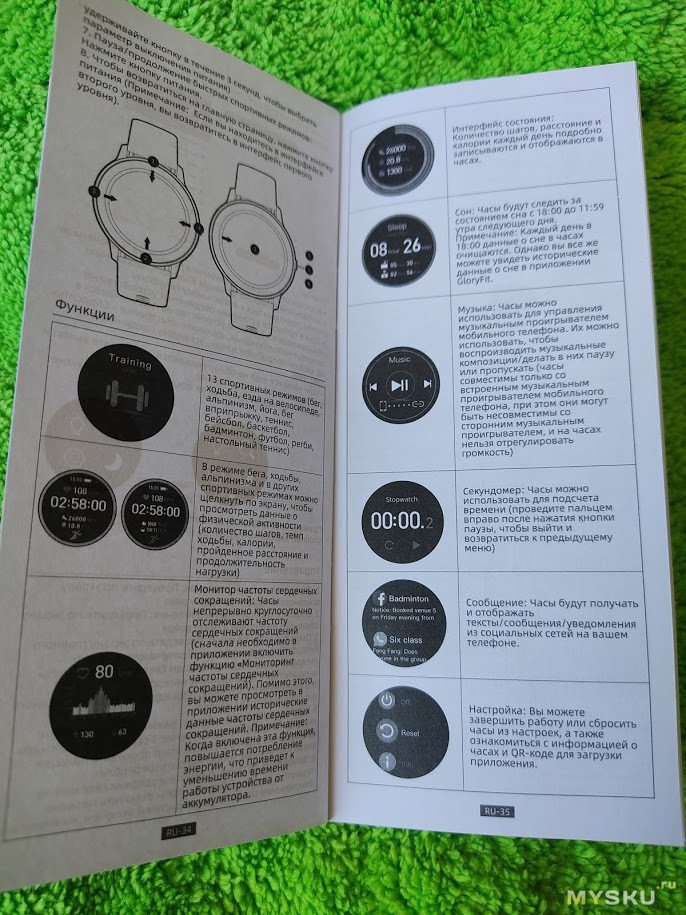
Инструкция подробная и на русском языке
Комплектация
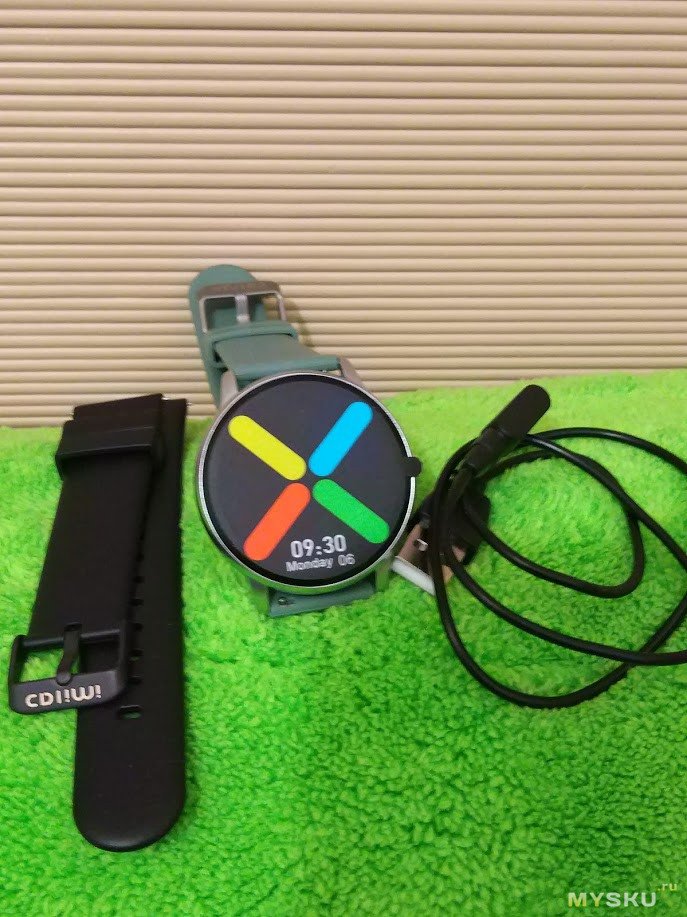
Ремешок у часов силиконовый, быстросъемный, на 22мм, очень приятный и мягкий, если кто носил Mi Band, то можно сравнить материал с ними, он очень похожий. На Алиэкспресс великое множество разных ремешков и при желании можно легко заменить. По размеру подойдет как для узкой руки, так и для широкой.
Подключаются по блютус к телефону с помощью приложения Gloryfit, приложение интуитивное и понятное, все настраивается очень легко и быстро.
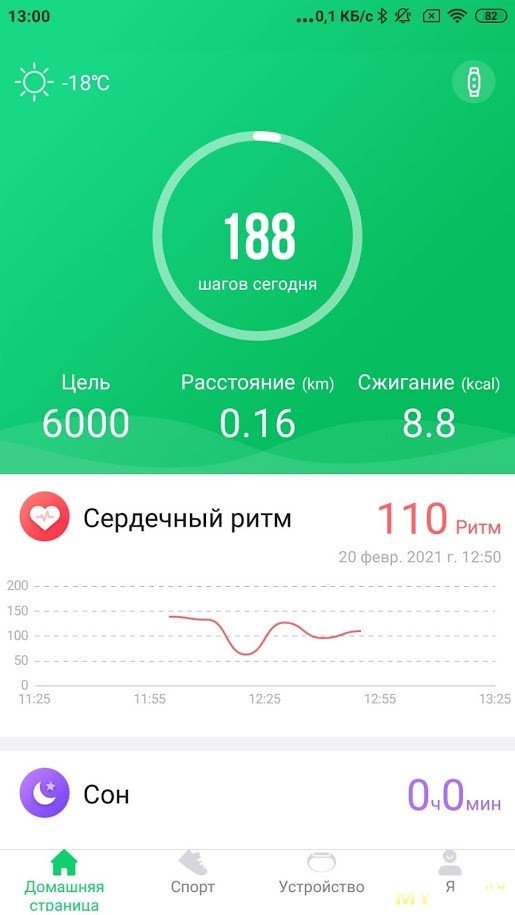
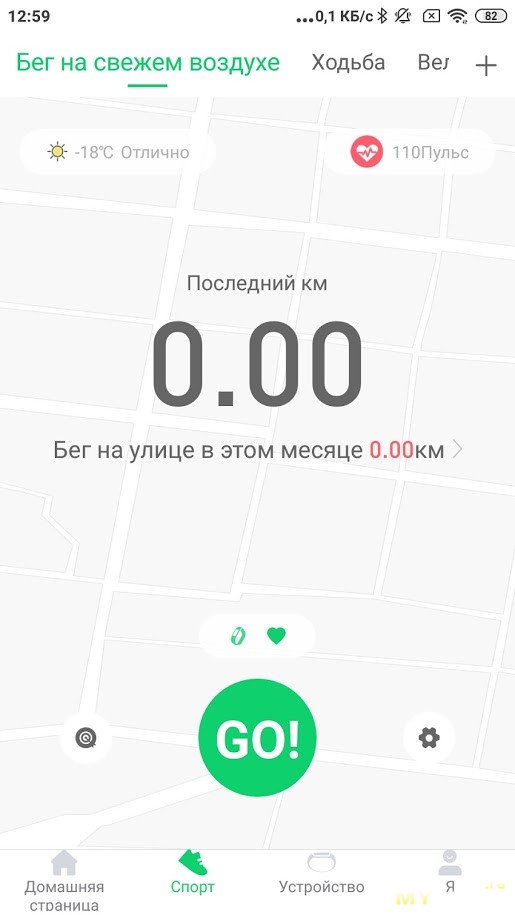
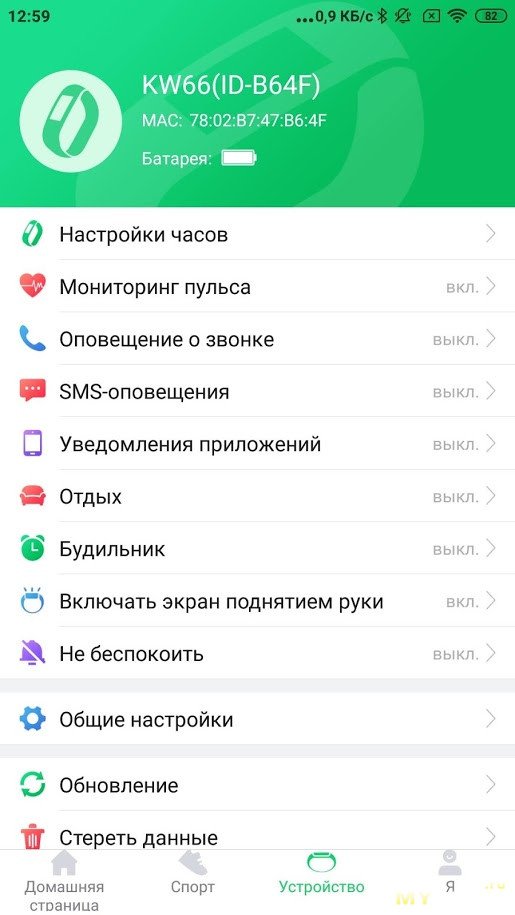
Часы отправляют оповещения о звонках, смс, сообщений и уведомлений от приложений, измеряют пульс, отслеживают сон, можно установить будильник. Экран постоянно не светится, но при поднятии руки он автоматически включается и довольно быстро реагирует. Вибрация отличная и четко ощущается. Пульс, сон измеряют точно, оповещения приходят сразу же как и на телефон.
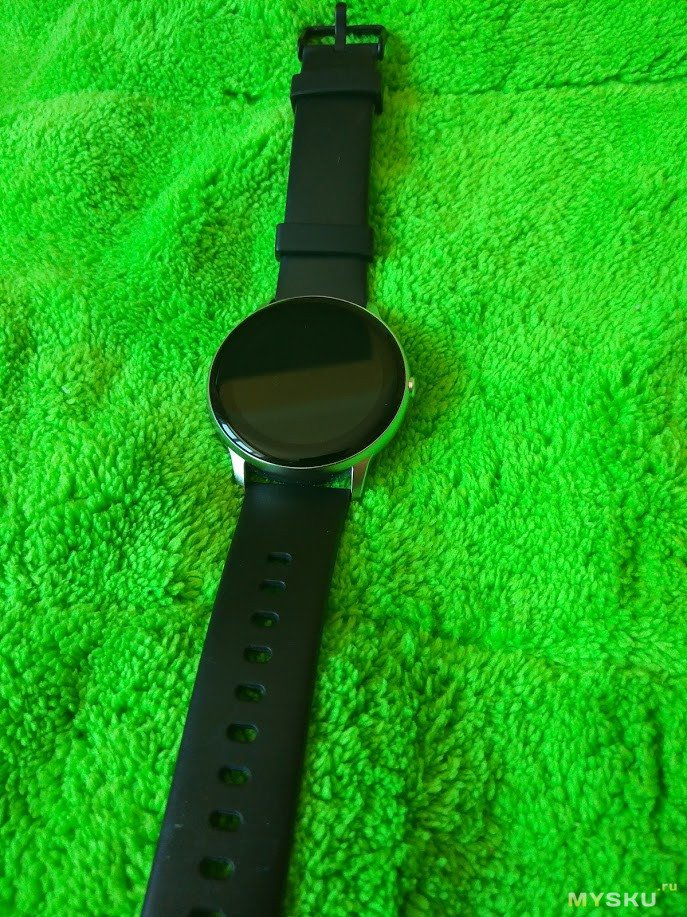
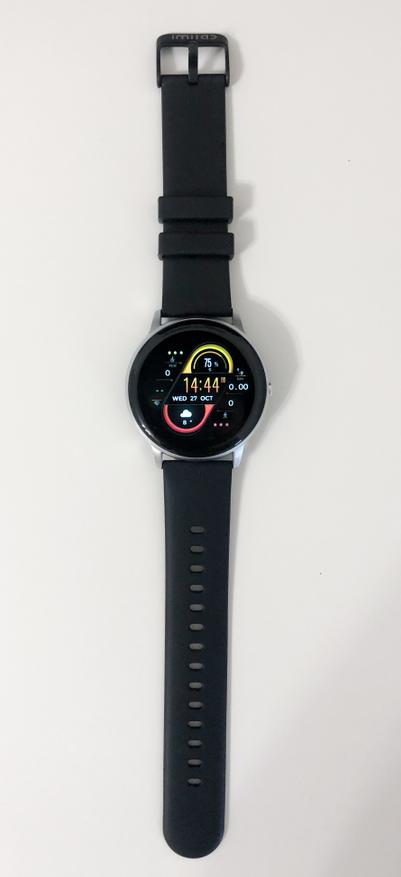
Выглядят часы просто великолепно и дорого.
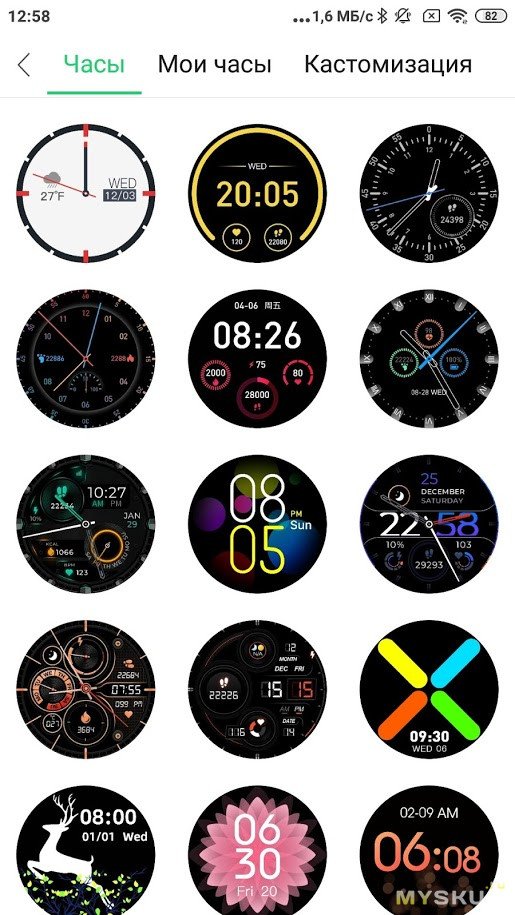
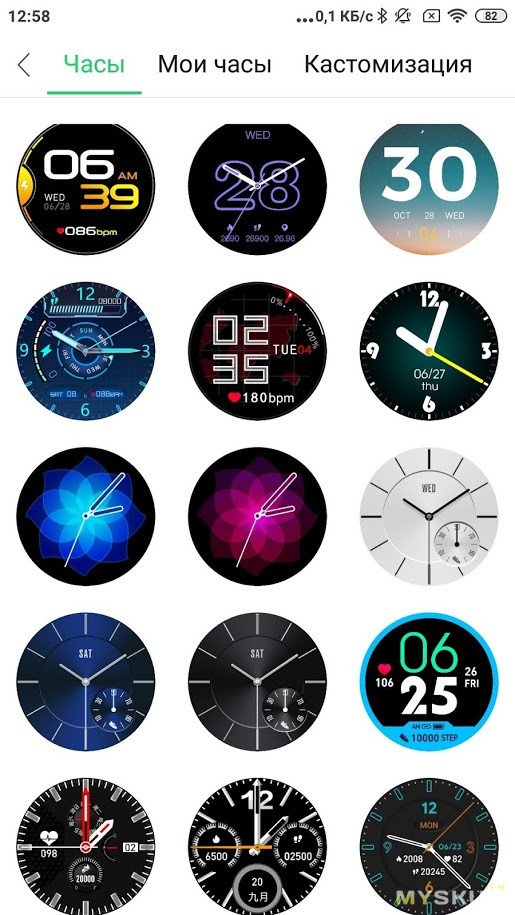
В приложении огромное количество различных циферблатов на любой вкус, с выводом различной информации, в том числе погоды, количества шагов, пульса и сожженных калорий. Так же можно установить как фон циферблата свое фото.
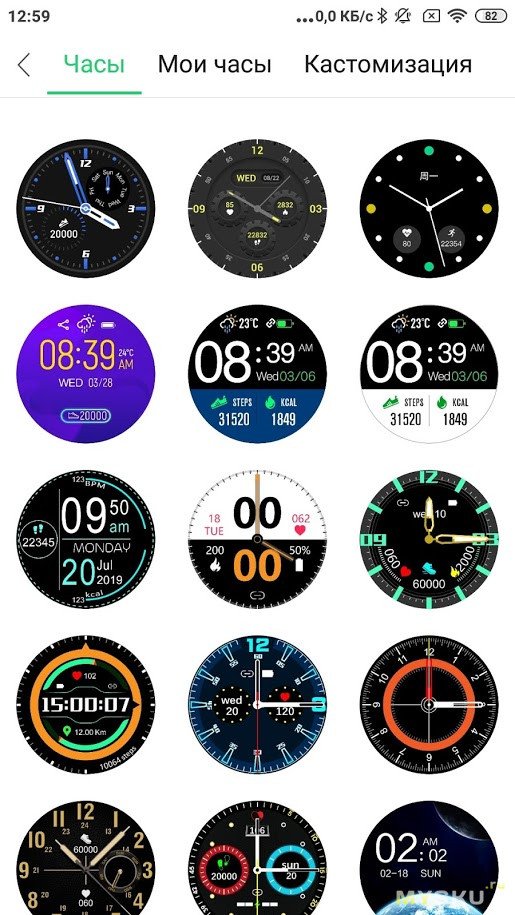
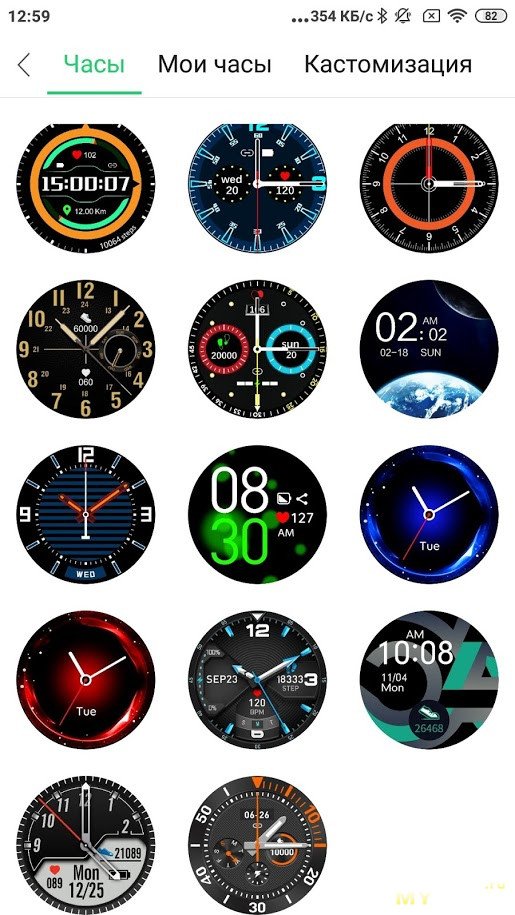
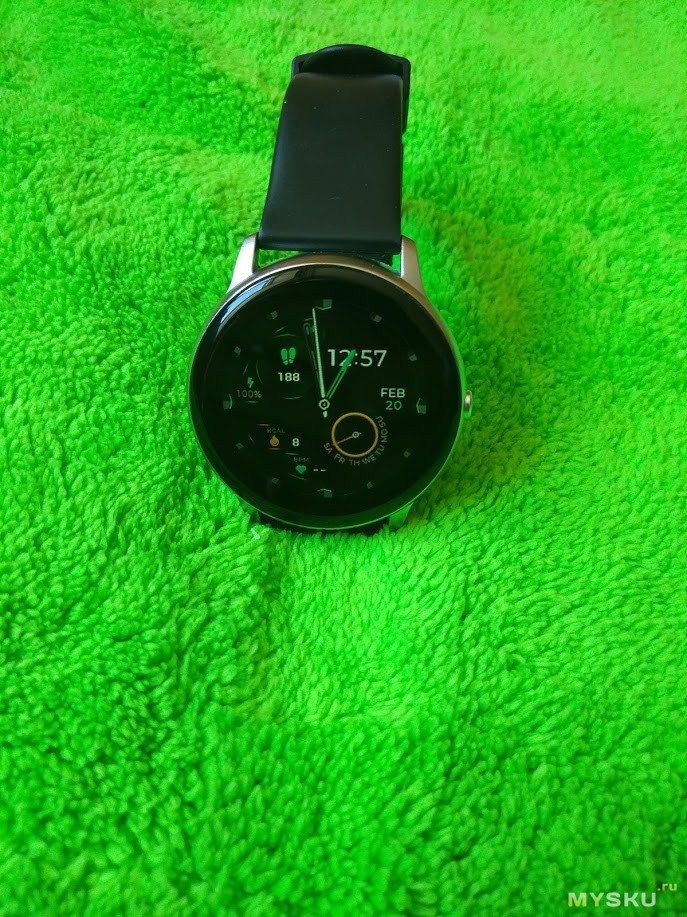
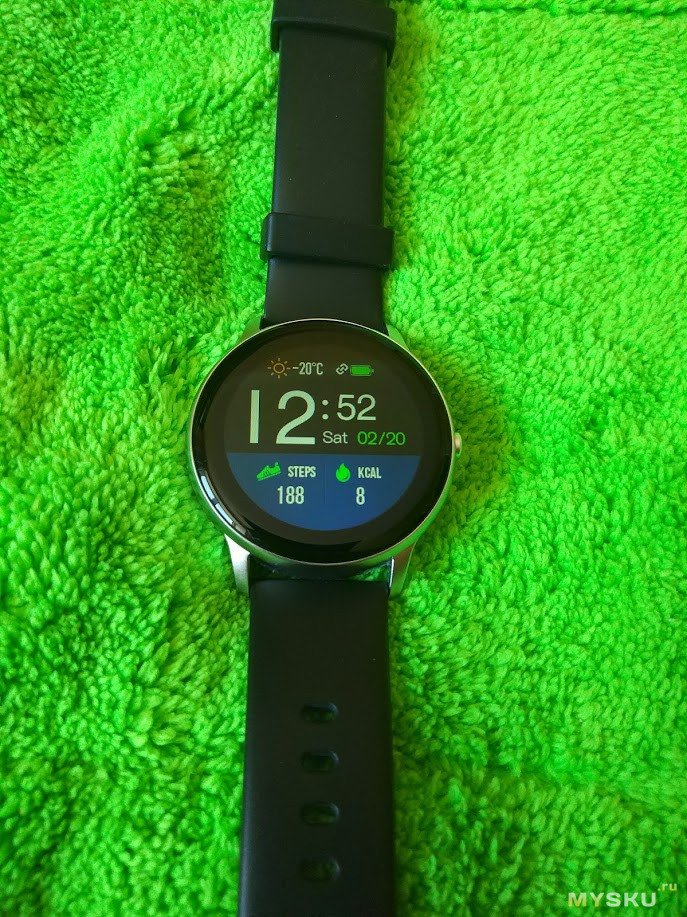
Заряда батареи хватает до 30 дней, при обычном же использовании, с измерением пульса, уведомлением от все приложений и звонках хватает их дней на 10 или даже больше, что считаю очень хорошим результатом. Заряжаются как от Power Bank, так и от любой зарядки или компьютера, кабель магнитный.
Сами часы водонепроницаемые с защитой IP68, в бассейне и душе прошли испытание на отлично.
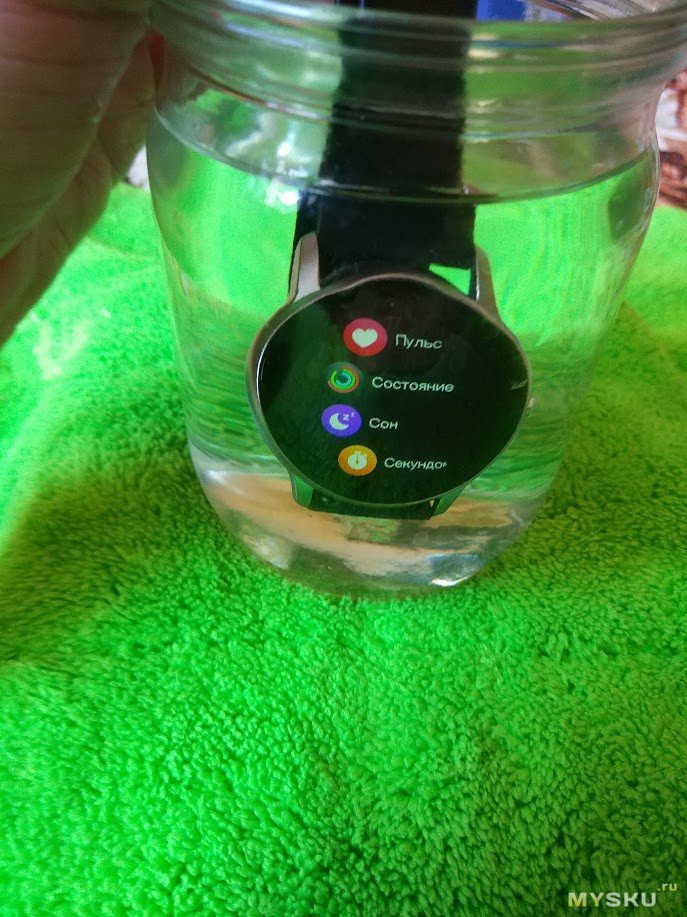
Единственным недостатком могу наверное назвать большую рамку на дисплее, но если поставить темный фон, то ее не видно практически.
Магазин предоставляет дополнительную скидку 19 долларов по коду RUKW66 до конца марта 2021
Для работы проектов iXBT.com нужны файлы cookie и сервисы аналитики.
Продолжая посещать сайты проектов вы соглашаетесь с нашей
Политикой в отношении файлов cookie
Сегодня я хочу рассказать об очень стильных смарт часах с функциями фитнесс браслета — imilab KW66. Их стоимость составляет около 3000 рублей на алиекспресс, и они стоят каждого рубля, хотя недостатков тоже хватает. Но обо всем по порядку.
Упаковка и комплект поставки
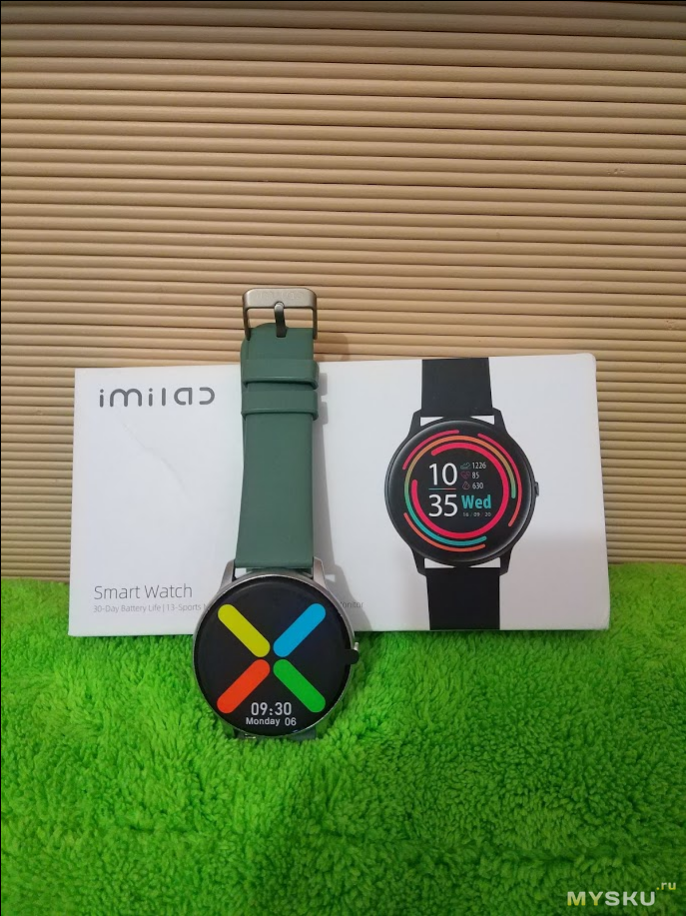
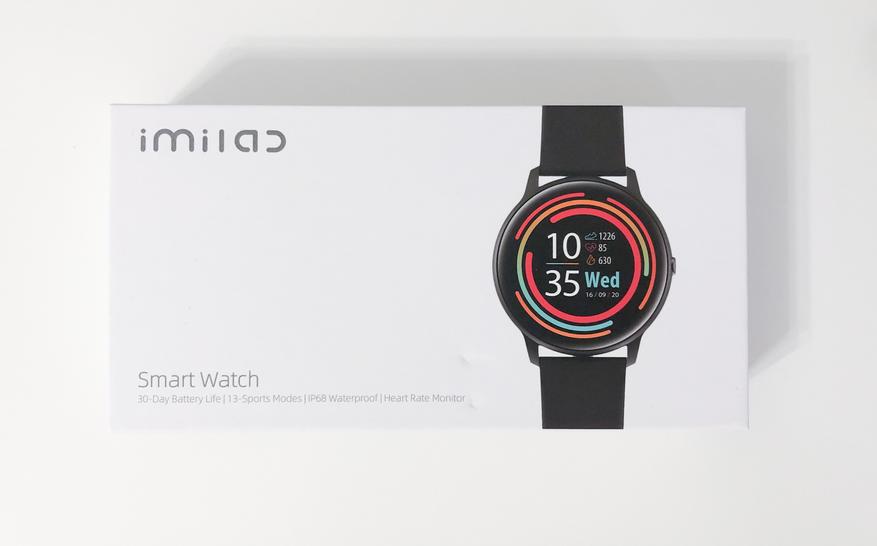
Часы приезжают в небольшой коробке белого цвета с изображением часов и логотипом imilab на лицевой стороне. Внизу мелким шрифтом написаны основные достоинства модели. Сзади написаны характеристики устройства, требования безопасности, адрес с контактами производителя, а также QR код для установки приложения GloryFit..

Комплект поставки достаточно стандартный: Часы, магнитный зарядный провод, макулатура и 2 ремешка: черный и оливковый.
Характеристики
- Название модели: imilab KW66
- Экран: 1.28” 240×240 TFT дисплей
- Bluetooth: BT5.0
- Материал корпуса: Цинковый сплав, пластик
- Материал браслета: Силиконовый каучук
- Аккумулятор: Li-Pol, 340 mAh
- Время работы: До 30 дней в режиме ожидания, 7 дней в режиме эксплуатации со всеми включенными функциями
- Время зарядки: 4.5 часа
- Водонепроницаемость: Да, уровень водонепроницаемости IPX8
- Дополнительные особенности: 13 спортивных режимов, датчик сердцебиения, включение экрана при повороте руки
Дизайн
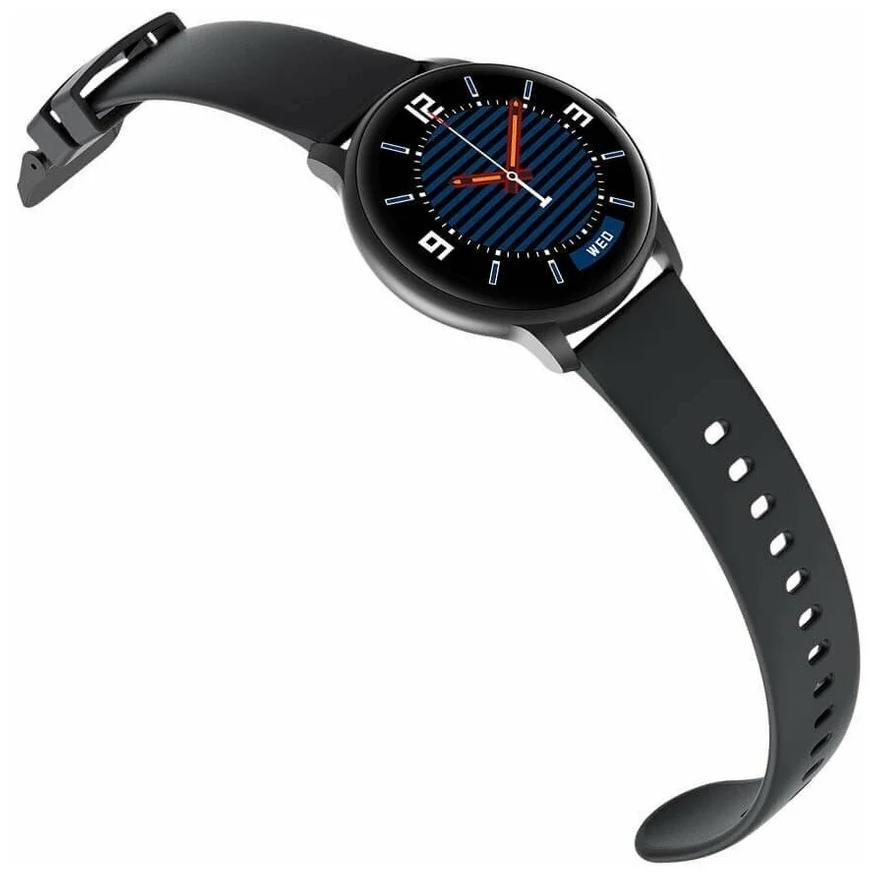
Корпус часов выполнен в классическом круглом формфакторе, материал рамок — цинковый сплав. Экран прикрыт изогнутым по краям 3D стеклом. Я не нашел информации по поводу защищенности, поэтому могу предположить, что тут ее нет. Справа на рамке находится кнопка, отвечающая за включение/выключение экрана и часов, возврата из меню и т.д.
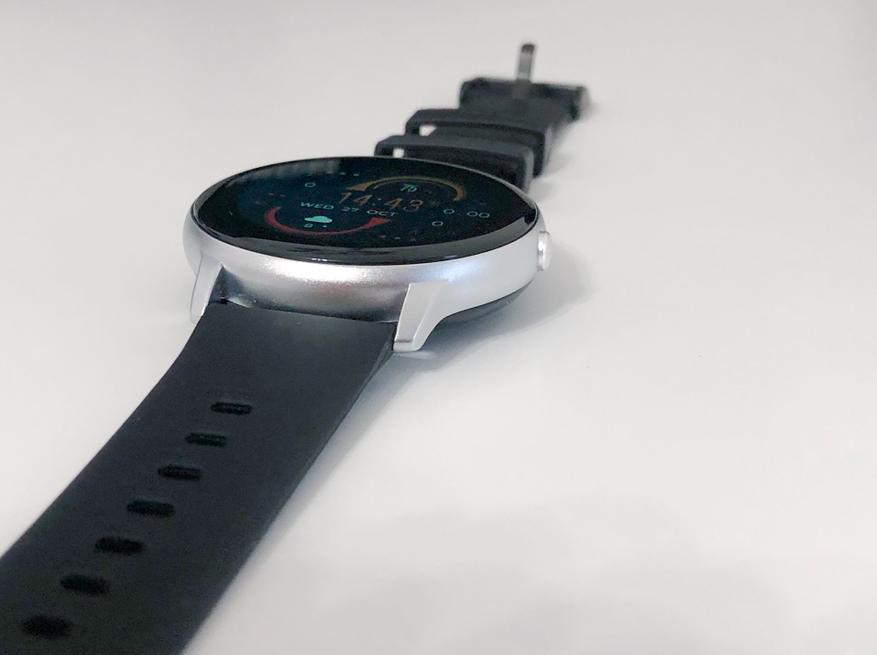
Мой экземпляр выполнен в серебристом цвете, есть еще черный:
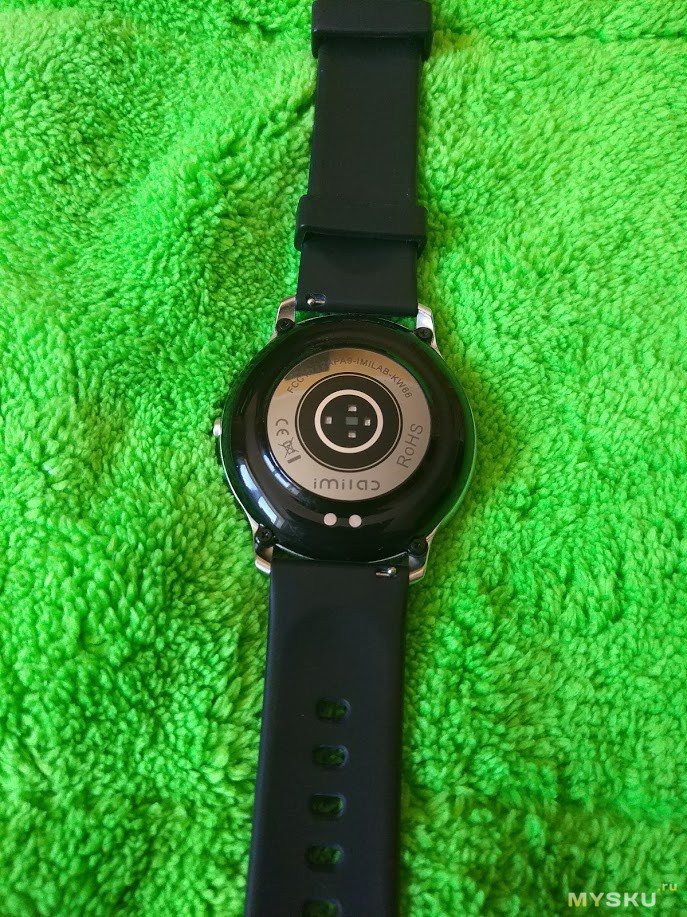
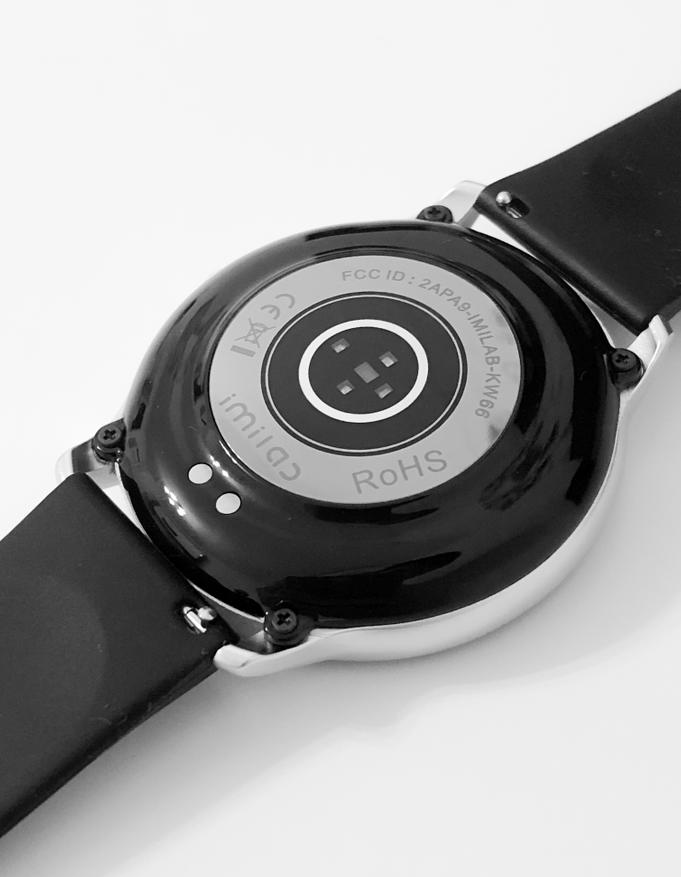
На тыльной стороне часов находится датчик сердцебиения, сам же задник сделан из пластика.
Качество сборки часов очень порадовало, ничего не люфтит, не скрипит и не отваливается. Про ремешок того-же сказать не могу, он жестковат. Сказать, что носить их совсем некомфортно, я не могу, но некий дискомфорт все же есть, хотя возможно дело во мне.
Функционал часов
В этой части обзора начнутся минусы часов и мои придирки, но сначала о хорошем. Часы, кроме показа времени, умеют показывать погоду, количество шагов пройденную дистанцию, количество сожженых каллорий и все это на циферблате, но о них чуть позже.
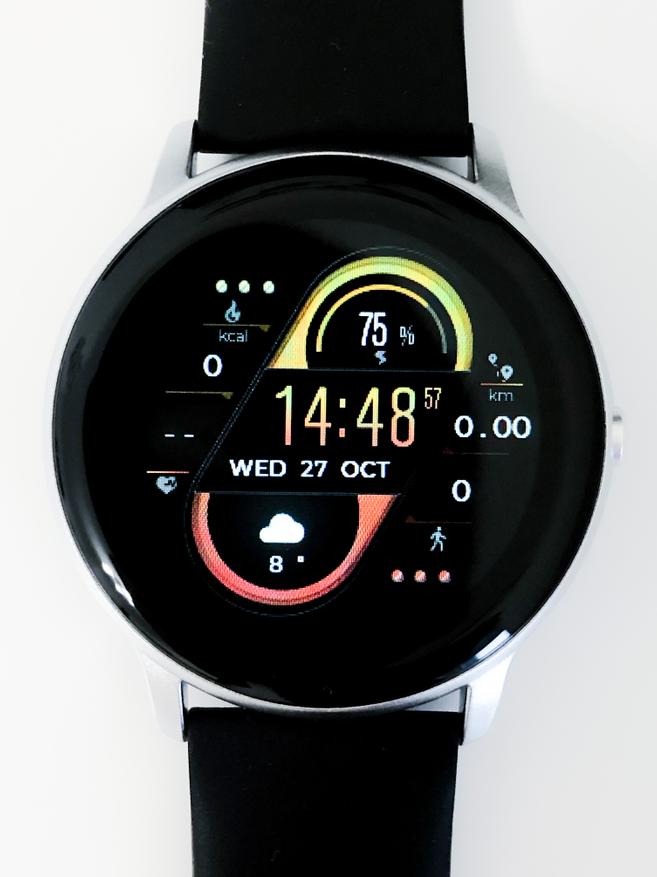
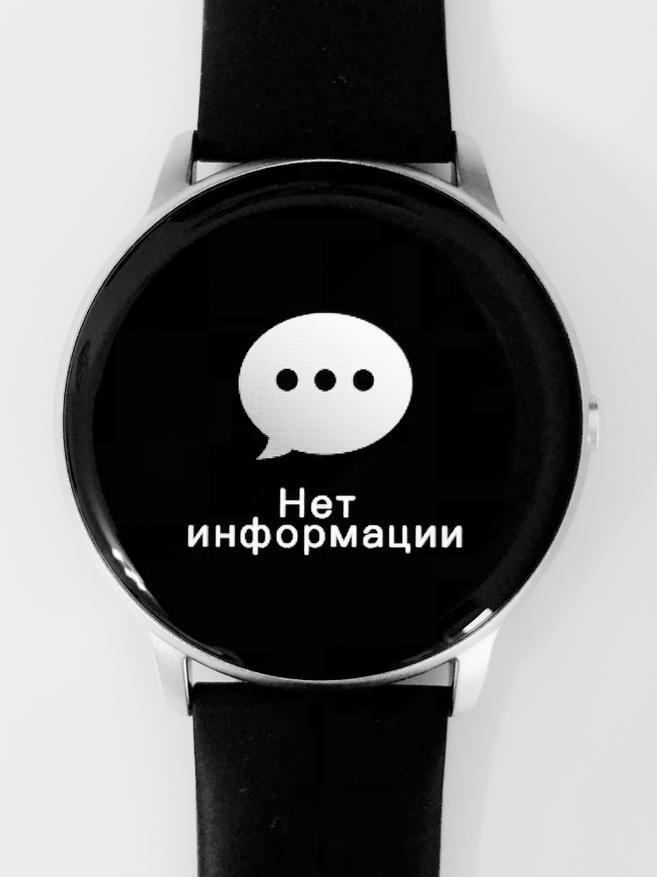
Также они отображают входящий вызов и уведомления из всех приложений, но взаимодействовать с ними нельзя. Уведомления можно только прочитать, причем не целиком, а только ту часть, которая помещается в превью, а входящий вызов отклонить. Впрочем, так у всех бюджетных моделей, поэтому глупо придираться. А вот что мне действительно не понравилось, это невозможность смахнуть уведомление. Все, что приходит на часы, остается в списке уведомлений. Открывается он свайпом главного экрана вверх. Если не чистить его в течение дня, вечером придется долго листать вниз, чтобы все удалить. Проблем добавляет и скорость прокрутки, которая не увеличивается, если быстро свайпать.
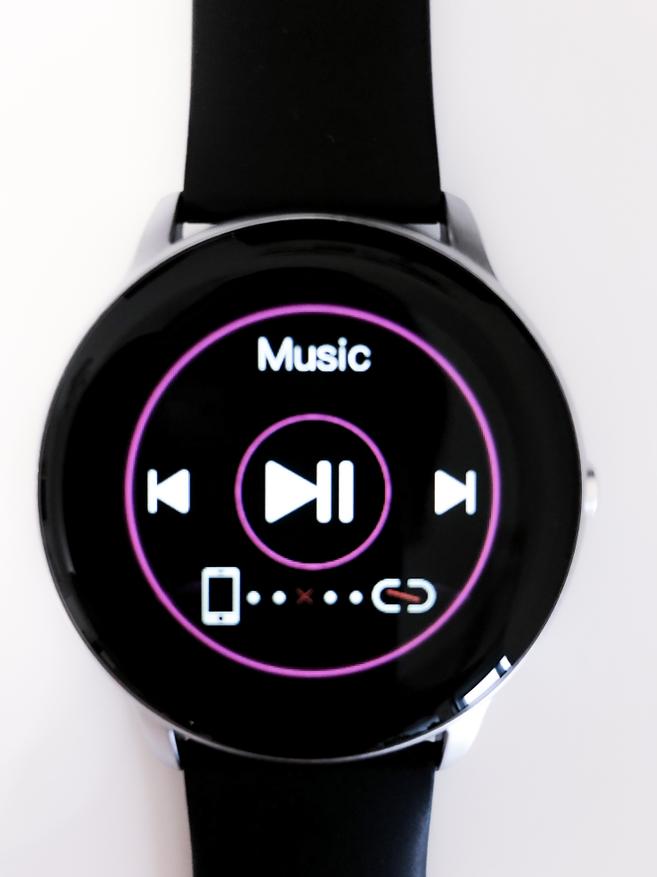
Еще с них можно листать музыку, которая играет у вас на телефоне. Производитель пишет, что это работает только с предустановленным на телефоне приложением для прослушивания аудиозаписей, но у меня это работает и в сторонних сервисах. Регулировать громкость, к сожалению, нельзя, название трека тоже не отображается.
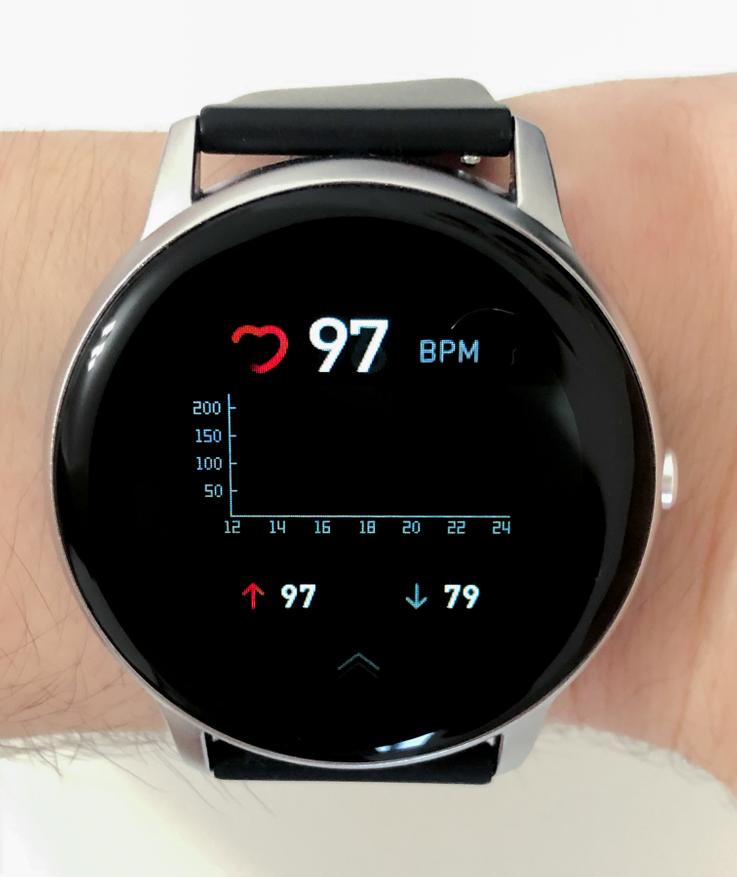
Как я писал выше, в часах есть датчик сердцебиения. Пульс измеряется автоматически круглые сутки, но если эта функция вам не нужна, ее можно отключить в мобильном приложении. В таком случае для измерения пульса нужно будет открыть третий от главного экрана раздел. Точность измерения высокой назвать не могу, немного завышает. Мне проблем не доставляет, но если вам это важно, стоит учитывать при покупке.
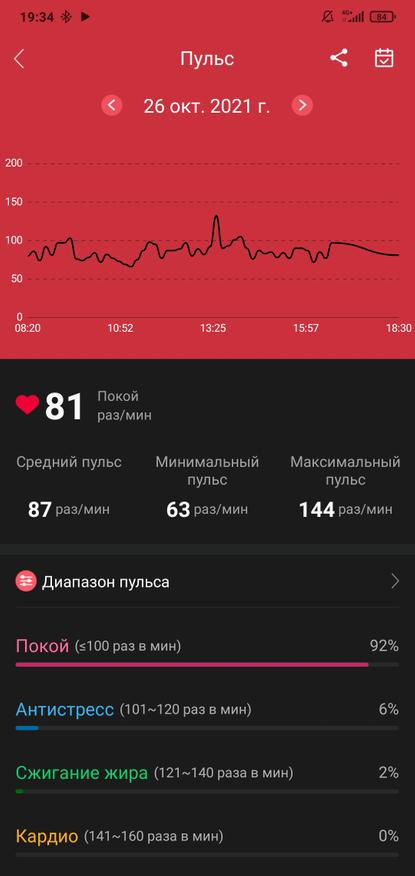
Еще одна интересная, но бесполезная для меня функция — мониторинг сна. На ночь я снимаю часы, но если вы спите с ними, они будут отслеживать, во сколько вы легли и проснулись, и записывать эти данные в приложение.
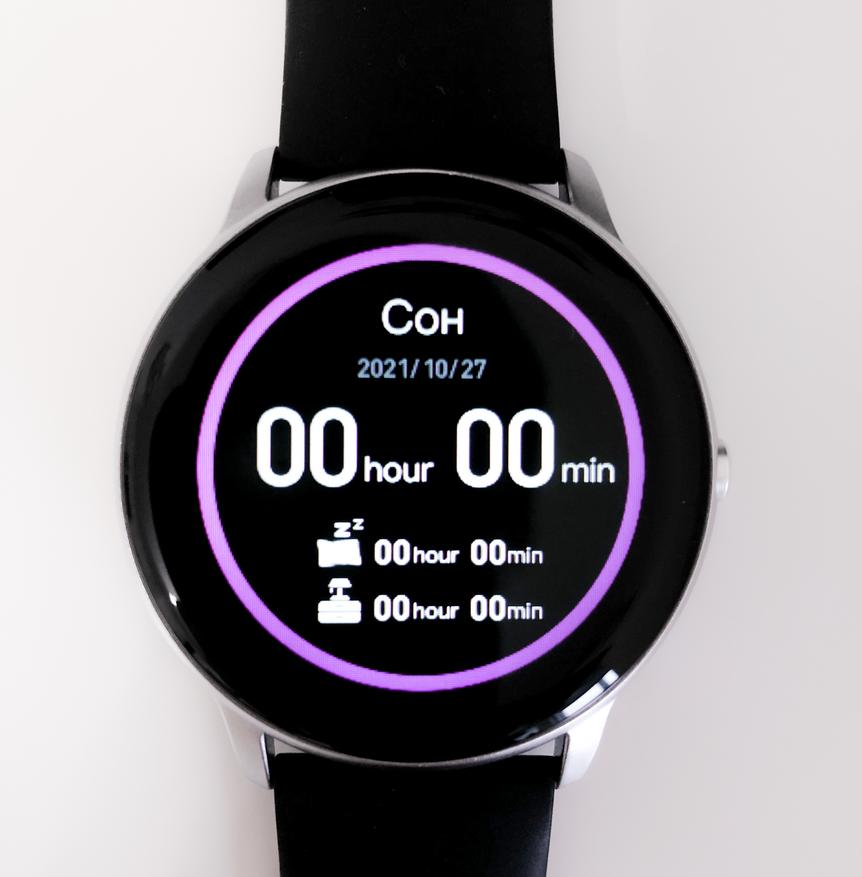
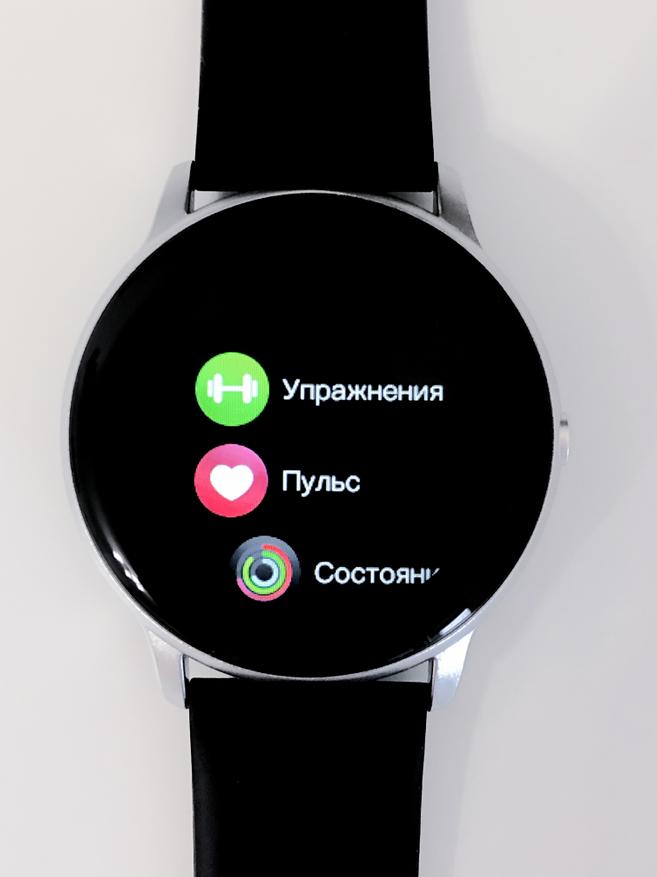
Теперь коротко об управлении часами: свайпами влево листаются окна (пульс, тренировки, музыка и т.д.). Свайпом вправо от циферблата открывается список, из которого можно быстро перейти в любое окно, кроме музыки, не понимаю почему именно эту вкладку создатели часов считают самой бесполезной.
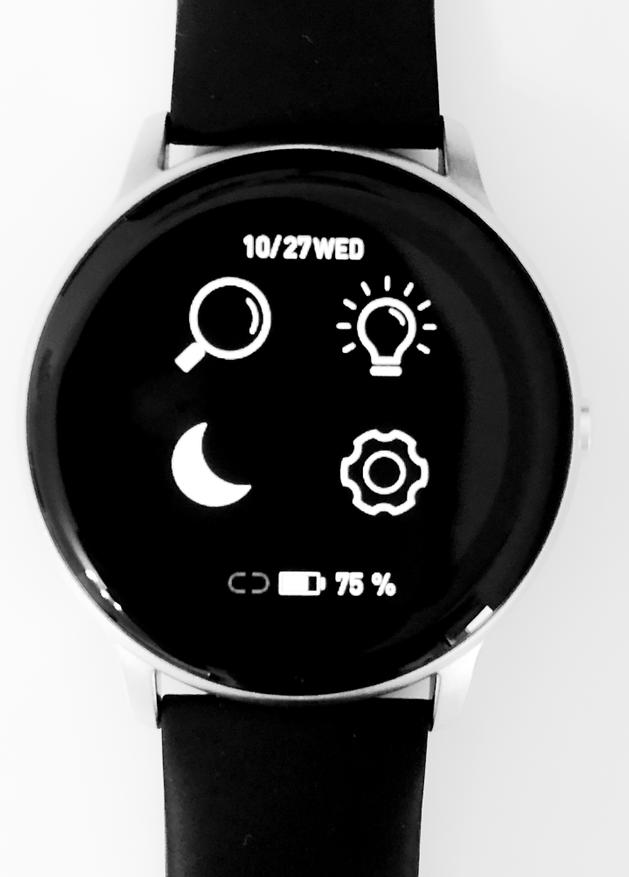
Свайпом вниз открывается меню, в котором можно отрегулировать яркость, найти телефон, включить режим «Не беспокоить». У меня он, почему-то, не работает. Также можно зачем-то перейти в список окон, о котором я рассказывал ранее.
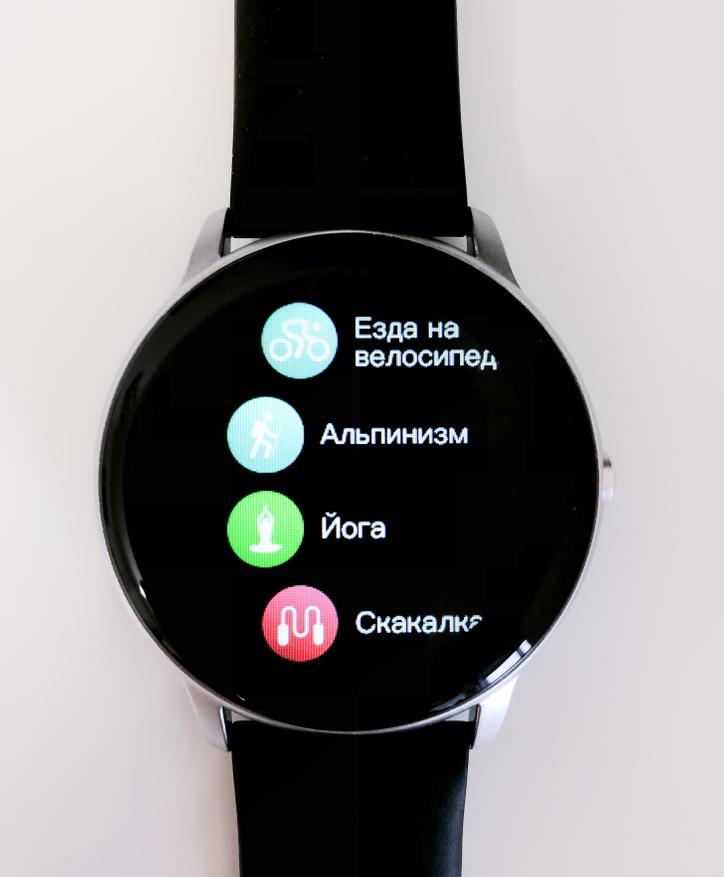
Для занятий спортом есть 13 программ: Все от обычной ходьбы до игры в бадминтон. Запустить тренировку можно как с часов, так и через приложение, туда кстати все и будет сохраняться.
Экран
Экран тут ничем не примечательный: TFT Дисплей размером 1.28 дюйма с разрешением 240х240 пикселей. Углы обзора средние, яркость тоже, поэтому я не понимаю, зачем здесь регулировка яркости, максимальной кое-как хватает. Не знаю, будет ли видно содержимое экрана под прямыми солнечными лучами, потому что погода не позволяет это проверить. Думаю, время вы увидите, а в уведомления придется всматриваться. Разрешения экрана хватает для комфортного использования, отдельные пиксели видно только на мелких шрифтах, в глаза особо не бросается. Еще один минус связан с полным отсутствием олеофобного покрытия, палец плохо скользит по экрану, а сам он собирает все отпечатки. Также хотел упомянуть, что первый день экран немного зеленил, сейчас все нормально, не знаю с чем это было связано.
Сопряжение с телефоном, стабильность сигнала и мобильное приложение
Чтобы подключить часы к телефону и настроить их, нужно скачать приложение GloryFit, именно его рекомендует производитель. Есть аналоги, но о них чуть позже. К GloryFit часы подключились почти мгновенно, связь стабильная, сигнал ни разу не пропадал, часы не «отваливались». В этой программе вы можете посмотреть информацию о пройденных шагах и расстоянии, прошедших тренировках, а также статистику мониторинга пульса.
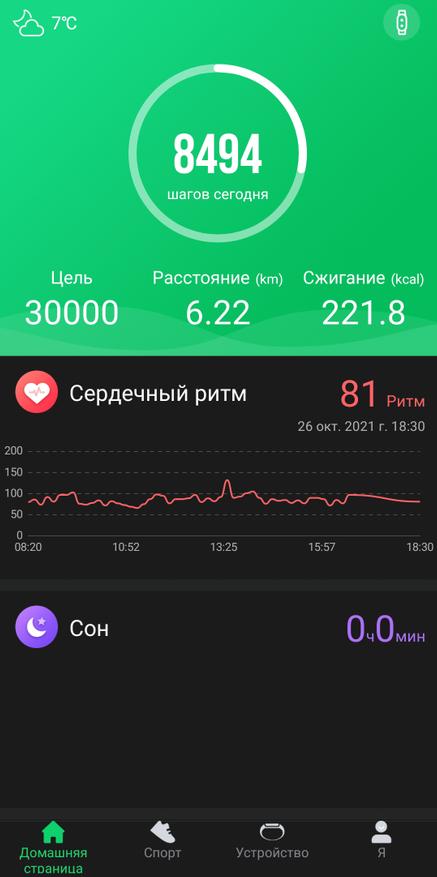
Во вкладке «устройство» можно сменить циферблат, для этого нужно нажать на «Настройки часов». На данный момент для установки доступно целых 103 циферблата, от обычных аналоговых со стрелками до футуристичных, на которых отображается все, что могут показать часы.
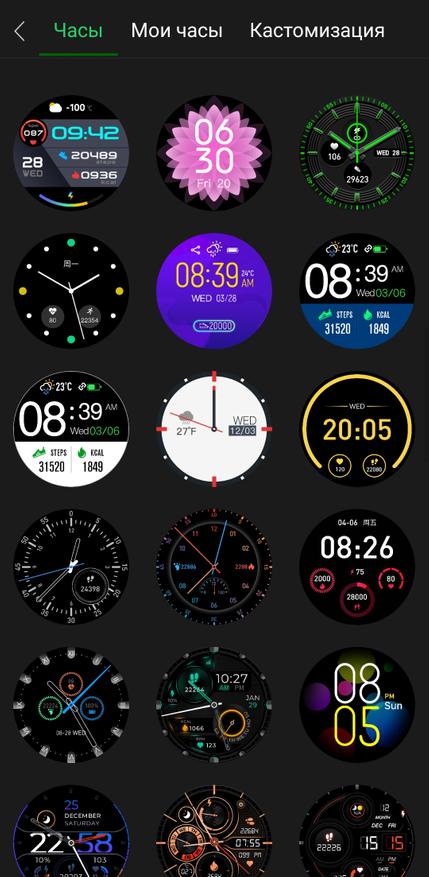
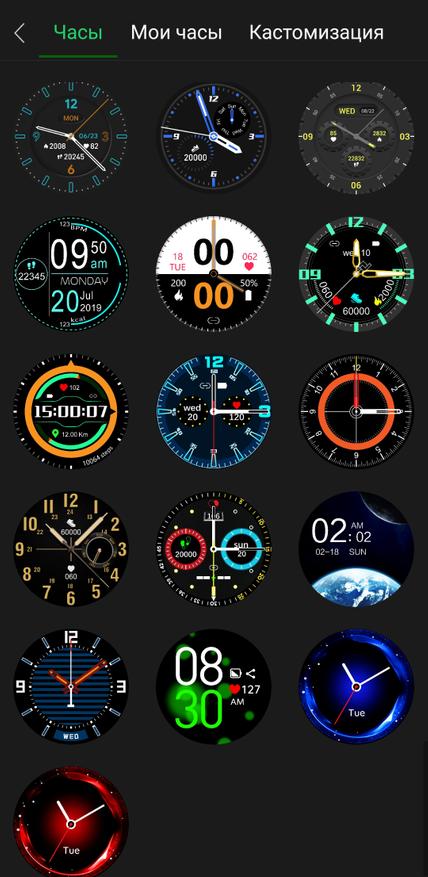
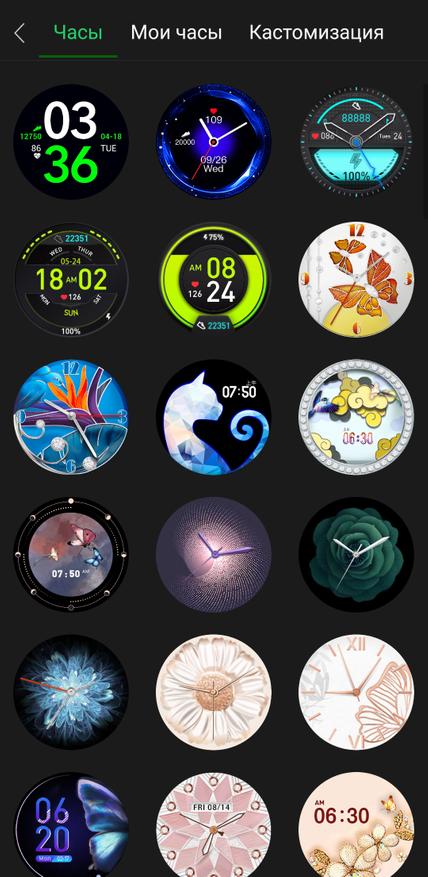
Все остальные подразделы меню отвечают за настройку часов. Уведомления, время работы экрана, режим работы датчика измерения пульса и т.д.
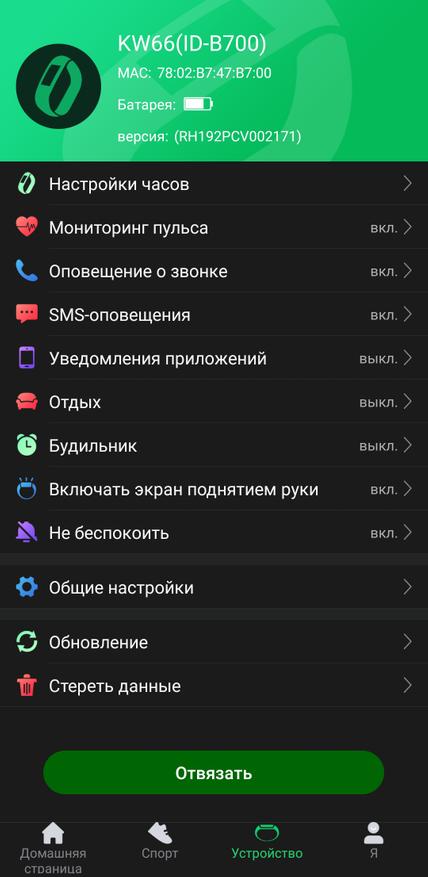
Если этих настроек вам мало, можно скачать приложение Hello imilab. У меня это, к сожалению, не получилось, и это еще один минус, который я хотел бы отметить. Мой экземпляр часов отказывается соединяться со сторонними приложениями, они просто не видят часы. Ни Hello imilab, ни фитнес-трекеры, ни умный будильник. На форумах и в отзывах у большинства все работает, но есть те, кому, как и мне, не повезло. Если у вас все будет работать, вам откроется доступ к огромной библиотеке кастомных циферблатов.
Итоги
imilab KW66 — это очень стильные, качественно собранные смарт-часы с достойным за свою цену функционалом. Я рассказал обо всех минусах, которые смог обнаружить при эксплуатации, но учитывая стоимость этих часов, это скорее придирки. Больше всего я расстроился из-за того, что не смог использовать часы в качестве умного будильника. Я считаю, что это одна из самых крутых функций носимых устройств. Но судя по отзывам, это проблема не модели, а конкретного экземпляра.
Если вы решите приобрести себе imilab KW66, сделать это можно тут: ТУТ
А с промокодом JQHN10B6ULK8 они обойдутся вам всего в 2300 рублей, это даже дешевле Mi Band.
P.S. Ссылка и промокод не реферальные, продавец сам решил дать его для моих читателей. Купить часы вы можете где угодно, но так получится дешевле всего.
Спасибо, что дочитали, жду ваших вопросов в комментариях! Всем пока!
[pdf]
User Manual
KW66 Kilavuz Kullanma Kılavuzu cepport tr user manual imilab |||
KW66 Kullanma Kilavuzu Dier dillerde Kullanma Kilavuzu in QR Kodu Okutabilirsiniz. Saati kullanmaya balamadan nce bu kilavuzu dikkatlice okuyun ve daha sonra tekrar bakmak zere saklayin. rn erii Dokunmatik Ekran Kayi G Dmesi Saati amak iin 5 saniye basili tutun. Ekrani uyandirmak veya ana menye…
lang:id score:46 filesize: 3.25 M page_count: 8 document date: 2023-01-24
[pdf]
User Manual Instructions
Lukáš Chlebovský IMILAB KW66 dwn alza cz manual 91967 |||
KW66 User Manual Uzivatelsk manul Uzvatesk manul Hasznlati utasts Benutzerhandbuch The user manual for the product contains the product functions, method of use and operating procedure. Read the user manual carefully to get the best experience and avoid unnecessary damage. Keep the manual for …
lang:en score:44 filesize: 1.09 M page_count: 76 document date: 2021-06-24
[pdf]
User Manual Installation Guide
HMI701 A01 说明书 V1 5 202001009 新增葡俄阿共7国 英文 User manual Shanghai Imilab Technology Co Ltd IMILAB KW66 Smart Watch 2APA9 2APA9IMILABKW66 imilab kw66
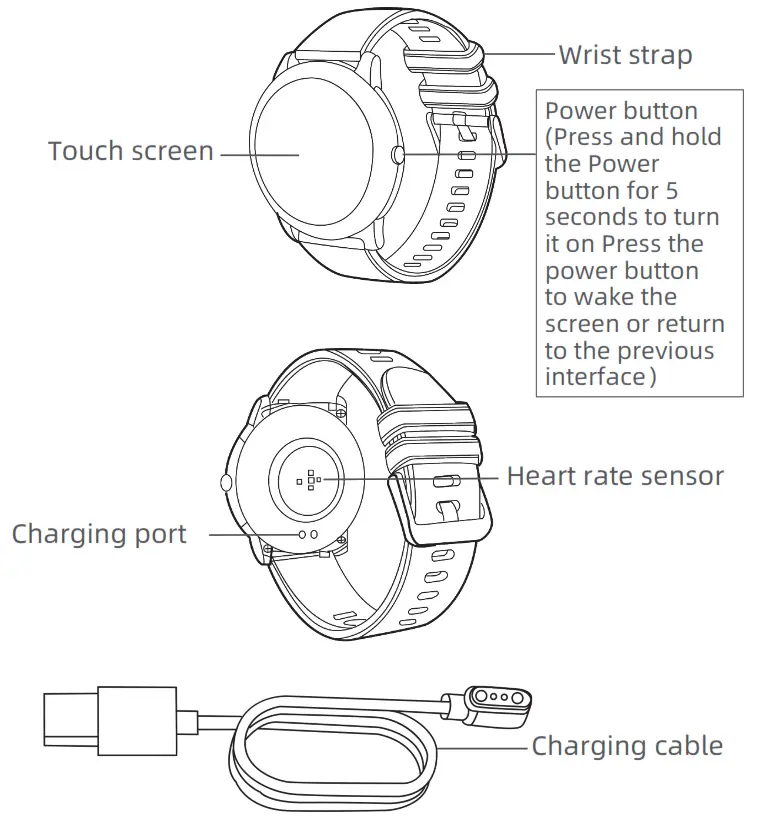
KW66 User Manual FCC ID: 2APA9-IMILAB-KW66 Model: KW66 MADE IN CHINA Read this manual carefully before use, and retain it for future reference. CONTENTS English 01-07 Product Introduction Touch screen Charging port Wrist strap Power button Press and hold the Power button for 5 seconds to tur…
lang:en score:39 filesize: 4.73 M page_count: 1 document date: 2020-10-28
[pdf]
User Manual Installation Guide
IMILAB Smart Watch Manual User 1 Scan the QR code on watch display Settings APP Download by your mobile phone and then install Runto Sport In process of pairing check if Bluetooth functionon is enabled so that can be connected to FCC ID 2APA9 KW66 Model MADE IN CHINA Read this manual carefully before use retain it for future reference CONTENTS View imilabonline Documents |||
KW66 User Manual FCC ID: 2APA9-IMILAB-KW66 Model: KW66 MADE IN CHINA Read this manual carefully before use, and retain it for future reference. CONTENTS English 01-07 Product Introduction Touch screen Charging port Wrist strap Power button Press and hold the Power button for 5 seconds to tur…
lang:en score:36 filesize: 5.04 M page_count: 1 document date: 2021-05-03
[pdf]
Confidentiality Request Letter
Microsoft Word FCC Long Term Confidential Authorization Form dg06010 Shanghai Imilab Technology Co Ltd IMILAB KW66 Smart Watch 2APA9 2APA9IMILABKW66 imilab kw66
Shanghai Imilab Technology Co.,Ltd. Add: Room 001A, Floor 11, Block 1, No. 588 Zixing Road, Minhang … 6 Subject: Confidentiality Request regarding application for certification of FCC ID: 2APA9-IMILAB-KW66 In accordance with Sections 0.457 and 0.459 of the Commission s Rules, Shanghai Imilab Technolo…
lang:en score:36 filesize: 22.79 K page_count: 1 document date: 2020-10-28
[pdf]
Test Report
Microsoft Word RDG200909001 00B BLE Report dg06237 Test Shanghai Imilab Technology Co Ltd IMILAB KW66 Smart Watch 2APA9 2APA9IMILABKW66 imilab kw66
FCC PART 15.247 TEST REPORT For Shanghai Imilab Technology Co.,Ltd. Room 001A, Floor 11, Block 1, No. 588 Zixing Road, Minhang District, Shanghai,China FCC ID: 2APA9-IMILAB-KW66 Report Type: Original Report Product Name: IMILAB Smart Watch KW66 Report Number: RDG200909001-00B Report Date: 2020-1…
lang:tl score:35 filesize: 530.58 K page_count: 34 document date: 2020-10-28
[pdf]
Tisk IMILAB KW66 Sunnysoft 1 oct 2020 — cz navod pxi 438 sunnysoft
IMILAB KW66 Uzivatelsk manul Pectte si pecliv tento manul ped pouzitm a uchovejte ho pro budouc pouzit. 01 Pehled produktu Dotykov obrazovka Nramek Funkcn tlactko Nabjec konektor 1 Senzor srdecnho tepu Nabjec kabel 02 Nosen Pohodln uthnte nramek na svm zpst tak, aby nespadl. Nramek by ml bt um…
lang:hr score:34 filesize: 1.33 M page_count: 1 document date: 2020-09-25
[pdf]
Microsoft Word kw66 manuál docx Xiaomi IMILAB KW66 XA0071 CZ svet svitidel cz ImgGalery Img1 PORT destination Návod k obsluze |||
Xiaomi IMILAB KW66 …
lang:hr score:33 filesize: 785.24 K page_count: 5 document date: 2021-04-21
[pdf]
User Manual
PowerPoint 演示文稿 Winsor MasNet IMILAB KW66 masnet ar imilab kw66 1 28 3D HD curved Screen 30 Day Battery Life Customize Watch Face Sport Data Poster Heart Rate Sensor VC31 13 Modes 24h Bio Tracker IP68 Bluetooth Version V5 0 Touch Capacitive touch screen Compatibility Android 5 or above IOS 9 Definition 240 x Pixels Display inch TFT Water Dust Proof Operation Temperature 20 45℃ Days Charger Magnetic Charging cable Capacity 340mAh Weight with Strap 54g is a versatile all in one smartwatch featuring fetish design it thinner and lighter than ever before while offering bigger display With Curved expresses your individual character Invested by xiaomi longcheer as of Xiaomi Eco Brands Company Profile Page 4 Core Features User manual CTN QTY G W not just another company focused on smart home gadgets We are parents family members business owners homeowners MI Smart 2020 11
IMILAB KW66 1.28 3D HD curved Screen 30 — Day Battery Life Customize Watch Face Sport Data Poster Heart Rate Sensor VC31 13 Sport Modes 24h Bio Tracker IP68 Waterproof IML Treatment Metal Body About IMILAB IMILAB is not just another company focused on smart home gadgets. We a…
lang:en score:33 filesize: 1.96 M page_count: 16 document date: 2020-08-28
[pdf]
Smartwatch KW66 1 28 340 mAh Czarny Sklep internetowy stylem pl smartwatch kw66 mah czarny 242495 upload files product |||
Smartwatch KW66 1.28 340 mAh Czarny Indeks: 242495 Producent: Imilab Kod producenta: KW66 Cena: 157.44 zl Opis Smartwatch KW66 1.28 340 mAh Czarny Producent: Imilab Wlaciwoci Opis Elegancki designSmartwatch Imilab KW66 ma okrgl, metalow kopert, dziki czemu wyglda bardzo elegancko i jest niesamowicie…
lang:pl score:32 filesize: 385.29 K page_count: 3 document date: 2023-04-18
[pdf]
User Manual Installation Guide
HMI701 A01 说明书 V1 6 20201222 新增泰语共8国电子版 压缩 User Manual Mi92 ru 2021 06 08 — umnye chasy xiaomi imilab kw66 black mi92
KW66 User Manual EN DE FR ES PT RU AR Read this manual carefully before use, and retain it for future reference. CONTENTS English Deutsche Franais Espaol Portuguesa 01-07 08-13 14-19 20-25 26-31 32-37 38-43 49-44 Product Introduction Touch screen Charging port Wrist strap Power button Pr…
lang:en score:31 filesize: 2.19 M page_count: 52 document date: 2020-12-23
[pdf]
User Manual Installation Guide
HMI701 A01 说明书 V1 6 20201222 新增泰语共8国电子版 IMILAB KW66 Smart Watch User Manual Global v 1668580648 cdn shopify s files 1 0407 1043 9075 |||
KW66 User Manual EN DE FR ES PT RU AR Read this manual carefully before use, and retain it for future reference. CONTENTS English Deutsche Franais Espaol Portuguesa 01-07 08-13 14-19 20-25 26-31 32-37 38-43 49-44 Product Introduction Touch screen Charging port Wrist strap Power button Pr…
lang:en score:31 filesize: 19.25 M page_count: 52 document date: 2020-12-23
[pdf]
Filip Kropacek IMILAB KW66 Smartwatch Uživatelský manuál F mobil sk May 7 2021 — Nebo vyhledejte aplikaci GloryFit a stáhněte si ji do telefonu Do aplikace je potřeba se nejprve registrovat Projděte základní nastavení pohlaví výšky cz navod imi kw66 smartwatch media f document 98851 |||
IMILAB KW66 Smartwatch Uzivatelsk manul Nosen hodinek Vnujte prosm pozornost sprvnmu umstn hodinek na zpst. Spojen s telefonem Naskenujte aplikaci QR kd nze a zvolte operacn systm. Pot budete pesmrovn na Play Google, nebo Appstore. Nebo vyhledejte aplikaci GloryFit a sthnte si ji do telefonu. Do apl…
lang:hr score:30 filesize: 164.35 K page_count: 1 document date: 2021-01-20
[pdf]
1 IMILAB KW66 návod XM cz Uživatelský manuál xm Při párování hodinek s mobilním telefonem zkontrolujte Zda je na vašem telefonu povolena funkce Bluetooth Aby bylo hodinky možné spárovat OBSAH Česky 01 05 Před použitím si pečlivě přečtěte tuto příručku a uschovejte ji pro budoucí použití Představení produktu data files |||
KW66 Uzivatelsk manul FCC ID: 2APA9-IMILAB-KW66 Model: KW66 MADE IN CHINA Ped pouzitm si pecliv pectte tuto prucku a uschovejte ji pro budouc pouzit. OBSAH Cesky 01-05 Pedstaven produktu Dotykov obrazovka Nabjec port Nramek Tlactko napjen Stisknte a podrzte Tlactko napjen Po dobu 5 vtein Pro…
lang:hr score:27 filesize: 838.11 K page_count: 1 document date: 2021-01-12
[pdf]
User Manual
HMI701 A01 说明书 V1 5 202001009 新增葡俄阿共7国 英文 IMILAB KW66 Imilab Smart Watch Kw66 by Shanghai Users Manual 2apa9 imilab kw66 ex 1 10 electric garden shanghai manuals |||
…
lang:hr score:25 filesize: 4.73 M page_count: 1 document date: 2020-10-28
[pdf]
User Manual
IMILAB Smart Watch KW66 mStoremstore hu ⺠imilab kw66 manual srsltid AfmBOoo7tjS3K M31SOml5COCapWgB2bNSnIaYL1ZckXA9GhUMCLLAgs mstore custom image data srattached |||
…
lang:hr score:25 filesize: 1.18 M page_count: 0 document date: 0000-00-00
[pdf]
Label
Stephan Huck IMILAB KW66 Imilab Smart Watch Kw66 by Shanghai ID Label Location Info 2apa9 imilab kw66 ex 1 6 electric garden shanghai photos |||
…
lang:hr score:18 filesize: 1.11 M page_count: 1 document date: 2020-10-28
[pdf]
Product Photos Teardown
Microsoft Word internal photos dg06237 IMILAB KW66 Imilab Smart Watch Kw66 by Shanghai Internal Photos 2apa9 imilab kw66 ex 1 7 electric garden shanghai |||
…
lang:hr score:18 filesize: 580.23 K page_count: 3 document date: 2020-10-23
[pdf]
Test Report
Microsoft Word RDG200909001 00B BLE Report dg06237 IMILAB KW66 Imilab Smart Watch Kw66 by Shanghai Test 2apa9 imilab kw66 ex 1 8 electric garden shanghai test report |||
…
lang:hr score:18 filesize: 533.3 K page_count: 34 document date: 2020-10-28
[pdf]
Prezzi Ricambi Smartus si Cena v EUR brez DDV OPOMBA Mi Home 1080p 360° nosilec z vijaki 10 00 € Polnilna škatlica GT2 TWS Mini 8 Daljinec za Box S 20 Embalaža L Cenik Servisnih Storitev smartus |||
SMARTUS d.o.o. Industrijska cesta 4, 5000 Nova Gorica Model REDMI Redmi 9C Redmi 9 Redmi 9A 3/32GB … ek za Amazfit Bip Pascek za Amazfit Stratos Pascek za Amazfit GTR Pascek Amazfit Pace Pascek Imilab KW66 25,00 80,00 70,00 15,00 60,00 70,00 7,30 15,00 15,00 10,00 20,00 20,00 15,00 8,12…
lang:it score:17 filesize: 125.58 K page_count: 4 document date: 0000-00-00
[pdf]
Product Photos
Microsoft Word test Setup photos 15 247BLE dg06237 IMILAB KW66 Imilab Smart Watch Kw66 by Shanghai Test Photos 2apa9 imilab kw66 ex 1 9 electric garden shanghai setup |||
…
lang:it score:17 filesize: 246.75 K page_count: 2 document date: 2020-10-23
[pdf]
Confidentiality Request Letter
Microsoft Word FCC Long Term Confidential Authorization Form dg06010 IMILAB KW66 Imilab Smart Watch Kw66 by Shanghai Cover Letter s 2apa9 imilab kw66 ex 1 4 electric garden shanghai correspondence |||
…
lang:it score:17 filesize: 23.78 K page_count: 1 document date: 2020-10-28
[pdf]
Label
Stephan Huck ID Label and Location Shanghai Imilab Technology Co Ltd IMILAB KW66 Smart Watch 2APA9 2APA9IMILABKW66 imilab kw66
…
lang:it score:16 filesize: 1.11 M page_count: 1 document date: 2020-10-28
[pdf]
Microsoft Word DOS dg06010 DoS Letter Shanghai Imilab Technology Co Ltd IMILAB KW66 Smart Watch 2APA9 2APA9IMILABKW66 imilab kw66
…
lang:it score:16 filesize: 33.75 K page_count: 1 document date: 2020-10-28
[pdf]
Product Photos
Microsoft Word External photos dg06237 Photos Shanghai Imilab Technology Co Ltd IMILAB KW66 Smart Watch 2APA9 2APA9IMILABKW66 imilab kw66
…
lang:it score:16 filesize: 500.98 K page_count: 4 document date: 2020-10-23
[pdf]
Agent Authorization
Microsoft Word FCC ID Authorization letter dg06010 Shanghai Imilab Technology Co Ltd IMILAB KW66 Smart Watch 2APA9 2APA9IMILABKW66 imilab kw66
…
lang:it score:16 filesize: 16.73 K page_count: 1 document date: 2020-10-28
[pdf]
Product Photos Teardown
Microsoft Word internal photos dg06237 Internal Photos Shanghai Imilab Technology Co Ltd IMILAB KW66 Smart Watch 2APA9 2APA9IMILABKW66 imilab kw66
EXHIBIT C — EUT INTERNAL PHOTOGRAPHS Antenna …
lang:it score:16 filesize: 579.61 K page_count: 3 document date: 2020-10-23
[pdf]
Imilab KW66 info IMILAB XM cz 1 xm data files Manuál CZ logo 30 |||
…
lang:it score:15 filesize: 631.16 K page_count: 1 document date: 2022-01-30
[pdf]
Microsoft Word Attestation letter屏蔽声明 dg06010 Letter Shanghai Imilab Technology Co Ltd IMILAB KW66 Smart Watch 2APA9 2APA9IMILABKW66 imilab kw66
…
lang:it score:15 filesize: 77.05 K page_count: 1 document date: 2020-10-28
[pdf]
Product Photos
Microsoft Word test Setup photos 15 247BLE dg06237 Test Photos Shanghai Imilab Technology Co Ltd IMILAB KW66 Smart Watch 2APA9 2APA9IMILABKW66 imilab kw66
EXHIBIT D — TEST SETUP PHOTOGRAPHS Conducted Emissions Front View Conducted Emissions Side View Radiated Emission Below 1GHz View Radiated Emission Above 1GHz View …
lang:it score:15 filesize: 246.19 K page_count: 2 document date: 2020-10-23
[pdf]
Decleration of Conformity
KMBT C554 20201210041523 IMILAB KW66 EU DoC Declaration of Conformity Global DOC v 1638341444 cdn shopify s files 1 0407 1043 9075 |||
…
lang:it score:12 filesize: 646.27 K page_count: 2 document date: 2020-12-10
- June 10, 2024
- WOWME
Table of Contents
- KW66 Smartwatch
- Product introduction
- Connection and binding
- Operation
- Features
- Charging
- Basic parameters
- Frequently Asked Questions
- Warranty Conditions
- References
- Read User Manual Online (PDF format)
- Download This Manual (PDF format)
KW66 Smartwatch
User Manual

KW66 Smartwatch
The product user guide contains product features, how to use, and the
operating procedure. Read the user manual carefully to get the best experience
and avoid unnecessary damage. Keep this manual for future reference. If you
have any questions or comments about the device, please contact the customer
line.
✉www.alza.co.uk/kontakt
✆+44 (0)203 514 4411
Importer Alza.cz a.s., Jankovcova 1522/53,
Holešovice, 170 00 Praha 7, www.alza.cz
Product introduction

Wearing
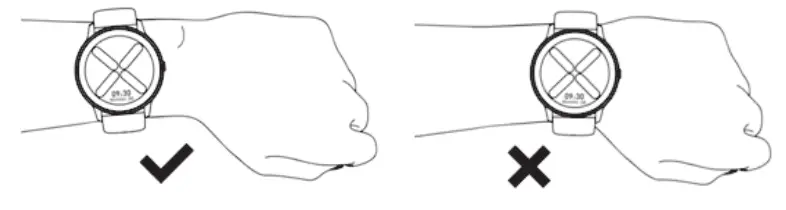
Wear the wristband about one finger away from the wrist bone and adjust the
tightness of the wristband to a comfortable position. Tip: If you wear the
strap too loose, the data acquisition of heart rate sensor may be affected.
Connection and binding
-
Scan the QR code on the watch display (Settings-APP Download) by your mobile phone,and then install the APP Glory Fit. You can also scan the QR code below to download and instar Glory Fit from the mobile APP store.
https://app.help-document.com/gloryfit/download/index.html -
After installing the APP open and log in Glory Fit , then select (device KW66_ to be added) on the device page so as to connect it.


Tips:
- In the process of pairing, check if the Bluetooth function on your mobile phone is enabled, so that the watch can be connected to your mobile phone.
- lf the device cannot be found in the pairing process, or the device cannot be connected during use, please click “Settings – Reset” on the watch, then try to start the pairing again.
- lf the watch still cannot be found, please exit and re-open the APP.
- The connection status of the watch is as shown in the figures below:

Note: The battery power will be shown as 5 different levels on the watch
(0%-25%-50%-75%100%).
Operation
- Open the control panel: Swipe the screen on the main interface downwards from the top
- Open the messages/notifications: Swipe the screen on the main interface upwards from the bottom
- Open the main menu: Swipe the screen on the main interface from left to right (Note: On other interfaces, slide your finger from left to right to return to the previous interface)
- Open the status interface: Swipe the screen on the main interface from right to left
- Quick dial change: Press and hold the dial interface for 3 seconds, and the watch vibrates once; then you can slide your finger to left or right to select the dial.
- Power on: Press and hold the Power button for 5 seconds to switch it on (Power off: You need to press and hold the button for 3 seconds when the display is on to select whether to power off)
- Quick sports pause/continue: Press the power button.
- Press the power button to return to the homepage (Note: If you are on the level 2 interface, you will return to the level 1 interface).

Features
13 sport modes (Running, Walking, Cycling, Alpinism, Yoga, Skipping, Tennis,
Baseball, Basketball, Badminton, Football, Rugby, Table Tennis)
In running, walking, Alpinism and other sports modes, you can click the screen
to view the sports data (steps, pace, calories, distance and duration).
Heart Rate Monitor: The watch will continuously track your heart rate for
24 hours(Need to turn on the “Heart rate monitoring” in the APP at first), you
can also view the historical heart rate data int he APP. Note: When this
feature is enabled, the power consumption will be increased, and the battery
endurance will be reduced. Blood Oxygen Function: The watch can track
oxygen in your blood.
Status Interface: The steps, distance and calories will be recorded
detail and displayed on watch everyday.
Sleep: The watch will monitor your sleep status from 6:00pm to the 11:59
am of the next day.
Music: The watch can be used to control the music player of the mobile
phone, you can use it to play/pause or skip songs (it is only compatible with
the inbuilt music player of the mobile phone, may not be compatible with third
party’ s player, and the volume cannot be adjusted on the watch)
The watch will receive and display texts/messages/ social media notifications
from your phone.
Setting: You can shut down or reset the watch from setting, and you can
also check the info about the watch and App download QR code.
Charging
- Place the watch on the magnetic charger, please make sure the charging contacts on the back of the watch are fully adsorbed the metal contacts of the charger. It can be fully charged within about 3.5 hours.
- Plug the charging cable into a standard USB charger purchased via official channels. The output voltage is 5V and the output current is 1A.
If the watch cannot be turned on after being out of use for a long time,
please wipe the charging contacts of the charging cable when using it again to
remove the sweat or moisture residue.
Note: (If you do not use the watch often, please charge it once every
month.)

Basic parameters
| Display | 1.28inch TFT240*240 |
|---|---|
| Touch screen | Capacitive full touch screen Bluetooth BT5.0 |
| Material of shell | Zinc alloy with vacuum plating |
| Material of strap | Silicone rubber |
| Battery and battery life | 340mAh lithium polymer battery |
Standby time>30 days
Service time: 7 days (with all features on)
Button Power| button on side
Charging mode| Magnetic charging
Water-proofing| IP68 waterproof level
Heart Rate Sensor| VC32S
Frequently Asked Questions
The watch cannot be connected to the APP.(Or the watch can’t be found by
the APP)
– 1.Please make sure the software version of your smart phone is over Android
4.4 Or iOS 7.0.
Please check whether the watch was connected to another phone or not, if yes
please unbind it at first.
Please make sure you have enabled the Bluetooth function of your phone. (If
it’s still not working, we recommend you to exit all of other APP and reopen
the Bluetooth function)
lf the watch still can’t be connected even after trying the above steps,
please exit the Glory Fit APP and restart the mobile phone and the watch.
*Note :Some smart phones will not be connected to the watch in low
battery mode.
Can’t get any text/message on the watch
– 1.First, please make sure the Bluetooth function is enabled on your mobile
phone, and check whether the watch is connected successfully with your phone
through the Glory Fit APP Then turn on the “Notifications reminders” in the
APP.
Then please check whether you give this APP the permission to keep running in
the background on your mobile phone. If not, please allow it to keep running
in the background.
And also check if the message can show up on your phone’s notification bar or
not. If not, please allow the APP notifications to pop-up in the notification
bar in the system setting: Setting- Notifications- Notification style-Tick the
“Banners”.
lf the messages can still not be displayed on the watch even after trying the
above steps, please exit the Glory Fit APP and restart the mobile phone and
the watch.
How to synchronize the watch data to my phone?
– Auto synchronization: When the watch is connected to the APP, it will
automatically synchronize data.
2. Manual synchronization: After the watch is connected to the APP
successfully, you can manually synchronize the data by swiping down the screen
from the APP homepage or data interface.
3. lf the data cannot be synchronized, please try to disable and enable the
Bluetooth function again on your mobile phone or restart your mobile phone.
(Note: In case of any common problems in operation, please refer to the
Common problem in My profile of the APP, which can help you solve some
problems) As shown in the figure below:

Warranty Conditions
A new product purchased in the Alza.cz sales network is guaranteed for 2
years. If you need repair or other services during the warranty period,
contact the product seller directly, you must provide the original proof of
purchase with the date of purchase.
The following are considered to be a conflict with the warranty conditions,
for which the claimed claim may not be recognized:
- Using the product for any purpose other than that for which the product is intended or failing to follow the instructions for maintenance, operation and service of the product.
- Damage to the product by a natural disaster, the intervention of an unauthorized person or mechanically through the fault of the buyer (e.g. during transport, cleaning by inappropriate means, etc.).
- Natural wear and aging of consumables or components during use (such as batteries, etc.).
- Exposure to adverse external influences, such as sunlight and other radiation or electromagnetic fields, fluid intrusion, object intrusion, mains overvoltage, electrostatic discharge voltage (including lightning), faulty supply or input voltage and inappropriate polarity of this voltage, chemical processes such as used power supplies, etc.
- If anyone has made modifications, modifications, alterations to the design or adaptation to change or extend the functions of the product compared to the purchased design or use of non-original components.
EU Declaration of Conformity
We declare on our own responsibility that this product complies with the
provisions of Directives 2014/53/EU and 2011/65/EU including amendments
2015/863/EU.
WEEE
This product must not be disposed of as normal household waste in
accordance with the EU Directive on Waste Electrical and Electronic Equipment
(WEEE – 2012/19 / EU). Instead, it shall be returned to the place of purchase
or handed over to a public collection point for the recyclable waste. By
ensuring this product is disposed of correctly, you will help prevent
potential negative consequences for the environment and human health, which
could otherwise be caused by inappropriate waste handling of this product.
Contact your local authority or the nearest collection point for further
details. Improper disposal of this type of waste may result in fines in
accordance with national regulations.
References
- Alza.cz – rychlý a pohodlný nákup odkudkoliv | Alza.cz
- Alza.hu – Kényelmes és biztonságos vásárlás | alza.hu
- Alza.sk – rýchly a pohodlný nákup odkiaľkoľvek | alza.sk
- Alza | Alza.co.uk
- Alza.cz – rychlý a pohodlný nákup odkudkoliv | Alza.cz
- Alza.cz – rychlý a pohodlný nákup odkudkoliv | Alza.cz
- Alza.cz
- alza.de
- alza.hu
- alza.sk
Read User Manual Online (PDF format)
Read User Manual Online (PDF format) >>
Download This Manual (PDF format)
Download this manual >>

KW66
User Manual
Read this manual carefully before use, and retain it for future reference.
Product Introduction
Wearing
Wear the wristband about one finger away from the wrist bone and adjust the tightness of the wristband to a comfortable position.
Tip: If you wear the strap too loose, the data acquisition of heart rate sensor may be affected.

Connection and binding
1. Scan the QR code on the watch display (Settings-APP Download) by your mobile phone, and then install the APP Runto Sport. You can also scan the QR code below to download and install GloryFit from the mobile APP store.
https://app.help-document.com/gloryfit/download/index.html
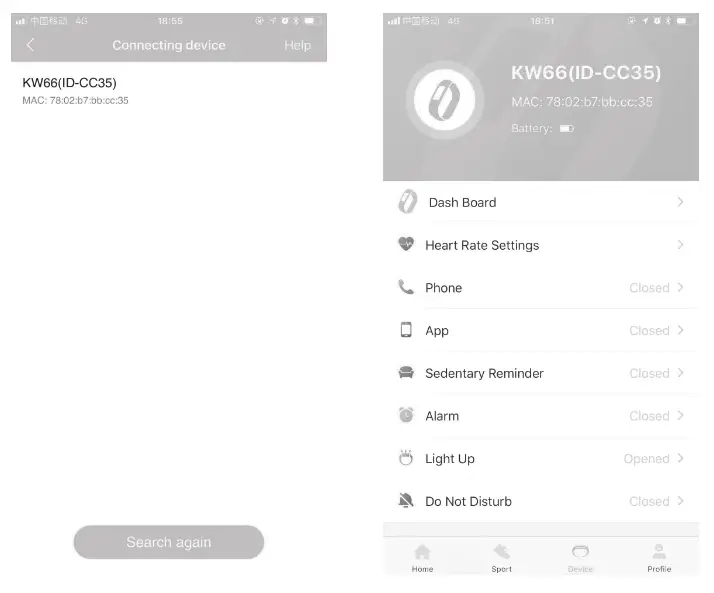
2. After installing the APP, open and log in GloryFit, then select (device KW66 to be added) on the device page so as to connect it.
Tips:
- In the process of pairing, check if the Bluetooth functionon your mobile phone is enabled, so that the watch can be connected to your mobile phone.
- If the device cannot be found in the pairing process, or the device cannot be connected during use, please click “Settings – Reset” on the watch, then try to start the pairing again.
- If the watch still can not be found, please exit and re-open the APP.
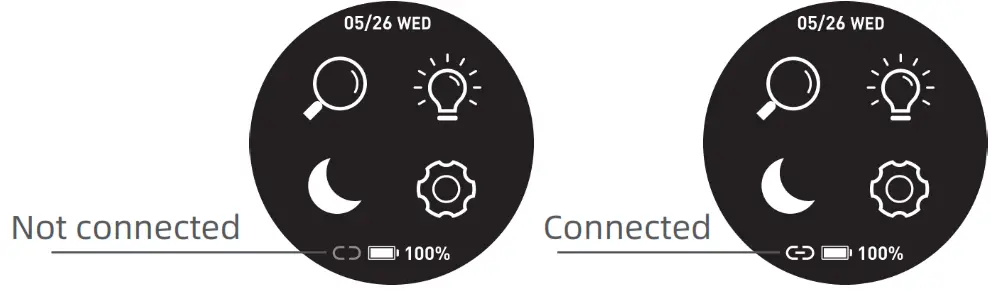
- The connection status of the watch is as shown in the figures below :
Note: The battery power will be shown as 5 different levels on the watch (0%-25%-50%-75%-100%)
Operation
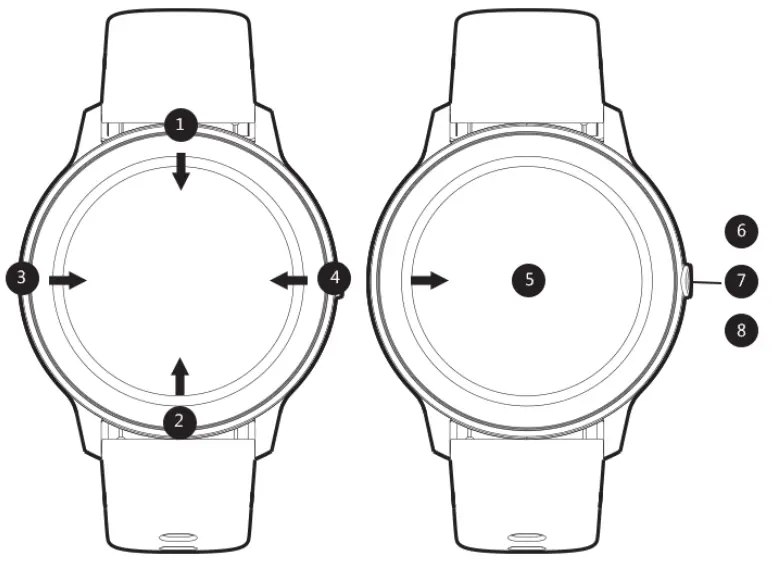
- Open the control panel: Swipe the screen on the main interface downwards from the top
- Open the messages/notifications: Swipe the screen on the main interface upwards from the bottom
- Open the main menu:Swipe the screen on the main interface from left to right (Note: On other interfaces, slide your finger from left to right to return to the previous interface)
- Open the status interface: Swipe the screen on the main interface from right to left
- Quick dial change: Press and hold the dial interface for 3 seconds, and the watch vibrates once; then you can slide your finger to left or right to select the dial.
- Power on: Press and hold the Power button for 5 seconds to switch it on (Power off: You need to press and hold the button for 3 seconds when the display is on to select whether to power off)
- Quick sports pause/continue: Press the power button.
- Press the power button to return to the homepage (Note: If you are on the level 2 interface, you will return to the level 1 interface).
Features
|
13 sport modes (Running, Walking, Cycling, Alpinism, Yoga, Skipping, Tennis, Baseball, Basketball, Badminton, Football, Rugby, Table Tennis) |
|
In running, walking, Alpinism and other sports modes, you can click the screen to view the sports data (steps, pace, calories, distance and duration). |
| Heart Rate Monitor: The watch will continuously track your heart rate for 24 hours(Need to turn on the “Heart rate monitoring” in the APP at first), you can also view the historical heart rate data in the APP. Note: When this feature is enabled, the power consumption will be increased, and the battery endurance will be reduced. |
|
| Status Interface: The steps, distance and calories will be recorded in detail and displayed on watch everyday. | |
| Sleep: The watch will monitor your sleep status from 6:00 pm to the 11:59 am of the next day. Note: The sleep data on watch will be cleared at 6:00pm everyday. But you still can check the historical sleep data in the GloryFit APP. | |
| Music: The watch can be used to control the music player of the mobile phone, you can use it to play/pause or skip songs (it is only compatible with the in-built music player of the mobile phone, may not be compatible with third party’s player, and the volume cannot be adjusted on the watch) | |
| Stopwatch: The watch can be used to count time (slide your finger to the right after pressing the pause button to exit and return to the previous menu) | |
| Message: The watch will receive and display texts/ messages/ social media notifications from your phone. | |
| Setting: You can shut down or reset the watch from setting, and you can also check the info about the watch and App download QR code. |
Charging
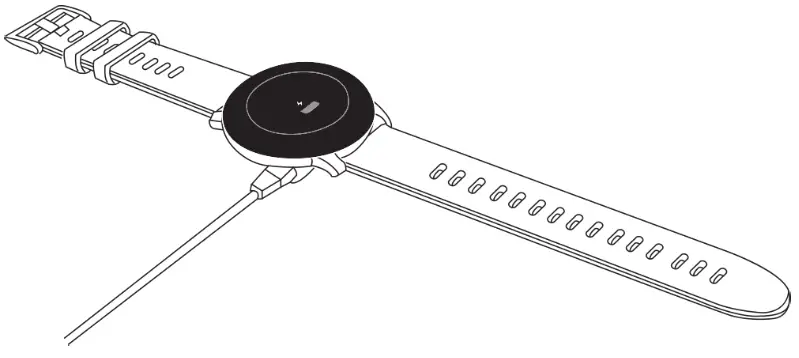
- Place the watch on the magnetic charger, please make sure the charging contacts on the back of the watch are fully adsorbed the metal contacts of the charger. It can be fully charged within about 3.5 hours.
- Plug the charging cable into a standard USB charger purchased via official channels. The output voltage is 5V and the output current is 1A.
If the watch cannot be turned on after being out of use for a long time, please wipe the charging contacts of the charging cable when using it again to remove the sweat or moisture residue.
Note: (If you do not use the watch often, please charge it once every month.)
Basic parameters
| Hardware parameters | |
| Display | 1.28inch TFT 240*240 |
| Touch screen | Capacitive full touch screen |
| Bluetooth | BT5.0 |
| Material of shell | Zinc alloy with vacuum plating |
| Material of strap | Silicone rubber |
| Battery and battery life | 340mAh lithium polymer battery |
| Standby time>30 days | |
| Service time: 7 days (with all features on) | |
| Button | Power button on side |
| Charging mode | Magnetic charging |
| Water-proofing | IPX8 waterproof level |
FAQ
- The watch can not be connected to the APP.(Or the watch cant be found by the APP)
• Please make sure the software version of your smart phone is over Android 4.4 Or iOS 7.0.
• Please check whether the watch was connected to another phone or not, if yes please unbind it at first.
• Please make sure you have enabled the Bluetooth function of your phone. (If it’s still not working, we recommend you to exit all of other APP and reopen the Bluetooth function)
• If the watch still cant be connected even after trying the above steps, please exit the GloryFit APP and restart the mobile phone and the watch.
*Note: Some smart phones will not be connected to the watch in low battery mode. - Can’t get any text/message on the watch
• First, please make sure the Bluetooth function is enabled on your mobile phone, and check whether the watch is connected successfully with your phone through the GloryFit APP. Then turn on the “Notifications reminders” in the APP.
• Then please check whether you give this APP the permission to keep running in the background on your mobile phone. If not, please allow it to keep running in the background.
• And also check if the message can show up on your phone’s notification bar or not. If not, please allow the APP notifications to pop-up in the notification bar in the system setting: Setting- Notifications- Notification style-Tick the “Banners”.
• If the messages can still not be displayed on the watch even after trying the above steps, please exit the GloryFit APP and restart the mobile phone and the watch. - How to synchronize the watch data to my phone?
• Auto synchronization: When the watch is connected to the APP, it will automatically synchronize data;
• Manual synchronization: After the watch is connected to the APP successfully, you can manually synchronize the data by swiping down the screen from the APP homepage or data interface;
• If the data cannot be synchronized, please try to disable and enable the Bluetooth function again on your mobile phone, or restart your mobile phone;
(Note: In case of any common problems in operation, please refer to the Common problem in My profile of the APP, which can help you solve some problems) As shown in the figure below:
NOTE: This equipment has been tested and found to comply with the limits for a Class B digital device, pursuant to part 15 of the FCC Rules. These limits are designed to provide reasonable protection against harmful interference in a residential installation. This equipment generates uses and can radiate radio frequency energy and, if not installed and used in accordance with the instructions, may cause harmful interference to radio communications. However, there is no guarantee that interference will not occur in a particular installation. If this equipment does cause harmful interference to radio or television reception, which can be determined by turning the equipment off and on, the user is encouraged to try to correct the interference by one or more of the following measures:
– Reorient or relocate the receiving antenna.
– Increase the separation between the equipment and receiver.
-Connect the equipment into an outlet on a circuit different from that to which the receiver is connected.
-Consult the dealer or an experienced radio/TV technician for help
Changes or modifications not expressly approved by the party responsible for compliance could void the user’s authority to operate the equipment.
This device complies with Part 15 of the FCC Rules.
Operation is subject to the following two conditions:
(1) this device may not cause harmful interference, and
(2) this device must accept any interference received, including interference that may cause undesired operation.
FCC ID: 2APA9-IMILAB-KW66
Model: KW66
MADE IN CHINA