
ЕДИНОЕ ЦЕЛОЕ
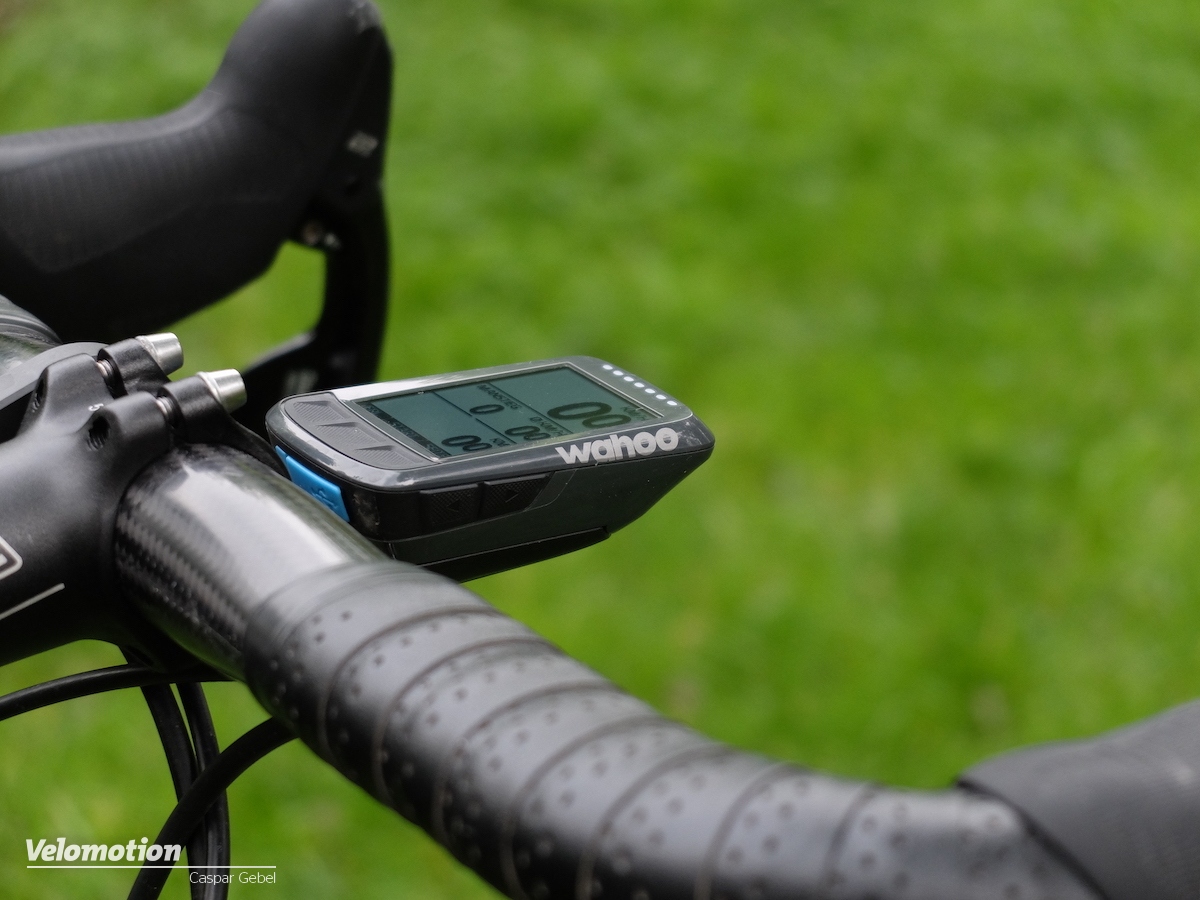
Wahoo был первым, кто разработал компьютер и смонтировал его вместе с креплением, создав по-настоящему аэродинамический велосипедный компьютер. Полностью интегрированный ELEMNT BOLT предлагает оптимизированную платформу для уменьшения сопротивления, при этом имея современный дизайн.
ЛЕГКО НАЖИМАЕМЫЕ КНОПКИ
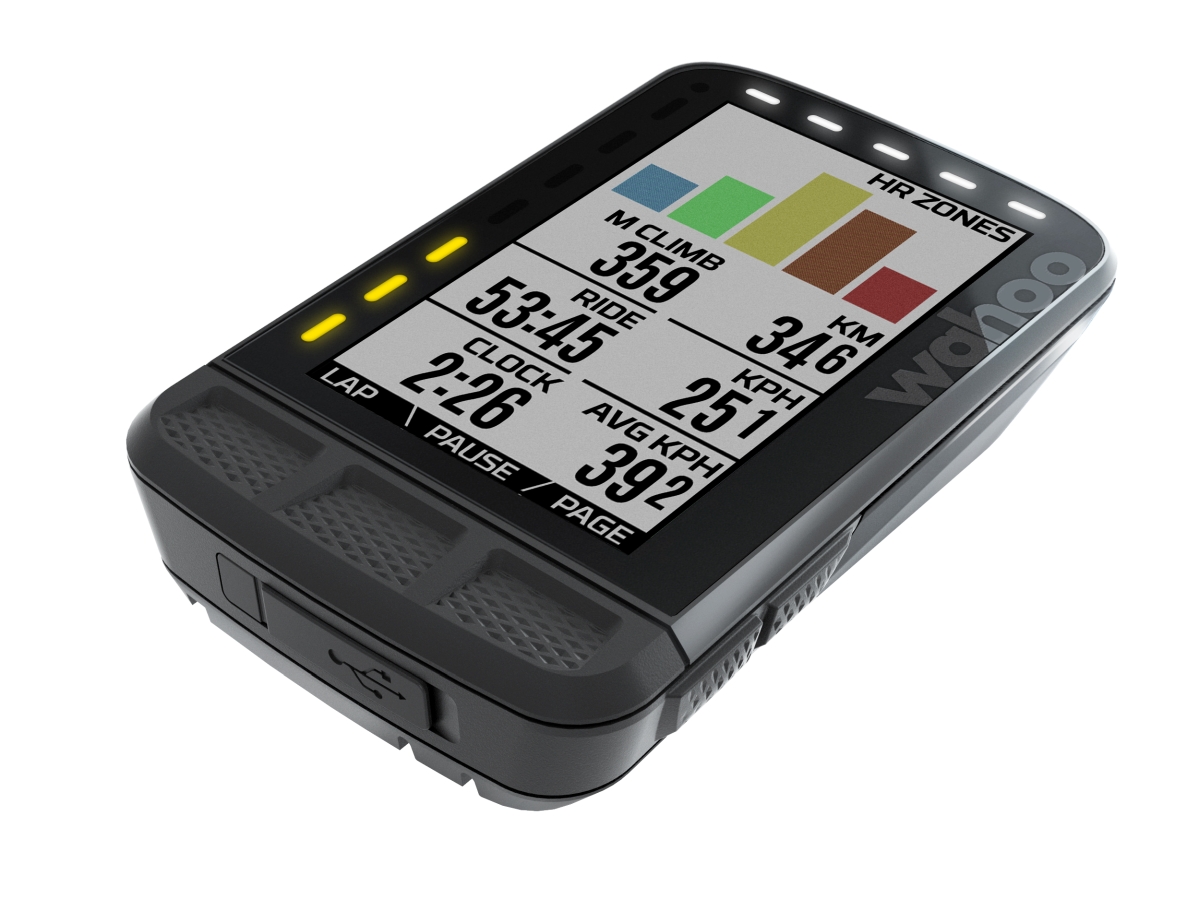
ELEMNT BOLT имеет три легко нажимаемые выпуклые верхние кнопки. Их расположение и тактильные ощущения позволяют вам легко находить их и переключаться между экранами тренировок даже в перчатках с длинными пальцами, так, что вы можете тратить меньше времени на то, чтобы смотреть вниз, и больше времени уделять своей поездке.
ЛЁГКАЯ ПЕРЕДАЧА ДАННЫХ
Мультиспортивная передача отслеживает и автоматически делится временем отрезка в реальном времени между велосипедным компьютером ELEMENT BOLT и спортивными часами ELEMNT RIVAL. Теперь триатлонисты могут сосредоточиться на текущей задаче – на своих результатах в день гонки.
ТРЕНИРУЙТЕСЬ С ЦЕЛЬЮ
ELEMNT BOLT полностью интегрирован с TrainerRoad, TrainingPeaks и Today’s Plan. Быстро находите планы тренировок и выполняйте структурированные тренировки, которые вы можете выполнять на открытом воздухе или в помещении на любом умном тренажере Wahoo. Данные о ваших тренировках всегда автоматически отправляются обратно в приложения, что упрощает настройку, отслеживание и достижение ваших целей в области производительности.
ИССЛЕДОВАТЬ БОЛЬШЕ
Благодаря 16 Гб встроенной памяти, у вас есть возможность хранить больше карт, больше гоночных трасс и больше маршрутов, что позволяет вам расставлять приоритеты в своих тренировочных потребностях, а не в памяти вашего велокомпьютера.
SET UP BIKE COMPUTER
- DOWNLOAD WAHOO ELEMENT COMPANION APP
Ensure Bluetooth is on - TURN ON ELEMENT BOLT
Hold left-side button to power on/off. - SCAN QR CODE TO PAIR WITH PHONE
If QR code isn’t shown, press the left-side menu button and select “Pair Phone” - FOLLOW APP INSTRUCTIONS
Connect to WiFi, authorize other apps, complete personal data form, link to social and/or email - UPDATE FIRMWARE IF PROMPTED
PAIR SENSORS
- TURN ON THE ELEMNT
Press the bottom left button to get to the menu - SELECT ADD SENSOR
- ACTIVATE THE SENSOR AND HOLD IT NEAR ELEMENT ROAM
Shake the sensor and look for LED lights to blink. Note: LEDs will disable after 30 seconds to save battery. - SAVE SENSOR
MOUNT TO BIKE
OPTION 1: OUT FRONT MOUNT
Compatible with 31.8mm handlebars. Use a 3mm Allen wrench to secure mount to handlebars.
OPTION 2: STEM MOUNT
Use the included zip ties to attach to the bike stem.
BUTTON FUNCTIONALITY
- MENU (HOLD TO POWER ON/OFF)
- SMART BUTTONS
(CHANGE BASED ON SCREEN) - PAGE OVER
- SCROLL UP AND DOWN
The route input and recalculation navigation features of the computer should not replace your own judgment while riding on a route, including whether the route suggested is safe to ride. Do not follow the route or re-calculate routes presented on the computer if to do so would be dangerous, unsafe, or risky.
The route and re-calculated route information provided is for reference purposes only. Route directions should be followed only if you conclude, based on what you see while riding, and other information that you learn, that the route is safe, and it is prudent to use it to navigate a ride.
The data inputted in the computer may have changed since it was inputted and thus the route information may not be accurate.
Actual road conditions always take precedent over an inputted or re-calculated route. Keep to a minimum the amount of time you look at the computer while riding.
When riding along the suggested route always follow all traic regulations, signage, and other information provided about road conditions (for example, one-way traic or detours).
THIS IMPORTANT PRODUCT INFORMATION GUIDE CONTAINS SAFETY AND HANDLING, REGULATORY, AND WARRANTY INFORMATION.
WARNING
Read the below warnings carefully prior to the use of this device.
Failure to comply with these warnings may result in serious injury or death.
BATTERY WARNINGS
A non-replaceable lithium-ion battery is used in this device.
A replaceable coin cell battery is used in devices that may be sold in a bundle with this device.
Failure to heed the following warnings with respect to the batteries may present a risk of damage to the device, fire, chemical burn, electrolyte leak, and/or injury:
- KEEP BATTERIES AND OTHER SMALL PARTS OF THIS DEVICE AWAY FROM CHILDREN.
- NEVER PUT BATTERIES IN YOUR MOUTH. Swallowing can lead to chemical burns, perforation of the so tissue, and death. Severe burns can occur within 2 hours of ingestion. SEEK IMMEDIATE MEDICAL ATTENTION IF A BATTERY IS SWALLOWED.
- Do not remove, attempt to remove, or replace the battery included in the device. Using other batteries poses a risk for fire and explosion.
HEALTH WARNINGS
- Before beginning or modifying any exercise program, please consult your physician.
- The device may emit green light and flash occasionally. Consult your physician if you have epilepsy or are sensitive to flashing lights.
- If your device came with a heart rate sensor and you have a pacemaker or other implanted electronic device, consult your physician before using the heart rate sensor.
- The device and its companion app track your movement and report metrics such as step, sleep, distance, heart rate, and calorie tracking. This information provided is a close estimation of your activity and metrics tracked, but may not be completely accurate.
- The device is intended for recreational use only and is not intended for medical or diagnostic purposes.
- Heart rate and other readings could be influenced by interference from external sources.
DEVICE WARNINGS
- Do not leave the device exposed to a heat source or in a high-temperature location.
- Only use original Wahoo Fitness battery chargers approved for the device.
NAVIGATION WARNINGS
- Registering the device is necessary to ensure that you have the most up to date maps and sofiware. If you do not register the device, your navigation features may be impaired.
- Set destinations and other navigation inputs prior to your departure to ensure your attention stays on task and your facilities are directed to your activity and not the device.
- The device allows you to send your location to contact(s). This feature should not be relied upon as a method to obtain emergency assistance in the event of an emergency or accident.
- Do not follow navigation instructions in the event that they do not comport with real life conditions or would cause a safety hazard and always compare information displayed on the device to all available navigation sources.
- When riding along the suggested route always follow all trafic regulations, signage and other information provided about road conditions (for example, one-way traic or detours).
SAFETY WARNINGS
- Make sure the device mount is secure before each ride, following the manufacturer’s specific mounting instructions.
- The device may display various notifications while in use. Always be aware of your surroundings while using the device and do not fixate on the screen. Do not get distracted by device notifications or injury may occur.
- Wahoo Fitness cannot guarantee the performance of any third party sensors, hardware, or software that may be used with the device.
CALIFORNIA PROPOSITION 65
The enclosed hardware and its packaging contain chemicals the State of California has found to cause cancer, birth defects or reproductive harm.
NOTICE
Read the below notices carefully prior to use of this device. Failure to comply with these notices may result in personal or property damage, or could negatively impact the functionality of the device.
- This device contains no user serviceable parts and repairs.
Modification to the device should only be made by a technician authorized by Wahoo Fitness. Any unauthorized modifications or repairs will void your warranty. - Do not leave the device exposed to excessive heat or cold.
- Do not use accessories with the device that are not approved or supplied by Wahoo Fitness.
- Although the device is waterproof to its published depth rating, it may still suer water ingression if it is subjected to an activity that creates pressure on it that exceeds the depth rating.
Trademark Notices
Wahoo® is a trademark of Wahoo Fitness L.L.C., registered in the U.S. and other countries.
Apple® and the Apple logo® are trademarks of Apple Inc., registered in the U.S. and other countries.
The Bluetooth® word mark and logos are registered trademarks owned by Bluetooth SIG, Inc. and any use of such marks by Wahoo Fitness is under license.
The Android robot is reproduced or modified from work created and shared by Google and used according to terms described in the Creative Commons 3.0 Attribution License.
Caution!
The manufacturer is not responsible for any radio or TV interference aused by unauthorized modifications to this equipment. Such modifications could void the users authority to operate the equipment.
IC Statement
This device complies with Industry Canada license-exempt RSS standard(s). Operation is subject to the following two conditions: (1) this device may not cause interference, and (2) this device must accept any interference, including interference that may cause undesired operation of the device. The device meets the exemption from the routine evaluation limits in section 2.5 of RSS 102 and users can obtain Canadian information on RF exposure and compliance.
CE Statement:
Hereby, Wahoo Fitness declares that this product is in compliance with:
- The essential requirements and essential relevant provisions of directive 2014/53/EU
- The full text of the EU declaration of conformity (DoC) is available at the following internet address: www.wahoofitness.com/regulatory-notices. The object of the declaration described above is in conformity with the relevant European Union harmonization Legislation: Directive 2014/53/EU and any other applicable directives. This declaration is issued under the sole responsibility of Wahoo Fitness, LLC.
- All listed Wahoo products operate within the 2402-2480 MHz frequency band and below the maximum output power threshold of 100mW (20dBm).
- Regulatory authorities within the EU may obtain compliance information by writing to: Wahoo Fitness L.L.C. 90 W. Wieuca Road 110 Atlanta, Georgia, USA 30342
FCC Compliance Statement
This device complies with part 15 of the FCC rules. Operation is subject to the following two conditions: (1) This device may not cause harmful interference, and (2) this device must accept any interference received, including interference that may cause undesired operation.
This device has been tested and found to comply with the limits for a Class B digital device, pursuant to part 15 of the FCC Rules. These limits are designed to provide reasonable protection against harmful interference in residential installations. This equipment generates, uses, and can radiate radio frequency energy, and if not installed and used in accordance with the instructions, may cause harmful interference to radio communications. However, there is no guarantee that interference will not occur in a particular installation.
If this equipment does cause interference to radio or television equipment reception, which can be determined by turning the equipment off and on, the user is encouraged to try to correct the interference by one or more of the following measures:
- Reorient or relocate the receiving antenna
- Increase the separation between the equipment and receiver
- Connect the equipment into an outlet on a circuit dierent from that to which the receiver is connected.
Radiation Exposure Statement
This equipment should be installed and operated with minimum distance 20cm between the radiator and your body.
FAQs
I need to see and know my heart rate on the screen. What do I have to buy axactively?
Wahoo makes their own heart monitor strap. The TICKR and TICKRx should do the trick. I think any heart rate monitor strap will do as long as it can connect between Bluetooth or ANT+ though.
Is the element bolt a stand alone bike computer or do I have to have my phone with me?
It is a stand alone bike computer. It has GPS to track your speed and guide you on a route. (You can also link it to speed and other sensors on your bike.) Some of the features, such as re-routing to a new destination during the ride, would require your phone. You also need the phone to set up the computer and your data fields, which you only need to do before a ride. But aside from that, you don’t need to have your phone with you.
If i don’t paired with phone when i ride, can i download the data later at phone?
Yes! The Wahoo ELEMNT BOLT contains onboard memory so that you can ride entirely without your phone and sync those rides later via WiFi.
Does the heart monitor come with a chest strap
Yes, it does.
Does the computer come with a speed sensor and/or cadence sensor? Wouldn’t the unit be useless without one?
It doesn’t come with a speed or cadence sensor. It isn’t worthless without them, but a cadence sensor would be helpful. It will get speed from GPS unless you are using it indoors with a smart trainer.
Do i need a speed sensor or does this use gps?
The device is gps enabled and will calculate speed. If you want you can connect heart rate & cadence sensors.
Is it just me, or does the bolt bot make any sound when garmin radar detects a vehicle? visuals are a-ok, but no sound.
It does provide sound alerts. It’s an option that can be changed at the phone Elemnt app.
Will this work with a favero assioma power meter?
Yes. Nd it’s easy to pair like any other sensor. Comes up as ‘Power’ right away
Do I need any other accessories to measure my cadence and everything or does this have everything I need in it already?
You will need to add a Cadence Sensor, if you want to measure cadence, just as with the various Garmin units. Wahoo has one although any ANT+ sensor should be able to pair up with the Wahoo Bolt. I switched from a Garmin Edge GPS and was able to pair up my Garmin Speed Sensor, etc. with the Bolt instead of having to purchase new sensors.
I own a stages power meter which registered cadence on my previous garmin, do i need a cadence sensor with this gps unit?
I own a 4iii power meter and my wahoo registers both power and cadence. According to Wahoo, stages power meters are supported.
It is fair to assume that cadence will also be synced.
Is a smartphone required at all or can everything be done from a laptop?
While the ELEMNT BOLT does not require a smartphone while riding, an iOS or Android smartphone is required for setup and customization for the following features:
• Product updates
• Internet connection setup
• Account synchronization with the Wahoo Cloud and 3rd party apps
• Updating maps and routing options
Can i configure the screen to display HR and cadence as i ride?
If you have a compatible Heart Rate Monitor, the screen will display Heat Rate. If you buy the Cadence Sensor and hook it up, the screen will display cadence.
Does this work in south america if i buy in the usa?
No reason why not. You can load maps for the entire world – though, keep in mind, the maps take up a significant amount of room. I deleted the maps for Europe, Asia, South America, and the like and freed up 1.2gb of space.
Is this the latest Bolt with maps?
No, as of 13-June-2021, Amazon does not currently have the latest Wahoo Elemnt Bolt. The latest has the exact same name, but it’s version 2 (V2). Just do a Google search to see what the V2 looks like and also the differences or upgrades from the original. The V2 is about $280.
Video
CONTACT WAHOO FITNESS
Wahoo Fitness L.L.C.
90 W. Wieuca Road 110
Atlanta, Georgia, USA 30342
www.wahoofitness.com
[email protected]

ELEMNT RDAM V2 Bolt GPS Bike Computer User Guide
SET UP BIKE COMPUTER
- DOWNLOAD WAHOO
- TURN ON ELEMNT ROAM ELEMNT COMPANION APP Hold top left button to Ensure Bluetooth is on power on/off

- SCAN QR CODE TO PAIR WITH PHONE If QR Code isn’t shown, press left side menu button and select «Pair Phone»

- FOLLOW APP Connect to WiFi, authorize other apps, complete personal data form, link to social and/or email
- UPDATE FIRMWARE INSTRUCTIONS IF PROMPTED


PAIR SENSORE
- TURN ON THE ELEMNT

- SELECT
- CTIVATE THE SENSOR AND HOLD NEAR ELEMNT ROAM

- SAVE SENSOR


GO TO MENU ADO SENSOR Shake the sensor and look for LED lights to blink. Press the bottom left button to get to the menu
Note: LEDs will disable after 30 seconds to sove battery. GO TO WAHOOFITNESS.COMI INSTRUCTIONS FOR MORE INFORMATION ON HOW TO:
- Route to Start
- Route to Saved
- Location Get Back on
- Track Navigation Get Planned
- Workouts Set
- Up Strava Live
- Segments
- And more!
OPTION 1: OUT-FRONT MOUNT Compatible with 31.8mm handlebars. Use a 2.5mm Allen wrench to secure mount to handlebars. OPTION 2: STEM MOUNT Use the included zip ties to attach bike stem. BUTTON FUN INSTALLATION
- MENU (HOLD TO POWER ON/OFF)
- SMART BUTTONS (CHANGE BASED ON SCREEN
- PAGE OVER 4. SCROLL UP AND DOWN
WARNING
See Important Product Information included in the product box for product warnings and other important information. Always consult your physician before you begin or modify any exercise program.
The route input and recalculation navigation features of the computer should not replace your own judgment while riding on a route, including whether the route suggested is safe to ride. Do not follow the route or re-calculated routes presented on the computer if to do so would be dangerous, unsafe or risky. The route and re-calculated route information provided is for reference purposes only. Route directions should be followed only if you conclude, based on what you see while riding, and other information that you learn, that the route is safe, and it is prudent to use it to navigate a ride. The data inputted in the computer may have changed since it was inputted and thus the route information may not be accurate. Actual road conditions always take precedent over an inputted or re-calculated route. Keep to a minimum the amount of time you look at the computer while riding. When riding along the suggested route always follow all traffic regulations, signage and other information provided about road conditions (for example, one-way traffic or detours).
THIS IMPORTANT PRODUCT INFORMATION GUIDE CONTAINS SAFETY AND HANDLING, REGULATORY, AND WARRANTY INFORMATION.
WARNING
Read the below warnings carefully prior to use of this device.
Failure to comply with these warnings may result in serious injury or death.
BATTERY WARNINGS
A non-replaceable lithium-ion battery is used in this device.
A replaceable coin cell battery is used in devices that may be sold in a bundle with this device.
Failure to heed the following warnings with respect to the batteries may present a risk of damage to the device, fire, chemical burn, electrolyte leak, and/or injury:
- KEEP BATTERIES AND OTHER SMALL PARTS OF THIS DEVICE AWAY FROM CHILDREN.
- NEVER PUT BATTERIES IN MOUTH. Swallowing can lead to chemical burns, perforation of the so tissue, and death. Severe burns can occur within 2 hours of ingestion. SEEK IMMEDIATE MEDICAL
ATTENTION IF A BATTERY IS SWALLOWED.
- Do not remove, attempt to remove, or replace the battery included in the device. Using other batteries poses a risk for fire and explosion.
HEALTH WARNINGS
- Before beginning or modifying any exercise program, please consult your physician.
- The device may emit green light and flash occasionally. Consult your physician if you have epilepsy or are sensitive to flashing lights.
- If your device came with a heart rate sensor and you have a pacemaker or other implanted electronic device, consult your physician before using the heart rate sensor.
- The device and its companion app track your movement and report metrics such as step, sleep, distance, heart rate, and calorie tracking. This information provided is a close estimation of your activity and metrics tracked, but may not be completely accurate.
- The device is intended for recreational use only and is not intended for medical or diagnostic purposes.
- Heart rate and other readings could be influenced by interference from external sources.
DEVICE WARNINGS
- Do not leave the device exposed to a heat source or in a high- temperature location.
- Only use original Wahoo Fitness battery chargers approved for the device.
NAVIGATION WARNINGS
- Registering the device is necessary to ensure that you have the most up to date maps and software. If you do not register the device, your navigation features may be impaired.
- Set destinations and other navigation inputs prior to your departure to ensure your attention stays on task and your facilities are directed to your activity and not the device.
- The device allows you to send your location to contact(s). This feature should not be relied upon as a method to obtain emergency assistance in the event of an emergency or accident.
- Do not follow navigation instructions in the event that they do not comport with real life conditions or would cause a safety hazard and always compare information displayed on the device to all available navigation sources.
- When riding along the suggested route always follow all traffic regulations, signage and other information provided about road conditions (for example, one-way traffic or detours).
SAFETY WARNINGS
- Make sure the device mount is secure before each ride, following the manufacturer’s specific mounting instructions.
- The device may display various notifications while in use. Always be aware of your surroundings while using the device and do not fixate on the screen. Do not get distracted by device notifications or injury may occur.
- Wahoo Fitness cannot guarantee the performance of any third party sensors, hardware, or so ware that may be used with the device.
CALIFORNIA PROPOSITION
The enclosed hardware and its packaging contain chemicals the State of California has found to cause cancer, birth defects or reproductive harm.
NOTICE
Read the below notices carefully prior to use of this device. Failure to comply with these notices may result in personal or property damage, or could negatively impact the functionality of the device.
- This device contains no user serviceable parts and repairs.
Modification to the device should only be made by a technician authorized by Wahoo Fitness. Any unauthorized modifications or repairs will void your warranty. - Do not leave the device exposed to excessive heat or cold.
- Do not use accessories with the device that are not approved or supplied by Wahoo Fitness.
- Although the device is waterproof to its published depth rating, it may still suffer water ingression if it is subjected to an activity that creates pressure on it that exceeds the depth rating.
Trademark Notices
Wahoo® is a trademark of Wahoo Fitness L.L.C., registered in the U.S. and other countries.
Apple® and the Apple logo® are trademarks of Apple Inc., registered in the U.S. and other countries.
The Bluetooth® word mark and logos are registered trademarks owned by Bluetooth SIG, Inc. and any use of such marks by Wahoo Fitness is under license.
The Android robot is reproduced or modified from work created and shared by Google and used according to terms described in the Creative Commons 3.0 Attribution License.
Caution!
The manufacturer is not responsible for any radio or TV interference aused by unauthorized modifications to this equipment. Such modifications could void the users authority to operate the equipment.
IC Statement
This device complies with Industry Canada license-exempt RSS standard(s). Operation is subject to the following two conditions:
- this device may not cause interference, and
- this device must accept any interference, including interference that may cause undesired operation of the device. The device meets the exemption from the routine evaluation limits in section 2.5 of RSS 102 and users can obtain Canadian information on RF exposure and compliance.
CE Statement:
Hereby, Wahoo Fitness declares that this product is in compliance with:
- The essential requirements and essential relevant provisions of directive 2014/53/EU
The full text of the EU declaration of conformity (DoC) is available at the following internet address:
www.wahoofitness.com/regulatory-notices. The object of the declaration described above is in conformity with the relevant European Union harmonization Legislation: Directive 2014/53/EU and any other applicable directives. This declaration is issued under the sole responsibility of Wahoo Fitness, LLC. - All listed Wahoo products operate within the 2402-2480 MHz frequency band and below the maximum output power threshold of 100mW (20dBm).
• Regulatory authorities within the EU may obtain compliance information by writing to: Wahoo Fitness L.L.C. 90 W. Wieuca Road 110 Atlanta, Georgia, USA 30342
FCC Compliance Statement
This device complies with part 15 of the FCC rules. Operation is subject to the following two conditions:
- This device may not cause harmful interference, and
- this device must accept any interference received, including interference that may cause undesired operation.
This device has been tested and found to comply with the limits for a Class B digital device, pursuant to part 15 of the FCC Rules. These limits are designed to provide reasonable protection against harmful interference in residential installations. This equipment generates, uses, and can radiate radio frequency energy, and if not installed and used in accordance with the instructions, may cause harmful interference to radio communications. However, there is no guarantee that interference will not occur in a particular installation.
If this equipment does cause interference to radio or television equipment reception, which can be determined by turning the equipment off and on, the user is encouraged to try to correct the interference by one or more of the following measures:
- Reorient or relocate the receiving antenna
- Increase the separation between the equipment and receiver
- Connect the equipment into an outlet on a circuit different from that to which the receiver is connected.
Radiation Exposure Statement
This equipment should be installed and operated with minimum distance 20cm between the radiator and your body.
Warranty Information
For information related to warranty please visit the Wahoo Fitness website at: www.wahoofitness.com/returns-and-warranty
Additionally, you may request a free copy of the warranty terms by writing to: Wahoo Fitness Headquarters 90 West Wieuca Road NE Atlanta, GA 30342 Attn: Warranty Request You may also request a free copy of the warranty terms by calling Wahoo Fitness Customer Support at 1 (877) 978-1112.
.Get the e-label path
Menu System information Compliance information
The e-label has been locked by the software when it leaves the factory and cannot be changed by the user.
ROAD WORTHY.
ADVENTURE READY.
Designed for performance, intuitively smart and impressively vivid, ELEMNT ROAM V2 offers adventure-hungry cyclists a bike computer equally at home on and off the road.

Battery Life Color Display Memory Charging Advanced Training Sensors 17+ HOURS 2.7″ (6.9 cm) 64 Colors 32GB USBC ACCELEROMETER, GYROSCOPE, BAROMETRIC ALTIMETER

wahoofitness.com/ELEMNT
BUILT FOR THE RIDE.
ELEMNT ROAM V2 is designed for those who view each ride as a new adventure. Powerful smart navigation features have been combined with a crystal clear 2.7″ color display and a long lasting battery, making it easier than ever to stay on course longer and explore farther.

SIMPLE TO EXPLORE
FULLIFEATURED GPS
Whether you need turn-by-turn directions or just want to find the fastest way home, ELEMNT ROAM V2 offers rider-focused navigation features and powerful integrations designed to help you roam with confidence.
SIMPLE TO SEE
DYNAMIC DISPLAY Featuring a vibrant, crystal clear color display, Perfect View Zoom™ data fields and programmable LED indicators, ELEMNT ROAM V2 is the ultimate way to stay on course and on top of your performance.
SIMPLE TO SET-UP
APP-POWERED CUSTOMIZATION ELEMNT ROAM V2lets you focus on the ride by using the ELEMNT companion app on your smartphone to simplify set-up, customize workout pages, track performance and share ride data.
DESIGNED BY WAHOO FITNESS IN ATLANTA, GA USA

WF144 FCC ID: PADWF144 IC: 10563A-WF144 KCC: R-R-WAH-WF144 Made in Taiwan PKG A

WARNING: This product can expose you to chemicals including Nickel, which are known to the State of California to cause cancer and birth defects or other reproductive harm. For more information go to www.P65Warnings.ca.gov.
Documents / Resources
References
-
Return Policy & Warranty Information | Wahoo Fitness
-
Wahoo Fitness | Shop Indoor Bikes, Bike Trainers, & More | Wahoo Fitness
-
ESS.CO
Documents — wahoo – WF144,PADWF144
| [pdf]
|
|
| [pdf] User Manual Quick Start Guide Wahoo ELEMNTroam QSG Rd13 Outlined User Manual Fitness LLC WF144 PADWF144 wf144 l g I fiiii i= 1,31.8mm2.5mmo II … es et de partager les donnes de trajets. V2 DESIGNED BY WAHOO FITNESS IN ATLANTA, GA USA WFCC6 WF144 FCC ID: PADWF144 IC: 10563A-WF144 KCC: R-R-WAH-WF144 Made in Taiwan PKG A Patents: wahoofitne… lang:i-klingon score:49 filesize: 3.75 M page_count: 7 document date: 2022-09-16 |
|
| [pdf] Specifications Decleration of Conformity SAR Rating Microsoft Word CTC20220276E11 FCC MPE Evaluation doc Administrator Wahoo Fitness LLC WF144 ELEMNT ROAM V2 PADWF144 wf144 CTC Laboratories, Inc. 1-2/F., Building 2, Jiaquan Building, Guanlan High-Tech Park, Shenzhen, Guangdong, China Tel: 86-755- 27521059 Fax: 86-755- 27521011 Http://www.sz-ctc.org.cn Maximum Permissible Exposure Evaluation FCC ID: PADWF144 According to FCC 1.1310: The criteria listed in the follo… lang:en score:49 filesize: 52.05 K page_count: 2 document date: 2022-09-16 |
|
| [pdf] Decleration of Conformity Test Report Microsoft Word CTC20220276E10 FCC 15 249 ANT doc Administrator Test Report Wahoo Fitness LLC WF144 ELEMNT ROAM V2 PADWF144 wf144 CTC Laboratories, Inc. 1-2/F., Building 2, Jiaquan Building, Guanlan High-Tech Park, Shenzhen, Guangdong, China Tel: 86-755- 27521059 Fax: 86-755- 27521011 Http://www.sz-ctc.org.cn TEST REPORT Report No. : CTC20220276E10 FCC ID: PADWF144 Applicant: Wahoo Fitness L.L.C. Address: 90 W. Wieuca Roa… lang:en score:43 filesize: 937.53 K page_count: 27 document date: 2022-09-16 |
|
| [pdf] Decleration of Conformity Test Report Microsoft Word CTC20220276E08 FCC 15 247 BLE doc Administrator Test Report Wahoo Fitness LLC WF144 ELEMNT ROAM V2 PADWF144 wf144 CTC Laboratories, Inc. 1-2/F., Building 2, Jiaquan Building, Guanlan High-Tech Park, Shenzhen, Guangdong, China Tel: 86-755- 27521059 Fax: 86-755- 27521011 Http://www.sz-ctc.org.cn TEST REPORT Report No. : CTC20220276E08 FCC ID: PADWF144 Applicant: Wahoo Fitness L.L.C. Address: 90 W. Wieuca Ro… lang:en score:40 filesize: 1.98 M page_count: 44 document date: 2022-09-13 |
|
| [pdf] Confidentiality Request Letter APPLICANT S LETTERHEAD 45 Sid Sanders Timco Engineering Inc Confidentiality Letter Wahoo Fitness LLC WF144 ELEMNT ROAM V2 PADWF144 wf144 Wahoo Fitness L.L.C. Federal Communications Commission Authorization and Evaluation Division Confidentiality Request regarding application for certification of FCC ID: PADWF144 Pursuant to Sections 0.457 and 0.459 of the Commission s Rules, we hereby request confidential treatment of information … lang:en score:38 filesize: 19.34 K page_count: 1 document date: 2022-09-16 |
|
| [pdf] Decleration of Conformity Test Report Microsoft Word CTC20220276E09 FCC 15 247 WIFI doc Administrator Test Report Wahoo Fitness LLC WF144 ELEMNT ROAM V2 PADWF144 wf144 CTC Laboratories, Inc. CNAS 1-2/F., Building 2, Jiaquan Building, Guanlan High-Tech Park, Shenzhen, Guangdong, China Tel: 86-755- 27521059 Fax: 86-755- 27521011 Http://www.sz-ctc.org.cn TEST REPORT Report No. : CTC20220276E09 FCC ID: PADWF144 Applicant: Wahoo Fitness L.L.C. Address: 90 W. W… lang:en score:36 filesize: 5.61 M page_count: 99 document date: 2022-09-13 |
|
| [pdf] User Manual Quick Start Guide Instructions Guide 27861641 02 PPR 01E ART 01A User Manual Wahoo Fitness LLC WF151 Speed Sensor PADWF151 wf151 44.45 13/4 REVISION HISTORY OPERATOR DESCRIPTION CB 04.08.2024 — Initial release CB 04.10.2 … /support.wahoofitness.com Products: ELEMNT ACE WF149 FCC: PADWF149 IC: 10563A-WF149 ELEMNT ROAMv2 WF144 FCC: PADWF144 IC: 10563A-WF144 ELMNT BOLT v2 WF141 FCC: PADWF141 IC: 10563A-WF141 S Esta g… lang:en score:34 filesize: 2.8 M page_count: 3 document date: 2024-10-15 |
|
| [pdf]
|
|
| [pdf] Product Photos Teardown Microsoft Word Internal Photographs docx Administrator Photos Wahoo Fitness LLC WF144 PADWF144 wf144 CTC Laboratories, Inc. 1-2/F., Building 2, Jiaquan Building, Guanlan High-Tech Park, Shenzhen, Guangdong, China Tel: 86-755- 27521059 Fax: 86-755- 27521011 Http://www.sz-ctc.org.cn Internal photographs BLE/ ANT Antenna WIFI Antenna Page 1 of 4 Page 2 of 4 Page 3 of 4 Page 4 of 4 … lang:en score:22 filesize: 1.78 M page_count: 4 document date: 2022-03-31 |
|
| [pdf] Product Photos Microsoft Word External Photographs docx Administrator Photos Wahoo Fitness LLC WF144 PADWF144 wf144 CTC Laboratories, Inc. 1-2/F., Building 2, Jiaquan Building, Guanlan High-Tech Park, Shenzhen, Guangdong, China Tel: 86-755- 27521059 Fax: 86-755- 27521011 Http://www.sz-ctc.org.cn External Photographs Page 1 of 4 Page 2 of 4 Page 3 of 4 Page 4 of 4 … lang:en score:22 filesize: 507.7 K page_count: 4 document date: 2022-03-31 |
|
| [pdf] User Manual Instructions Guide Accessories Label Terry CTC E labelling requirements Wahoo Fitness LLC WF144 ELEMNT ROAM V2 PADWF144 wf144 4.2 Products must not require special accessories or supplemental plug-ins e.g., the installation of a SIM/USIM card to access the information. Display directly on the device s screen Instructions must be provided with the product at the time of purchase, in the user manual, operating instructions… lang:en score:21 filesize: 311.76 K page_count: 2 document date: 2022-09-14 |
|
| [pdf] Product Photos Microsoft Word Test Photographs docx Administrator Setup Photos Wahoo Fitness LLC WF144 PADWF144 wf144 CTC Laboratories, Inc. 1-2/F., Building 2, Jiaquan Building, Guanlan High-Tech Park, Shenzhen, Guangdong, China Tel: 86-755- 27521059 Fax: 86-755- 27521011 Http://www.sz-ctc.org.cn Radiated Measurements Below 1GHz Above1GHz Page 1 of 2 Conducted Emissions Page 2 of 2 … lang:en score:21 filesize: 199.6 K page_count: 2 document date: 2022-04-01 |
|
| [pdf] Label Microsoft Word Lable and Label Location docx Administrator Wahoo Fitness LLC WF144 ELEMNT ROAM V2 PADWF144 wf144 CTC Laboratories, Inc. 1-2/F., Building 2, Jiaquan Building, Guanlan High-Tech Park, Shenzhen, Guangdong, China Tel: 86-755- 27521059 Fax: 86-755- 27521011 Http://www.sz-ctc.org.cn E-Label 3.6mm 4.8mm 1. E-Label shows the path Menu System information Compliance information Page 1 of 1 … lang:en score:21 filesize: 118.23 K page_count: 1 document date: 2022-03-29 |
Related FCC IDs:
- PADWF144 — Wahoo Fitness LLC ELEMNT ROAM V2 [WF144]
- PADWF151 — Wahoo Fitness LLC Speed Sensor [WF151]
tags: Bike Computer, Bolt GPS Bike Computer, ELEMNT RDAM V2 Bolt GPS Bike Computer, GPS Bike Computer, PADWF144, RDAM V2 Bolt GPS Bike Computer, wahoo, WF144,
Новый парень и его семья
Старший брат, Wahoo Elemnt Bolt, был своего рода универсалом Garmin 820 для велосипедистов-гонщиков — без возможности самостоятельной прокладки, но с массой других преимуществ. В том числе и то, что он надежно делает именно то, что обещал, и абсолютно прост и логичен в использовании. Шоссейные велосипедисты, в частности, были рады переключиться на Bolt, который сам по себе был аэродинамической версией более крупной первой модели Elemnt.
А теперь новый Elemnt Roam. Он борется за благосклонность гонщиков, гравийных и горных байкеров с более высоким классом устройств Garmin. Насколько успешно, еще предстоит выяснить.
Обзор болта Wahoo Element: Все возможно, мало нужно
Опубликовано: 12 июля 2019 г.
Тест: GPS-компьютер, который может делать слишком много и смущает пользователя чрезмерной сложностью, может быть довольно раздражающим — но пока не очень хорошей альтернативой было только устройство с абсолютно базовыми функциями. С Wahoo Elemnt Bolt теперь доступен велокомпьютер, который сочетает в себе простоту использования с возможностью просто […]
комментарии 0
Преимущества перед блокбастером шоссейного велосипеда Elemnt Bolt
- Дисплей 2,7 дюйма (Болт: 2,2)
- Вы также можете вводить пункты назначения навигации без мобильного телефона. Затем Elemnt Roam перемещается с пошаговыми инструкциями, подобно автомобильной навигационной системе.
- Он возвращает вас к маршруту (в зависимости от настроек по умолчанию), если вам нужно объехать из-за строительных площадок или если вы сделали крюк с маршрута, чтобы посетить кафе.
- если вы хотите, он направит вас обратно к начальной точке вашего путешествия, используя самый быстрый маршрут.
- Он имеет цветной дисплей, но использует цвета экономно: например, большие дороги, такие как федеральные трассы или автомагистрали, отображаются желтым цветом, что на удивление помогает быстро ориентироваться. Некоторые дисплеи также отображаются в цвете — например, при измерении мощности (такой датчик имеется).
- Дисплей Gorilla Glass даже немного легче читается в любых условиях, чем Elemnt Bolt, который уже является образцом четкости.
- Аккумулятор работает очень долго (указано) 17 часов. Наша практика: после 15 часов использования наша модель фактически показала 17 процентов оставшегося заряда.
- Различные режимы для езды на велосипеде в помещении
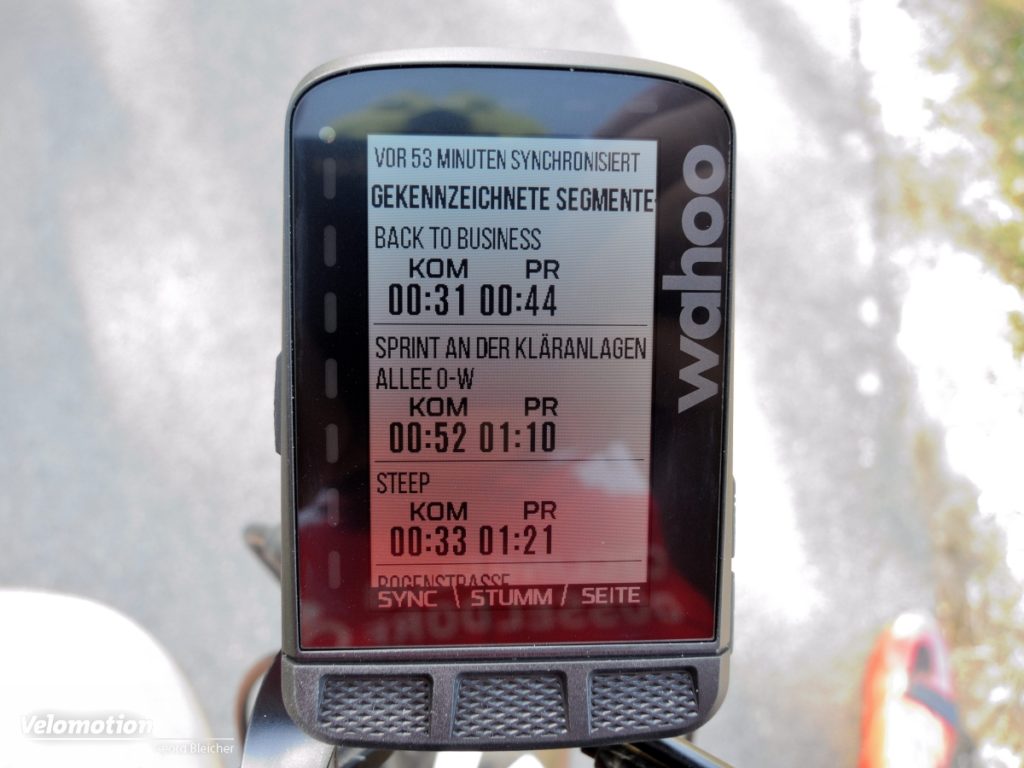
- Поля данных для сохраненных сегментов также могут быть настроены пользователем.
настройка и регулировка
Все еще очень удобный. Любой, кто загрузил приложение Element Companion, может использовать штрих-код для идентификации своего перемещения, а затем настроить его. Регистрация датчиков, размещение информации на дисплеях и т. д. — все почти само собой разумеющееся. Однако некоторые базовые карты необходимо удалить, чтобы можно было использовать необходимые подробные карты для соответствующей области использования — памяти довольно мало — 2 ГБ для теперь очень подробных карт.
Отображение почти всех данных можно настроить. 11 мест отображения на странице дисплея позволяют создавать бесчисленные варианты: «Нужен ли мне текущий наклон на первой странице или нет? А как насчет времени, пройденного?» и т. д.
На практике
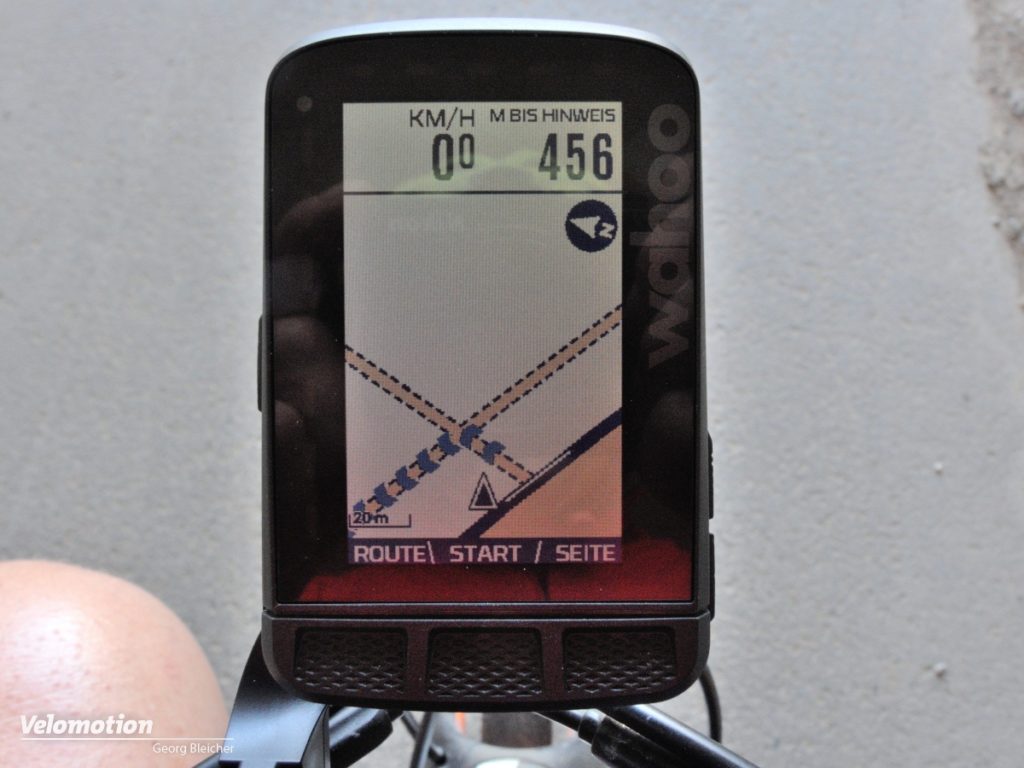
Благодаря приложению Element Roam легко принимает данные gpx со всех видов порталов, таких как Gpsies, Komoot, Strava и им подобных. Чтение в маршруте иногда занимает до полминуты — в зависимости от протяженности маршрута. Как только он вошел, устройство спрашивает, следует ли ему перейти к начальной точке, и делает это безупречно, делая соответствующий выбор. В отличие от обычного маршрута, маршрут отображается не черным, а фиолетовым цветом. Однако инструкций по повороту в этом случае нет — нужно просто следовать по маршруту до начальной точки.
Подсказка к следующей подсказке
По прибытии в исходную точку черная разметка берет верх и предлагает инструкции по повороту за 250 м до следующего изменения направления — это идеально сочетается. ВОЗ
Мы обнаружили, что постоянное отображение «следующая подсказка в XXX метрах» несколько излишне. Конечно, его можно заменить другим набором данных. Однако, если вы отключите звуковой сигнал, который должен сообщать о появлении указателя поворота, этот дисплей будет полезным предварительным уведомлением о следующем повороте.
Система почти всегда считает слишком медленно: как только вы достигли перекрестка, Roam считает, что вам еще нужно повернуть около 20 метров; внешний вид, который также имеют большинство других навигационных систем. Однако это вряд ли беспокоит, потому что, в отличие от этого объявления, стрелка на дисплее очень точно показывает соответствующее положение, поэтому вы не рискуете сделать неверный поворот «связанный с системой».
предельная мотивация
Приятная вещь для велогонщиков: отображение текущей скорости по отношению к средней скорости. На это указывают светодиоды на левом краю дисплея. Средний белый светодиод показывает, что в настоящее время мы движемся точно со средней скоростью. Три нижние (синие) означают, что вы едете со скоростью ниже средней, а три верхних, соответственно, с более высокой скоростью. Даже те, кто не является поклонником таких «уловок», могут быть мотивированы им за очень короткое время. Если вы этого не хотите, вы также можете связать светодиоды с другими функциями.
Плохие вибрации
На неровном асфальте оригинальное крепление Aero, поставляемое с Wahoo, неубедительно: в отличие от крепления Bolt, оно вибрирует и, таким образом, немного размывает изображение на дисплее. Однако, если вы все равно используете небольшой держатель руля или едете от стороннего поставщика (Hidemybell), у вас не будет этих проблем и с Elemnt Roam. Кстати, Hydemybell совместим с Roam, как и Bolt.
Согласно отчету, Wahoo усилила и укрепила аэродинамический держатель, так что размытие дисплея на шероховатых поверхностях стало историей.
Посмотрите налево и направо
Что также работает сейчас: В отличие от Bolt, вы можете не только увеличивать и уменьшать масштаб карт, но и перемещать их. Хотя это немного сложно сделать почти со всеми доступными кнопками, это выполнимо и иногда — «как далеко сейчас то или иное место?» — также полезно.
Он слишком много говорит!
В нашем тесте Element, как правило, давал значительно больше информации, чем мы хотели: если велодорожка немного отклоняется, это отображается как «слегка повернуть влево». Поначалу это сбивает с толку, но быстро привыкаешь к тому, что стрелка, указывающая по диагонали, обычно указывает не на поворот на маршруте, а лишь на небольшой, чаще всего незаметный объезд на маршруте.
«Гибрид» — и маршрут смешивается.
Настройка устройства на альтернативы кросс, гибрид или дорога имеет гораздо более четкий эффект — настройка, которая стала возможной только благодаря обновлению в июле или августе. Маршруты, которые планируются непосредственно в устройстве, вроде бы в какой-то мере учитывают этот код. Мы еще не смогли точно определить, насколько велика на самом деле разница в выборе пути. Однако, если планирование маршрута действительно работает так, как оно выглядело в наших тестах, это большой плюс для гравийных байкеров и, в частности, для туристических байкеров, в том числе потому, что грунтовые дороги или тропы выделены в системе карт Elemnt Roam.
нажмите еще раз!
И снова минус: в зимних перчатках очень сложно нажимать на дисплей с тремя прорезиненными кнопками — например, чтобы перейти от отображения карты к обзору общих данных. Даже голыми пальцами вы должны ударить по середине передней части резинового поля, чтобы кнопка под ним действительно среагировала.
Можно ли стать круче?
Как и Elemnt Bolt, Roam также показывает профиль высот следующих нескольких километров маршрута на дополнительной странице. Roam также должен иметь возможность делать это с маршрутами, которые он планирует в устройстве. У нас пока это не сработало, однако Wahoo постоянно выпускает новые обновления, так что эта функция скоро должна стать доступной.
Кстати, дисплей полезен для разделения сил на незнакомом маршруте — вы видите профиль высот на ближайшие несколько километров и можете решить, сколько зерен вам нужно преодолеть для следующих подъемов.
Автоматическая загрузка
Как только маршрут будет пройден, вы нажимаете «Стоп» и отвечаете «Для записи?» «Да». Как только вы окажетесь в зоне действия сопряженной беспроводной локальной сети, Elemnt Roam немедленно загрузит данные текущего тура и карту на таких платформах, как Komoot или Strava, если вы разрешили ему это делать. Сбоку и абсолютно надежно. Если WiFi дома находится далеко — например, в отпуске — загрузка на эти порталы происходит через сопутствующее приложение, как только оно открывается и подключается к устройству через Bluetooth. Необходимо для загрузки и обновления карт
Однако Wi-Fi должен быть доступен.
Данные Wahoo Element Roam
- Размеры: 58,4 x 89 x 17,8 мм
- Размер дисплея: 2,7-дюймовый цветной дисплей
- Интерфейсы: ANT+, Bluetooth, WiFi
- Внутренняя память для карт: около 2 ГБ
- Альтиметр: барометрический
- Совместимость: Strava, Komoot, Trainingpeaks и другие
- Срок службы батареи: 17 часов
- Вес: 93 грамм
- Цена: 349,99 Евро
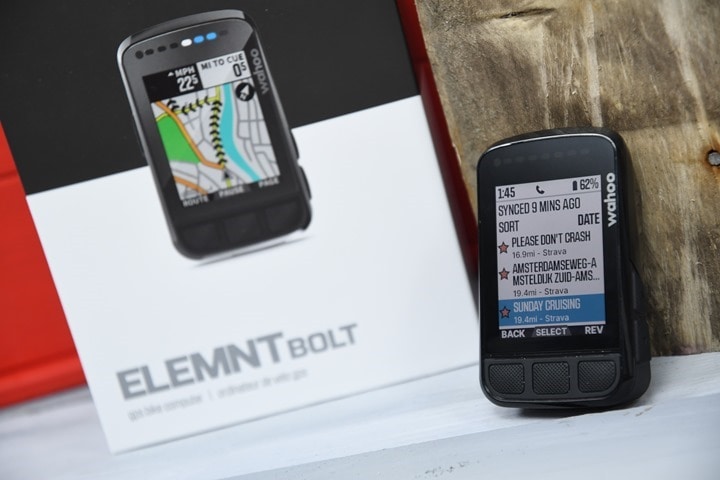
It’s been four years since the original Wahoo BOLT was announced, which was arguably Wahoo’s most important bike computer in terms of shifting consumers towards their offerings. Designed to be small and easy to use, it garnered many fans. However, it lacked full onboard routable maps, as well as a color screen. Wahoo then fixed that with the Wahoo ROAM two years ago, albeit in a larger and pricier form factor.
But now, the world is righted again, and the new Wahoo BOLT (it doesn’t have any different name) includes a full color screen, full maps, and basically, is a mini Wahoo ROAM. All for $279USD (compared to the ROAM’s $379). There are almost no new unique features that the ROAM didn’t have previously, so if you wanted a cheaper/smaller ROAM, then this is likely for you. Whereas if you were looking for new advanced features from Wahoo, this release doesn’t provide that.
Nonetheless, the unit is just as full-featured as that ROAM (actually, more full-featured). It’s got full ANT+ & Bluetooth Sensor support, GPS/Galileo/GLONASS connectivity, structured workout support, turn by turn navigation, live tracking, the ability to make Star Wars icons for approaching cars with Varia radar, and phone/text integration. It’s also got one hardware feature the Wahoo ROAM doesn’t: USB-C charging. Yes folks: We finally got the USB-C!
Now about this point you’ve noticed the title isn’t (yet) “In-Depth Review” – at some point, it’ll get there. But today my peoples…today is most definitely not that day. Mostly because try as I might, things simply haven’t been usable for me. I have yet to have a single cohesive ride without significant issues. But I’ll dive into that later in the ‘Caveat’ section.
Note that for this review I’m using a media loaner from Wahoo. Once this review is done, I’ll get it boxed back up and sent back to them. After which I’ll likely go out and buy my own for future use. If you found this review useful, you can use the links at the bottom, or consider becoming a DCR Supporter which makes the site ad-free, while also getting access to a mostly weekly video series behind the scenes of the DCR Cave. And of course, it makes you awesome.
With that, let’s get into it.
What’s New:
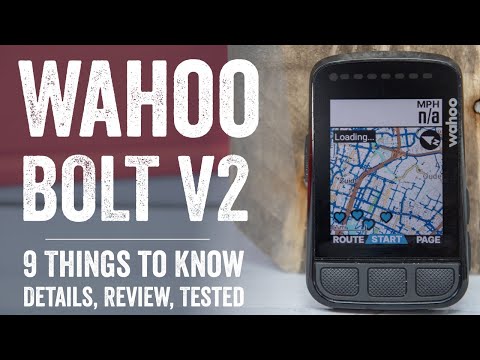
While the BOLT V2 (which, is still technically just called the Wahoo BOLT, not V2), might look roughly similar from the outside, there’s actually quite a bit different under the covers. In fact, one could argue it’s entirely different under the covers – hell, even the [USB] cover to the covers [internals] is different.
Here’s the quick and dirty bulleted list of everything that’s different on the new Wahoo BOLT:
– Added full onboard routable mapping (like ROAM)
– Added color display
– Increased colors to 64 colors (from 8 colors on the ROAM)
– Added color-tied data fields (based on HR and power zones)
– Increased internal storage to 16GB (ROAM had 4GB, BOLT had 4GB)
– Added onboard elevation data to map sets (not previously in ROAM due to lack of storage space)
– Have almost all of Europe/North America/Australia maps preloaded (with rest of world available via WiFi download)
– Buttons now pop-up, as opposed to divots (far easier for gloves)
– Switched to USB-C port (generally more durable, also IPX7 waterproof)
– Added faster charging, 5AMP vs 1.5AMP
– Battery door/cap also replaceable, versus previously not (could get torn off previously)
– Added support for more messaging notification apps (WhatsApp, Line, Signal, and Telegram)
– Changed a lot of the user interface fonts (compared to anything prior)
– Added ambient light sensor (in ROAM, previously not in BOLT)
– Increased size slightly, weight went up too, from 61g to 70g (ROAM is 95g, Edge 530 is 79g)
– Battery life stays the same at a claimed 15 hours
Got all that? Good, let’s keep moving and crack open that box then.
Digging into the details:
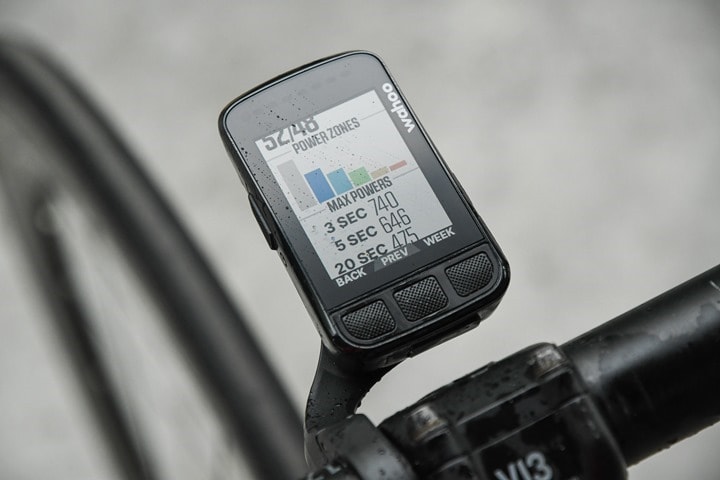
For this post, I’m going to dig into some of the new features and explain them a bit deeper. I also do that within the video up above, if you prefer a more audio-visual experience. Eventually, I’ll expand this post out into the normal sections on basics usage and stuff, but not until things settle down a bit with the firmware.
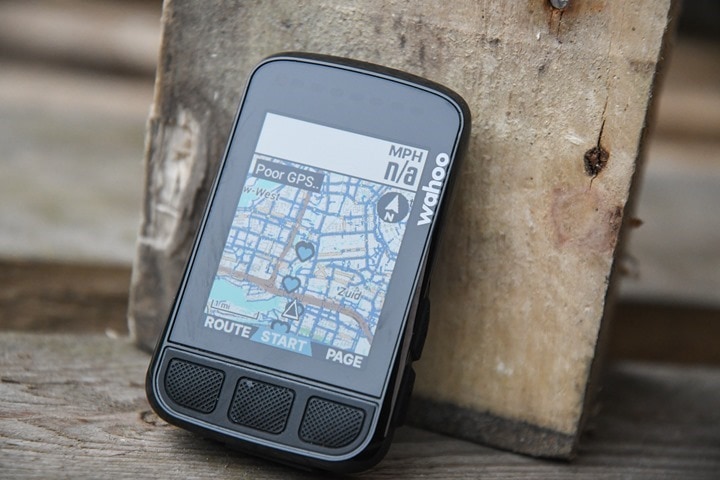
First up is the new full onboard routable maps. This is notable because while the BOLT in the past had “maps”, it didn’t really have maps. It just had a black and white stencil that it sorta faked overlaying your route atop. Meaning, the data wasn’t routable. The BOLT itself didn’t know that you were on Main street or 1st Avenue. It just fed you the instructions that were pre-determined in the route file from a mapping provider like Komoot or others. As such, when you went off-route, you didn’t get turn by turn instructions. You were instead just told…Good luck.
With the new BOLT though, its just like the ROAM – it’ll properly re-route you back. So for example, yesterday a few different places on my route there was construction. As a result, the bike path was closed. While the Dutch are exceptionally good about marking detours for bikes, the BOLT offered a re-route of its own (which, matched the official city re-route). You’ll see blue chevrons on the screen indicating the re-route taking you back on course.
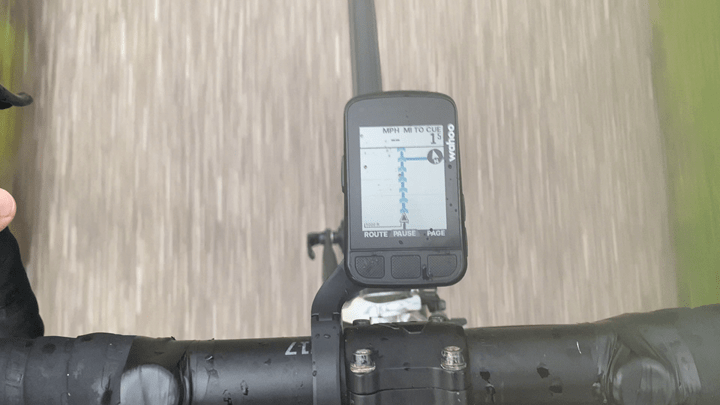
Meanwhile, for normal routing you’ll get turn by turn instructions as well, and this is where they use some of the coloring to indicate the upcoming turns:
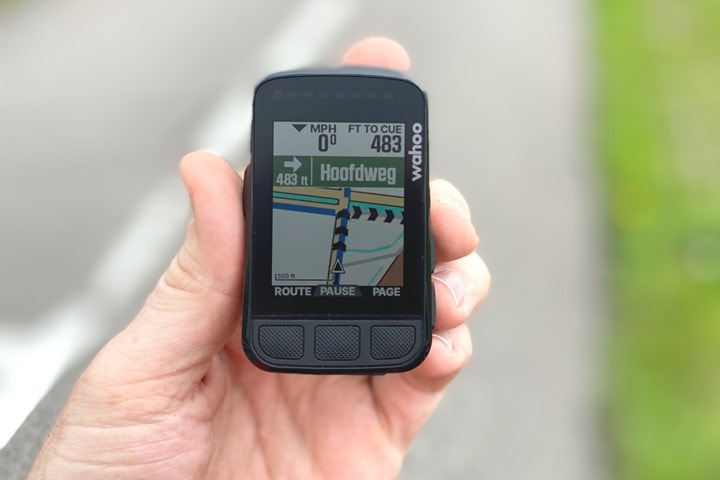
Speaking of which, the coloring on the new BOLT actually exceeds that of the ROAM. The ROAM has 8 colors, but they use various shading to make it look like more colors than it really has. Whereas the BOLT has 64 colors. I know…I know, Retina screens these are not. But then again – that’s sorta the point – to conserve battery, and in the case of Wahoo, it’s always been about a more minimal look than the more colorful screens from Garmin, or even Hammerhead.
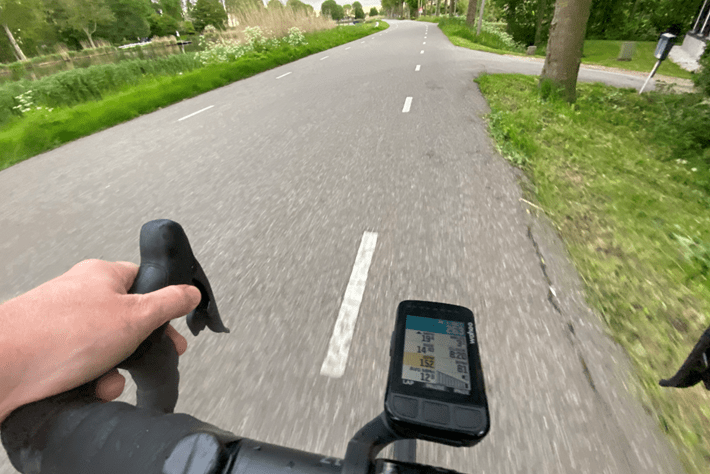
And while you’ll see coloring throughout the mapping pages, as well as Strava – the major new area is on data fields now. Certain data fields, notably power and heart rate, have zone coloring. These allow it to match the color-coding that you’ve specified for your zones, in effect mimicking what Wahoo has historically used the glanceable LED’s for on the edge of their devices. First, here’s my zones:
And then you can see this playing out within the power field in blue, and the heart rate in yellow:
Next, the new BOLT has expanded storage, now 16GB versus the 4GB previously (the ROAM also only has 4GB). That’s notable for two reasons. First is that Wahoo now pre-loaded all of Europe/North America/Australia maps, meaning that if you travel, it’s far less likely you’d need to add maps to the unit. As a reminder, Wahoo includes all maps globally on their platform, so if you were to travel to somewhere that wasn’t pre-loaded, you merely need to use the Wahoo app, which tells the BOLT to connect to WiFi to download them.
However, more interesting than that though is the now included elevation data within the map set. Meaning, previously Wahoo’s maps didn’t include elevation data in the mapset, which meant that if the mapping provider (e.g. Strava or Komoot or anyone else) didn’t provide that elevation data with the route sent to it, you didn’t get the elevation data mid-ride, showing how long the climb was or how pancake flat (most of) the Netherlands is. It was more of an issue years ago, as these days virtually all of Wahoo’s 3rd party routing apps send the data correctly.
But, this also helps Wahoo’s own app, specifically for the ‘Take me to’ feature, which allows you to enter an address in the app and route one-way to that address. Anyway, I’d love to show this to you – but, I lack any meaningful hills/mountains around here. I might get down to some halfway acceptable hills later this week though, so I’ll pull it into my full review then. One minor thing is that while many of the minor tweaks discussed in this post will come to the existing Wahoo ELEMNT lineup, this particular one won’t, as it requires substantially more storage space.
Next, there’s expanded support for messaging services. This includes now adding in support for WhatsApp, Line, Signal, and Telegram – which is in addition to your previous text messaging support. As a reminder, text messages look like this:
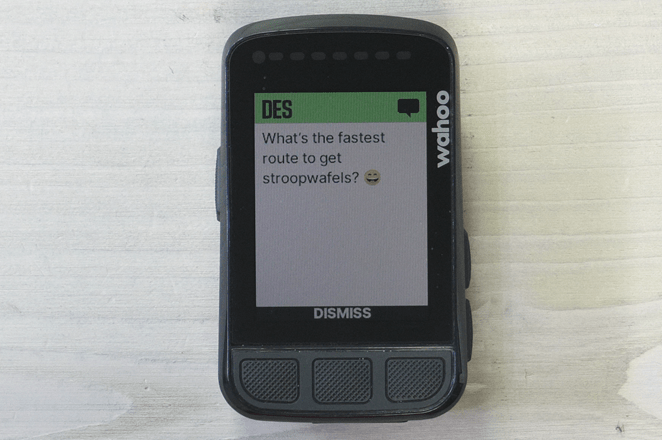
This change will be rolled out to all Wahoo ELEMNT units.
Also, about this point in the post, existing Wahoo users are probably noticing a bunch of tweaks to the fonts and format styling. Wahoo says they “did a lot of research on accessibility of fonts, font sizes, capitalization, and more” and made a slew of changes as a result. These changes aren’t planned for the ROAM at this time, since some of them are also tied to the new coloring schemes with the added 64 colors.
Now, let’s rip through a bunch of quick hardware changes. First up – my favorite: They USB-C’d all the things! Well played!
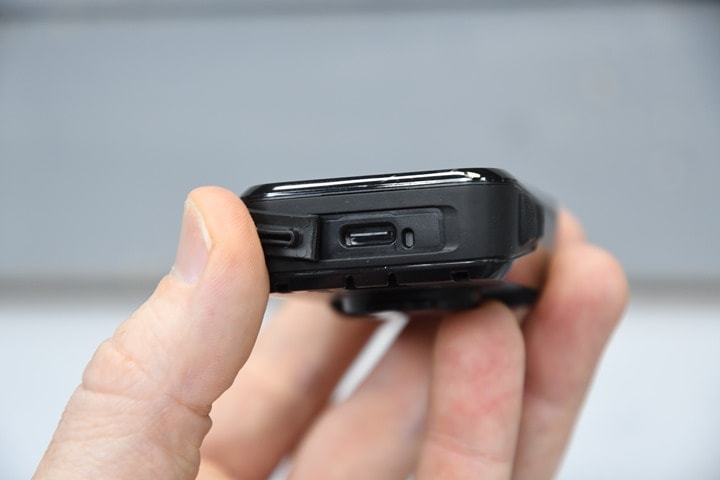
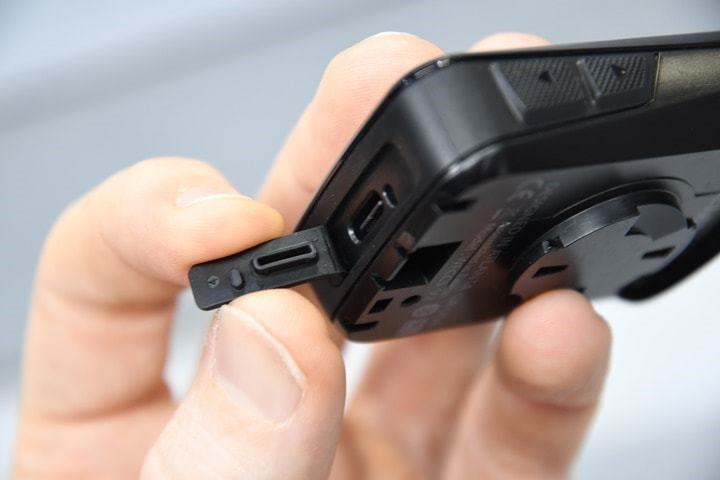
The new charging port is IPX7 waterproof (meaning 30 minutes at 1-meter deep, in case you fall into a canal), and even more importantly supports faster charging, accepting up to 5A of power versus the previous 1.5A. The other benefit of USB-C ports is they tend to be more durable long-term as well.
However, to get to said port, you’ll have unknowingly passed another tiny new feature, which is the new battery door/cap. That part is now replaceable, in case it gets ripped off by your 1-year-old in a fit of cracker induced rage. Previously, that was not fixable (though, the port was previously also water resistant too).
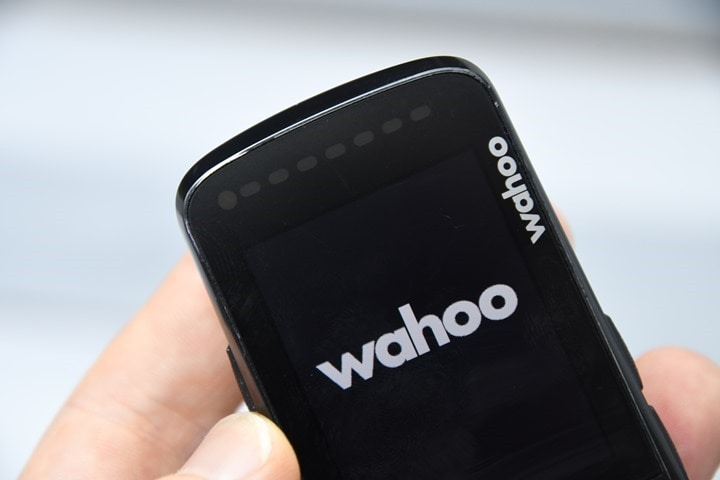
Next, if you look carefully at the front of the unit you’ll find the ambient light sensor in the upper left corner. This sensor will automatically turn on the backlight in darker lighting conditions, such as tunnels or at night. In my testing it didn’t quite respond as fast as I would have liked – with some tunnels never quite triggering. Though, it’s also possible that was just part of the general bundle of issues I was having.
Finally, a quick look at size, here is the Wahoo BOLT V1, V2, and Wahoo ROAM – as well as the Garmin Edge 530:
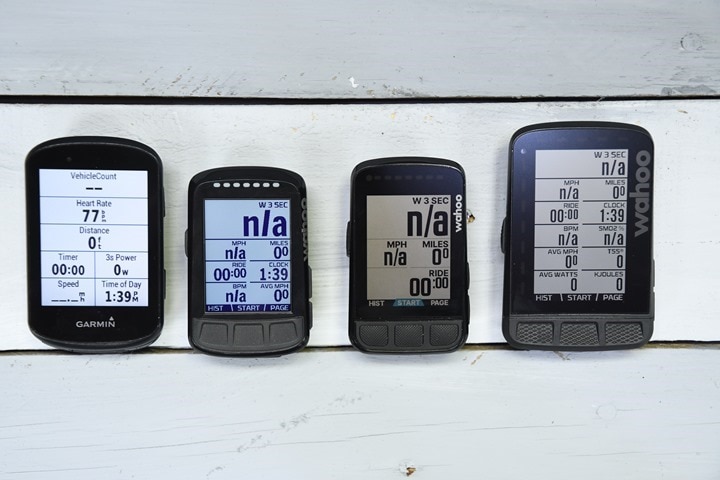
With that larger size, the weight went up slightly as well, from 61g to 70g (for context, the Wahoo ROAM is 95g, and the Garmin Edge 530 is 79g). Here’s the old BOLT stacked atop the new BOLT (as the new BOLT is bigger).
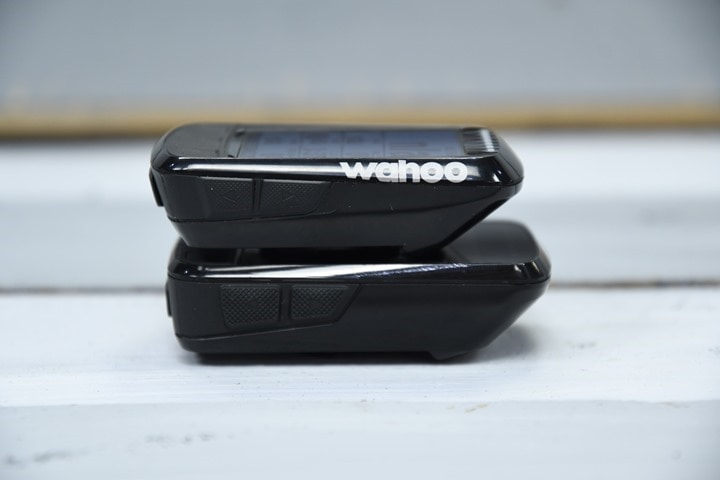
Oh – and for lack of anywhere else to stick it, one question I asked Wahoo is whether or not this unit marks a potential ending point for the firmware of the Wahoo ROAM (or even the existing BOLT), given some of the features are tied to shifts in storage on the new BOLT. They said nope – they still plan to add new features there, even specifically noting “We have a lot of post-launch features…including to back-dated products”. They went on to say that as long as the feature isn’t dependent on coloring, screen specifics, memory, or other hardware limitations – they’ll try and include it in, specifically noting that “very limited feature updates that would fall into that [no-update category]”, and that they don’t “intend to penalize our customers” for buying their past products.
The Big Caveat:
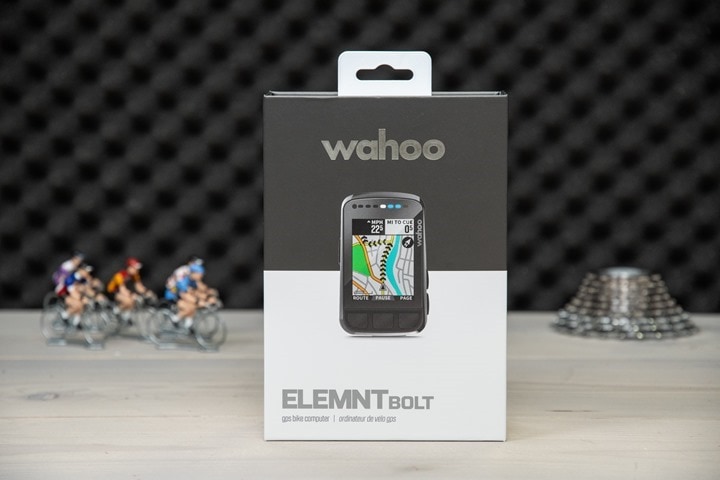
Now at this point, I’d normally have all sorts of nifty sections in this review. But then again, this isn’t called an in-depth review. It’s a ‘review in progress’, because, frankly, I can’t get the photos and video I need to actually make it a review. I wish I could. For more than a week and a half I’ve been iterating firmware versions, playing whack-a-mole with issues.
Wahoo’s working on things, but I’ve had one of the worst test experience I’ve ever had on a GPS unit. Data fields sometimes take 2-3 minutes to update, I’ve got never-ending crashes, as well as constant sensor dropouts across multiple sensor types (HR, power, cadence, eTAP). I went 6 miles the wrong direction on yesterday’s ride because it didn’t tell me otherwise, mapping was often minutes behind my actual position (when it, rarely, worked). Chunks of ride files lost, live tracking randomly ending 1-mile into a ride. Today it crashed mid-ride, sensors dropped out again frequently (and spiked in other cases), and map/turn notifications were on average 30-90 seconds delayed. The list goes on and on (seriously, there are endless e-mail threads on it).
In my case, I set things up like a normal user, such as using a Wahoo TICKR HR strap, a single power meter, and simple synced Strava routes.
Wahoo believes the core of my issues may be related to the density of the bike routes and map data in my area (Amsterdam), as stability seems to improve the further away from Amsterdam I get, and then get worse the closer I get back home. Though, even that’s not always consistent. However, other folks I know and trust have had essentially flawless experiences, potentially because they ride in places that aren’t the world’s epicenter for bike paths and bike infrastructure.
Ironically, you’ll remember almost exactly three years ago – my choice of hometown ended up delaying the Garmin Edge 520 Plus launch too – for exactly the same reasons (albeit, minus all the crashes, lost ride chunks, and sensor dropouts). It’s astounding how close that scenario is to this scenario. But like that one, I don’t really know when Wahoo will fix the issue, or who else it might impact. Wahoo is frantically trying to figure it out, and perhaps they’ll have a solution this afternoon. Or, it might not be for two months. I just don’t know – and I don’t think they know either. Else, there wouldn’t be a Wahoo engineer parked outside the DCR cave right now off re-riding my yesterday ride with a just-released developer test firmware that might solve at least one of my core issues.
Thus, until I can get a single functional successful ride (hell, indoors or outdoors), it’s hard to start truly forming a long-term opinion of the new BOLT.
Update – Friday Evening May 28th: Wahoo’s engineers worked through the night to track down the cause of the core density routing issue which was essentially death-spiraling the issue. They then tested it from the DCR Cave, side by side with units on the old firmware and new firmware. The old firmware death spiraled, the new firmware fixed that issue. I then went out for a ride with it, and was able to successfully complete the ride. As well as another ride this afternoon/evening. No routing issues, nor crash issues. Some minor sensor issues for both ANT+ HR (Wahoo TICKR) & ANT+ power (Quarq DZero), that I’ll continue to work with them. I’ll circle back likely late next week to convert this to a full in-depth review.
Update 2 – June 14th, 2021: There are good days (rides) and bad days (rides). That’s where I’m at with the BOLT V2. Last weekend I had a horrendous ride that crashed the unit twice and eventually totally shut off, leaving me in the middle of nowhere without a functional BOLT. This past weekend was mostly good. It got me where I was going, and without major issue. Still, there are lots of minor issues (echoed by tons of people in the comments). Still had sensor dropouts on the heart rate side, still have incorrect elevation data, still have no notifications, and there’s still some quirky re-routing choices (not horrible, but kinda weird).
Summary:
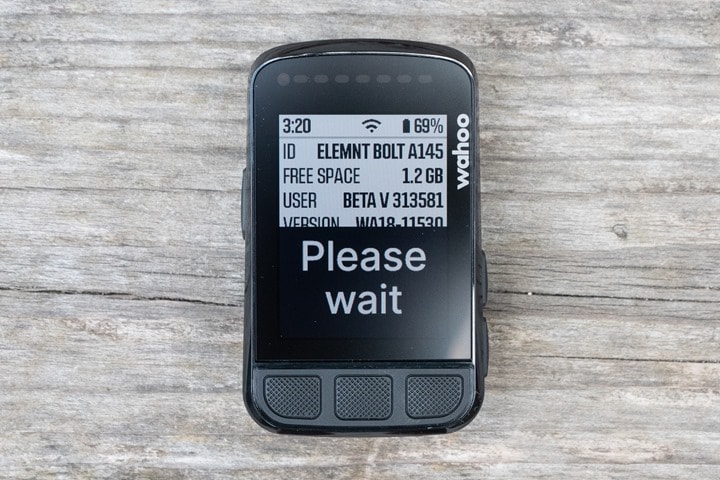
As one might surmise at this juncture, writing a summary section is tricky for me right now. If we temporarily set aside the less than optimal experience I’ve had thus far, I’d say on paper this is a great option for either existing Wahoo BOLT users that want maps or color, or people who simply wanted to get into the Wahoo ecosystem without the price of the Wahoo ROAM. That’s notable for those that may be considering a Wahoo RIVAL watch, and are looking at some of that integration there on the triathlon side.
At the same time, I don’t think there’s really any reason for existing Wahoo ROAM users to pick up a BOLT V2. Sure, it has a few minor new tweaks, but unless you really wanted the smaller size, it’s probably not worth the mostly lateral shift. Similarly, I’m not convinced this is a model that’s going to take away any significant sales from the Garmin Edge 530 (at $299), given that it’s got a cruise ship full of added features Wahoo doesn’t have, and is largely considered pretty stable and dependable these days. But as has been the case for the last 1-2 years, most decisions on Wahoo vs Garmin tend to be more like political discussions than anything. It’s the sports tech equivalent of iOS vs Android.
Now as I already beat to death above, I simply don’t know when Wahoo will fix the substantial issues I saw (and it sounds like some others saw too). It’s entirely plausible the engineer that departed here a few minutes ago with the most recent internal development build will come back without failures, thus passing off the unit to me to ride for a bit and see if I can break it. Or, maybe he won’t come back at all – a victim to the routing issues I had. Or, maybe he’ll stop at the now open bar terraces and call it done. I don’t know. But, when I do know – I’ll report back.
With that – thanks for reading!
Found This Post Useful? Support The Site!
Hopefully you found this review/post useful. At the end of the day, I’m an athlete just like you looking for the most detail possible on a new purchase – so my review is written from the standpoint of how I used the device. The reviews generally take a lot of hours to put together, so it’s a fair bit of work (and labor of love). As you probably noticed by looking below, I also take time to answer all the questions posted in the comments – and there’s quite a bit of detail in there as well.
If you’re shopping for the Wahoo ELEMNT BOLT V2 or any other accessory items, please consider using the affiliate links below! As an Amazon Associate I earn from qualifying purchases. It doesn’t cost you anything extra, but your purchases help support this website a lot.
Here’s a few other variants or sibling products that are worth considering:
And finally, here’s a handy list of accessories that work well with this unit (and some that I showed in the review). Given the unit pairs with ANT+ & Bluetooth Smart sensors, you can use just about anything though.
And of course – you can always sign-up to be a DCR Supporter! That gets you an ad-free DCR, access to the DCR Quarantine Corner video series packed with behind the scenes tidbits…and it also makes you awesome. And being awesome is what it’s all about!
Thanks for reading! And as always, feel free to post comments or questions in the comments section below, I’ll be happy to try and answer them as quickly as possible. And lastly, if you felt this review was useful – I always appreciate feedback in the comments below. Thanks!