
Видеорегистратор 360 G500H
-
Фронтальная камера 2К
Задняя камера 1080Р -
Встроенный GPS и Карты Google
-
Ночная HD съёмка
-
Циклическая запись
-
Мониторинг парковки
-
Подключается к телефону
-
Запись аварий
-
Карта памяти 32 Гб
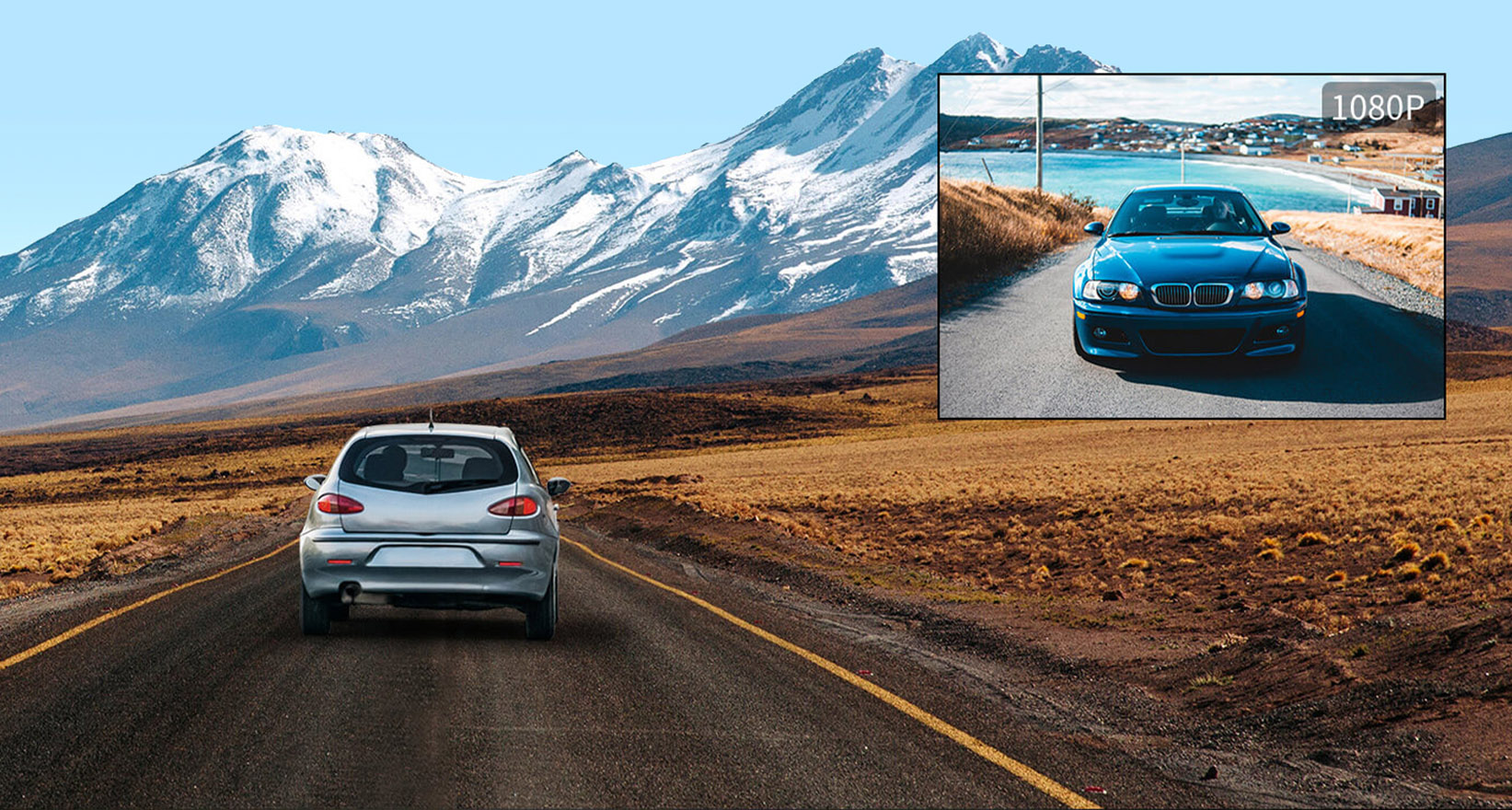
Превосходное HD-качество
Поддерживает запись с фронтальной и задней камер в высоком разрешении: 2К (2560*1440) и 1080 Р (1920*1080 Р) соответственно.
Комплект объективов 6G, F2.0, с 1 инфракрасным фильтром.
Объектив 2К HD.
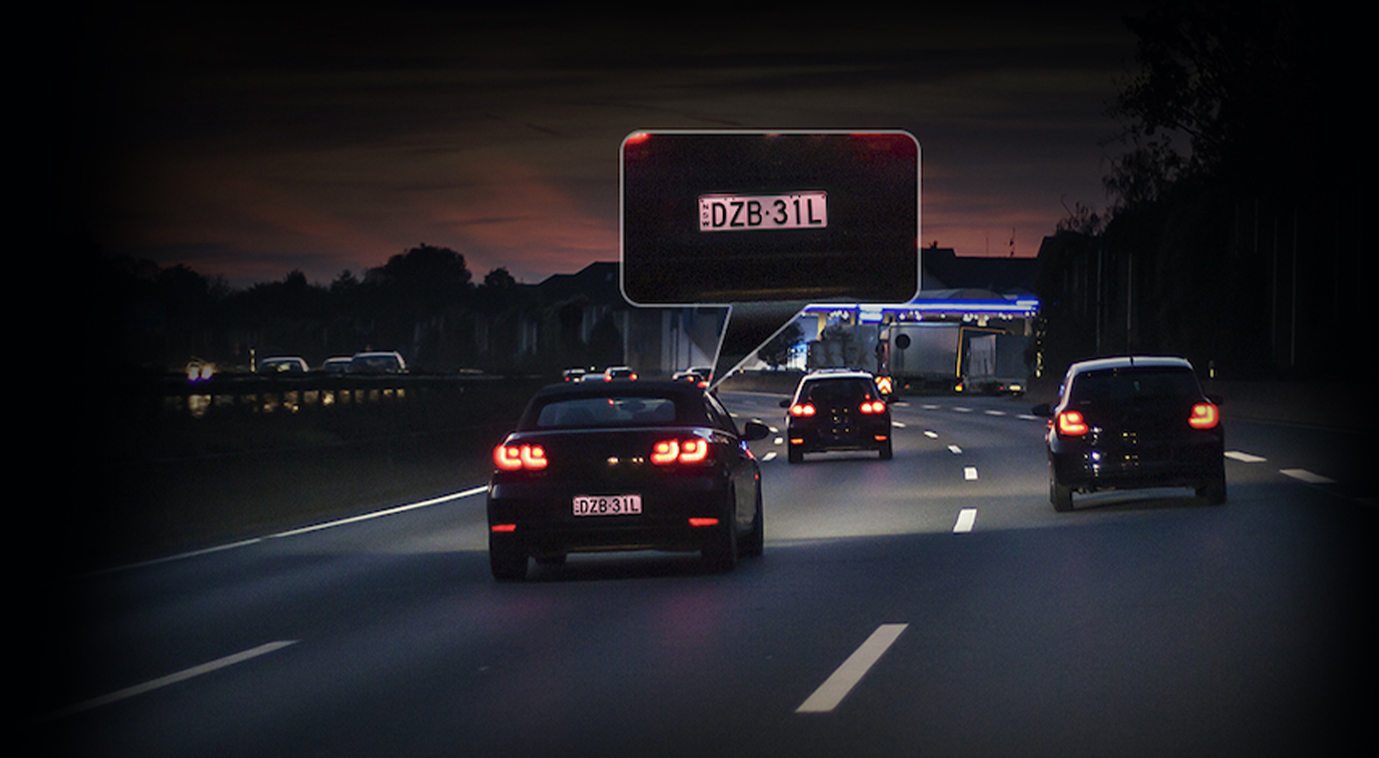
Качественная ночная съемка
Полноцветные видео высокого качества в условиях низкой освещенности.
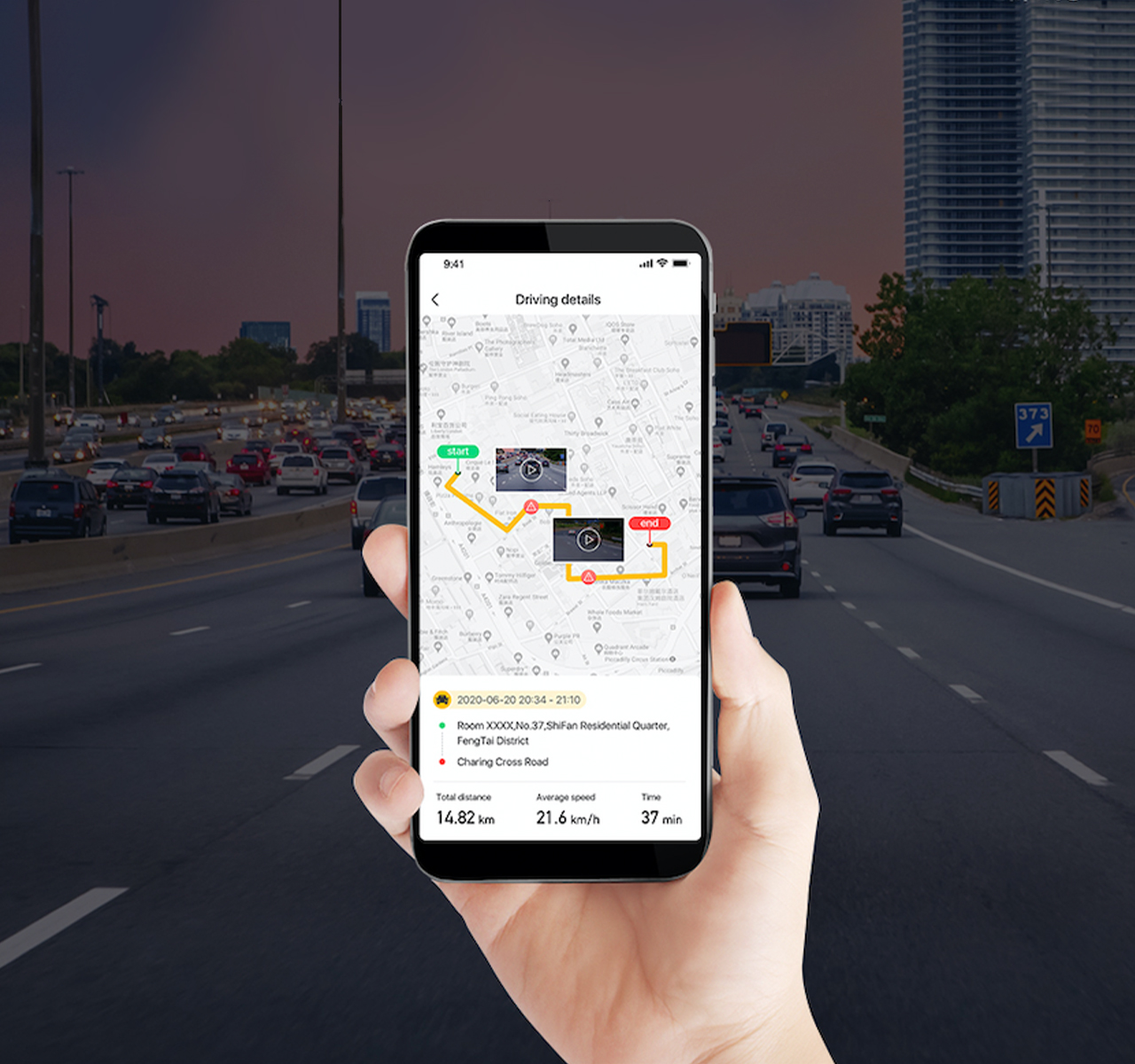
Встроенный GPS
- Автоматическая запись сопутствующих данных: скорости движения автомобиля, времени и местоположения.
- Отображение местонахождения с помощью Google-карт в приложении.
- Надежная защита данных в вашем телефоне.
- Дополнительные устройства GPS не нужны.
Циклическая запись
- Непрерывная запись.
- Ранние видео заменяются на новые по мере заполнения карты памяти.
- Важные видео сохраняются и не перезаписываются.

Замедленная съемка
Функция замедленной съемки обеспечивает непрерывный мониторинг парковки в течение 24 часов. Снятое таким образом видео будет занимать намного меньше места в карте памяти прибора. Видеодоказательства будут в полной сохранности, чтобы помочь в решении правовых споров.
G-сенсор
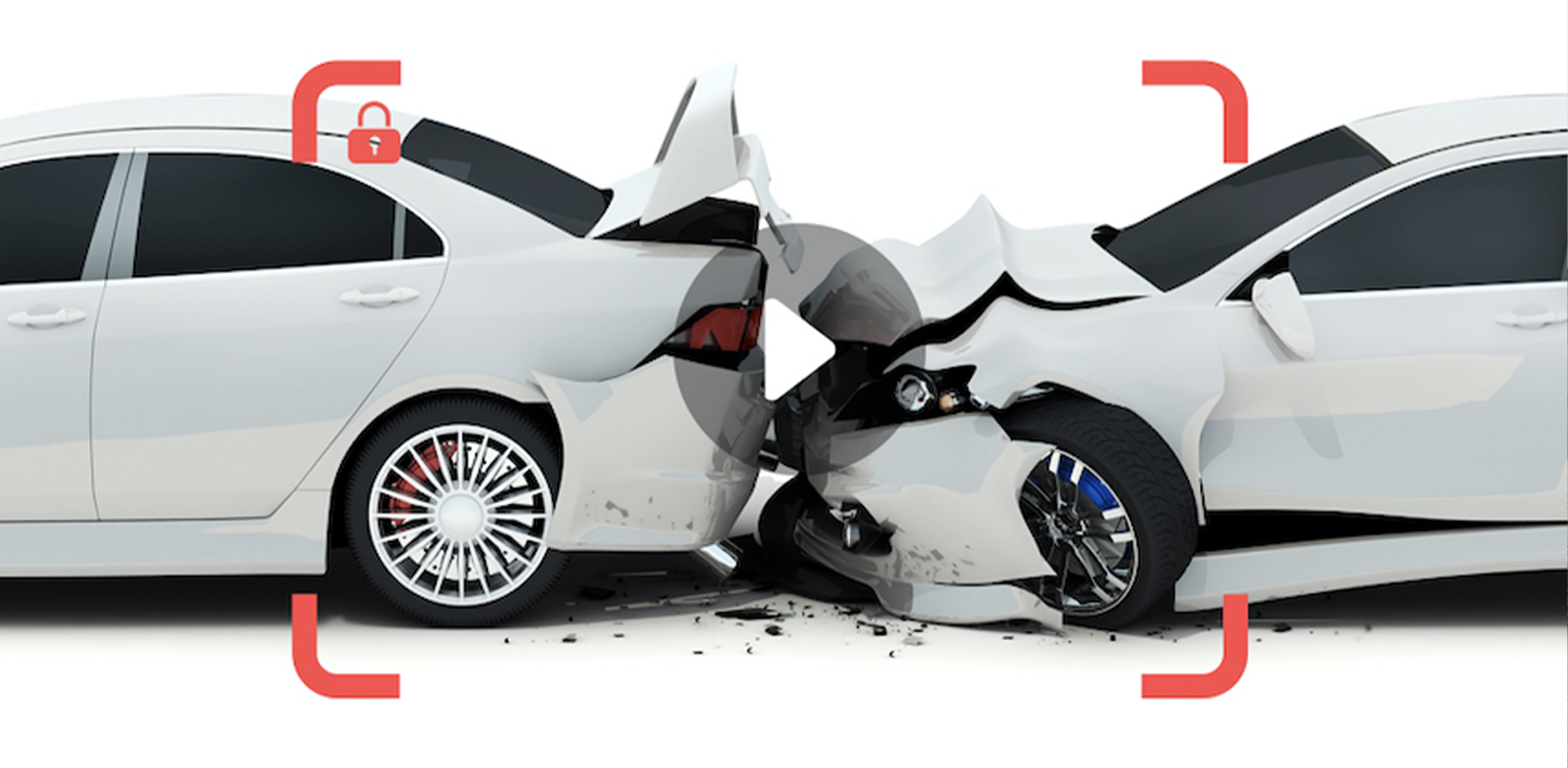
Видео аварий и столкновений автоматически сохраняются и не перезаписываются. Таким образом, все детали происшествия будут у вас на руках, что значительно облегчит сбор доказательств для разрешения правовых споров.
Технические характеристики
| Основные характеристики | |
|---|---|
| Угол обзора | 150°-160° |
| Количество линз в объективе | 6 |
| Количество камер | 2 |
| GPS трекер | Встроенный |
| Частота кадров в секунду | 30 |
| Языки | Китайский, английский, японский, корейский, португальский, русский, испанский |
| Соотношение сторон экрана | 16 : 9 |
| Размер экрана | 5″ |
| Слот для карты памяти | MicroSD/TF |
| Максимальный объём памяти | 128GB (карта памяти 32GB в комплекте) |
| Разрешение | 2K |
| Аккумулятор | Встроенный |
| Изображение | 500 рх |
| Сенсорный экран | Есть |
| Камера заднего вида | Есть |
| Тип матрицы дисплея | IPS |
| Датчики изображения | GC4653, 1/3COMS, BSI, 2.0um |
| Формат видео | Mp4 |
| Видеодекодер | H.264 |
| Ёмкость аккумулятора | 300mAh |
- Видеорегистратор
- Камера заднего вида
- Адаптер
- Кабель для зарядки
- Электростатическая наклейка (2 шт.)
- Инструкция
Для работы проектов iXBT.com нужны файлы cookie и сервисы аналитики.
Продолжая посещать сайты проектов вы соглашаетесь с нашей
Политикой в отношении файлов cookie
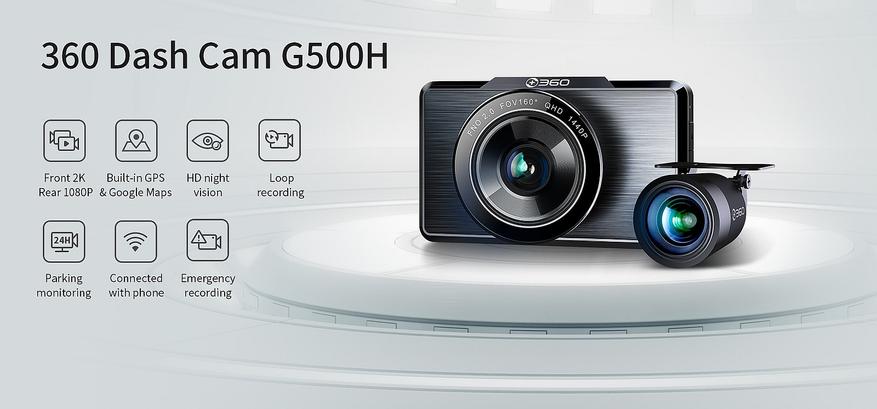
Сегодняшний пост посвящен двухканальному автомобильному видеорегистратору от китайской компании 360. Модель G500H оснащена двумя камерами: передняя 2K и задняя FHD, большим экраном, WiFi и GPS. Посмотрим его в деле.
Содержание
- Технические характеристики
- Упаковка и комплектация
- Блок питания
- Внешний вид
- Задняя камера
- Меню регистратора
- Установка
- Работа регистратора
- Мобильное приложение
- Заключение
Технические характеристики
- Чип: Novatek
- Матрица: GC4653
- Фронтальная камера: 2560*1440P 30 к/с
- Задняя камера: 1080P (1920*1080P 30 к/с)
- Формат записи: MP4
- Угол объектива: 160°
- Объектив: поворотный, 6 сферических линз
- Диафрагма: F 2.0
- Экран: 3-дюймовый IPS
- Встроенный WiFi: 802.11 b/g/n, 2.4 ГГц
- GPS и Google Maps: да
- Ночной режим: да
- Автоматическая циклическая запись: да
- Мониторинг парковки: да
- Мобильное приложение: да
- G-сенсор: да
- Карта памяти: 32 — 128 ГБ MicroSD минимум U1(UHS-1), Class 10 и выше
- Разъем питания: Micro USB
- Аккумулятор: литиевая батарея 300 мАч
- Размеры: 93,28х87,5х34,8 мм
Упаковка и комплектация
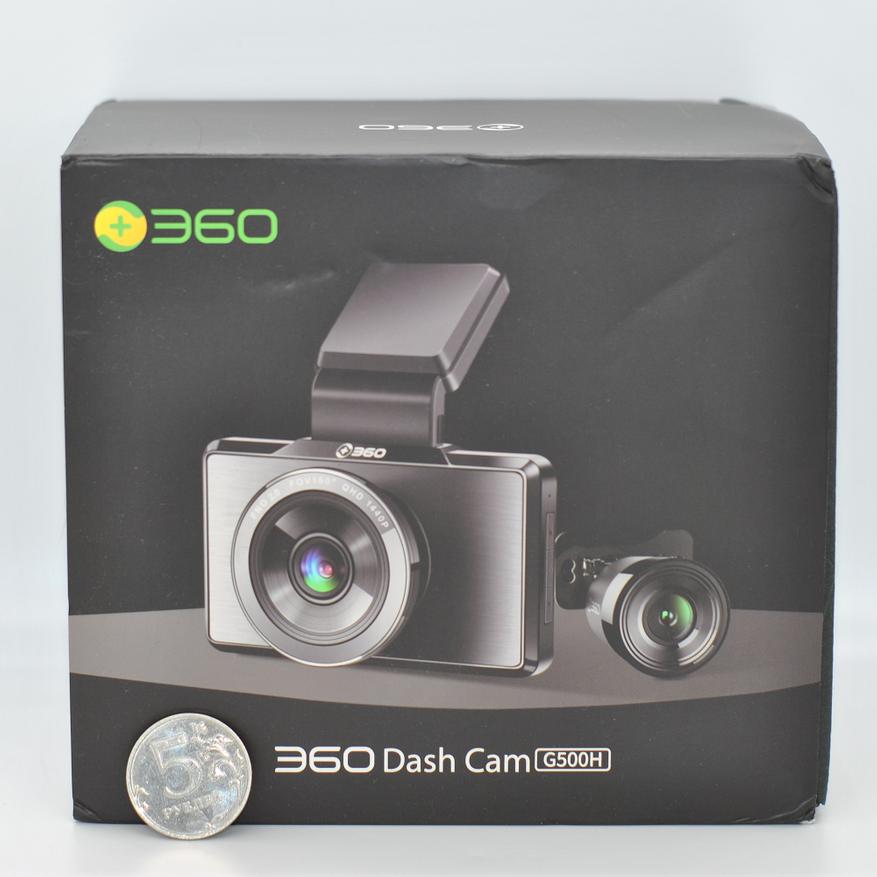
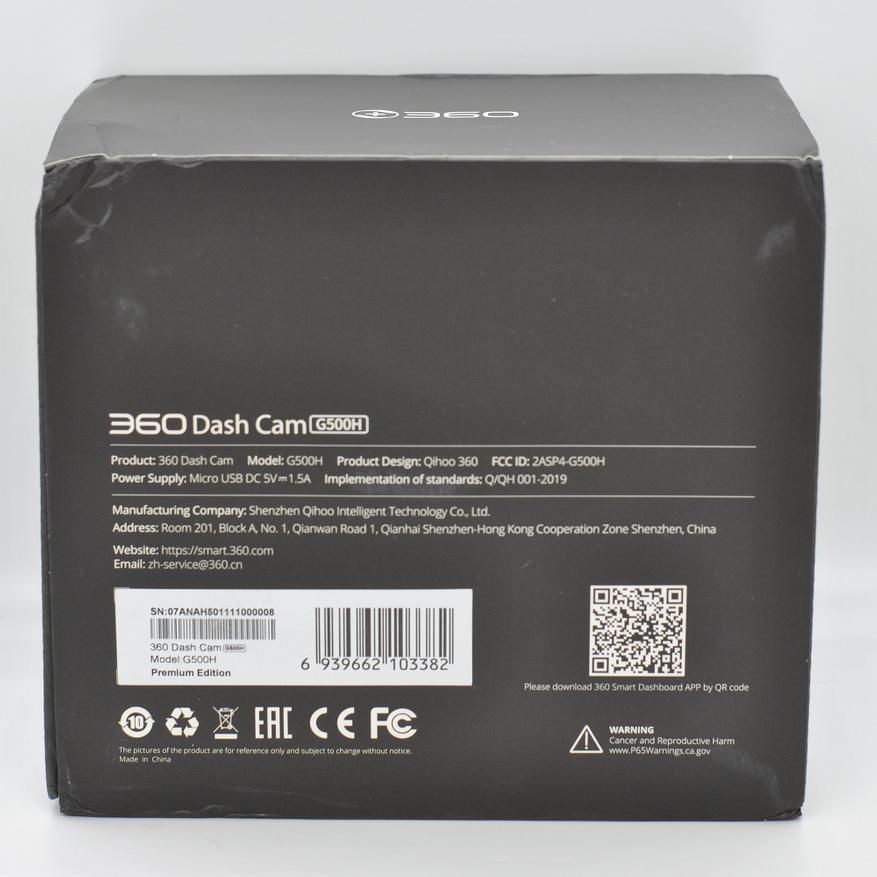
Устройство попадает к пользователю в картонной коробке черного цвета, на которой нанесено фото модели и перечислены основные преимущества.
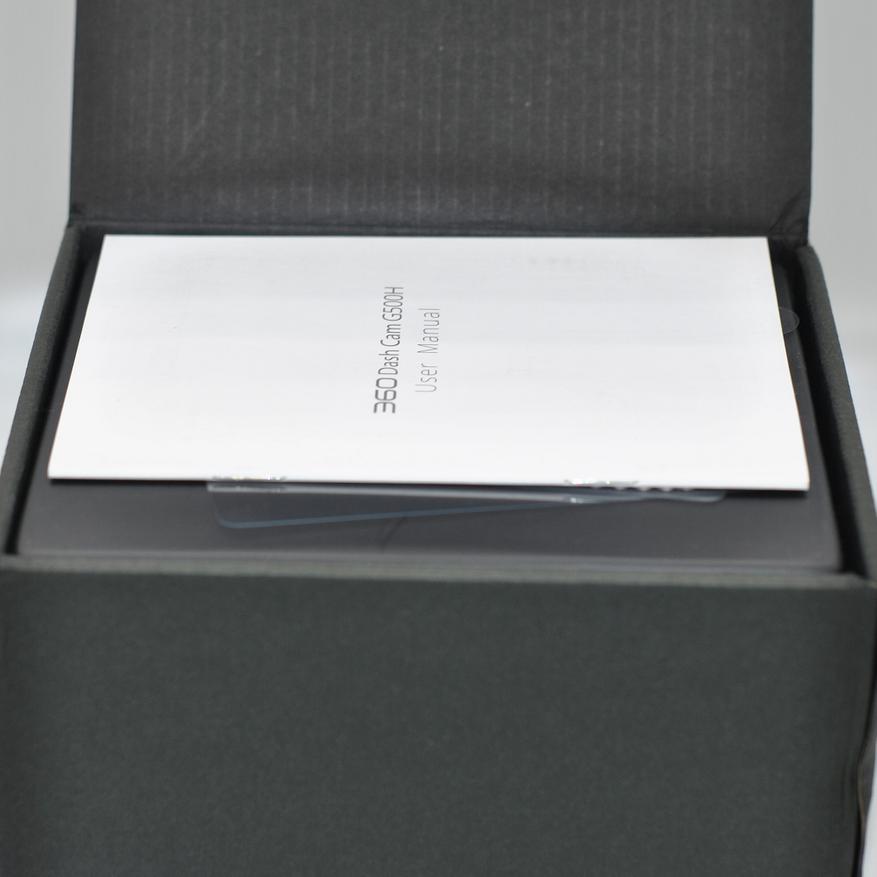
Страна производитель: Китай. Гарантия на устройство 12 мес.
Комплект поставки G500H:
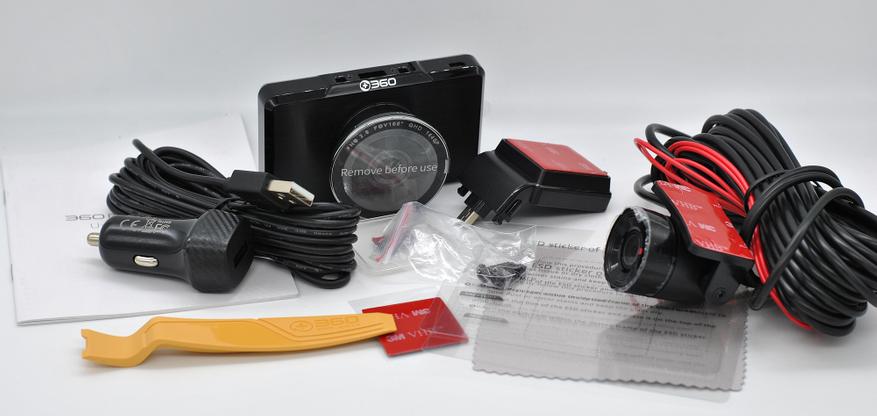
- Видеорегистратор
- Крепление на ветровое стекло
- Задняя камера
- Удлинитель для задней камеры (6 метров)
- Крепежные винты
- Автомобильное зарядное устройство 5 В 1.5 A
- Кабель микро USB 4 м
- Тканевая салфетка
- 3М скотч
- Стикер для монтажа на стекло (2 шт.)
- Пластиковая лопатка
- Руководство пользователя (ENG, РУС)
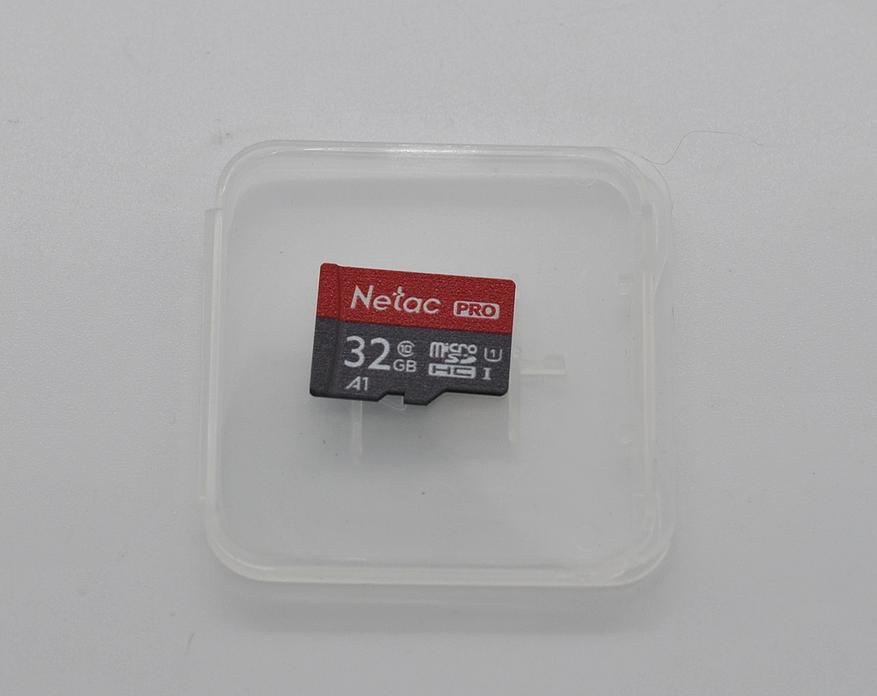
Опционально идет карта памяти в комплекте. Вот такая:
Блок питания
Он тут довольно компактный и напоминает простое автомобильное зарядное для смартфона. Работает от 12 до 24 В. Кабель идет отдельно.
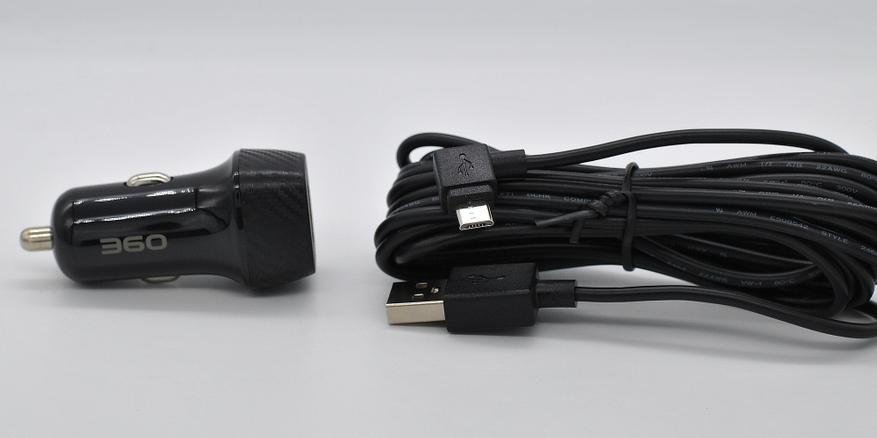
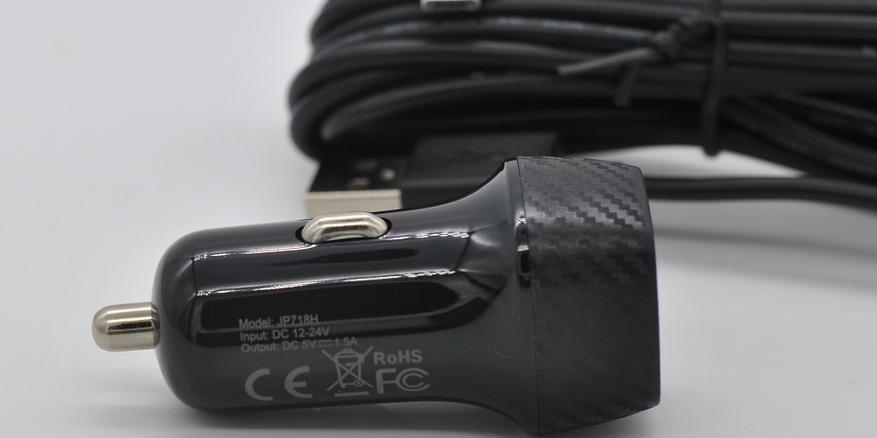
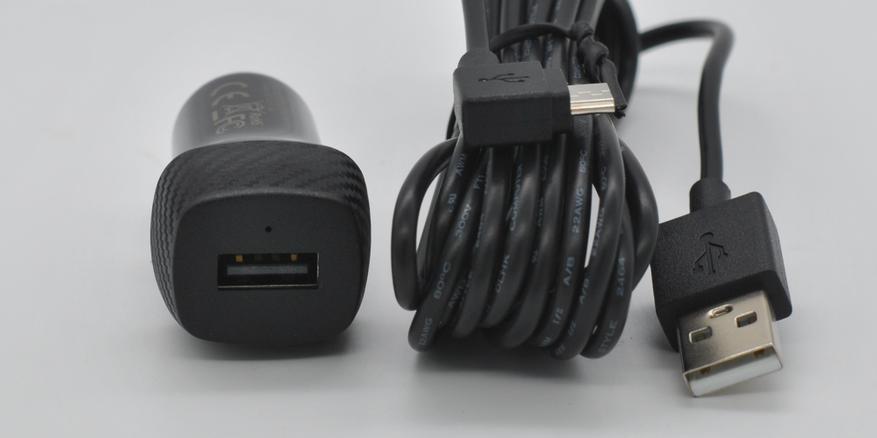
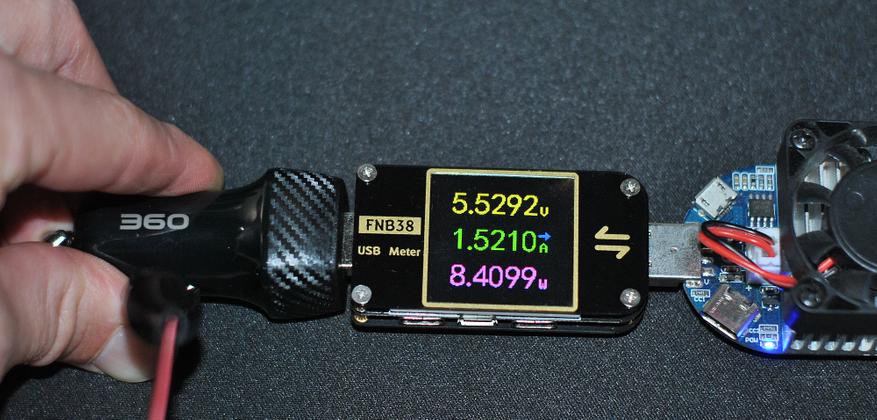
У блок питания единственный порт USB A для зарядки видеорегистратора. Выдает строго заявленный ток:
Внешний вид
Регистратор G500H выполнен в классическом пластиковом прямоугольном корпусе размерами 88х52х15 мм. Всю заднюю часть корпуса занимает экран 3″ с физическими размерами 67х39 мм. Однако спереди выступает огромный объектив размерами: диаметр 46 мм, высота 19 мм. Который может регулироваться в двух плоскостях.
Механических кнопок управления три штуки с левой стороны.
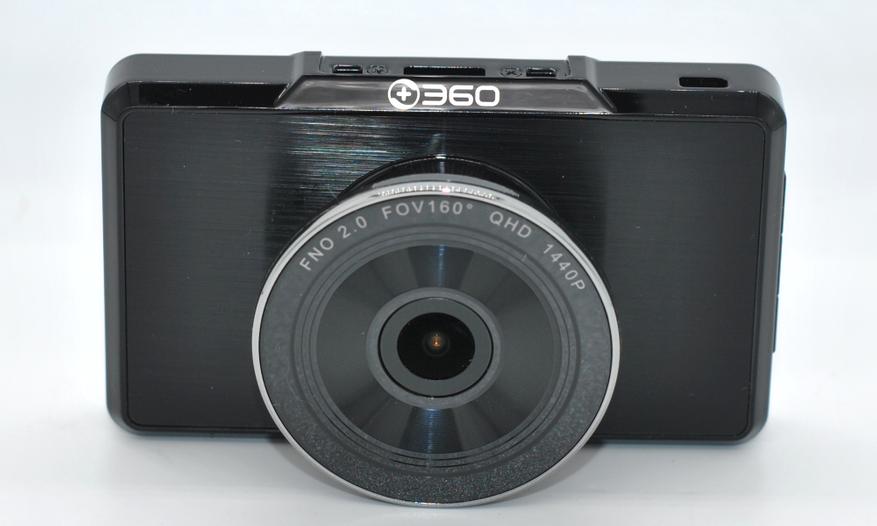
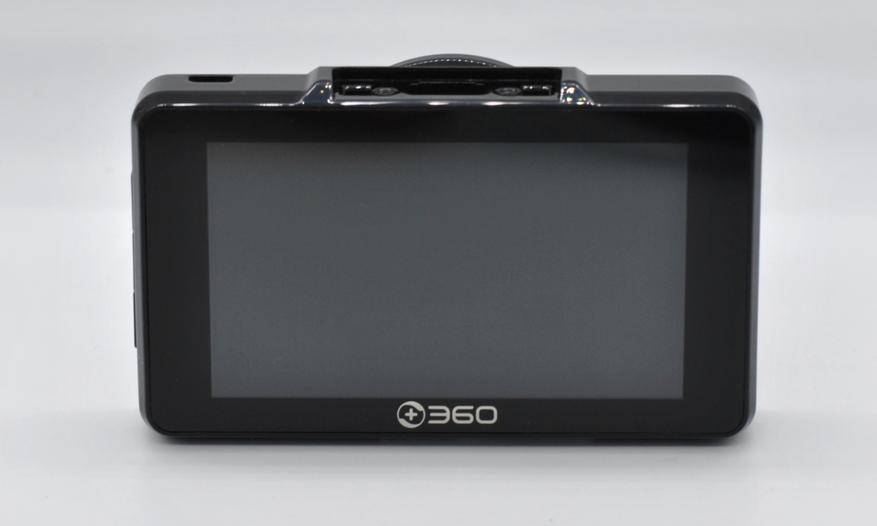
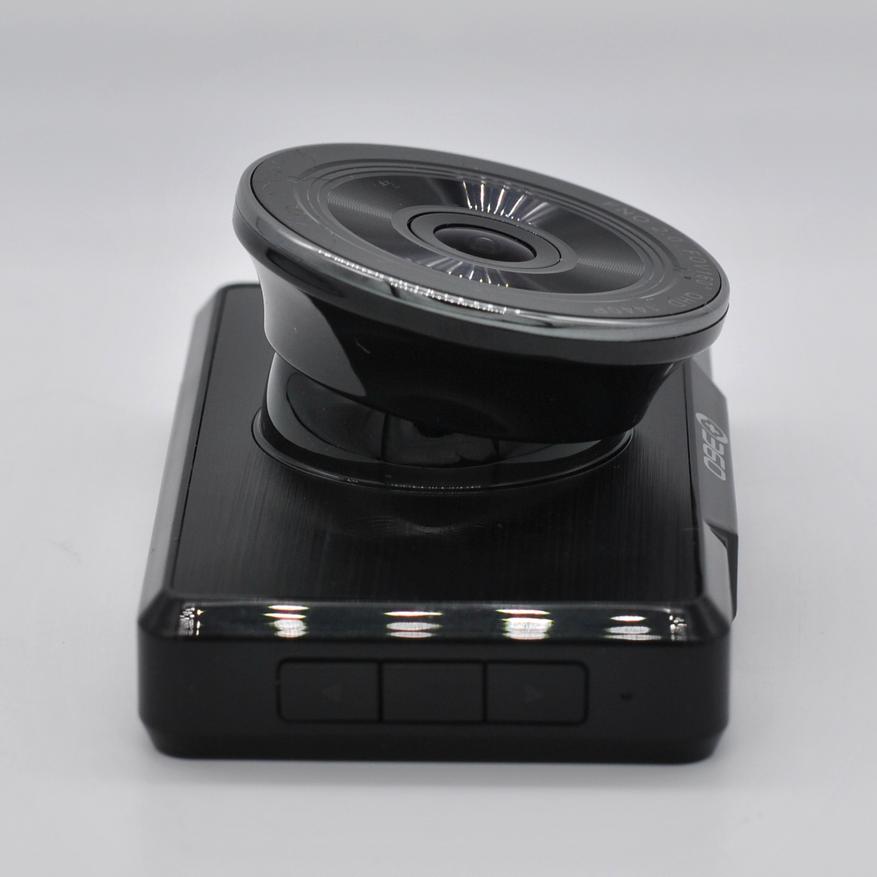
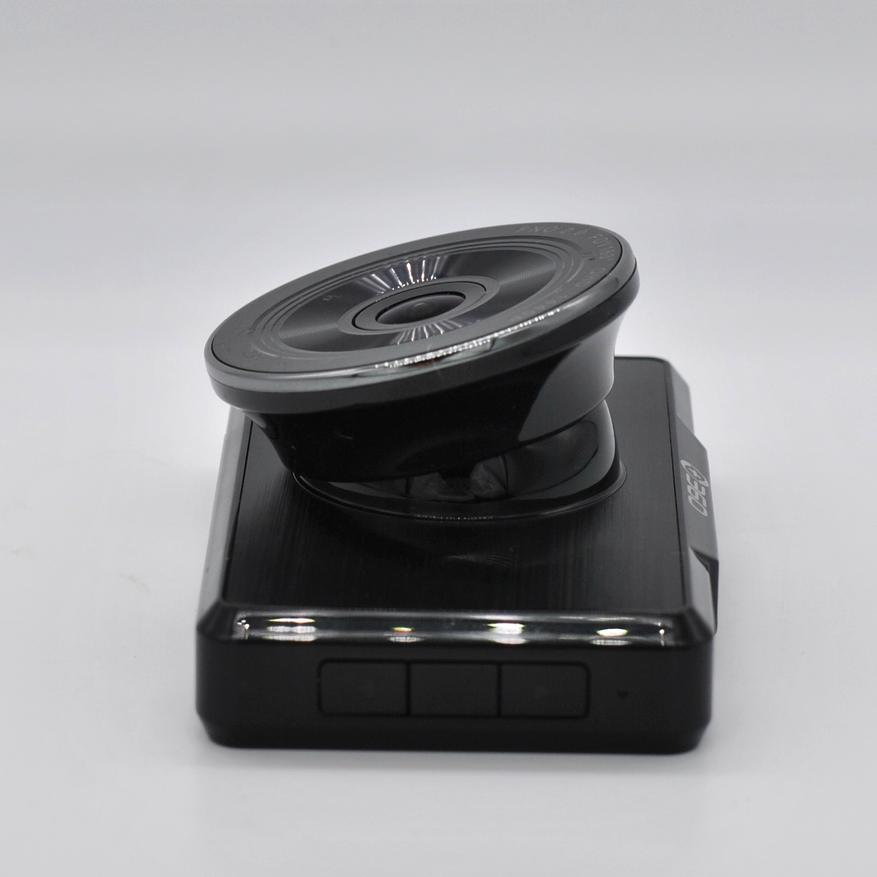
Сверху устанавливается монтажный быстросъемный кронштейн и подключается задняя камера (разъем микро HDMI), а снизу карта памяти микро SD и отверстие микрофона.
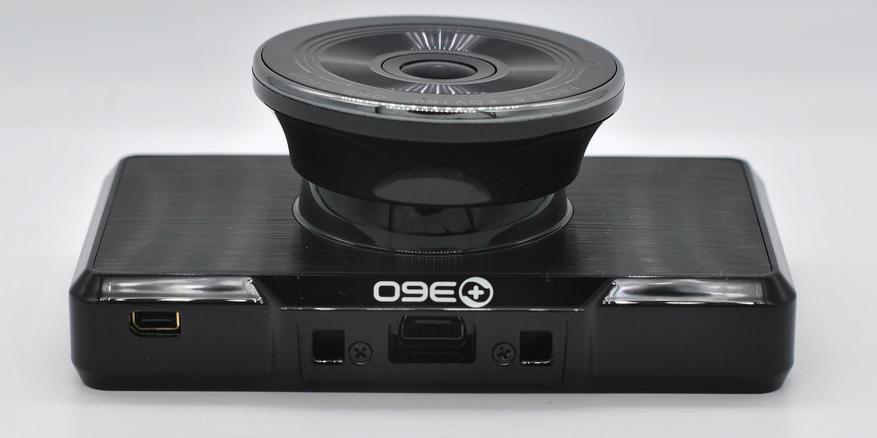
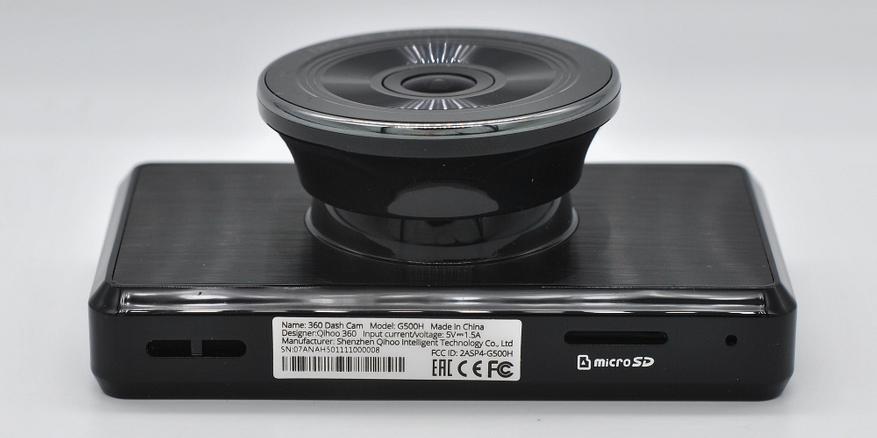
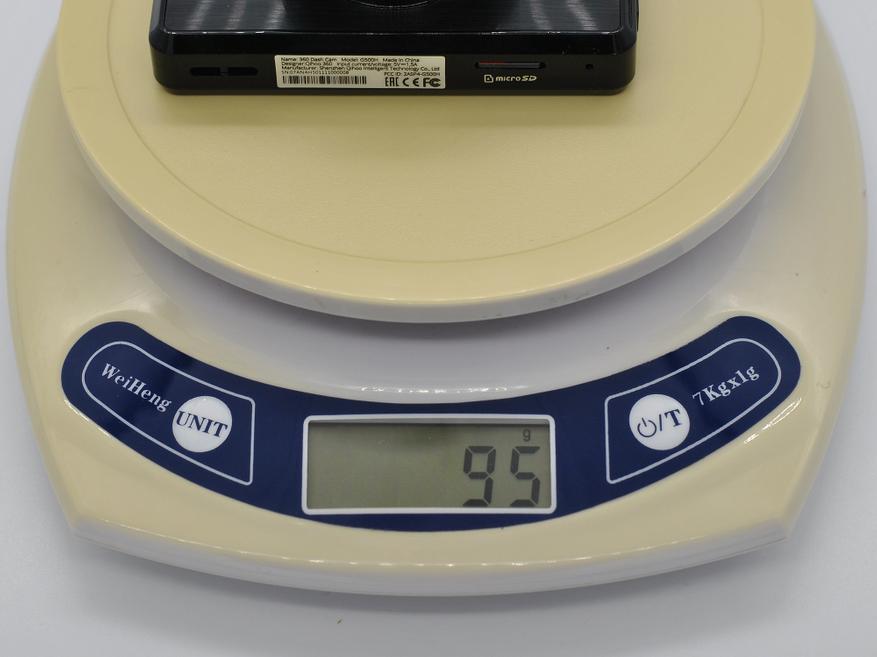
Быстросъемный кронштейн оснащен сквозным питание (на разъеме микро USB) и в нем же расположен блок GPS. Снимается регистратор с кронштейна одновременным нажатием двух кнопок по бокам. Регистратор не тяжелый, площадка скотча держит надежно.
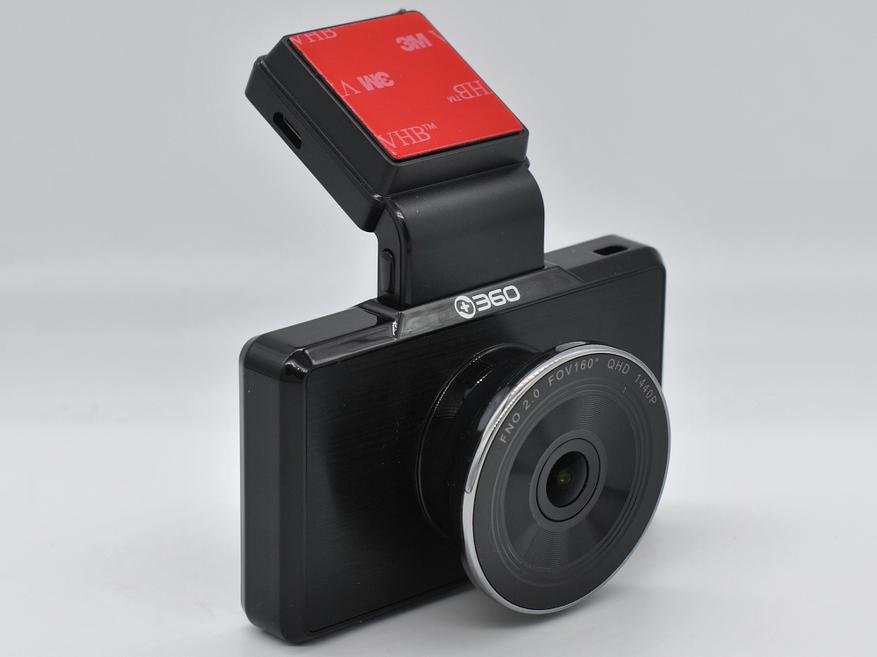
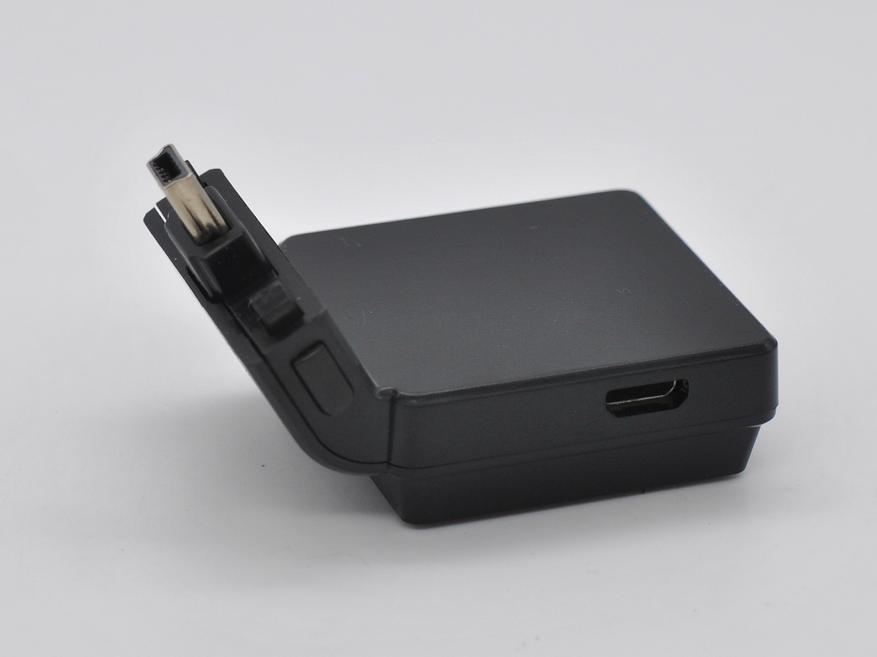
GPS на устройстве необходим для для штампа скорости на видео и записи трека, в отличии от недавно рассмотренного Fujida Zoom Smart S, в котором есть база камер по GPS. Время холодного старта модуля GPS около 3 минут.
С внутреннем устройством G500H можно ознакомится тут: разборка от FCC. FCC — Федеральная комиссия связи США, тестирует устройства связи и присваивает им номера (ID) для работы в США. Для обозреваемого видеорегистратора это FCC ID 2ASP4-G500H.
Задняя камера
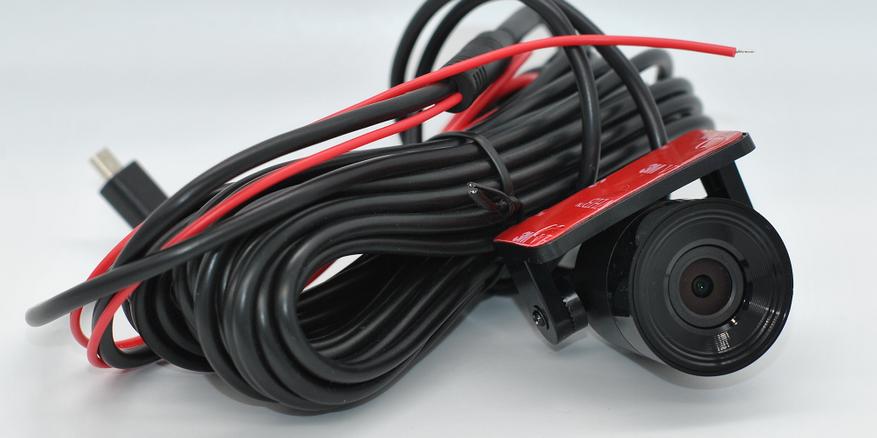
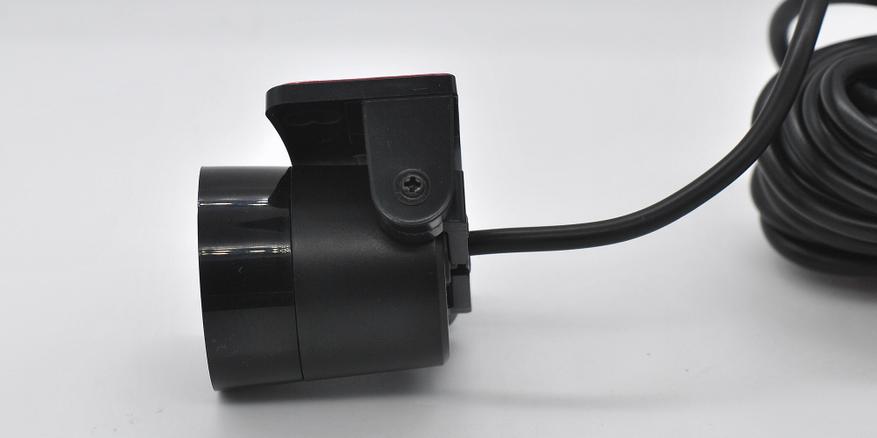
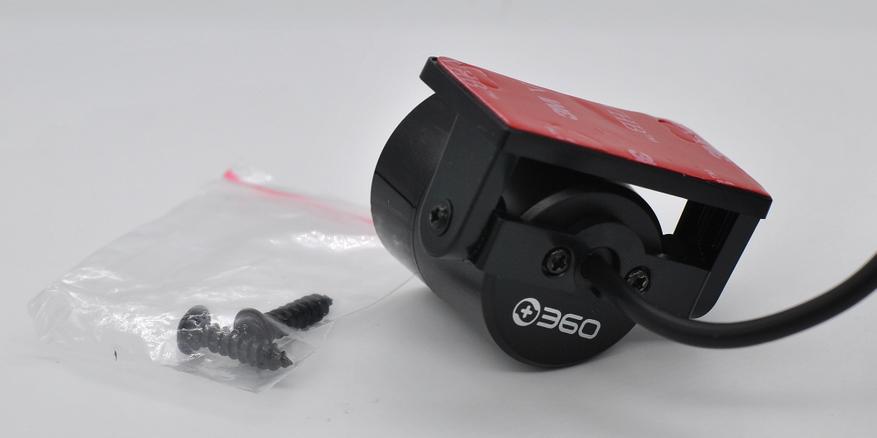
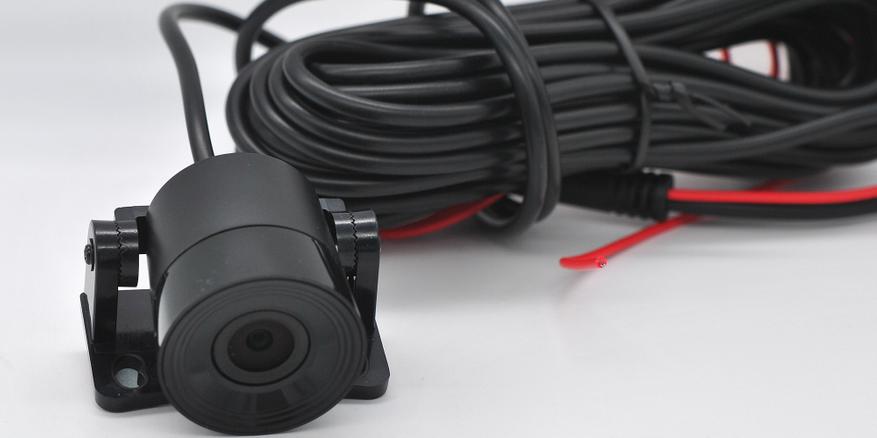
Корпус камеры достаточно крупный — диаметр 30 мм, длина 31 мм. Длины кабеля хватит для любого автомобиля, на конце кабеля угловой разъем. Крепить можно как на площадку скотча, так и на винты. Мне кронштейн задней камеры не понравился: не удобная регулировка и хлипкая конструкция.
Меню регистратора
По умолчанию английский язык, но в меню есть русский. И голосовые оповещения тоже становятся на русском. Датчик удара и датчик движения настраиваются тут.
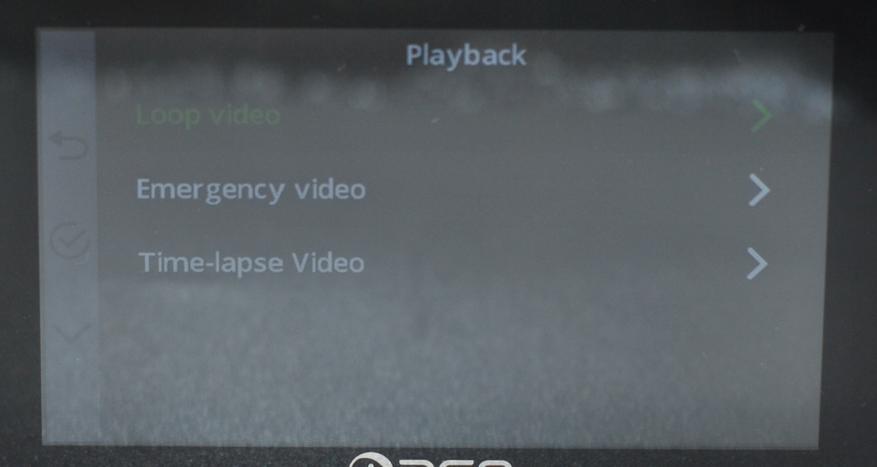
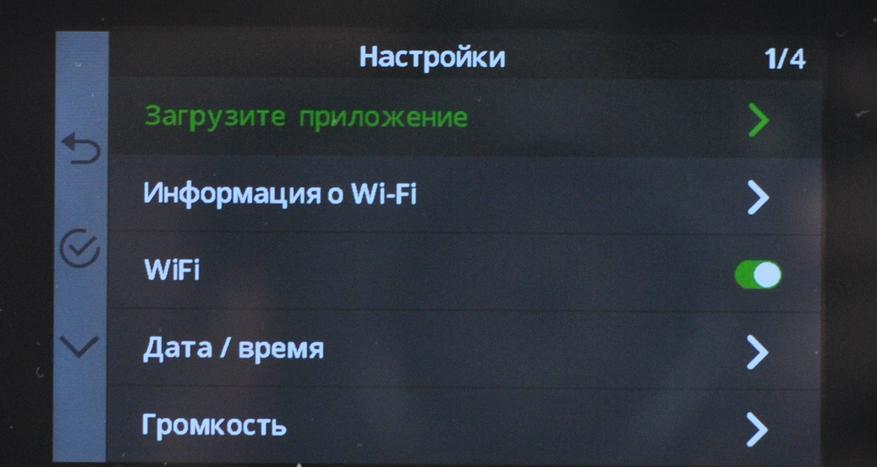
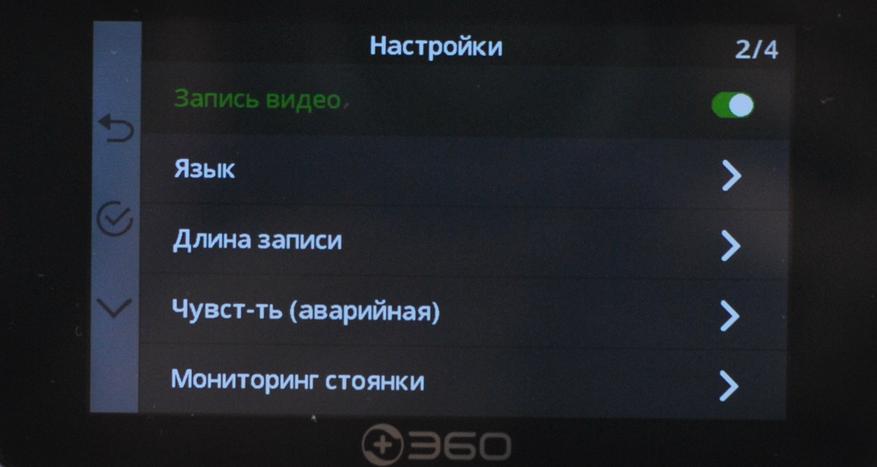

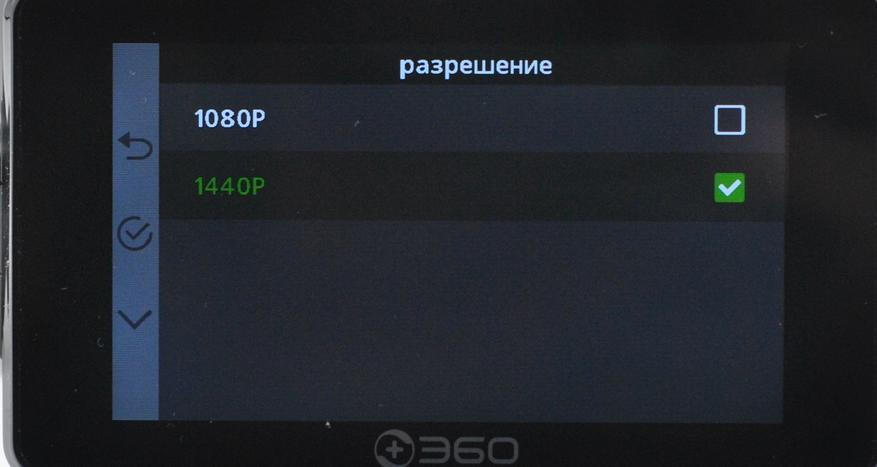
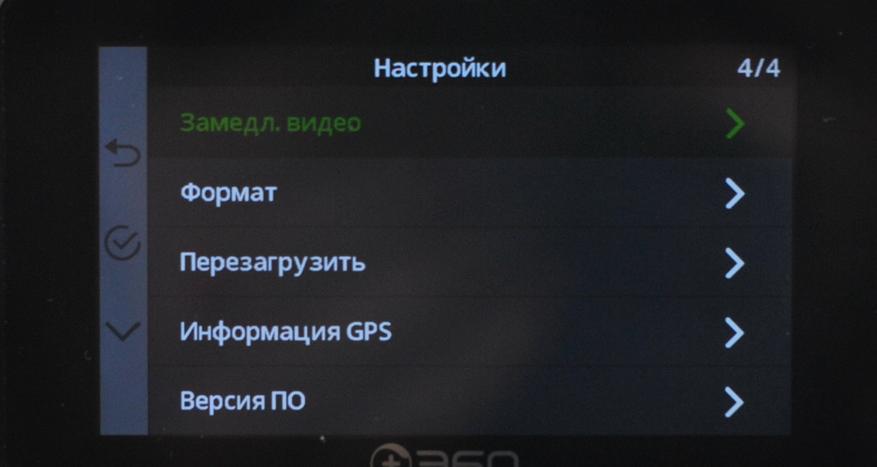
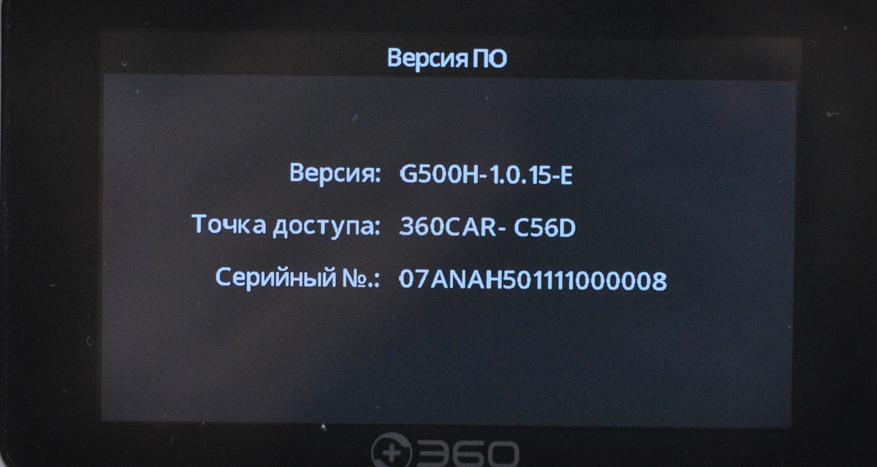
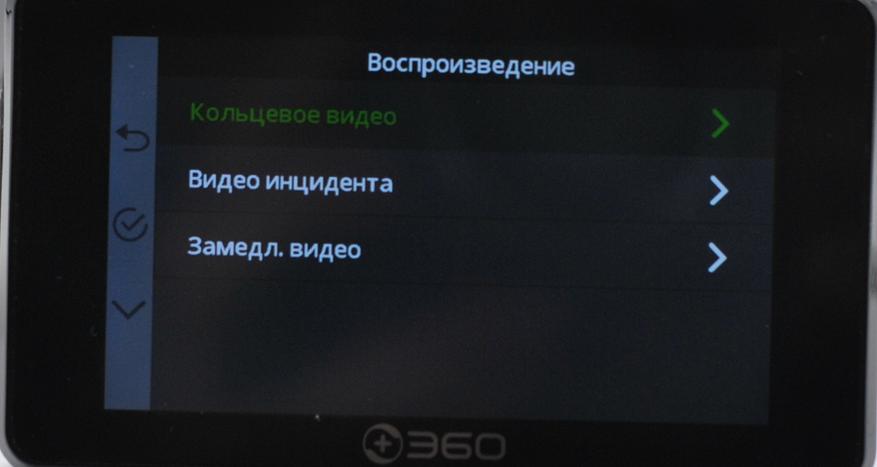
Так же G500H поддерживает подключение к ПК для просмотра отснятого материала, нужен только кабель с поддержкой передачи данных.
Установка
Внутри G500H аккумулятор на 300 мАч, он нужен для завершения записи при выключении зажигания и для мониторинга на парковке. Однако его хватит на несколько минут записи на парковочном режиме, лучше использовать внешнее питание.
Потребление тока при записи (две камеры):

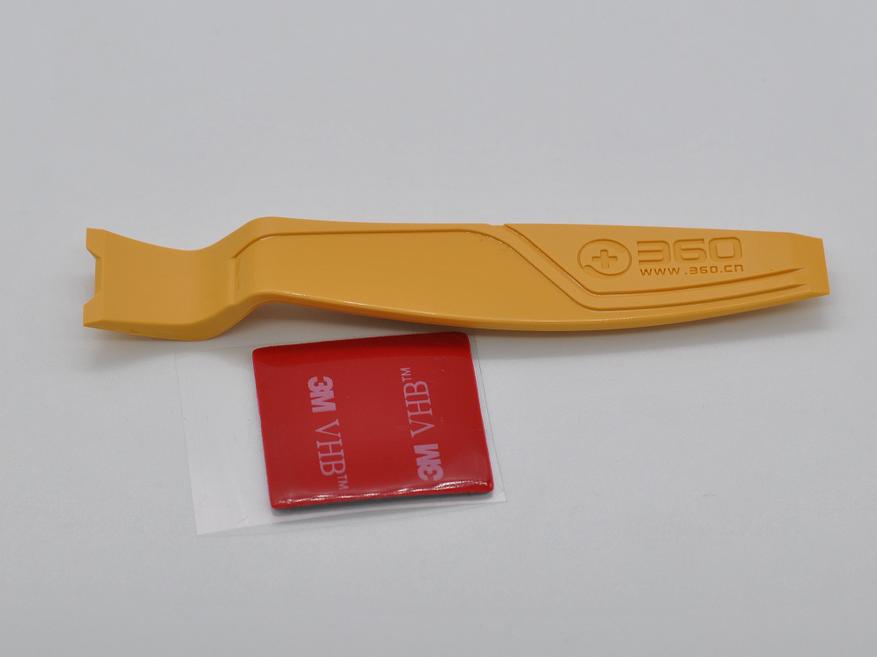
Для установки на ветровое стекло воспользуемся комплектной пленкой для облегчения установки. Она прилипает надежно, главное не забывать обезжирить стекло. Для демонтажа в комплекте есть пластиковая лопаточка.
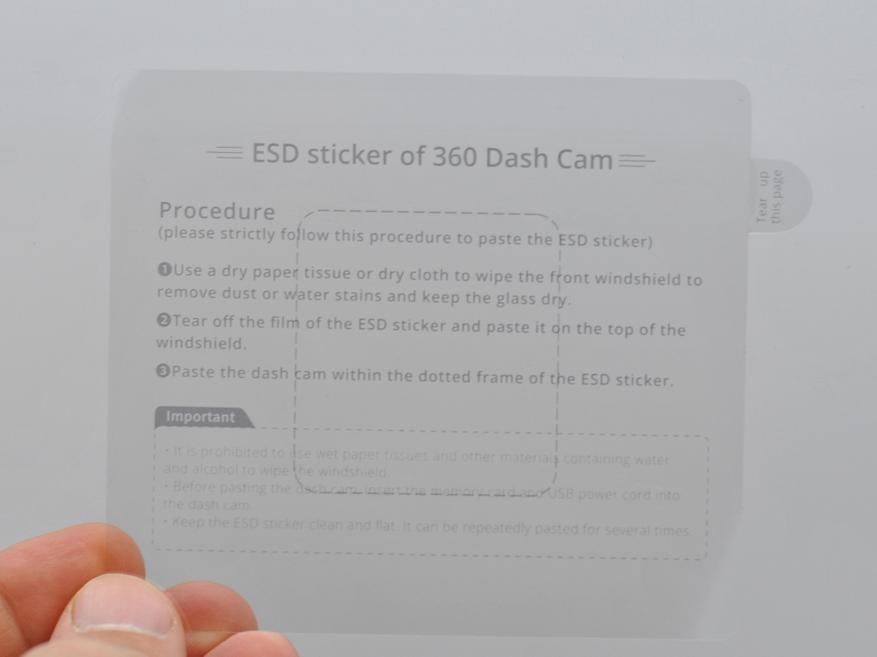
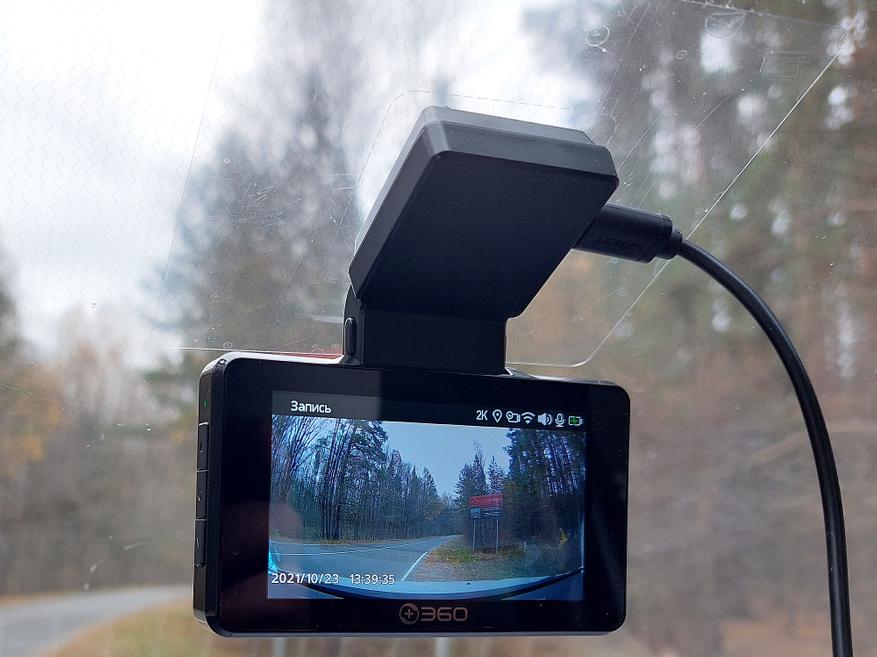
С задней камерой возникли трудности на почти прямом заднем стекле хэтчбека. Кронштейн мне сразу не понравился. Для теста повесил так:
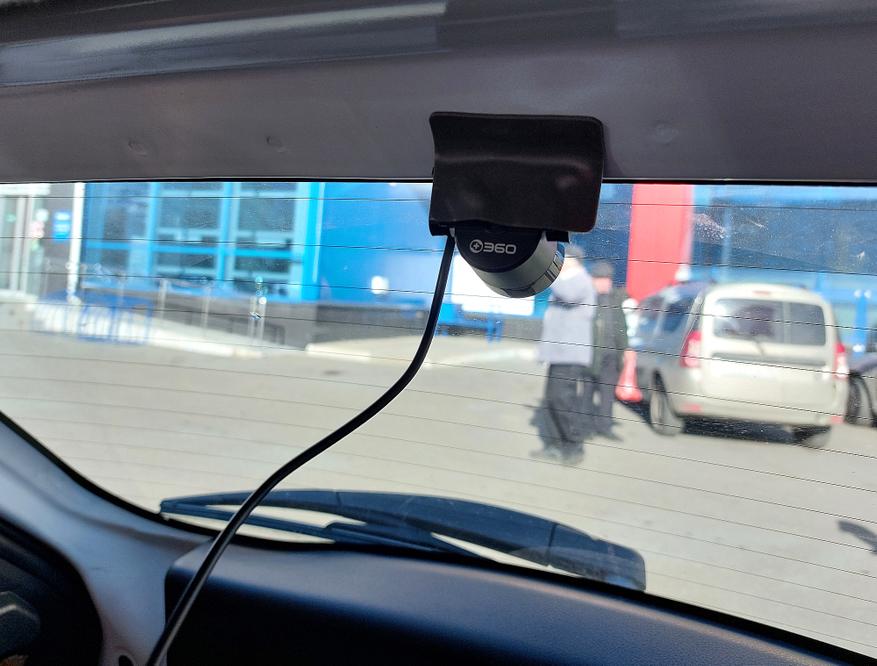
Красный провод на камере заднего вида необходим для подключения к + фонаря заднего хода, для отображения на экране регистратора видео с задней камеры в полный экран, это должно помочь при парковке задним ходом.
Работа регистратора
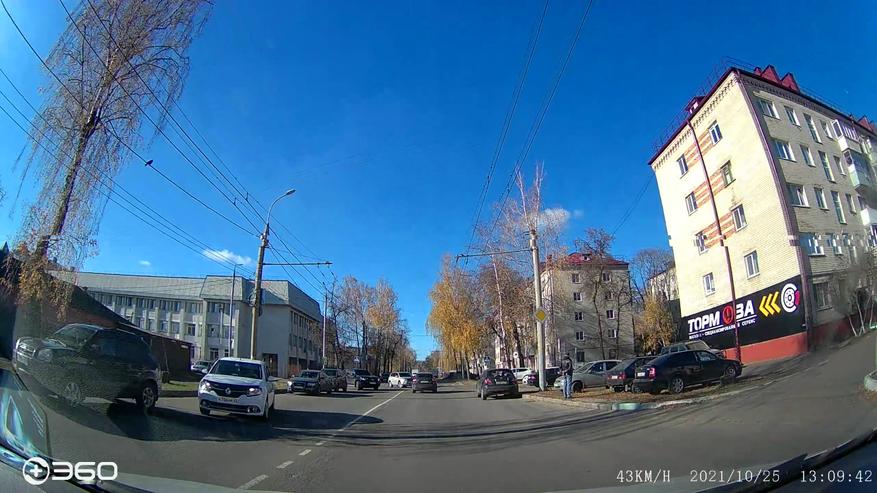
Пример съемки с устройства (основная камера):
Параметры файла с помощью ПО MediaInfo 20.08 (1 мин записи занимает на карте 98 Мб).
Параметры
Формат: MPEG-4
Профиль формата: Base Media / Version 2
Идентификатор кодека: mp42 (isom/avc1/mp42)
Общий поток: 13,6 Мбит/сек
Видео
Идентификатор: 1
Формат: HEVC
Формат/Информация: High Efficiency Video Coding
Профиль формата: Main@L5@High
Идентификатор кодека: hvc1
Идентификатор кодека/Информация: High Efficiency Video Coding
Битрейт: 13,1 Мбит/сек
Ширина: 2 560 пикселей
Высота: 1 440 пикселей
Соотношение сторон: 16:9
Режим частоты кадров: Постоянный
Частота кадров: 25,000 кадров/сек
Цветовое пространство: YUV
Субдискретизация насыщенности: 4:2:0
Битовая глубина: 8 бит
Бит/(Пиксели*Кадры): 0.142
Размер потока: 93,8 Мбайт (96%)
Язык: English
Дата кодирования: UTC 2021-10-25 17:07:20
Дата пометки: UTC 2021-10-25 17:07:20
Цветовой диапазон: Full
Основные цвета: BT.709
Характеристики трансфера: BT.709
Коэффициенты матрицы: BT.709
Codec configuration box: hvcC
Аудио
Идентификатор: 2
Формат: AAC LC
Формат/Информация: Advanced Audio Codec Low Complexity
Идентификатор кодека: mp4a-40-2
Продолжительность: 59 с. 968 мс.
Вид битрейта: Постоянный
Битрейт: 64,0 Кбит/сек
Каналы: 1 канал
Channel layout: C
Частота: 16,0 КГц
Частота кадров: 15,625 кадров/сек (1024 SPF)
Метод сжатия: С потерями
Далее, в оригинале ролики на яндекс диск (сайт youtube.com влияет на качество ролика):
Оригинал
Ночь со звуком
Солнце
Пример съемки с устройства (задняя камера):
Параметры файла с помощью ПО MediaInfo 20.08 (1 мин записи занимает на карте 56 Мб):
Параметры
Формат: MPEG-4
Профиль формата: Base Media / Version 2
Идентификатор кодека: mp42 (isom/avc1/mp42)
Общий поток: 7 799 Кбит/сек
Видео
Идентификатор: 1
Формат: HEVC
Формат/Информация: High Efficiency Video Coding
Профиль формата: Main@L5@High
Идентификатор кодека: hvc1
Идентификатор кодека/Информация: High Efficiency Video Coding
Битрейт: 7 373 Кбит/сек
Ширина: 1 920 пикселей
Высота: 1 080 пикселей
Соотношение сторон: 16:9
Режим частоты кадров: Постоянный
Частота кадров: 25,000 кадров/сек
Цветовое пространство: YUV
Субдискретизация насыщенности: 4:2:0
Битовая глубина: 8 бит
Бит/(Пиксели*Кадры): 0.142
Размер потока: 52,7 Мбайт (95%)
Язык: English
Цветовой диапазон: Full
Основные цвета: BT.709
Характеристики трансфера: BT.709
Коэффициенты матрицы: BT.709
Codec configuration box: hvcC
Далее, в оригинале ролики на яндекс диск (сайт youtube.com влияет на качество ролика):
Оригинал
Солнце
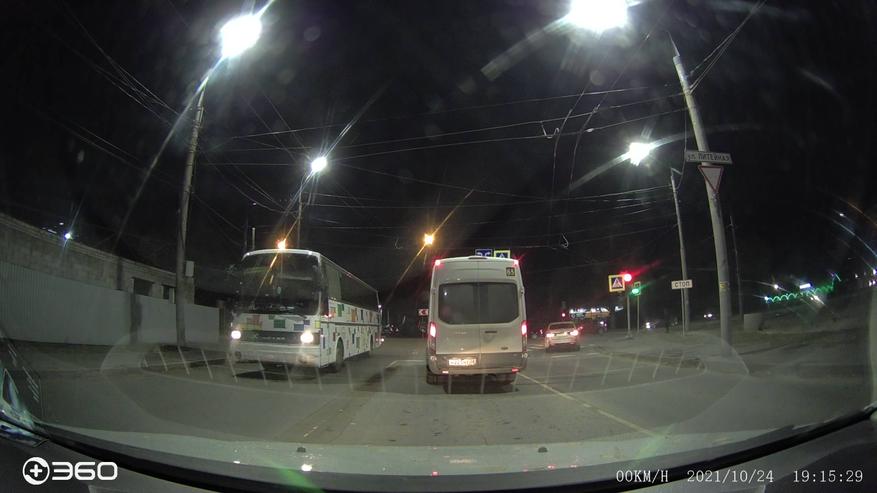
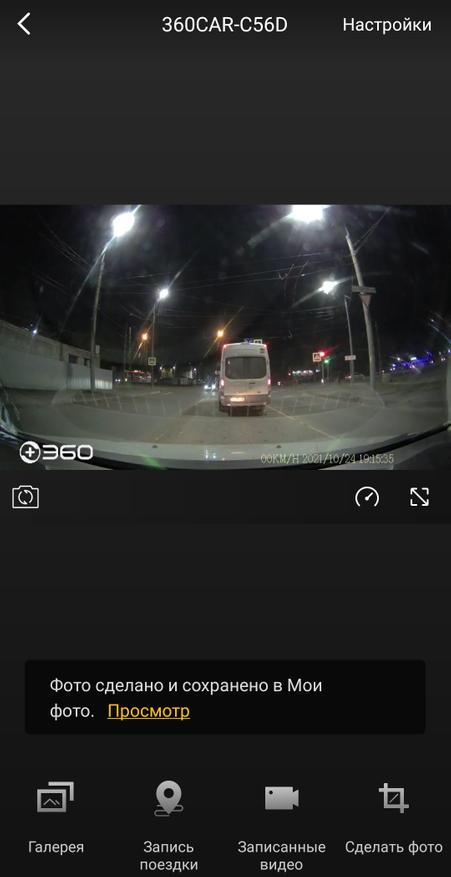
Фото с устройства можно делать только через мобильное приложение. Вот пару примеров в реальном разрешении:
Мобильное приложение
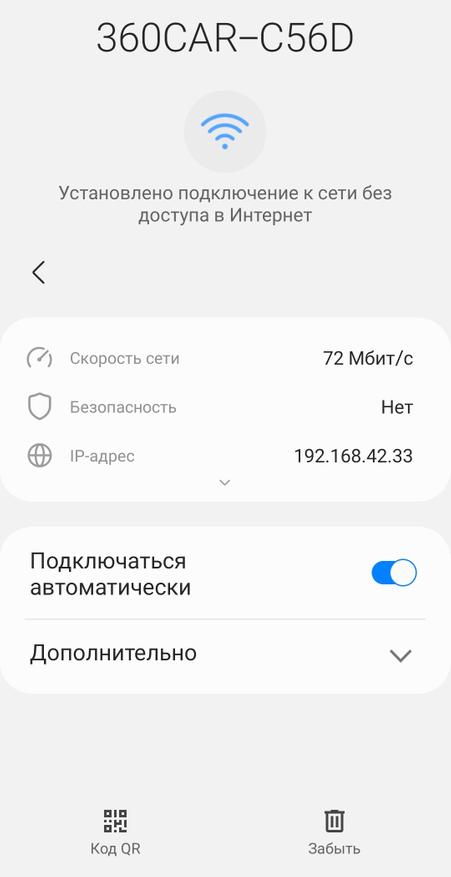
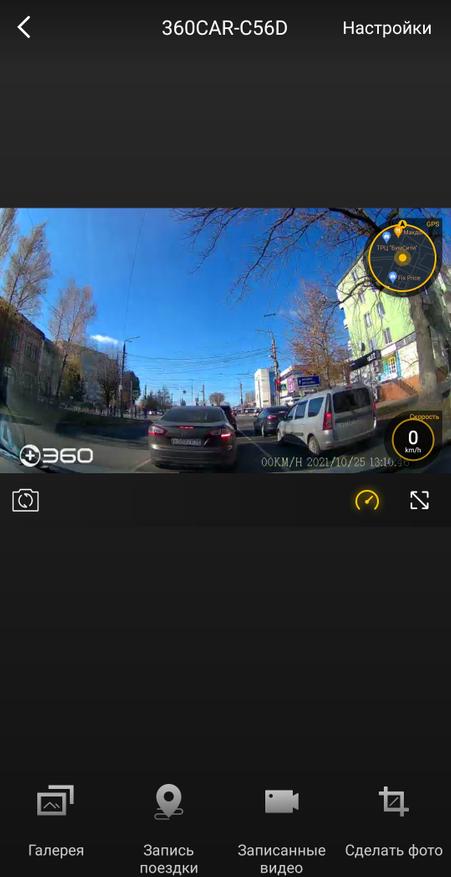
Тут используется фирменное мобильное приложение «360 Dash Cam», скачать можно по QR коду в инструкции. Соединяется со смартфоном по WiFi.
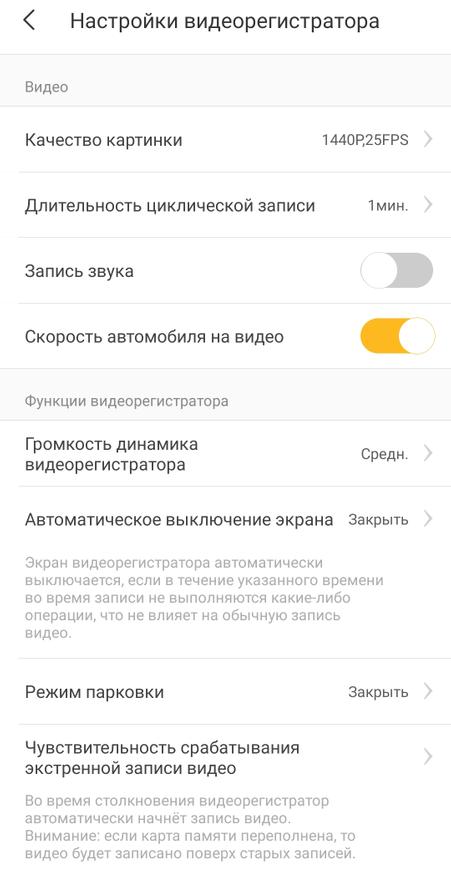
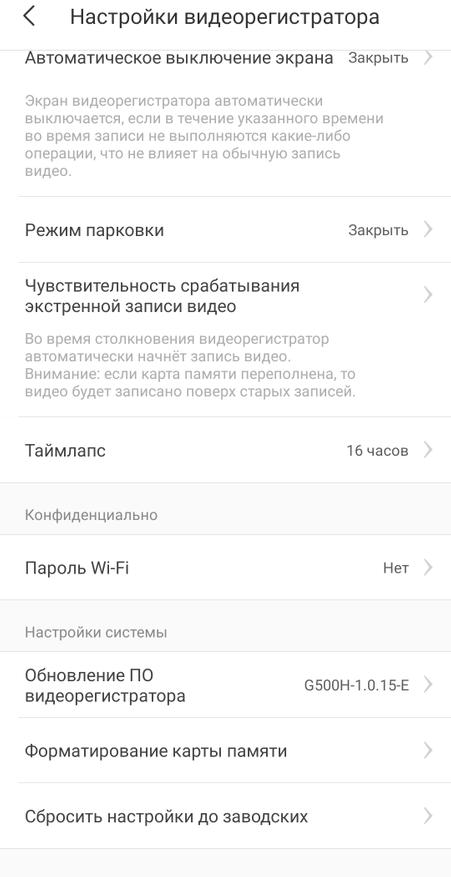
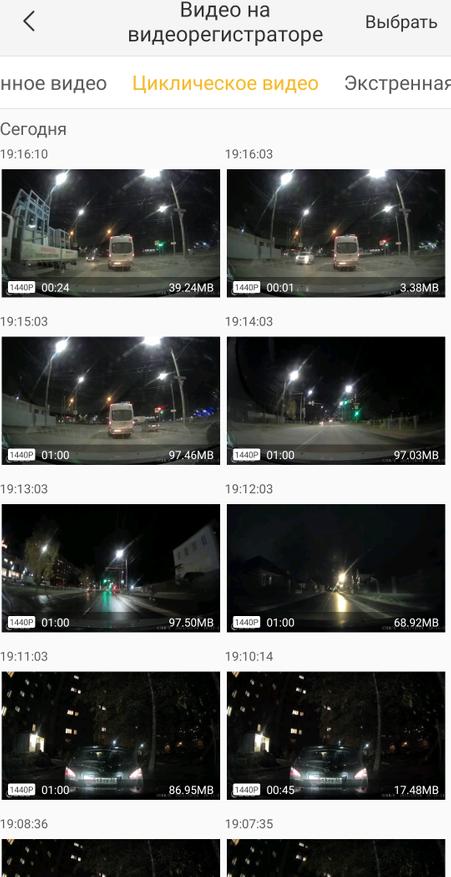
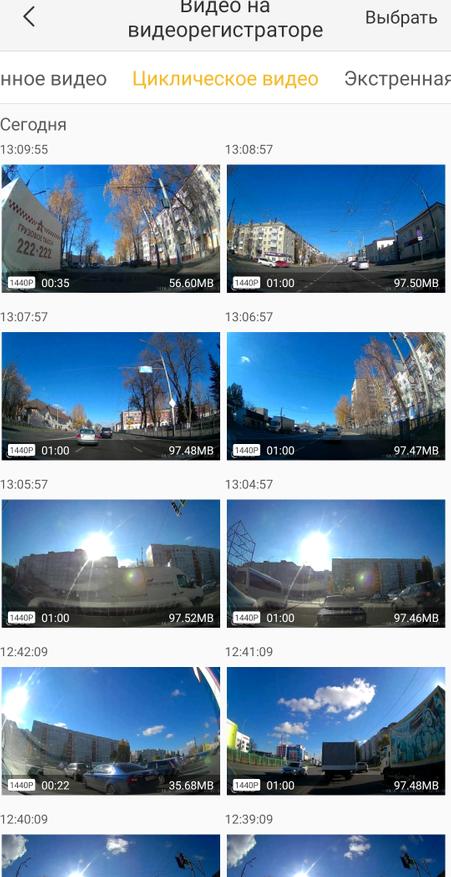
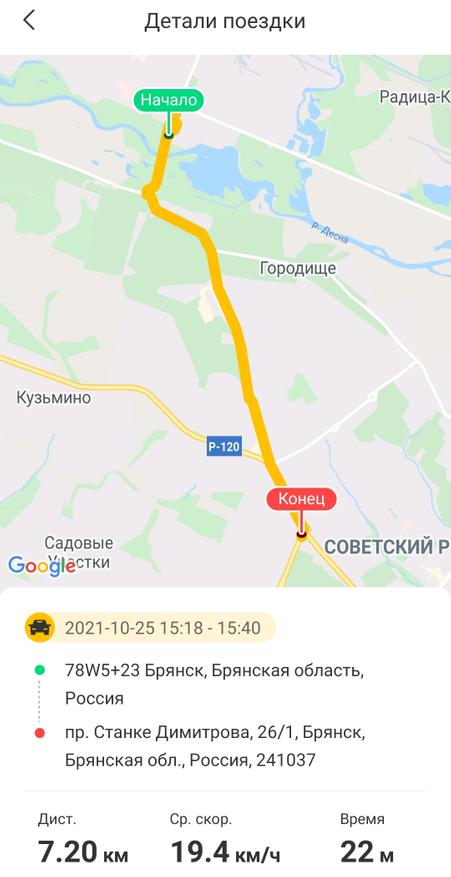
С его помощью можно изменить некоторые настройки регистратора, обновить прошивку, получить доступ к отснятым видео и сделать фото. Интересная функция — все данные с GPS по поездке можно посмотреть, в том числе трек на карте.
Заключение
Модель G500H от 360 довольно интересная в качестве двухкамерной. Особенно сейчас, когда есть купон для скидки и доставка из РФ. Понравилась качественная русская звуковая локализация (чего не скажешь о локализации приложения) и качество съемки.
В конце обзора традиционно перечислим плюсы и минусы рассмотренного товара.
Плюсы:
- Функциональное мобильное приложение
- Продуманный монтаж на стекло
- Неплохое качество записи
- Высокое качество сборки
Минусы:
- Неудобный кронштейн задней камеры
- Крупный объектив без поляризационного фильтра
- Дисторсия на видео
Для данной модели есть выгодный купон G500H22USD (- US $23.00) до 10 ноября 2021 года. Быстрая доставка со склада в РФ.
Купить тут
Спасибо за внимание. Удачи на дорогах!
Botslab G500H Car Dash Cam

Product appearance

Packing List
Upon opening the package, please check if the dash cam is in good condition and if all accessories are included.
- Main unit x1
- USB power cord x1
- Electrostatic film x 2
- User manual x1
- Installation pry bar x1
- Car charger x1
- Rear camera x1
- TF card x1 (optional)
Installation
Install the electrostatic film:
Install the electrostatic film on the front windshield in the recommended area (dashed area) shown in the diagram below. Before installation, please clean the glass and ensure there are no bubbles between the electrostatic film and the glass.

Tip: Please install the dash cam as close to the middle area above the front windshield as possible, in order to ensure full coverage of the car’s front view and improve ADAS-assisted driving accuracy.
Attach the dash cam
Remove the 3M adhesive protective film, attach the dash cam bracket to the electrostatic film, and adjust the dash cam to the appropriate angle.
Wiring and installation of the rear camera
Arrange the rear camera cable from the front windshield to the rear windshield, as shown in the picture below.

Wiring and connecting the power supply
Route the power cord along the top of the front windshield, through the A-pillar, and into the storage compartment located at the front passenger seat, close to the cigarette lighter port, as shown in the diagram below. Then, connect the power cord to the cigarette lighter power supply.

Tip: You can use the included wiring pry bar to bury the power cord under the A-pillar sealant strip. Please note that the position of the cigarette lighter port may vary between different vehicles, and the pictures are for reference only.
ADAS Calibration Guide
To ensure the accuracy of ADAS, it is essential to perform ADAS calibration before use.
After completing the wiring, the dashcam will power on automatically and start recording. Upon the first power-up, ADAS calibration is required. Please follow the steps shown in the diagram for adjustment. (If not the first power-up, navigate to the ADAS calibration in the driving assistance section within the settings menu.)
- Step 1: Adjust the installation position of the dashcam to align the vertical line of ADAS calibration with the centerline of the vehicle as much as possible.
- Step 2: Adjust the camera angle to align the horizontal line with the horizon of the road (the plane where the road meets the distance).
- Step 3: After calibration is complete, ADAS will become effective. For detailed ADAS function triggering conditions and alert content, please refer to the electronic manual.

ADAS functions are only used to provide information and cannot replace your observation of all roads and driving conditions. Please comply with traffic regulations and take responsibility for safe driving judgment. This function relies on recorder warnings, so the function may be limited under low visibility conditions.
Download and Installation of the App
- Method 1: Scan the QR code provided below to download and install the app.
- Method 2: Search for «botslab» in major application stores and click Download to install the botslab app.


User Guide
Scan the QR code to access the online version of Quick Start Guide, and obtain more detailed instructions on how to use the dash cam.
Precautions for Using the Dash Cam
- This product is an auxiliary device (dash cam) for safe driving.
- Any losses resulting from product malfunctions, data loss or product usage are not the responsibility of our company.
- This product is designed as an auxiliary device to record external images of vehicles. Due to different driving and vehicle environments, some functions may not be supported.
- Firmware upgrades are carried out periodically to improve the product, which may cause changes in product performance, and sometimes may lead to the inability to capture images due to the usage environment. Therefore, the driving images recorded in this product are for reference only.
- Although this product can record and save images of vehicle accidents, it does not guarantee that all accident images can be recorded. A minor collision accident may not activate the collision sensor, so the image may not be recorded in a dedicated folder.
- Do not install or operate this product while the vehicle is in motion.
- This product must be directly connected to the car’s power supply system and installed by professionals with installation experience. Do not use this product for a long time without starting the engine.
- This device may interfere with the function of improperly protected medical devices. If you have any questions or are uncertain whether the medical device can shield external RF energy, please seek advice from a doctor or the medical device manufacturer.
- Do not subject this product to strong shocks or vibrations, which may damage the product, resulting in malfunction or inability to use.
- Before cleaning or maintenance, please stop using the product.
- Do not use chemical solvents or cleaning agents to clean this product.
- Do not disassemble or modify this product without authorization.
- The normal temperature range for using this device is between 0 C and 50 C.
- Please ensure that you use this product within the limits allowed by law.
Important Statement
Personal Information Security
To ensure the safety of you and your family, please make sure that your product is only bound by authorized persons. 360 will take strict measures to ensure the security of your and your family’s information.
FCC regulatory conformance:
This device complies with Part 15 of the FCC Rules. Operation is subject to the following two conditions:
- This device may not cause harmful interference.
- This device must accept any interference received, including interference that may cause undesired operation.
NOTE: This equipment has been tested and found to comply with the limits for a Class B digital device, pursuant to part 15 of the FCC Rules. These limits are designed to provide reasonable protection against harmful interference in a residential installation.
This equipment generates uses and can radiate radio frequency energy and, if not installed and used in accordance with the instructions, may cause harmful interference to radio communications. However, there is no guarantee that interference will not occur in a particular installation. If this equipment does cause harmful interference to radio or television reception, which can be determined by turning the equipment off and on, the user is encouraged to try to correct the interference by one or more of the following measures:
- Reorient or relocate the receiving antenna.
- Increase the separation between the equipment and receiver.
- Connect the equipment into an outlet on a circuit different from that to which the receiver is connected.
- Consult the dealer or an experienced radio/TV technician for help
NOTE: The manufacturer is not responsible for any radio or TV interference caused by unauthorized modifications to this equipment. Such modifications could void the user’s authority to operate the equipment.
Attentions And After-Sales Service
- Introduction and declaration of after-sales service
- Thank you for choosing the dash cam. Please use only the accessories provided by the original manufacturer to avoid unexpected malfunctions or damage. Failure to use the product as outlined here, or connecting it with incompatible accessories, will result in your warranty becoming void. The company assumes no responsibility for any danger or damage caused by such unauthorized uses. If you dismantle or change the product housing, the warranty will also become invalid.
- Our company is committed to constant improvement and sustainable development. As a result, we may modify and improve the product manual without advance notice to users.
- Unless otherwise specified by applicable laws, the manual contents are provided based on the product’s manufacturing conditions. Therefore, no explicit or tacit warranty of any kind is made for the correctness, reliability, or contents of the files.
- The product manual is protected by copyright law. Copying, transmitting, distributing, or using it in other forms is forbidden without the written approval.
- In regards to service policies within the warranty period of the dash cam:
- This product contains a one-year warranty. For details on warranty service, kindly contact local authorized distributors.
- The warranty period for the power adapter and charger cable is 12 months, and for the battery, it is 6 months.
- Non-electronic accessories are not covered by the warranty.
This symbol means the product must be discarded as household waste, and should be delivered to an appropriate collection facility for recycling. Proper disposal and recycling helps protect natural resources, human health and the environment. For more information on the disposal and recycling of this product, contact your local municipality, disposal service, or the shop where you bought this product.
List of Performance Faults of Dash Cam
- Charged maintenance policies of recorder product
If any of the following cases occur, the Company or its authorized service centers will provide reasonable maintenance services at a cost for those outside the scope of the warranty.- Exceeding the valid warranty period.
- Lack of warranty certificate or valid invoice. The warranty certificate does not match the model and labeling of the product or has been tampered with.
- Damage caused by usage, repair, and maintenance that does not follow the requirements in the User Manual. Damage or malfunction resulting from personal removal, maintenance, or modification of the system software without authorization from the Company.
- Collision, soaking, breaking or burning of the printed circuit board.
- Cracking or damage to the outer shell, LCD screen, antenna, etc. of the dash cam during use, except for that caused by structural or material factors.
- Damage due to force majeure.

Contact Us
Website: https://www.botslab.com
Email: [email protected]
Facebook: @botslabofficial
RF Exposure
CE:
EU regulatory conformance:
RF exposure information: The Maximum Permissible Exposure (MPE) level has been calculated based on a distance of 20cm between the device and the human body. To comply with RF exposure requirements, it is recommended to use the product while maintaining a distance of 20cm between the device and the human body.
CE DOC
Hereby, Botslab Inc. declares that the radio equipment type G580H-N560-1 complies with Directive 2014/53/EU. The full text of the EU Declaration of conformity is available on the following Internet.
address: https://www.botslab.com
Manufacturer information:
Company name: Botslab Inc.
Address: 919 North Market Street, Suite 950, Wilmington, New Castle, Delaware, USA
Operation temperature: 0~50 C
Operation frequency(Max power)
Wifi: 2412MHz-2472MHz (<20dBm)
Bluetooth: 2402MHz-2480MHz (<13dBm)
FCC:
This equipment complies with FCC radiation exposure limits set forth for an uncontrolled environment. This equipment should be installed and operated with a minimum distance of 20 cm between the radiator and your body. This transmitter must not be co-located or operating in conjunction with any other antenna or transmitter.
Responsible party (contact for FCC matters only): Botslab Inc.
919 North Market Street, Suite 950, Wilmington, New Castle, Delaware www.botslab.com
Documents / Resources
| Botslab G500H Car Dash Cam [pdf] User Manual 2A22Z-G580H, 2A22ZG580H, G500H Car Dash Cam, G500H, G500H Dash Cam, Car Dash Cam, Dash Cam |
Documents — botslab – 2A22Z-G580H,G500H,2A22ZG580H
| [pdf] Test Report SAR Rating Kent RF Exposure Botslab Inc G580H Dash Cam 2A22Z 2A22ZG580H g580h RF TEST REPORT Product Name: Dash Cam Model Name: G580H-N560-1, G500H-N560-1, G500H Pro, G580H FCC ID: 2A22Z-G580H Issued For : Botslab, Inc. 919 North Market Street, Suite 950, Wilmington, New Castle, Delaware, USA Issued By : Shenzhen LGT Test Service Co., Ltd. Room 205, Building 13, Zone B, Zhe… lang:en score:55 filesize: 314.31 K page_count: 7 document date: 2024-04-02 |
|
| [pdf] Test Report Measurement Report Kent Test Report2 Botslab Inc G580H Dash Cam 2A22Z 2A22ZG580H g580h RF TEST REPORT Product Name: Dash Cam Model Name: G580H-N560-1, G500H-N560-1, G500H Pro, G580H FCC ID: 2A22Z-G580H Issued For : Botslab, Inc. 919 North Market Street, Suite 950, Wilmington, New Castle, Delaware, USA Issued By : Shenzhen LGT Test Service Co., Ltd. Room 205, Building 13, Zone B, Zhe… lang:en score:42 filesize: 5.04 M page_count: 59 document date: 2024-04-02 |
|
| [pdf] Test Report Measurement Report Kent Test Report1 Botslab Inc G580H Dash Cam 2A22Z 2A22ZG580H g580h RF TEST REPORT Product Name: Dash Cam Model Name: G580H-N560-1, G500H-N560-1, G500H Pro, G580H FCC ID: 2A22Z-G580H Issued For : Botslab, Inc. 919 North Market Street, Suite 950, Wilmington, New Castle, Delaware, USA Issued By : Shenzhen LGT Test Service Co., Ltd. Room 205, Building 13, Zone B, Zhe… lang:en score:42 filesize: 3.66 M page_count: 51 document date: 2024-04-02 |
|
| [pdf] Decleration of Conformity Sky123 Org Model difference Botslab Inc G580H Dash Cam 2A22Z 2A22ZG580H g580h Botslab, Inc. Declaration Letter of Model Difference Date: Tested Model Number: Adding Model Number s : 2024-03-13 G580H-N560-1 G500H-N560-1, G500H Pro, G580H All Adding Model Number s is/are same electrically identical as Tested Model Number. Only model name are different for market purpose. … lang:tl score:35 filesize: 65.84 K page_count: 1 document date: 2024-04-02 |
|
| [pdf] Agent Authorization admin Agent Authorization Letter Template Botslab Inc G580H Dash Cam 2A22Z 2A22ZG580H g580h Date3/13/2024 Botslab, Inc. Product Model Number: G580H-N560-1, G500H-N560-1, G500H Pro, G580H FCC ID2A22Z-G580H To whom it may concern, Re: Product Certification Representative Authorization Letter We authorize QAI Laboratories Ltd. 3980 North Fraser Way, Burnaby B.C. Canada V5J 5K5 to act on … lang:en score:34 filesize: 192.72 K page_count: 1 document date: 2024-04-03 |
|
| [pdf] Guide Catalog 产品合集手册 电子浏览版 Botslab E Catalog v 1735119077 cdn shopify s files 1 0722 4754 2052 ||| About At Botslab, we re more than just a global tech company; we re a passionate team on a mission … Lane Departure Warning UHD Night Vision Durable Supercapacitor GPS Product Name V9H G980H G500H Pro G300H Pro HK30 Pro Product Image Resolution ADAS FOV Aperture Display Screen Wi-Fi USB… lang:en score:25 filesize: 10.15 M page_count: 17 document date: 2024-12-25 |
|
| [pdf] User Manual G580H N560 1说明书20240306 ol User Manual Botslab Inc Dash Cam 2A22Z 2A22ZG580H g580h … lang:en score:19 filesize: 1.36 M page_count: 11 document date: 2024-04-02 |
|
| [pdf] User Manual User Manual BOTSLAB G500H Car Dash Cam Front and Rear 150°Wide Angle Color Night Vision Premium 5MP FHD 720P Dual Camera 24h Motion Detection Parking Mode Loop Recording G Sensor No SD Card Electronics A1SSvdVmesL m media amazon images I ||| … lang:en score:15 filesize: 1.4 M page_count: 13 document date: 0000-00-00 |
|
| [pdf] Agent Authorization Agent letter Botslab Inc G580H Dash Cam 2A22Z 2A22ZG580H g580h … lang:en score:13 filesize: 220.3 K page_count: 1 document date: 2024-03-15 |
|
| [pdf]
|
|
| [pdf] Product Photos Teardown Kent Internal Photos Botslab Inc G580H Dash Cam 2A22Z 2A22ZG580H g580h Page 1 of 16 Report No.: LGT24A158 Appendix — Internal Photographs of EUT Constructional Details Model: G580H-N560-1 Photo 1 Photo 2 Page 2 of 16 Photo 3 Report No.: LGT24A158 Photo 4 Page 3 of 16 Photo 5 Report No.: LGT24A158 Photo 6 Antenna Page 4 of 16 Photo 7 Report No.: LGT24A158 … lang:en score:13 filesize: 3.25 M page_count: 16 document date: 2024-04-02 |
|
| [pdf] Product Photos Kent External Photos Botslab Inc G580H Dash Cam 2A22Z 2A22ZG580H g580h Page 1 of 6 Report No.: LGT24A158 Appendix — External Photographs of EUT Constructional Details Model: G580H-N560-1 Photo 1 Photo 2 Page 2 of 6 Photo 3 Report No.: LGT24A158 Photo 4 Page 3 of 6 Photo 5 Report No.: LGT24A158 Photo 6 Page 4 of 6 Photo 7 Report No.: LGT24A158 Photo 8 P… lang:en score:13 filesize: 1.08 M page_count: 6 document date: 2024-03-25 |
|
| [pdf] Label wen Label Information Botslab Inc G580H Dash Cam 2A22Z 2A22ZG580H g580h … lang:en score:13 filesize: 119.36 K page_count: 1 document date: 2024-03-28 |
|
| [pdf] Product Photos Measurement Report Kent Test Setup Photos Botslab Inc G580H Dash Cam 2A22Z 2A22ZG580H g580h Page 1 of 1 Report No.: LGT24A158 Appendix — Test Setup photos Set-up for Radiated Spurious Emission, Below 1GHz Set-up for Radiated Spurious Emission, Above 1GHz … lang:en score:12 filesize: 205.33 K page_count: 1 document date: 2024-04-01 |
|
| [pdf] Confidentiality Request Letter FCC Short Long Term Confidentiality Request Botslab Inc G580H Dash Cam 2A22Z 2A22ZG580H g580h … lang:en score:12 filesize: 240.96 K page_count: 1 document date: 2024-03-15 |
|
| [pdf] Specifications Catalog SPECIFICATION FOR APPROVAL 微软用户 Antenna Report Botslab Inc G580H Dash Cam 2A22Z 2A22ZG580H g580h Shenzhen Yusheng Communication Equipment Co., LTD 4F 4A, Building 2, South Taiyun Chuanggu Park, Guangming Avenue, Guangming New District, Shenzhen G580HPRO Project antenna specification Customer name: 360 Customer product name: G580HPRO Product name: Shrapnel Product specification: see BOM for det… lang:en score:12 filesize: 1.02 M page_count: 10 document date: 2024-01-24 |
Related FCC IDs:
- 2A22Z-G580H — Botslab, Inc. Dash Cam [-G580H]
tags: 2A22Z-G580H, 2A22ZG580H, Botslab, Car Dash Cam, Dash Cam, G500H, G500H Car Dash Cam, G500H Dash Cam,
- June 5, 2024
- Shenzhen Qihoo Intelligent Technology
Table of Contents
- Shenzhen Qihoo Intelligent Technology G500H 360 Dash Camera
- Product Appearance
- Function
- Precautions and After-sales Service
- FCC Statement
- Read User Manual Online (PDF format)
- Download This Manual (PDF format)
Shenzhen Qihoo Intelligent Technology G500H 360 Dash Camera
Product Appearance

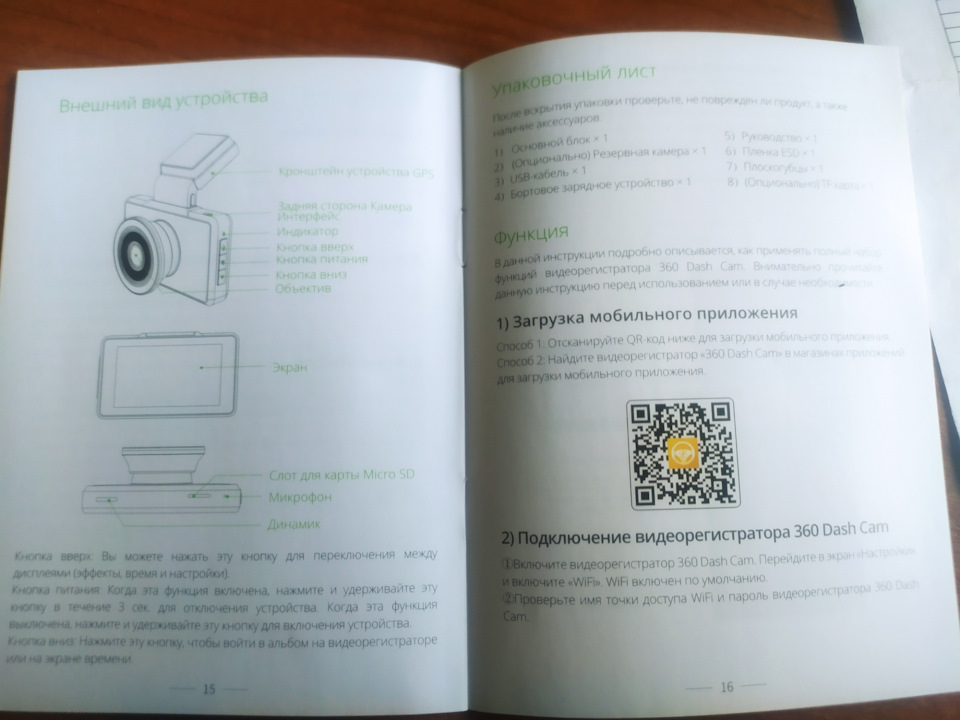
- Up button: You can press this button to sWitch between displays (impacts, time, and settings).
- Power button: When on, you can press and hold this button for 3s to shut down the device. When off, you can press and hold this button to power on the device.
- Down button: You can press this button to enter the album on the dash cam or time screen.
Packaging List
After opening the package, please check whether the product is intact and the
accessories are present.
- Main unit x 1
- (Optional) Backup camera x 1
- USB Cable x 1
- On-board charger x 1
- Manualx 1
- ESD film x 1
- Pliers x1
- (Optional) TF Card x 1
Function
This instruction introduces how to use the full range of functions prOvIded by
360 Dash Cam in detal. Please carefully read this instruction before use or
when you need assistance.
Download the mobile app
- Method 1:Scan the QR code below to download the mobile app.
- Method 2: Search “360 Dash Cam” in app stores to download the mobile app.
Connect 360 Dash Cam
- Power on 360 Dash Cam. Enter the “Settings” screen, and toggle on “WIF”. WIFI is enabled by default.
- Check the WiFi hotspot name and password of 360 Dash Cam.
For Android devices, perform as follows
- Open 360 Dash Carm app, tap “Dash Cam” to enter the “Add device” screen.
- Select the WiFi hotspot name of 360 Dash Cam from the WiFi list and establish the connection.
For iOS devices, perform as follows
- Choose “Settings”> “Wi-Fi”, toggle on Wi-Fi, and select the WiFi hotspot name of 360 Dash Cam.
- For example, 360CAR-XX, where XXX indicates the last 4 digits of the MAC address.
- Open 360 Dash Cam app, tap “Dash Cam” to enter the “Add device” screen.
- The system automatically detects the Wii connection status. After the Connection is successfully set up, the system displays the main screen.
- Note: For initial connection, you need to carry out a security check on the dash cam. Press the power button to complete the authorization. After the authorization is successful, the main Screen is displayed, on which you can view the videos, photos, and driving track.


Record driving videos
- With the main screen facing forward, gently press the power button on the left side of the device to power it on.
- After it is powered on, the system starts to record videos.
- During recording. you can gently press the button on the top of the left side of the device to switch among Video Record, Time, and Settings Screens.
- After the Wii connection is successfully set up, you can view the videos and photos recorded by the device in the mobile app.

Record emergency videos

- Upon detecting vehicle collision, the dash cam automatically records emergency videos.
- Note: Emergency videos and cyclic videos are saved in different folders.
- When the size of emergency videos reaches the upper limit of the TF memory card, the dash cam automatically deletes the earliest emergency videos to release space for new emergency videos.
- During recording the bottom of an emergency video shows the progress of the emergency video. By default, the video length is 1 min.
- The dash cam automatically stores and closes the emergency video if it is recorded for 1 min. You can view emergency records in the album.
Parking monitoring
- When the vehicle is stalled, the dash cam automatically enters the parking monitoring mode.
- When the vehicle encounters a collision, the dash cam automatically records a 1-minute emergency video and locks the video for protection.
- When the vehicle is energized again, the dash cam automatically starts up and enters the cyclic recording mode.
- It also prompts that there is a parking monitoring video and recommends you to check whether the vehicle is damaged.
Reversing video
This function requires a rear camera to be professionally installed on the
vehicle. When the vehicle reverses, the dash cam automatically displays the
back camera on the screen. Once you shift out of reverse, it automatically
stops displaying the rear view.
Driving track

- After a Wiki connection is set up, you can check the history driving track of the vehicle on the mobile app, including the average speed, start and end points, total distance, and driving time.
- You can view the emergency videos recorded during driving on the “Driving details” screen to rapidly identify the exceptions.
Explanation Of Contents Of Hazardous Substances

Note. Some electronic Components are marked “X In the table, (Such as ign
Voltage resistors, ceramic resIstors, and diodes). Their quantity of Pb may
exceed O.1% due to high-performance consideration. As the core in the screws
and in the data cable is made of high-quality alloy, Pb may also exceed
0.19%.All of these items Comply with the exemption conditions of the EU’s RoHS
directive, and no alternative technologies or components can be applied at
present.
- Operating temperature: -20-60 C
- Battery charging temperature: 10-45 C
- Operating frequency range: 2400-2483.5MHz
- Max. Rated Output Power: 16dBm +/- 4dBm
Declaration of Conformity
Hereby, [Shenzhen Qihoo Intelligent Technologies Co, Ltd.] declares that the
radio equipment type [designation of type of radio equipment, 360 Dash Cam
G500H] is in compliance with Directive 2014/53/EU. The full text of the EU
declaration of conformity is available at the following internet address:
https://smart.360.com
RF exposure statement
RF exposure information: The Maximum Permissible Exposure (MPE) level has been
calculated based on a distance of d=20 cm between the device and the human
body. To maintain compliance with RF expoSure requirement, use products that
maintains a 20cm distance between the device and human body. Caution risk of
explosion if battery is replaced by an incorrect type. Dispose of used
batteries according to the instructions. Due to the used endlosure material,
the GSM mobile phone shall only be connect ed to a USB Interface of version
2.0 or higher. The connection to so called power USB is prohibited.
Precautions and After-sales Service
After-sales service introduction and declaration
The 360 Dash Cam welcomes use. Please use the original accessories to avoid
any unforeseen damage to the product. If you falil to use the product in
accordance with the correct procedures or connect the product to incompatible
accessories, the warranty may be voided, and even you and other people’s
personal safety will be endangered. In this regard, 360 will not assume any
responsibility. 1. The warranty will be voided if you remove or modify the
housing of the product WIthout permission. 2. Since the product Is
continuously being improved, 360 reserves the rignt to amend this manual
Without prior notification. 3. The content of this manual is provided at the
time of product manufacturing EXcept as required by applicable laws, no
warranties of any kind, either express or implied, including but not limited
to, implicit or tacit approval for a particular purpose, are made in relation
tO tne accuracy, relabny, or content or tnis manual. 4. To the maximum extent
permitted by applicable lawS, 360 and the manufactur- er shall not be liable
for any special, incidental, consequential, or indirect losses under no
circumstances, regardless of the cause.
Service policies within the warranty period
- Within 24 months from the date of purchasing the 360 Dash Cam (subject to the actual product receiving date), if the product fails to perform and is not caused by external damage (see the “Product Performance Defect List for detalls), you can choose to be refunded at the full invoice price, or replace the product with the same 360 Dash Cam model and specifications, or repair the product for free, according to the inspection results provided by the 360 after-sales service center.
- Within 12 months from the date of purchasing the 360 Dash Cam, if the product accessories, such as the power cord tail to pertorm and is not caused by external damage (see the “Product Pertormance Defect List” for details), you can replace the accessories with the same brand, model, and specifications for free.
- Non-electronic accessories are not included within the three guarantee scope.
- If the product encounters any performance failures listed in “Product Performance Detect List”, please send the product to a 360 after-sales service center.
Product Performance Defect List

Charged maintenance policies of 360 recorder product
- For any of the following cases, the 360 Company or its authorized service centers will implement reasonable charged maintenance for those outside the scope of the warranty.
- No valild invoice is provided, or the warranty certificate does not match the product model, or the warranty certificate is altered.
- No warranty certificate or valid invoice. The warranty certificate is not in accordance with the model and marking of the product, or has been altered.
- Damage due to use, repair and maintenance by not following the requirements in the User Manual. Damage or malfunction due to personal removal, maintenance or modification of system software without the authoriza- tion of the 360 Company.”
- Collision, soaking, breaking or burning of the printed circuit board.
- Cracking or damage of the outer shell, LCD screen, antenna, etc. of the 360 recorder during use, excluding that due to structural or material factors.
- Damage due to force majeure.
Contact Us
- Website: https://smart.360.com
- Email: zh-service@360.cn
- Facebook: @ 360smartlife.
Warranty Card

Repair Record

FCC Statement
This device complies with Part 15 of the FCC Rules. Operation is subject to
the following two conditions
- The device may not cause harmful interference
- This device must accept any interference received, including interference that may cause undesired operation.
Note: The grantee is not responsible for any changes or modifications not
expressed or approved by the party responsible for compliance. Such
modifications could void the user’s authority to operate the equipment. NOTE:
Ihis equipment has been tested and found to comply with the limits for a Class
B digital device, pursuant to part 15 of the FCC Rules. These limits are
designed to provide reasonable protection against harmful interference in a
residential installation. This equipment generates uses and can radiate radio
frequency energy and, if not installed and used in accordance with the
instructions, may cause harmful interference to radio communications. However,
there is no guarantee that interference will not occur in a particular
installation. f this equipment does cause harmful interference to radio or
television reception, which can be determined by turning the equipment off and
on, the user is encouraged to try to correct the interference by one or more
of the following measures:
- Reorient or relocate the receiving antenna.
- Increase the separation between the equipment and receiver
- Connect the equipment into an outlet on a circuit different from that to which the receiver iS is Connected.
- Consult the dealer or an experienced radio/TV technician for help
RF Exposure Statement
This equipment complies with FCC radiation exposure limits set forth for an
uncontrolled environment. This equipment should be installed and operated with
a minimum distance of 20 cm between the radiator and your body.
Read User Manual Online (PDF format)
Read User Manual Online (PDF format) >>
Download This Manual (PDF format)
Download this manual >>
Нет мой прошитый китаец под каркам работает без проблем, но он отправился во 2й автомобиль, а на туссане чаще гоняет жена поэтому туда было решено взять регистратор новый. Хотел хаоми, но бабла нет особо смотрел что-то в р-не 4т.р., хотелось 2е камеры, GPS, и wi fi, но хотя бы хорошие камеры меня устроило бы, так что GPS и wi fi это не принципиально и снова Али экспресс и смотрим, акции и т.п. описание, отзывы, вот наткнулся на этот 360 для меня ноунейм, для кого-то нет.
Тут знакомый купил себе такой, посмотрел значит я на него интересно. Ну и заказал за 3990 к хорошей ( относительно) камере + задняя, + GPS + wi fi. Огонь, вот и взял себе.
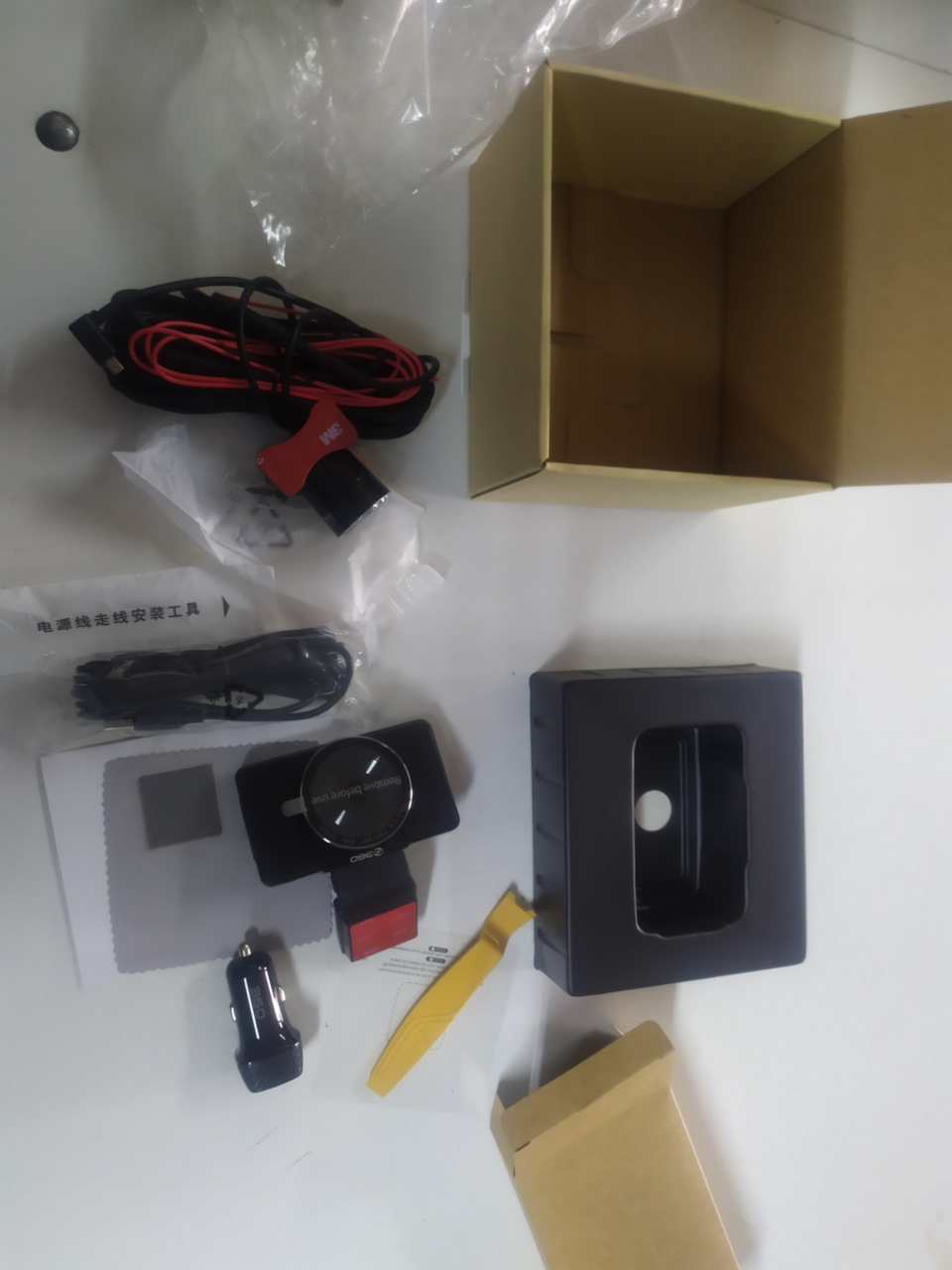
Пришло быстро в огромной коробке, открыл, а там ещё одна уже самого регика, комплект сам аппарат, провод для подключения, камера заднего вида, короче всё на фото. Самое главное инструкция на русском, вот это китайцы молодцы.
Установил, мой переходник не подошëл ( пришлось прятать провод подключения в р-не плафона, т.к. провода от преда выведены давно + и -, подключился к ним), но брал переходник и при тряски он отходит, по итогу в последствии пришлось переделать, во-первых что сразу не понравилось наверху под потолком большой свёрток проводов и прикуриватель не по кайфу. Хотел подключить к предам, но не нашёл переходник, точнее подходящий под наши преды у нас, мини на будущее. По итогу провод наверху оставил + и -, мало ли, не долгоиграющие эти регистраторы. Штатный провод регика протащил по стойке, по потолку и в р-не зеркала з.в. вывел к регистратору, подключение произвёл всё за бардачком ибо не надо будет лесть под потолок, всё намного ближе. Далее протащил провод камеры задней, камеру оставил в салоне, установил на корпус задней птф . Там есть возможность подключить к фонарю з.х. и пользоваться как экран для движения задним ходом, но есть магнитола и камера там давно стоит, а эта хрень не для этого. Вобщем провода вполне достаточно, у меня понятно пришлось прятать скрутку проводов под обшивкой, а так можно и на улицу вывести.
Что по самому аппарату, снимает хорошо что спереди что сзади, ( сзади разрешение камеры меньше, поэтому заметно, что качество чуть хуже) да старая карта памяти была ноунейм, но написано на ней было типо 10, регик сказал выкинь её и ищи новую, взял с телефона на 32 г сандиск, и всё заработало, на данный момент поменял на 132г самсунг, памяти всё же надо больше для хранения информации.
Скачал приложение, подключился к регику через прогу и он обновился . Регик можно настроить и через приложение.
Проверил как пишет, сохраняет записи в разных папках что сзади, что спереди, есть так же 2 папки с экстренными записями ( притдтп или парковке) 1я папка экстренные записи с передней камеры, 2я с задней. Качество в полярный день хорошее с обоих сторон, угол обзора достаточный, задняя камера даже с тонировкой отлично всё видно, как днëм))) Наступила зима и ночь, так вот в принципе, в городе снимает хорошо при фонарях и задняя и передняя камера, без освещения тоже хорошо, с задней конечно заметнее сразу качество ночью страдает.
Видео передняя камера, город при фонорях :
Видео задняя камера, город при фонорях :
Видео ночь без освещения просто фары передняя камера :
Видео ночь без освещения задняя камера тут фары сзади не светят конечно :
Что не понравилось это бонусы;
wi fi отваливается и подключается не с первого раза, да вообще не мог подключится, просто забыл включить GPS, причём он здесь не понял, но пока не включил к регику не мог подсоединиться.
2й пока минус это GPS скорость не показывает, с этим пока не разобрался, возможно будет обновление и что-то изменится, а так не понятный бонус без эффекта… В этом моменте так и не разобрался, но по отзывам парни говорят работает, если подключать к телефону через приложуху, но по мне дроч…
Утром авто не запустилось с автозапуска, редко но бывает, пришлось самому с ключика и тут регик женским голосом сохранилась запись инцидента посмотрите, посмотрел, а это автозапуск, и так каждый раз происходит.
Ждём зимы чтобы посмотреть как оно будет зимой.
Пока нравится посмотрим после с программой на компе и может там скорость отобразится.


Запчасти на фото: CAM15


Запчасти на фото: 420215, 420255
