
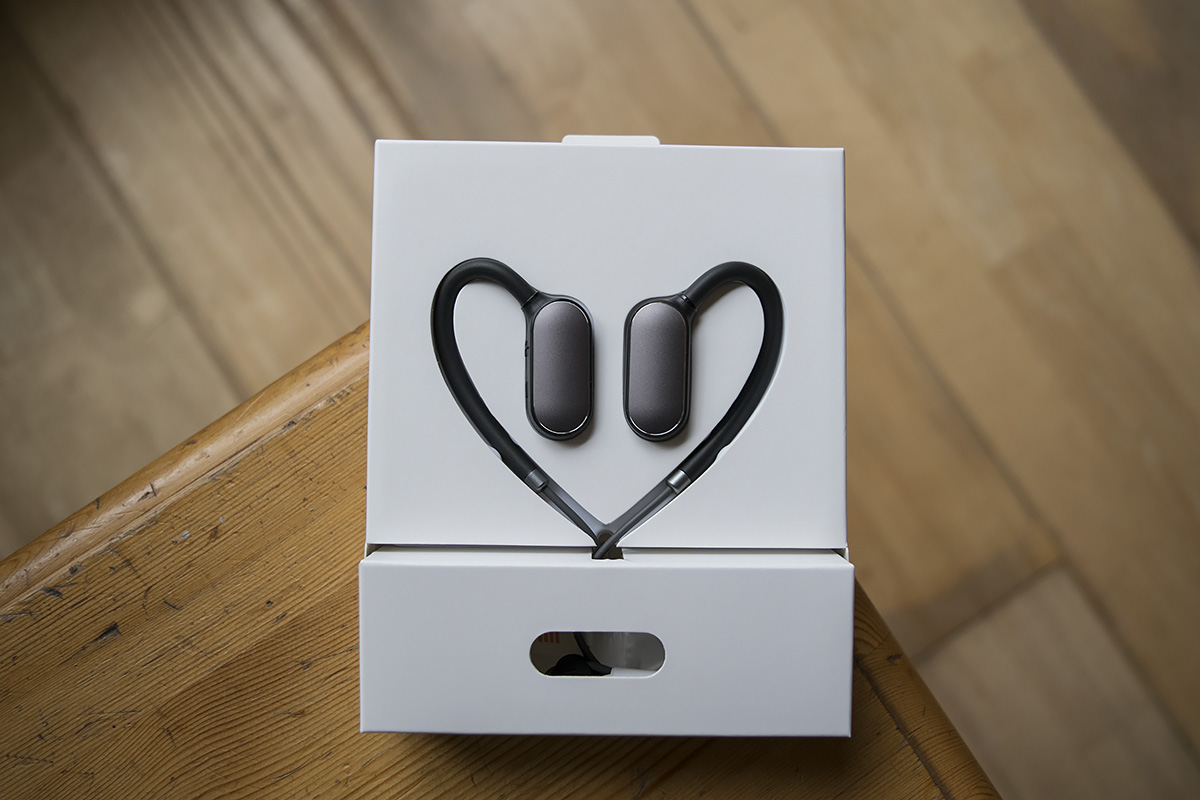
Если у вас нет инструкции на русском языке к блютуз-наушникам Xiaomi Mi Sports, эта статья поможет вам быстро подключить их к одному или двум устройствам, разобраться с зарядкой, научиться управлять звонками, музыкой и решить возможные проблемы с подключением и проигрыванием.
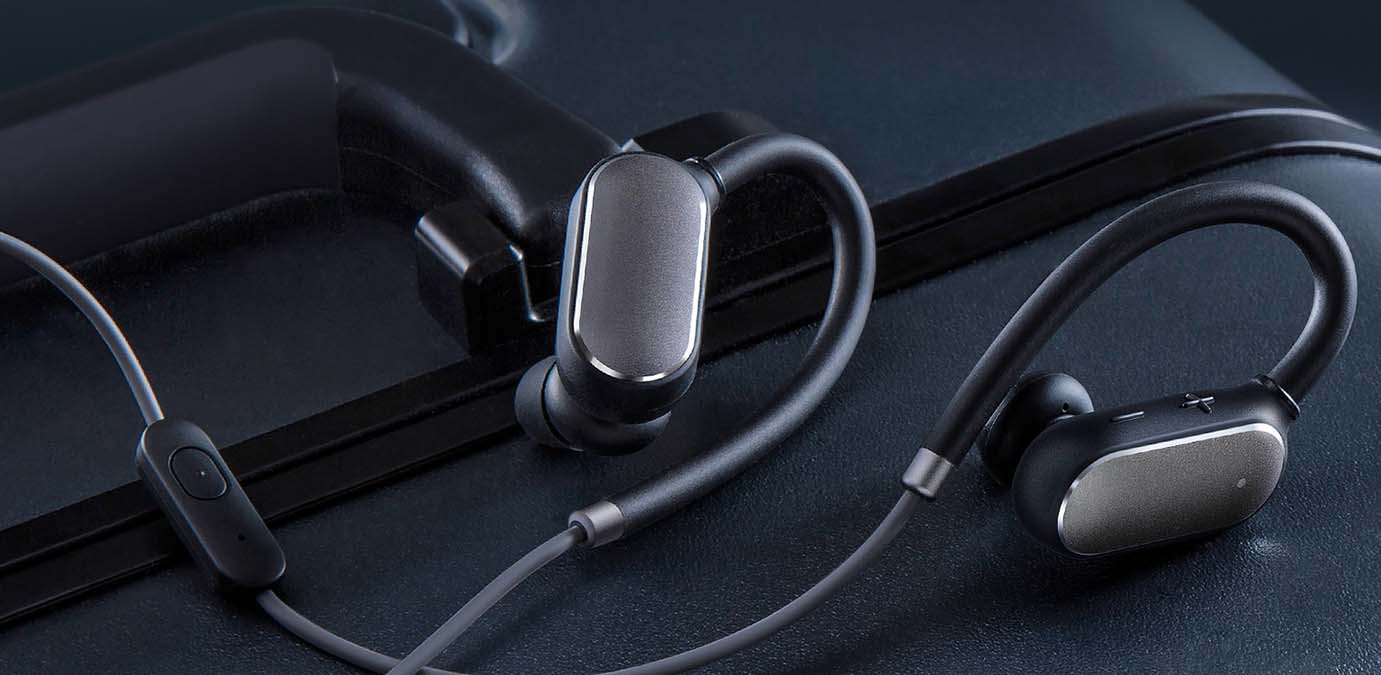
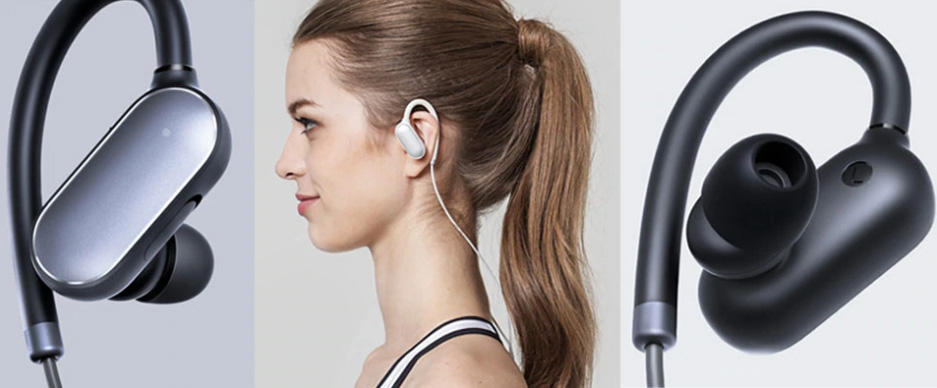
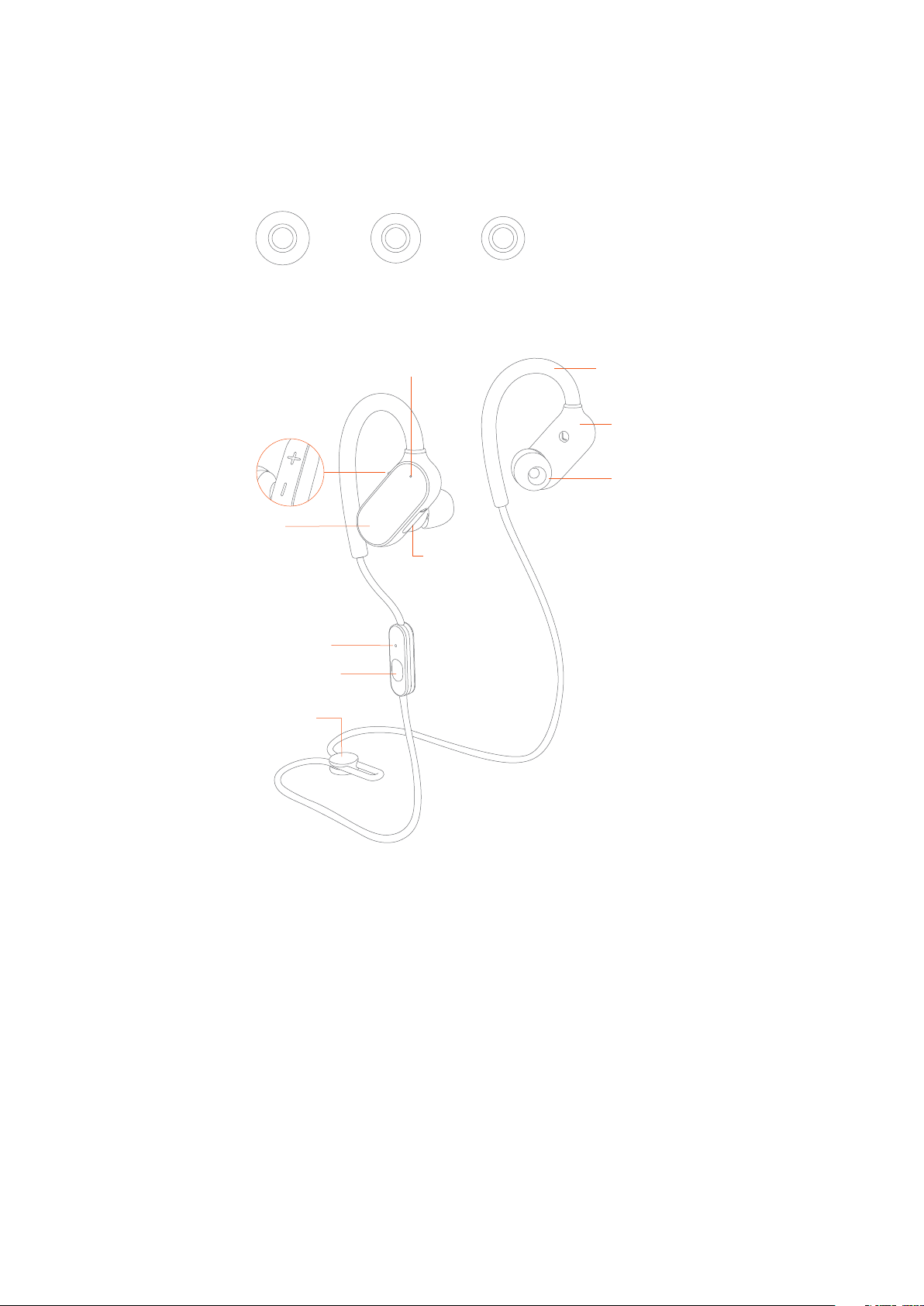
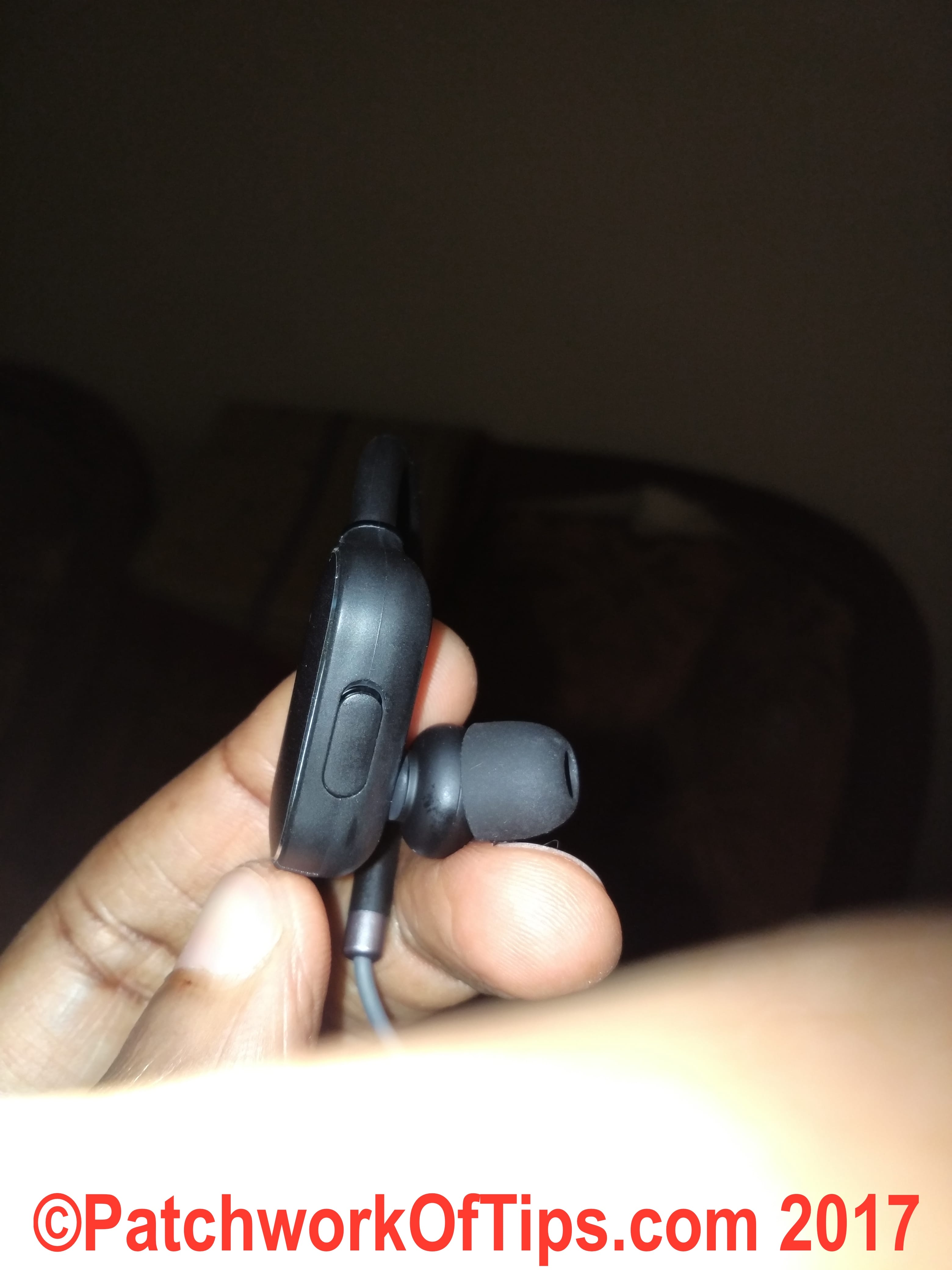
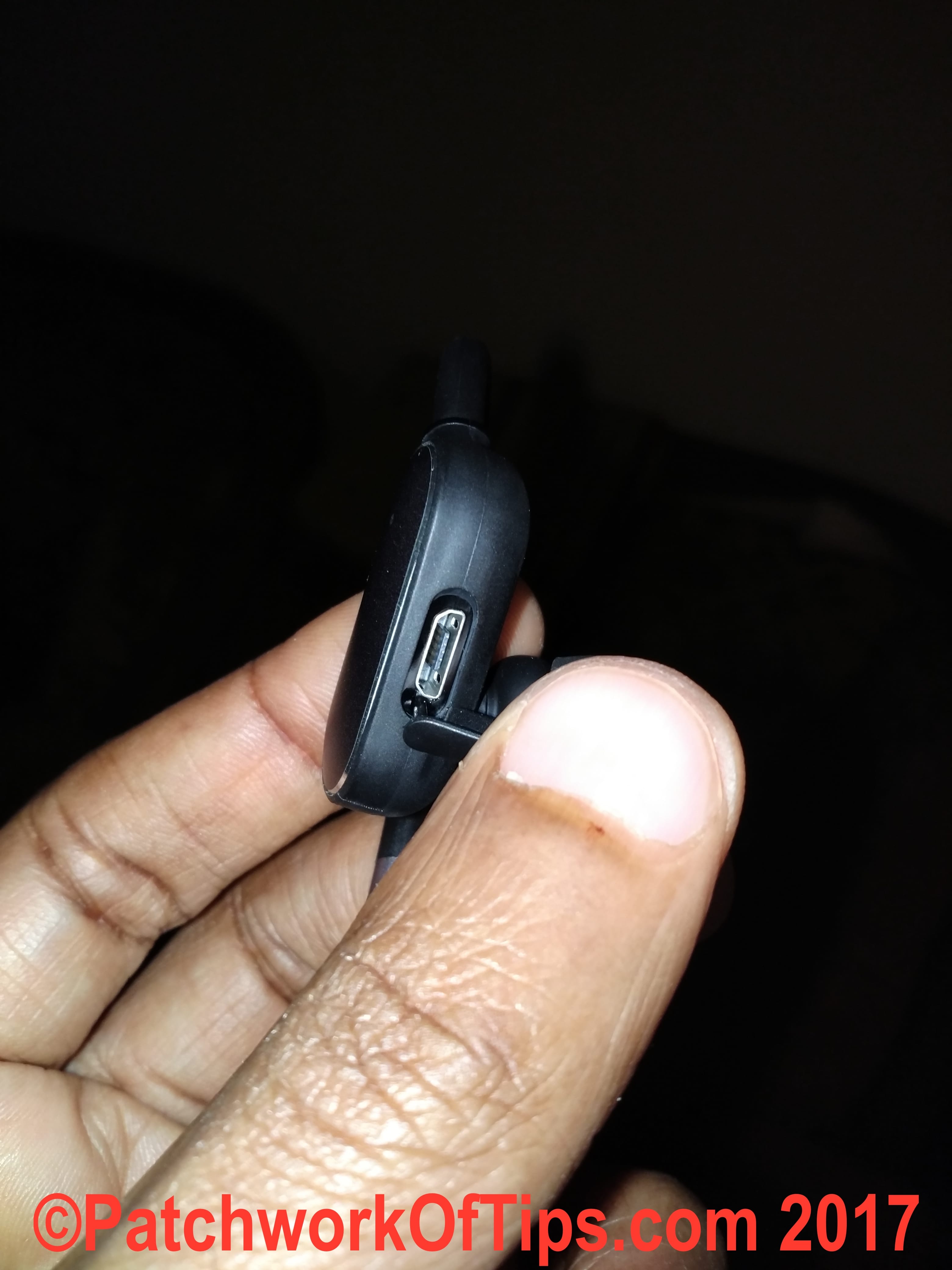
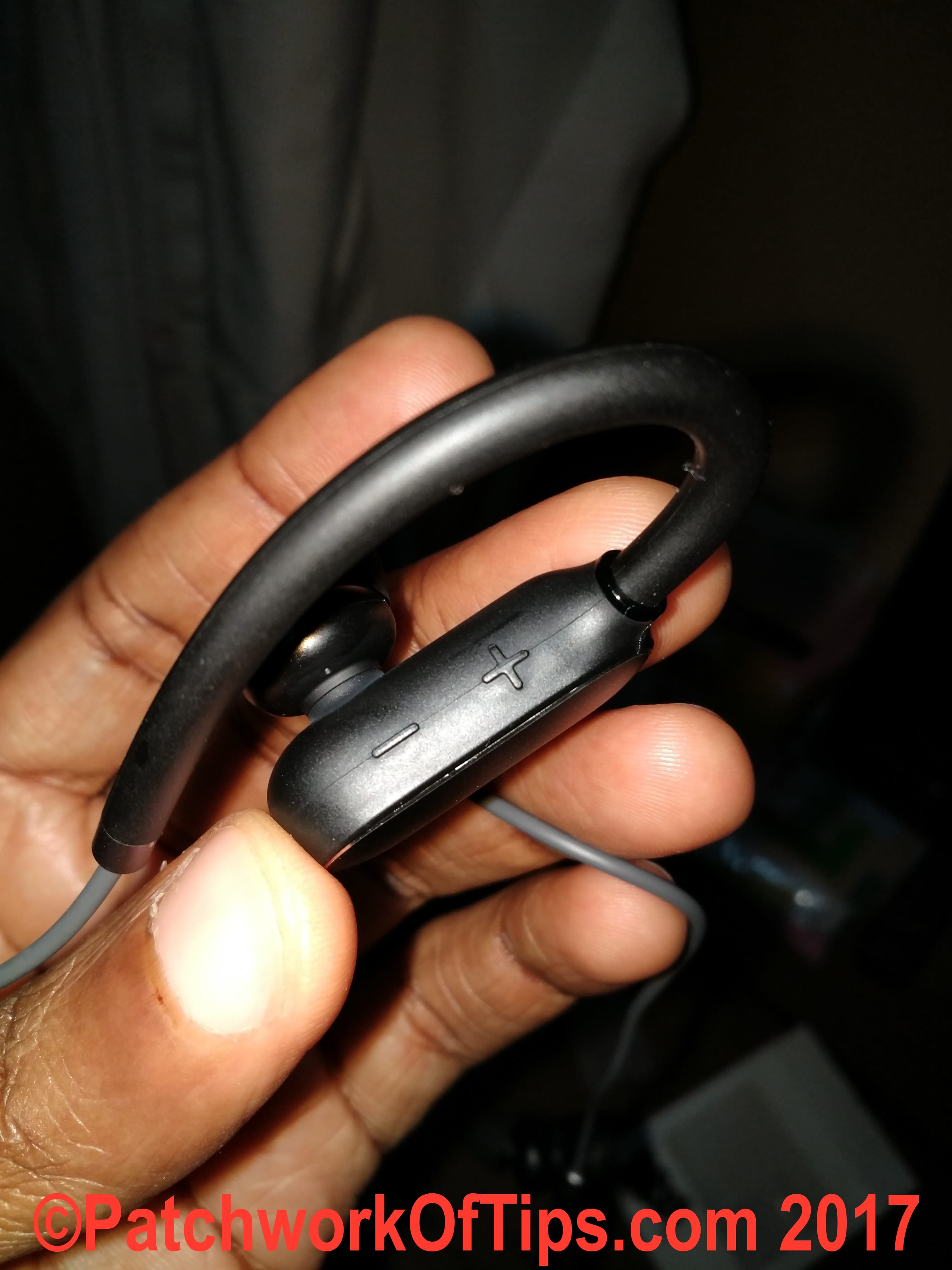
Рассматриваемые наушники предназначены в первую очередь для спортсменов, поэтому имеют гибкие крепления для надевания на уши. На правом наушнике (обозначен буквой R) с одного торца есть кнопки со значками «+» и «-», с другого торца — зарядный порт, закрытый резиновой вставкой. Кнопки служат для регулировки громкости и переключения треков. На наушнике есть небольшой индикатор, который приобретает красный или белый цвет в зависимости от уровня зарядки (подробнее далее).
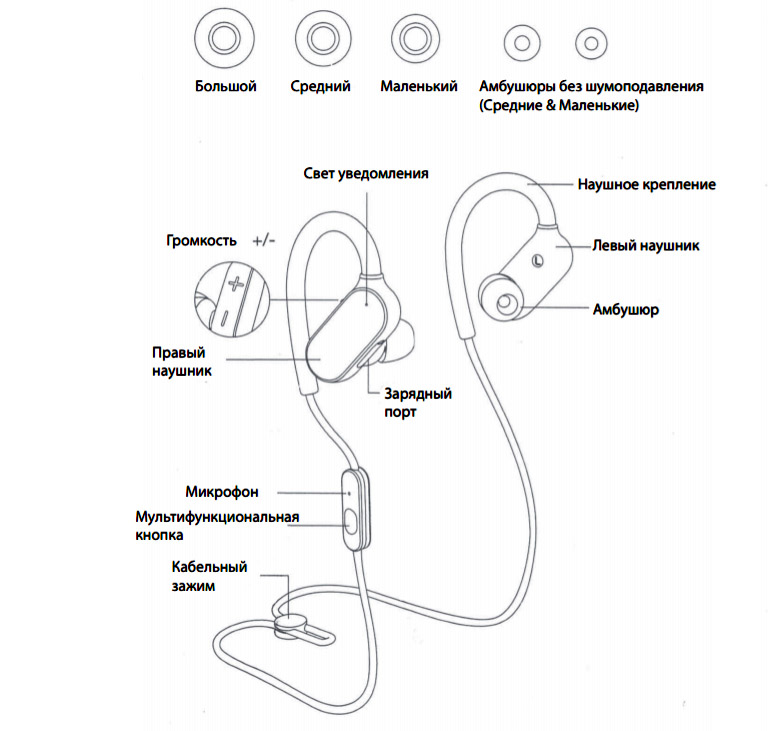
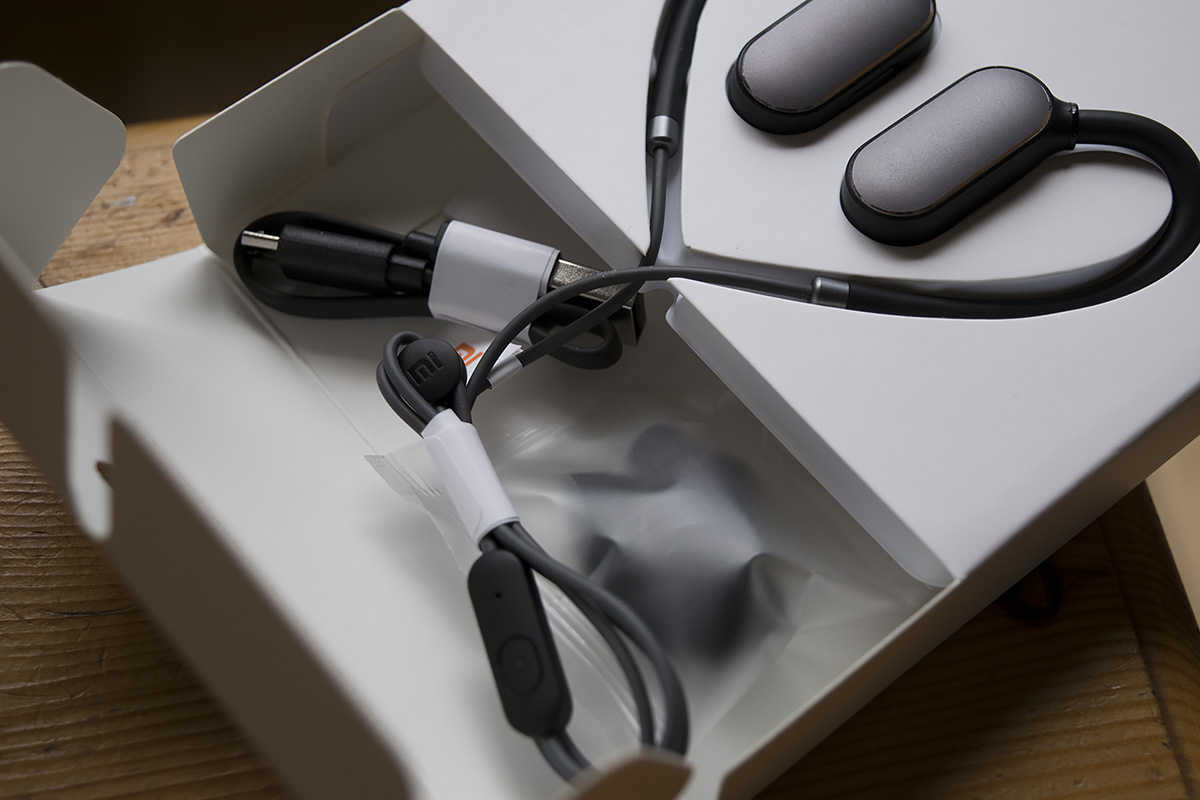
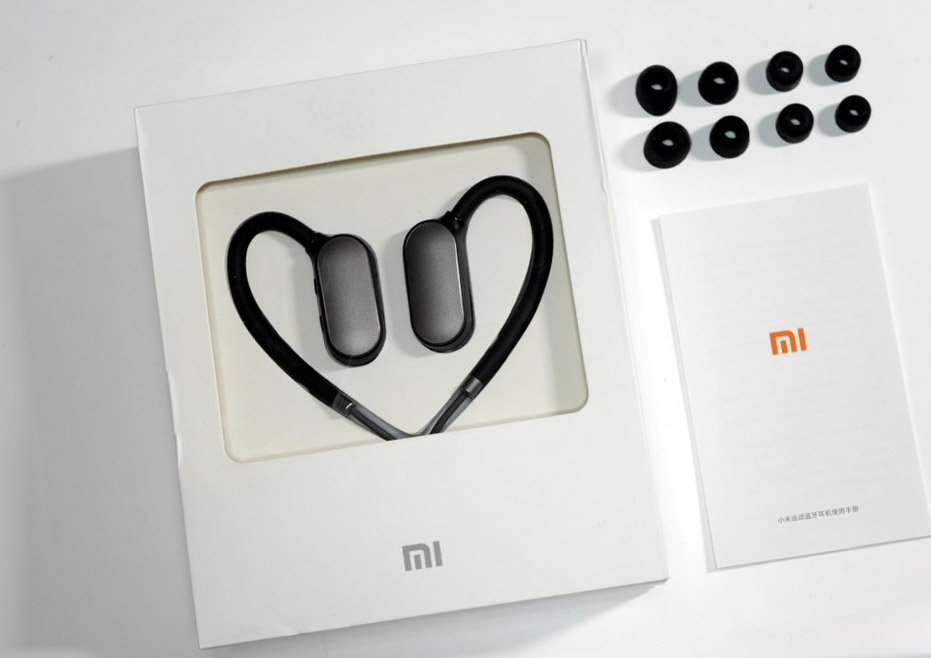
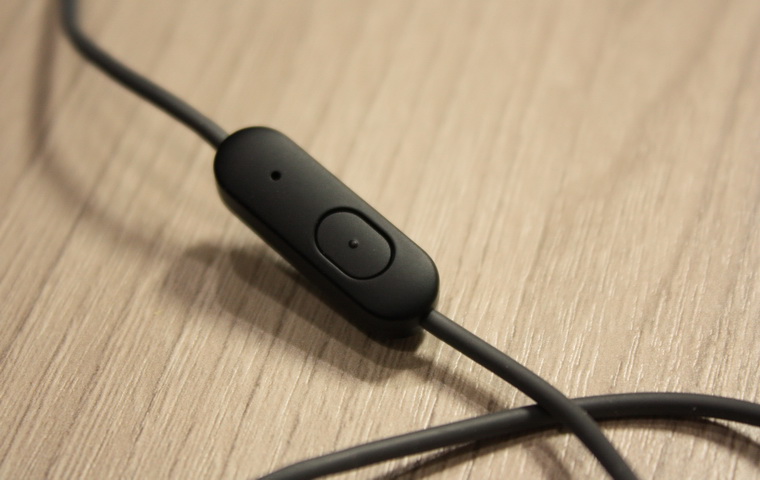
Наушники соединены между собой кабелем, длина которого регулируется кабельным зажимом на его конце. Также на кабеле присутствует миниатюрный пульт с многофункциональной кнопкой и микрофоном. Эта кнопка отвечает за включение/выключение, принятие/отклонение вызова и приостановку/возобновление проигрывания. Далее мы также будем называть ее кнопкой пульта. Помимо самих наушников в комплект входят пять пар амбушюр, зарядный кабель и инструкция.
Включение и выключение наушников Mi Sports
Для включения гарнитуры нажмите кнопку пульта и удерживайте, пока светодиод не загорится белым. В случае первого подключения наушники ожидают подключения к устройству. Если они уже были подключены к телефону, планшету или другому девайсу, то при включении автоматически подключатся к нему (при подключении на девайсе модуля Bluetooth и нахождении наушников в зоне его действия). Если после включения наушники долгое время находятся вне связи с подключенным устройством, то они переходят в режим ожидания.
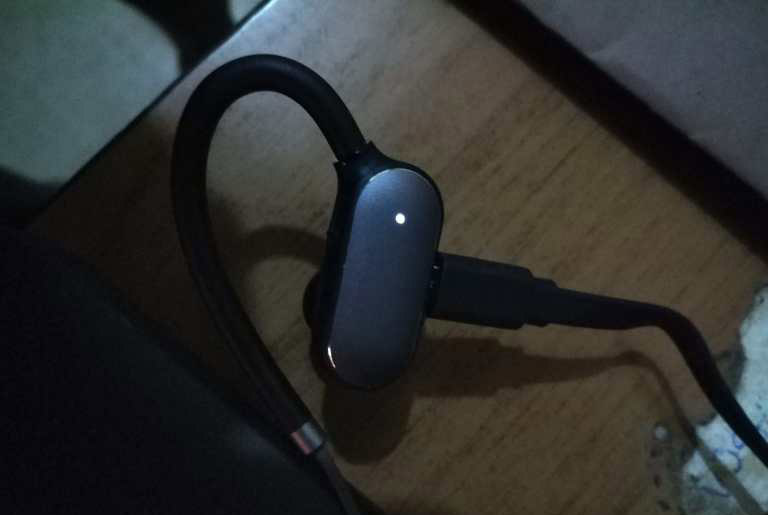
Для выключения гарнитуры нажмите кнопку пульта и удерживайте, пока светодиод не загорится красным и не погаснет.
Инструкция по зарядке Mi Sports Bluetooth
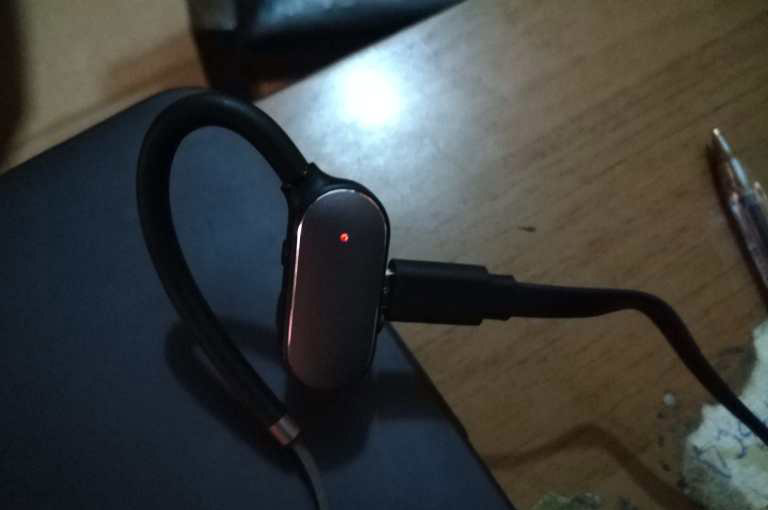
Примерно за полчаса до полного разряда на наушнике загорится красный индикатор и начнет мигать. Одновременно с этим вы услышите голосовое уведомление о низком уровне заряда. Женский голос будет периодически предупреждать вас о том, что пора зарядить наушники. Голосовыми командами сопровождаются и другие события в наушниках: если вы покидаете десятиметровую зону действия Bluetooth, при входящих звонках и в других случаях.
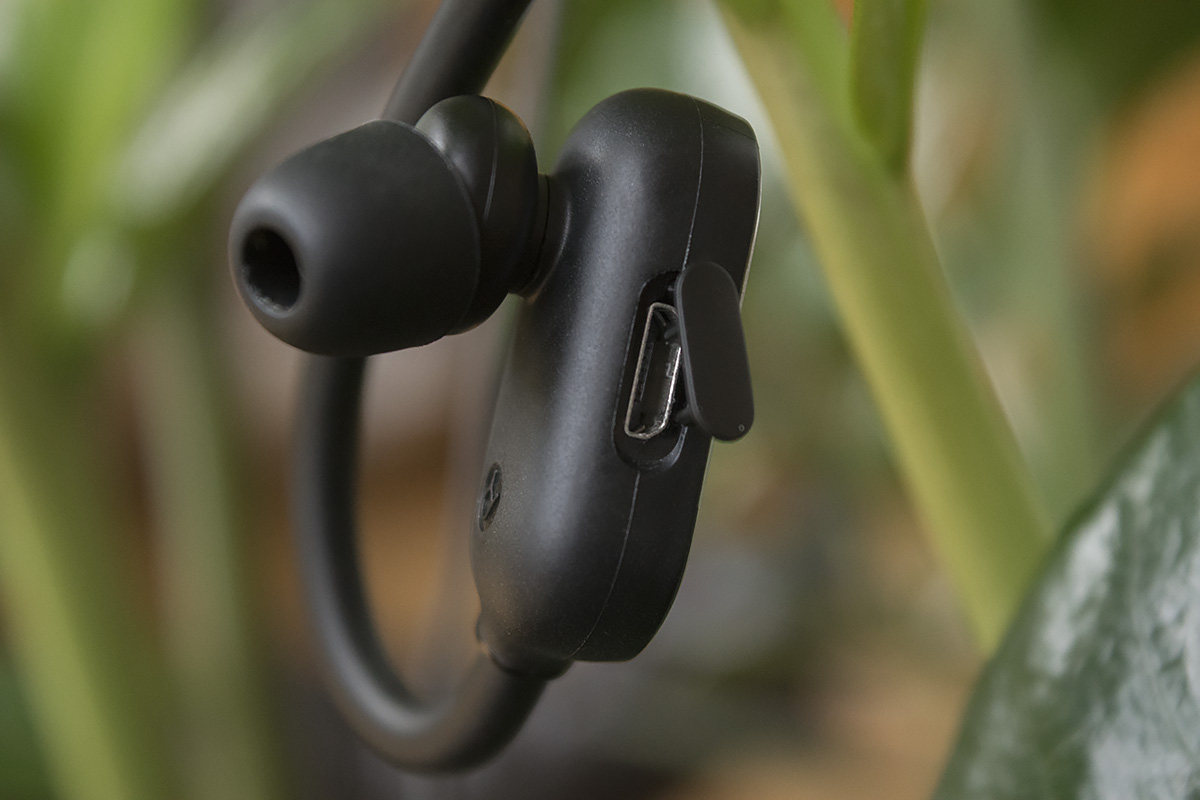
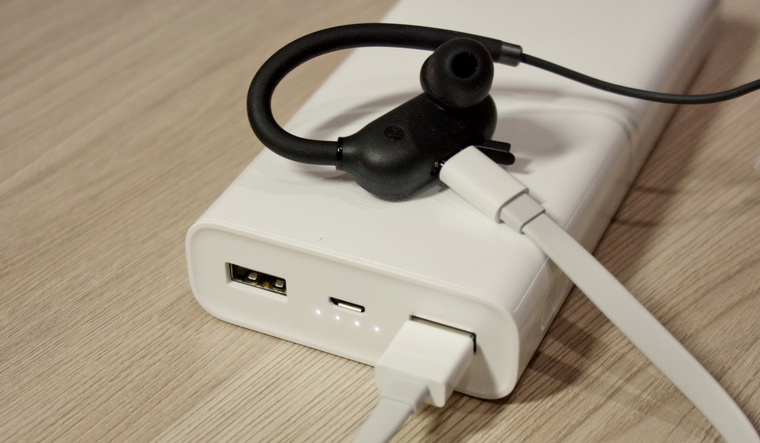
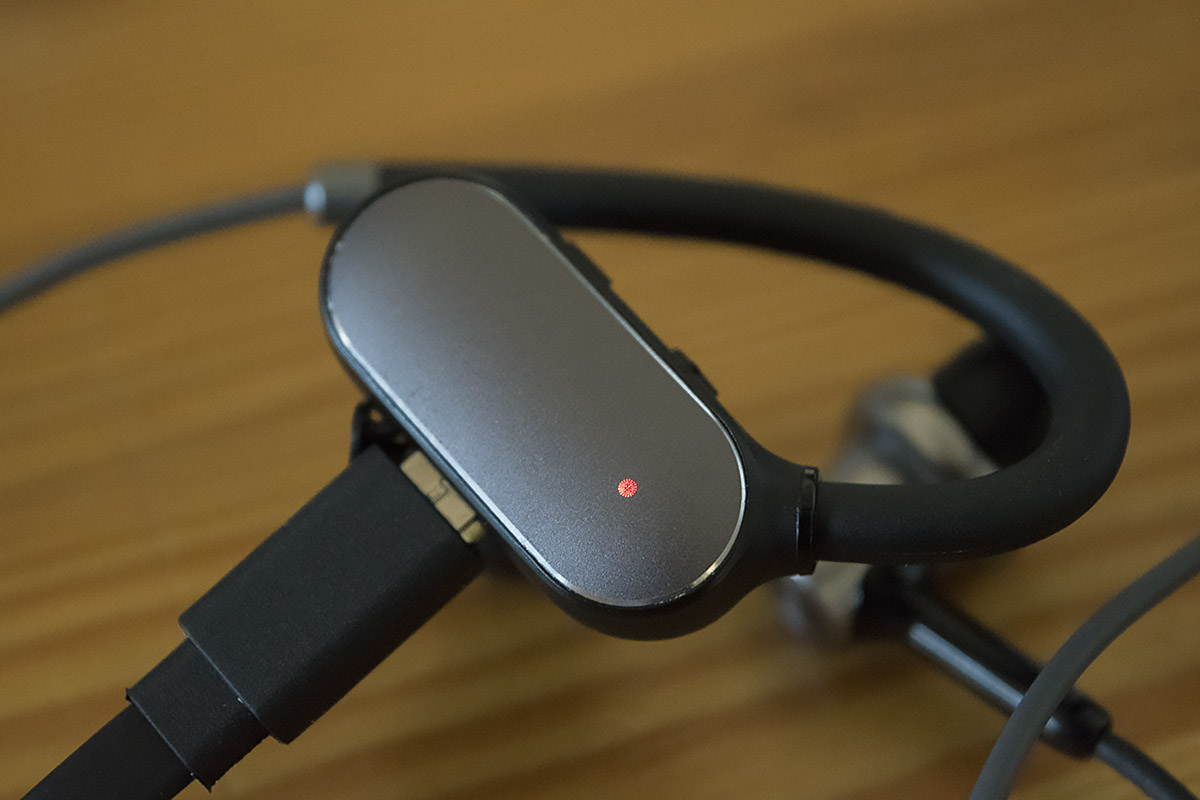
Для постановки на зарядку отодвиньте резиновую вставку на правом наушнике и поместите в зарядный micro-USB-порт один конец идущего в комплекте провода. Второй конец провода вставьте в USB-разъем источника зарядки (компьютера, подходящего пауэрбанка и т. д.). Когда гаджет зарядится, индикатор загорится белым светом. На самой гарнитуре уровень заряда посмотреть нельзя, но некоторые телефоны показывают его в статусной строке. Если на вашем телефоне этого нет, вы можете воспользоваться приложениями, которые показывают заряд гарнитур, например BatON. Перед первым использованием блютуз-гарнитуры обязательно зарядите ее и заряжайте устройство всегда, когда не пользовались им более двух недель. Для зарядки наушников используйте только сертифицированные зарядные устройства.
Как подключить Xiaomi Mi Sports Bluetooth к телефону
Для подключения блютуз-наушников к телефону включите на нем модуль Bluetooth через меню Настройки > Bluetooth или в выдвигаемой шторке уведомлений. Зажмите многофункциональную кнопку на проводе до тех пор, пока не загорится белый индикатор и не начнется его мигание. В списке подключенных устройств телефона вы увидите иконку гарнитуры с названием наушников на английском или китайском языке. Нажмите на нее и подключитесь, дав необходимые разрешения. При успешном подключении светодиод будет периодически мигать белым светом.
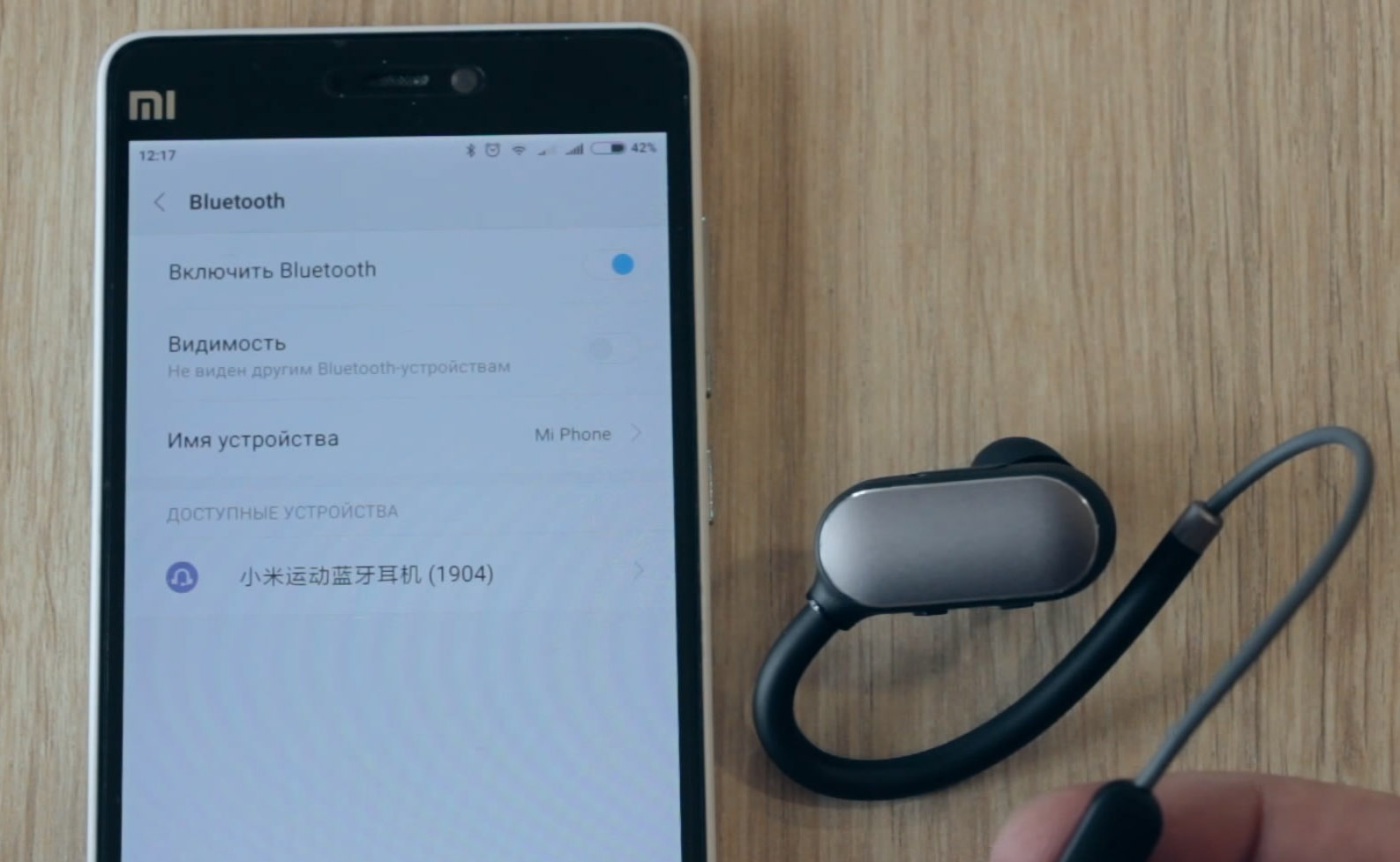
Если вы хотите отключить гарнитуру от телефона, все в тех же настройках Bluetooth кликните по названию подключенных наушников или стрелке в строке с их названием. Подтвердите отключение. Там же можно и переименовать замысловатые иероглифы на любое другое название.
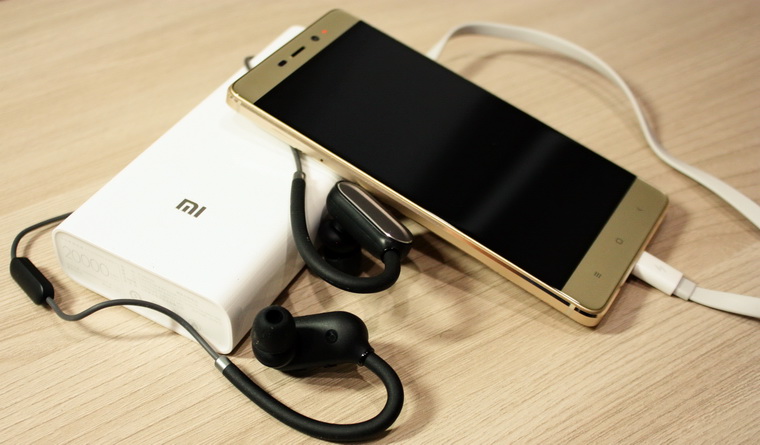
Как подключить наушники Mi Sports к другим устройствам
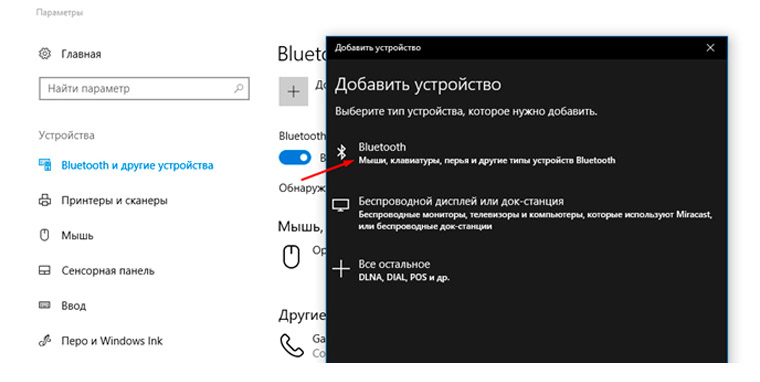
Беспроводные наушники Xiaomi Mi Sports Bluetooth можно подключать не только к телефону, но и к другим устройствам, например к ноутбуку или планшету с модулем Bluetooth. Принцип подключения такой же: запустить поиск по Bluetooth на ноутбуке или планшете и зажать функциональную кнопку на наушниках. Если устройство не имеет модуля по настройке Bluetooth, то подключение произойдет автоматически при нахождении наушников в радиусе действия этого устройства.
Как подключить наушники Mi Sports к двум устройствам
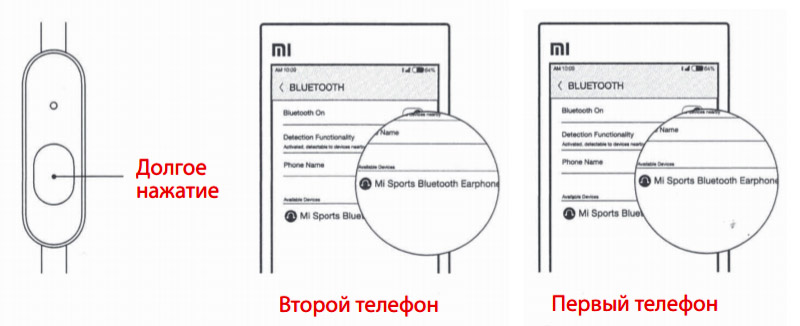
Вначале подключите наушники к первому телефону так, как описано выше. После этого выключите их долгим нажатием на многофункциональную кнопку. Подготовьте второй телефон, включив на нем Bluetooth. Вновь зажмите многофункциональную кнопку до тех пор, пока не загорится и не начнет мигать белый индикатор. Найдите название наушников на втором телефоне и подключитесь к наушникам. После подключения ко второму телефону подтвердите подключение на первом телефоне. Теперь вы можете пользоваться наушниками на двух телефонах. То же касается подключения к двум другим устройствам. Имейте в виду, что у этого способа подключения есть один минус: если вы с одним из подключенных устройств далеко отойдете от второго, будете слышать предупреждение о потере связи с другим устройством. Отключить его можно выключением наушников и повторным включением.
Как использовать наушники
Подбор и регулировка
В комплекте с гарнитурой идет несколько пар амбушюр. Не поленитесь подобрать насадки для себя, чтобы в дальнейшем они не выпадали из ушей, не вызывали дискомфорта и обеспечивали плотное прилегание для полноценного звучания. Начните с амбушюр среднего размера, поскольку именно они подходят для большинства людей.
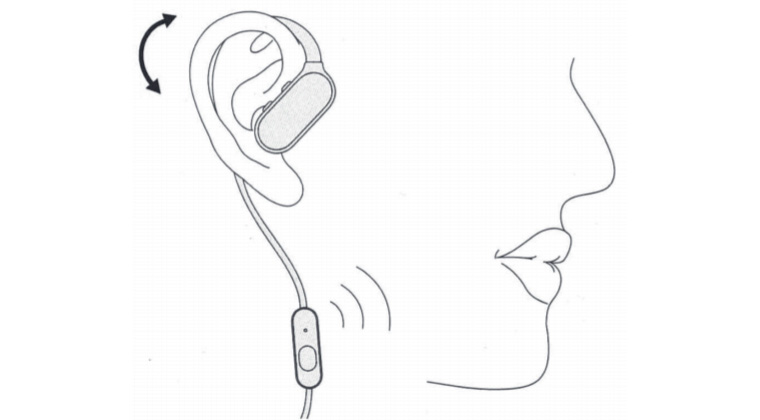
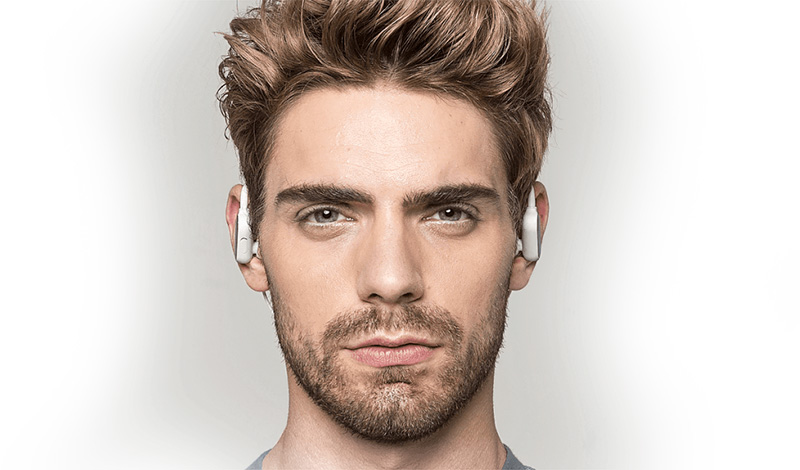
При пользовании гарнитурой наденьте ее гибкие крепления на уши, вставьте наушники в ушные каналы и поверните их так, чтобы наушники не вы выпадали из ушей и не причиняли вам дискомфорта.

Управление звонками
Во время разговора располагайте микрофон ближе ко рту, чтобы собеседник четко слышал вашу речь. Например, если вы в толстой куртке, расположите провод с микрофоном поверх нее. Для принятия вызова нажмите многофункциональную кнопку (кнопку пульта) один раз, когда индикатор загорится белым и станет мигать. Для отклонения вызова нажмите и удерживайте кнопку пульта, когда индикатор загорится белым и станет мигать.
Если вы хотите отключить звук, то во время беседы по телефону дважды нажмите кнопку пульта. Для повторного вызова последнего исходящего номера дважды нажмите кнопку пульта в режиме ожидания. Но с разными операторами эта функция может работать по-разному. Если при приеме входящего звонка вы хотите переключить звук с наушников на подключенное устройство (например, телефон), то нажмите и удерживайте в течение одной секунды кнопку пульта.
Если во время разговора вам позвонил кто-то еще, одинарным нажатием многофункциональной кнопки вы примите второй звонок, двойным нажатием поставите первый разговор на паузу и переключитесь на второй. То же самое происходит, если вам позвонили на второй подключенный телефон, когда вы говорите по первому. Двойным нажатием кнопки вы можете переходить от одного разговора к другому.
Управление музыкой
Для изменения громкости коротко нажимайте значки «+» и «-» на наушнике. Для смены трека используйте долгое нажатие этих же кнопок.
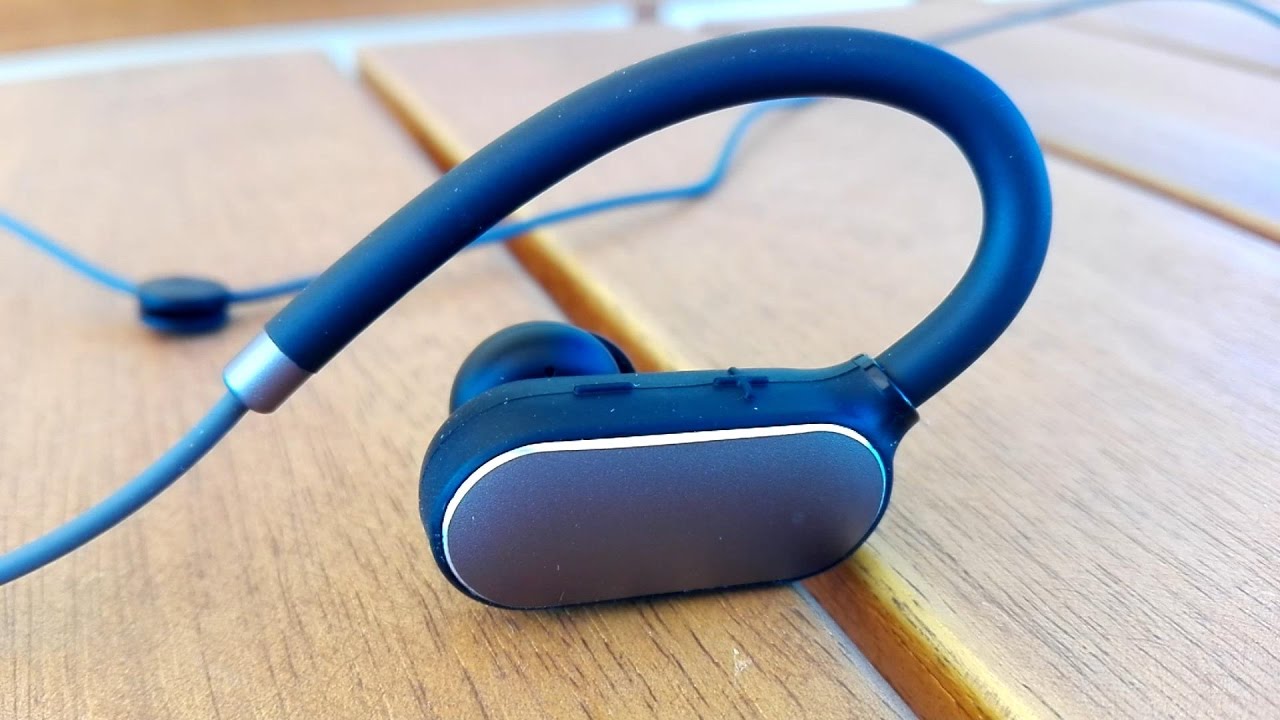
Для приостановки или возобновления проигрывания трека нажмите один раз кнопку пульта.
Вызов голосового помощника
Если вы хотите дать команду голосовому ассистенту (например, Siri), в режиме прослушивания трека или ожидания нажмите и удерживайте 2 секунды кнопку пульта.

Если Mi Sports не подключаются или тихо играют
Если наушники не хотят подключаться описанным выше способом, сделайте сброс к заводским настройкам. Для этого поставьте наушники на зарядку и в ее ходе нажмите и удерживайте кнопку пульта до тех пор, пока индикатор не станет мигать белым и красным. При подключении к другим устройствам вначале отвяжите гарнитуру от уже подключенных устройств через меню Bluetooth. Затем выключите наушники долгим нажатием, затем нажмите и удерживайте эту же кнопку, пока индикатор не начнет мигать. После этого можно сопрягать гарнитуру с новым устройством.
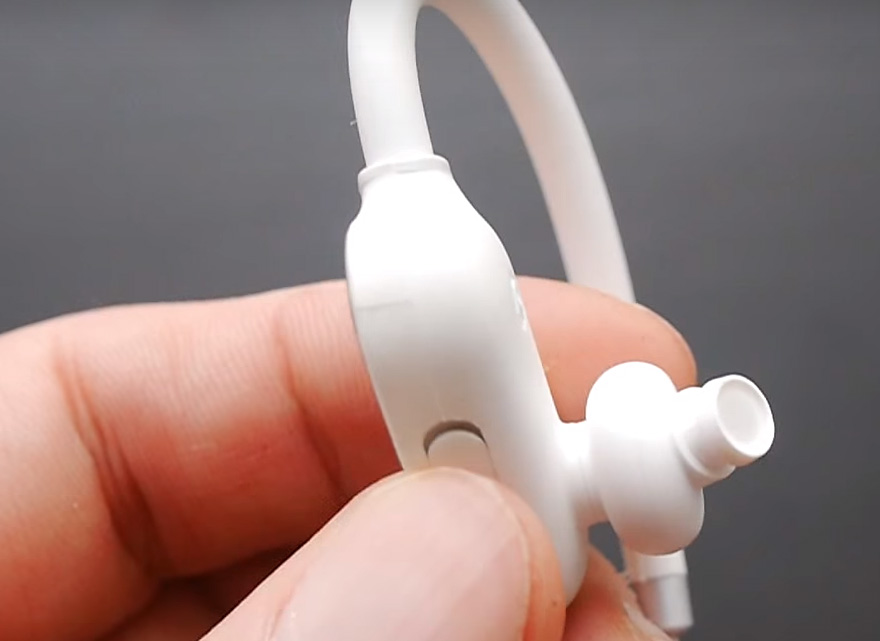
Если один из наушников стал играть тише, он мог забиться грязью, жиром или ушной серой. Для его чистки снимите амбушюру, аккуратно под ней снимите иголкой или пинцетом защитную сетку и прочистите ее спиртом. Это делается так: положите сетку в маленькую емкость со спиртом, через 2-3 минуты достаньте ее и аккуратно протрите салфеткой от грязи и спирта. Если не можете снять сетку, тогда опустите часть наушника с сеткой в маленькую емкость спирта. Используйте наушник через пару часов после чистки. Сами амбушюры можно снять и очистить от грязи мыльным раствором, промыть водой и высушить.
Из-за небольшого числа кнопок и простоты подключения управлять беспроводными наушниками Xiaomi Mi Sports Bluetooth не трудно. Поэтому остается только запомнить расположение кнопок и немного потренироваться на разных устройствах.

Mi Sports Bluetooth Earphones
User Manual
Getting started
a Select and install ear tips
Large Medium Small
Volume +/-
Right
earphone
Microphone
Multifunction
button
Cable clip
Notication light
Charging
port
Earhook
Left
earphone
Ear tip
Medium ear tips suit most people, try them before you decide to switch to a different size.
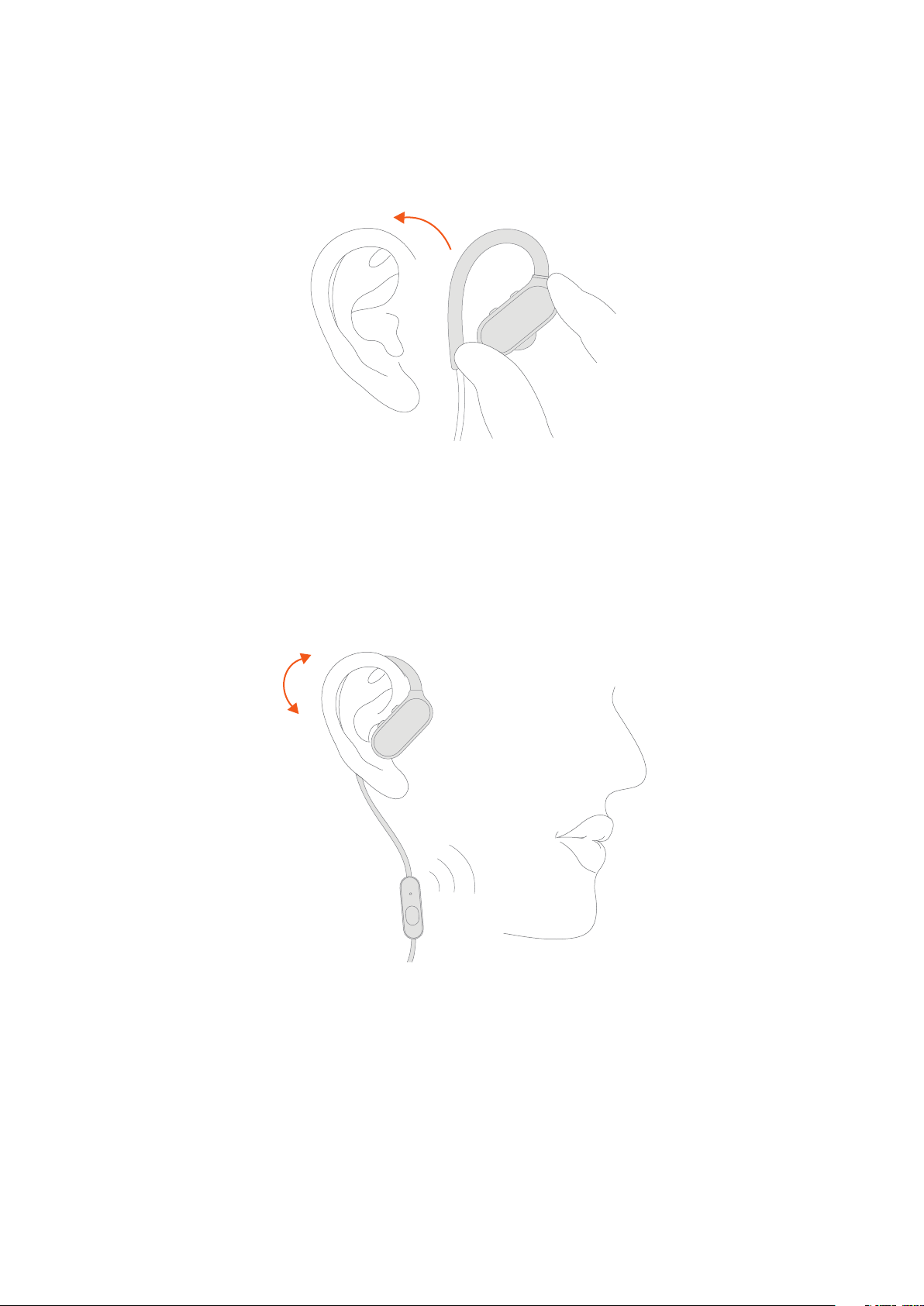
b Find your t
Put the earhook over the back of your ear and insert the earphone into the ear canal. Adjust by
twisting into position if the t isn’t right.
Move the microphone closer to your mouth for better sound during phone conversations.
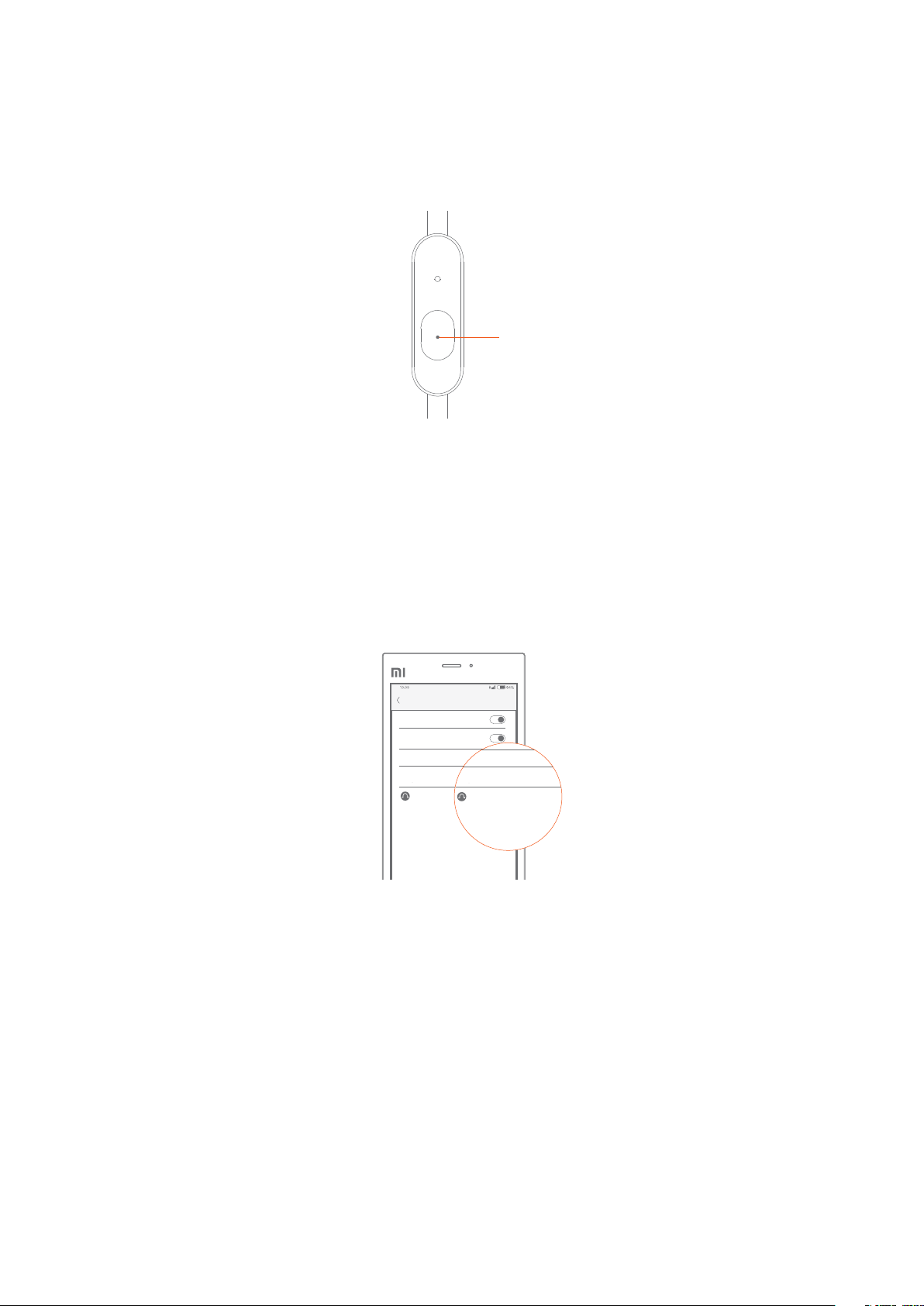
c Pair with the phone
BLUETOOTH
Bluetooth On
Detection Functionality
Activated, detectable to devices nearby
Phone Name
Available Devices
AM
Mi Sports Bluetooth Earphones
Press and hold
The earphones are ready to be paired when you use them for the rst time. To pair again, press
and hold the button until the light turns white and starts blinking.
AM
BLUETOOTH
Bluetooth On
Detection Functionality
Activated, detectable to devices nearby
Phone Name
Available Devices
Mi Sports Bluetooth Earphones
Find «Mi Sports Bluetooth Earphones» among the devices on your phone and connect.
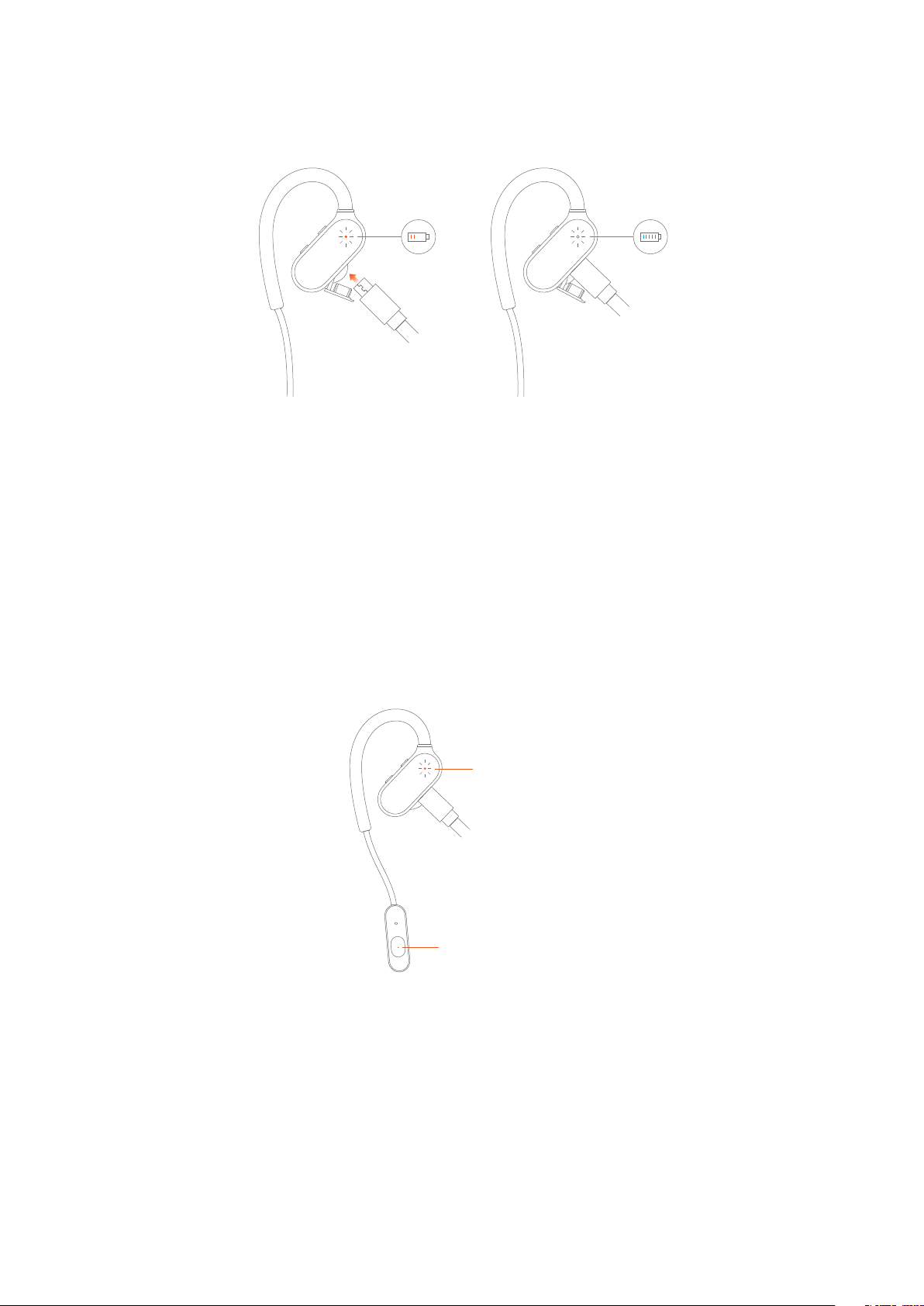
Charging
When the power is low, the light will turn red and start blinking. You’ll hear a notication
sound as well.
Factory reset
Red and white
Press and hold
When the earphones are charging, press and hold the multifunction button until the light starts
blinking red and white.
Loading…
View the manual for the Xiaomi Mi Sports Bluetooth Earphones here, for free. This manual comes under the category smartwatch and has been rated by 3 people with an average of a 8.3.
This manual is available in the following languages: English. Do you have a question about the Xiaomi Mi Sports Bluetooth Earphones or do you need help?
Ask your question here
Xiaomi Mi Sports Bluetooth Earphones specifications
Below you will find the product specifications and the manual specifications of the Xiaomi Mi Sports Bluetooth Earphones.
The Xiaomi Mi Sports Bluetooth Earphones is a wireless headset designed for mobile devices running on Android or iOS operating systems. With a weight of 17.8 grams, it offers a lightweight and portable audio solution for users on the go.
Equipped with Bluetooth version 4.1, these earphones can establish a reliable wireless connection with compatible devices. The digital volume control feature allows users to easily adjust the audio output to their preferred level.
The earphones boast a standby time of 280 hours, ensuring they can stay ready for use for extended periods without needing frequent recharging. The built-in rechargeable battery also provides up to 7 hours of continuous audio playback time, allowing users to enjoy their favorite music or podcasts for an extended period.
Featuring ear pads, the Xiaomi Mi Sports Bluetooth Earphones offer enhanced comfort during prolonged use. The three buttons on the earphones provide quick and convenient playback control options.
Constructed with a plastic frame, these earphones are designed to be lightweight and durable. A charger is included with the product, allowing for easy and convenient recharging.
The Xiaomi Mi Sports Bluetooth Earphones come with a user manual, providing detailed instructions for setup and use. With its wireless connectivity technology, this headset provides a hassle-free audio experience for users.
Overall, the Xiaomi Mi Sports Bluetooth Earphones offer a lightweight and wireless audio solution for mobile device users. Its standout features include its extended standby and playback time, comfortable ear pads, and convenient control buttons.
Headphone sensitivity
88 dB
General
| Brand | Xiaomi |
| Model | Mi Sports Bluetooth Earphones | ZBW4378GL |
| Product | smartwatch |
| EAN | 0190997000173, 6934177700415 |
| Language | English |
| Filetype | User manual (PDF) |
Headphones
| Headphone sensitivity | 88 dB |
| Ear coupling | Intraaural |
Weight & dimensions
Battery
| Standby time | 280 h |
| Continuous audio playback time | 7 h |
Ports & interfaces
| Bluetooth version | 4.1 |
| Connectivity technology | Wireless |
| Bluetooth | Yes |
| 3.5 mm connector | No |
| USB connectivity | No |
Performance
| Volume control | Digital |
| Product type | Headset |
| Product color | Black |
| Headset type | Binaural |
| Wearing style | Ear-hook |
| Recommended usage | Sports |
| Control unit type | In-line control unit |
Packaging content
Other features
| Buttons quantity | 3 |
| Frame material | Plastic |
| Manual | Yes |
| 2.5 mm connector | No |
System requirements
| Mobile operating systems supported | Android, iOS |
Microphone
show more
Frequently Asked Questions
Can’t find the answer to your question in the manual? You may find the answer to your question in the FAQs about the Xiaomi Mi Sports Bluetooth Earphones below.
How do I pair the Xiaomi Mi Sports Bluetooth Earphones with my smartwatch?
To pair your Xiaomi Mi Sports Bluetooth Earphones with your smartwatch, go to the Bluetooth settings on your smartwatch, ensure Bluetooth is turned on, and search for available devices. Locate your earphones in the list and select them to complete the pairing process.
How do I control the volume on my Xiaomi Mi Sports Bluetooth Earphones?
To control the volume on your Xiaomi Mi Sports Bluetooth Earphones, use the buttons located on the earpiece. Press the upper button to increase the volume and the lower button to decrease it. Adjust the volume to your desired level for optimal audio experience.
How can I charge my Xiaomi Mi Sports Bluetooth Earphones?
To charge your Xiaomi Mi Sports Bluetooth Earphones, connect the provided USB charging cable to the charging port on the earphones. The other end of the cable should be connected to a power source, such as your computer or a USB wall adapter. Once connected, the LED indicator on the earphones will light up to indicate the charging process.
Can I use my Xiaomi Mi Sports Bluetooth Earphones during workouts and outdoor activities?
Absolutely! The Xiaomi Mi Sports Bluetooth Earphones are designed to be sweatproof and lightweight, making them ideal for workouts and outdoor activities. Whether you’re running, cycling, or engaging in various sports, these earphones will provide you with a comfortable and secure fit to enjoy your music while staying active.
How can I check the battery status of my Xiaomi Mi Sports Bluetooth Earphones?
To check the battery status of your Xiaomi Mi Sports Bluetooth Earphones, you can refer to the LED indicator on the earphones. When the earphones are connected to your smartwatch or other device, the LED will display different colors to indicate the battery level. For example, a green light may indicate a high battery level, while a red light may indicate a low battery level.
Does Xiaomi Mi Sports Bluetooth Earphones have a standby time of 280 hours?
Yes, Xiaomi Mi Sports Bluetooth Earphones have a standby time of 280 hours. This means that the earphones can be left unused for a long period of time before needing to be charged again, making them ideal for occasional use or for users who may not use them every day.
Is the volume control of Xiaomi Mi Sports Bluetooth Earphones digital?
Yes, the volume control of Xiaomi Mi Sports Bluetooth Earphones is digital. This means that users can easily adjust the volume levels using digital controls, providing a seamless and convenient audio experience.
Can Xiaomi Mi Sports Bluetooth Earphones continuously playback audio for 7 hours?
Yes, Xiaomi Mi Sports Bluetooth Earphones can continuously playback audio for 7 hours. This indicates that the earphones have a decent battery life and can provide uninterrupted music or audio playback for extended periods of time.
Do Xiaomi Mi Sports Bluetooth Earphones have ear pads?
Yes, Xiaomi Mi Sports Bluetooth Earphones have ear pads. The presence of ear pads ensures comfortable wearing and helps in isolating external noise, allowing users to enjoy their music or audio without any distractions.
Does Xiaomi Mi Sports Bluetooth Earphones support both Android and iOS mobile operating systems?
Yes, Xiaomi Mi Sports Bluetooth Earphones support both Android and iOS mobile operating systems. This makes them compatible with a wide range of smartphones and devices, giving users the flexibility to connect and use the earphones with their preferred device.
What is the weight of the Xiaomi Mi Sports Bluetooth Earphones?
The Xiaomi Mi Sports Bluetooth Earphones has a weight of 17.8 g.
What is bluetooth?
Bluetooth is a way of exchanging data wirelessly between electronic devices via radio waves. The distance between the two devices that exchange data can in most cases be no more than ten metres.
Do I need to switch off my smartwatch at night?
It is sensible for you to switch off your smartwatch at night, this ensures longer battery life.
Do I need internet for GPS?
No, no internet is required to receive GPS.
What is GPS?
GPS is a system that can be used all over the globe to determine your location by means of satellites.
What does the abbreviation GPS stand for?
The abbreviation GPS stands for ‘Global Positioning System’.
Does a smartwatch have functionalities that a smartphone does not have?
In general, a smartwatch has no functionalities that a smartphone does not have.
Is the manual of the Xiaomi Mi Sports Bluetooth Earphones available in English?
Yes, the manual of the Xiaomi Mi Sports Bluetooth Earphones is available in English .
Is your question not listed? Ask your question here
The Mi Sports Bluetooth Headset is Xiaomi’s first attempt at making a headset for fitness junkies. The audio quality isn’t bad ass as it is on their wired headsets but it is still good enough for workouts. I bought one as a replacement/backup for my LG HBS730 which unfortunately has started falling apart and isn’t fully compatible with my TomTom Spark Cardio Music.
At the moment, the Mi Sports is only available in China and as such it does not come with an English Operation manual. Even the voice prompts are in chinese. I had a hard time setting it up but the Aliexpress seller I got it from was gracious enough to offer a few tips after which I learned the rest on my own.
Take note of the following please:
The USB Charging Port
The LED Light
The Volume/Track Control Buttons
The Multifunction Power Button
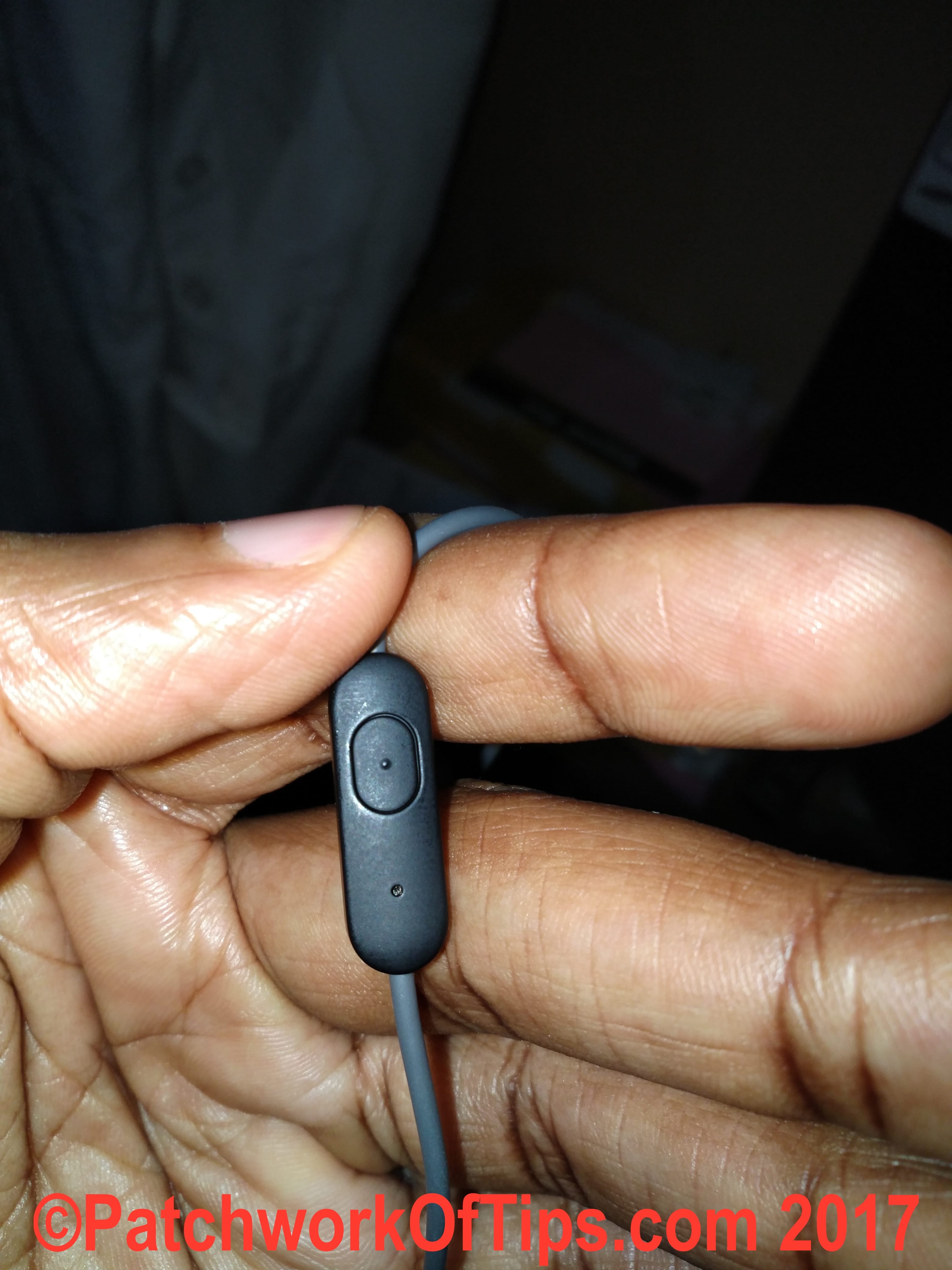
Table of Contents
How To Charge The Mi Sports Bluetooth Headset
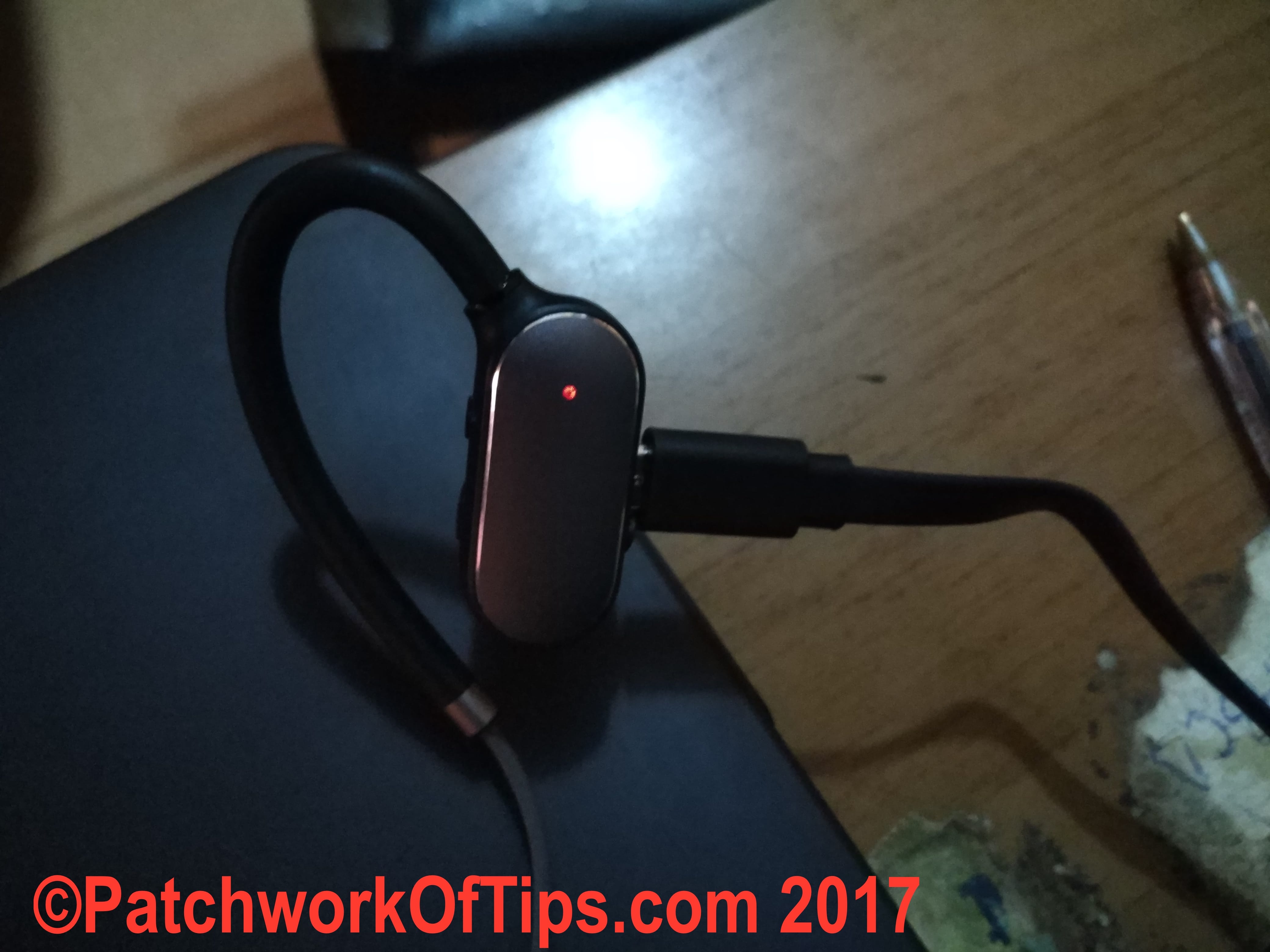
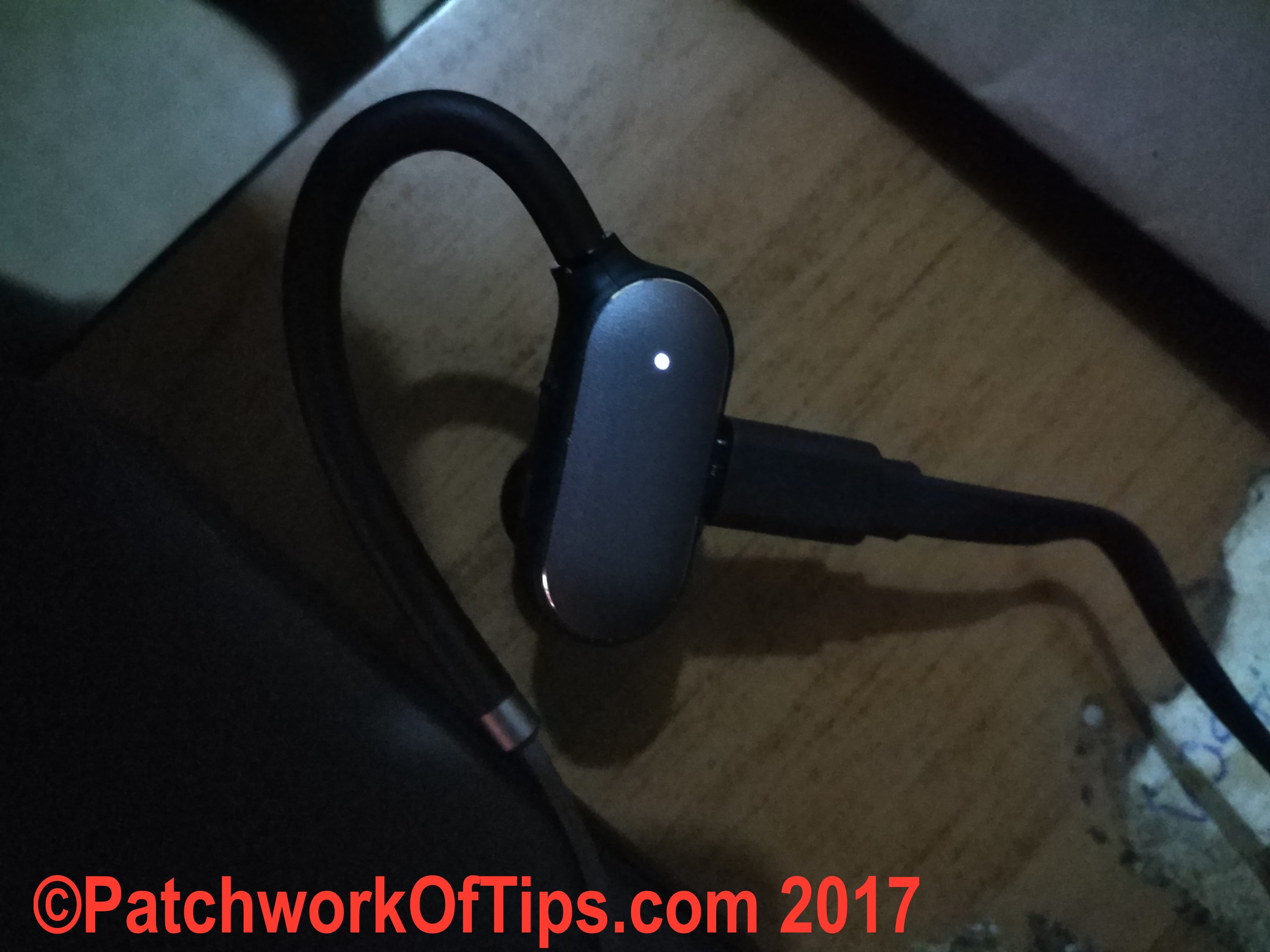
Simply plug in a microUSB cable into the charging port and connect it to your computer’s port or a USB wall adapter and charging will commence. When charging, the LED Light will be Red. When fully charged, the LED Light turns White.
How To Turn On/Off The Mi Sports Bluetooth Headset
Press and hold down the multifunction power button until the LED Light comes on white then let go. In this mode, it will connect to whatever devices you have paired it with in the past. If you’re just setting it up for the first time and you haven’t paired any device yet, see the next point below.
To switch off the headset, simply hold down the power button until the LED light turns red and goes out.
How To Pair New Devices To The Mi Sports Bluetooth Headset
With your headset switched off, press the power button and don’t let go (even when the LED light turns white for a moment). Hold on until the LED Light is white and starts blinking really fast. Turn on the Bluetooth on your preferred device (phone, PC, Mac or whatever), select the new device with the chinese letters as shown below and you’re done.
For devices such as the TomTom Spark Cardio Music which doesn’t have a bluetooth connection interface, the watch automatically detects the bluetooth headset and pairs itself.
How To Connect Two Devices To The Mi Sports Bluetooth Headset
This is a bit tricky but here is how it works for me.
Turn off bluetooth on the two devices. Switch on your Mi Sports bluetooth headset. Turn on bluetooth on your devices and they should automatically connect to the bluetooth headset.
To connect to another device, simply turn off bluetooth on one of the connected devices. Turn on another device which has been previously paired with the headset and it will automatically connect.
One thing I love about this feature is that it’s quite intuitive in that when I’m playing music on the TomTom Spark Cardio Music and a call comes in on my phone, the music is automatically paused and audio focus is shifted to my phone so I can answer my calls easily.
NOTE: In my experience you can’t play audio from the two connected devices at the same time. Notifications from my phone sometimes mess with the music playing on my watch.
How To Receive, End & Reject Calls On The Mi Sports Bluetooth Headset
When a call comes in, simply press the power button once to receive the call. To end the call, press the power button again. I haven’t figured out how to reject a call.
UPDATE: To reject a call, simply press and hold down the power button a second or two.
How To Redial Your Last Called Contact
Simply press the power button twice rapidly.
How To Increase/Reduce The Audio Volume On The Mi Sports Bluetooth Headset
Simply press the Volume Up (+) or Volume Down (-) button several times
How to Skip Tracks On The Mi Sports Bluetooth Headset
Simply press and hold down the Volume Up (+) or Volume Down (-) button to go to the next track or the previous track.
And this my friends is basically how Xiaomi’s Mi Sports Bluetooth Headset functions. If you’ve got any further questions, feel free to ask in the comment section below.
Home » Tech Tutorials » How To Set Up and Use Xiaomi’s Mi Sports Bluetooth Earphones
You’ll also like:
- Xiaomi YDLYEJ01LM Mi Sports Bluetooth Headset Quick Review
- Ten Reasons Not To Buy The TomTom Spark Cardio Music
- Anker SoundBuds Lite Neckband Bluetooth Earbuds Review
- How To Setup Xiaomi Wireless Bluetooth Speakers NDZ-03-GA
- Xiaomi Mi PowerBank 2C — PLM06ZM Quick Charge 3.0 Review
Please share this article to help others. Thanks
-
Contents
-
Table of Contents
-
Bookmarks
Quick Links
Mi Sports Bluetooth Earphones
User Manual
Need help?
Do you have a question about the Sports and is the answer not in the manual?
Questions and answers
Related Manuals for Mi Sports
Summary of Contents for Mi Sports
-
Page 1
Mi Sports Bluetooth Earphones User Manual… -
Page 2: Getting Started
Getting started Select and install ear tips Large Medium Small Earhook Noti cation light Volume +/- Left earphone Ear tip Right earphone Charging port Microphone Multifunction button Cable clip Medium ear tips suit most people, try them before you decide to switch to a different size.
-
Page 3
Find your t Put the earhook over the back of your ear and insert the earphone into the ear canal. Adjust by twisting into position if the t isn’t right. Move the microphone closer to your mouth for better sound during phone conversations. -
Page 4
Detection Functionality Activated, detectable to devices nearby Activated, detectable to devices nearby Phone Name Phone Name Available Devices Available Devices Mi Sports Bluetooth Earphones Mi Sports Bluetooth Earphones Find «Mi Sports Bluetooth Earphones» among the devices on your phone and connect. -
Page 5: Factory Reset
Charging When the power is low, the light will turn red and start blinking. You’ll hear a noti cation sound as well. Factory reset Red and white Press and hold When the earphones are charging, press and hold the multifunction button until the light starts blinking red and white.
-
Page 6: Answer Calls
Features Answer calls Press the multifunction button once when the light turns white and starts ashing. Press once Reject calls Press and hold the multifunction button when the light turns white and starts ashing. Press and hold…
-
Page 7
Redial last outgoing number Double press the multifunction button in standby mode Note: This feature might work differently with some carriers. Double press Mute Double press the multifunction button during the conversation. Double press… -
Page 8
Connect 2 phones 1. Connect to the rst phone and turn off the earphones. 2. Press and hold the button until the light turns white and starts blinking. Find «Mi Sports Bluetooth Earphones» among the devices on the second phone and connect. -
Page 9: Voice Assistant
Accept calls from 2 phones and switch between conversations When you receive a call on the second phone while in conversation on the rst phone, double press the multifunction button to put the rst call on hold and switch to the second one. Double press the multifunction button every time you want to switch between calls.
-
Page 10: Eu Declaration Of Conformity
1. EU Declaration of Conformity WE Xiaomi Communications Co., Ltd., hereby, declares that this equipment is in compliance with the applicable Directives and European Norms, and amendments. . 2. WEEE Disposal and Recycling Information Correct Disposal of this product. This marking indicates that this product should not be disposal with other household wastes through out the EU.
-
Page 11
5. Regulatory Notice for Users in USA USA — Federal Communications Commission (FCC) This device are granted with following FCC ID by Federal Communications Commission (FCC) FCC ID: 2AFZY-YDLYEJ01LM RF exposure warning • This equipment must be installed and operated in accordance with provided instructions and the antenna(s) used for this transmitter must be installed to provide a separation distance of at least 20 cm from all persons and must not be co-located or operating in conjunction with any other antenna or transmitter. -
Page 12: Product Features
Bluetooth 4.1 CSR Bluetooth chip Earhooks optimized for workouts aptX audio technology aptX Specs Product name: Mi Sports Bluetooth Earphones Size: 27×29×30mm Charging time: 2 hours Standby time: 280 hours Bluetooth version: 4.1 Battery type: Lithium-ion polymer battery Model: YDLYEJ01LM…
-
Page 13
Go to www.mi.com to learn more… -
Page 14
Contact customer service to learn more Online support: www.mi.com/service Principal: Xiaomi Communications Co., Ltd. Manufacturer: Dongguan Liesheng Electronics Co., Ltd (a Mi Ecosystem Company) Address: Guangdong Province, Dongguan City, South District, Gaosheng Technology Park North Area, Building B, Floor 5, China…